11 best social media management tools for agencies (2026)
Social media management for agencies is high-stakes work. You have to keep every client’s brand consistent, coordinate approvals across multiple stakeholders, and publish a high volume of content across several channels.
To do that reliably, agencies need more than a scheduling tool. They need a platform designed for collaboration, fast approvals, clear feedback loops, and reporting that shows measurable outcomes to clients.
With over a decade in SaaS content writing, I’ve tested and reviewed the top social media management platforms so you can choose with confidence. Many agencies deal with “feedback fatigue” and scattered social media approval processes, where comments live in multiple places and sign-offs get missed. That leads to errors, delays, and hours spent tracking approvals.
This guide reviews the best social media management platforms for agency workflows, with a focus on collaboration, approvals, and client-ready reporting.
SMM software comparison: pricing models & key capabilities for agencies
Planable
Per workspace
$33/mo
Multi-level + custom team workflows
Yes
Mature marketing agencies, multi-client
Sprout Social
Per user
$199/mo
Team & approvals
Yes
Full-service, enterprise agencies
Hootsuite
Tiered
$99/mo
Team + role workflows
Yes
High-volume account management
SocialBu
Tiered
$16/mo
Team & basic approvals
No
Lean agencies, automation-focused
SocialPilot
Tiered
$25.50/mo
Team workflows
Yes
Growing agencies, multi-client
Agorapulse
Per user
$79/mo
Team workflows
Yes
Mid-size, PR-adjacent agencies
Statusbrew
Tiered
$69/mo
Team workflows
Yes
Multi-brand, scaling agencies
Zoho Social
Tiered
€230/mo
Team workflows
Yes
Lead gen, CRM-integrated accounts
Later
Tiered
$18.75/mo
Basic workflows
No
Instagram-first brands
Buffer
Per channel
$5/mo
Basic team workflows
Limited
eCommerce, low-channel accounts
Sked Social
Tiered
$49/mo
Team workflows
No
UGC-driven visual brands
Pricing model
Per workspace
Approvals
Multi-level + custom team workflows
White-label reporting
Yes
Best agency fit
Mature marketing agencies, multi-client
Approvals
Team & approvals
White-label reporting
Yes
Best agency fit
Full-service, enterprise agencies
Approvals
Team + role workflows
White-label reporting
Yes
Best agency fit
High-volume account management
Approvals
Team & basic approvals
Best agency fit
Lean agencies, automation-focused
White-label reporting
Yes
Best agency fit
Growing agencies, multi-client
White-label reporting
Yes
Best agency fit
Mid-size, PR-adjacent agencies
White-label reporting
Yes
Best agency fit
Multi-brand, scaling agencies
White-label reporting
Yes
Best agency fit
Lead gen, CRM-integrated accounts
Approvals
Basic workflows
Best agency fit
Instagram-first brands
Pricing model
Per channel
Approvals
Basic team workflows
White-label reporting
Limited
Best agency fit
eCommerce, low-channel accounts
Best agency fit
UGC-driven visual brands
Social media management software pricing changes often, and some platforms price differently depending on the number of users, social profiles, clients, workspaces, or add-on features.
To keep this comparison practical, I’ve included the most relevant starting price or agency-relevant entry price where available. Before choosing a tool, check:
- how many users are included
- how many social profiles or brands are included
- whether approvals are available on your plan
- whether analytics and reports cost extra
- whether integration with ai tools cost extra
- whether client workspaces, external collaborators, or white-label reports require a higher-tier plan.
For agencies, the lowest advertised price is not always the real working price. A tool that looks inexpensive for one brand can become expensive once you add multiple clients, approval flows, reporting, and team members.
Note: Pricing may vary based on users, social profiles, workspaces, clients, and add-ons. Check the vendor’s pricing page before buying.
How I evaluated these social media management tools
To make this comparison useful for agencies, I focused on the workflows that matter most when managing multiple clients, brands, and approval chains.
For each platform, I looked at:
Multi-client management
Whether the tool supports separate workspaces, brands, client accounts, or permission levels.
Collaboration and approvals
Whether teams can leave feedback, request changes, approve posts, and keep client comments organized.
Scheduling and publishing
Supported platforms, calendar usability, bulk scheduling, and whether the tool handles multiple formats like Reels, Stories, carousels, and short-form video.
Reporting
Whether agencies can create client-ready reports, customize dashboards, and track performance across accounts.
Social inbox and engagement
Whether the tool helps agencies manage comments, messages, mentions, and reviews from one place.
Scalability and pricing
Whether pricing remains realistic as agencies add clients, users, social profiles, or approval workflows.
Best-fit use case
Which type of agency is most likely to benefit from the tool: small teams, content-heavy agencies, enterprise teams, paid-social teams, or reporting-focused agencies.
What I checked
Whether the tool supports separate workspaces, brands, client accounts, or permission levels.
What I checked
Whether teams can leave feedback, request changes, approve posts, and keep client comments organized.
What I checked
Supported platforms, calendar usability, bulk scheduling, and whether the tool handles multiple formats like Reels, Stories, carousels, and short-form video.
What I checked
Whether agencies can create client-ready reports, customize dashboards, and track performance across accounts.
What I checked
Whether the tool helps agencies manage comments, messages, mentions, and reviews from one place.
What I checked
Whether pricing remains realistic as agencies add clients, users, social profiles, or approval workflows.
What I checked
Which type of agency is most likely to benefit from the tool: small teams, content-heavy agencies, enterprise teams, paid-social teams, or reporting-focused agencies.
I also paid attention to common agency bottlenecks: scattered feedback, slow approvals, messy content calendars, unclear client responsibilities, and reporting that takes too long to prepare.
Pricing and feature availability can change frequently, so treat the pricing in this article as a starting point and confirm the latest details on each vendor’s website before making a final decision.
The 11 best social media management tools for agencies
I’ve handpicked and tested social media management software against the criteria mentioned above: multi-client workspaces, social media scheduling, approvals, reporting, social inbox, and pricing.
Use your requirements and budget to choose the best-fit option for your agency.
1. Planable – best for collaboration & approval workflows
Planable is a social media management platform built around content planning, collaboration, approvals, and publishing. It is especially useful for agencies that need to manage feedback from clients, internal teams, designers, copywriters, and account managers in one shared workspace.

Planable’s social media content calendar with scheduled posts, campaigns, notes and briefs
Planable’s approval system is flexible but structured: choose from four workflow modes (None, Optional, Required, or Multi-level), and assign distinct roles for internal teammates and external clients. Instead of collecting feedback across email threads, spreadsheets, Slack messages, and screenshots, teams can review posts directly in context. Clients can leave comments, request edits, and approve content before it goes live.
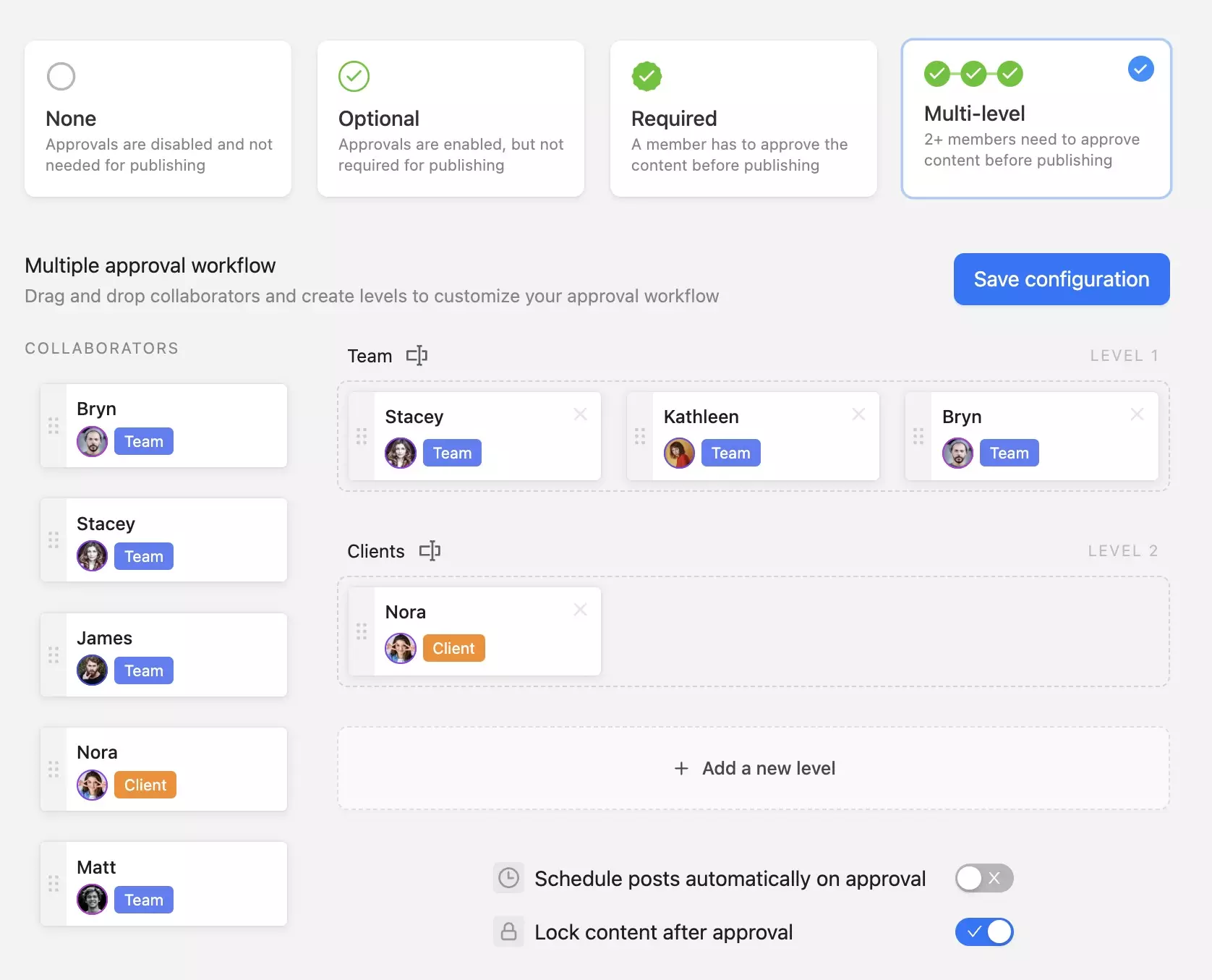
Content approval workflow in Planable showing optional, required, and multi-level options
Best for: agencies that need faster client approvals, visual content calendars, team collaboration, and smoother automation workflows.
Not ideal for: freelancers and small businesses. If your main need is managing projects, customers, or enterprise assets, a specialized tool in those categories will generally be a better fit.
Planable key features
- Custom approval workflows (multi-level). Define and enforce multi-step approval processes so content quality is controlled at scale, without requiring manual oversight of every conversation.
- Workspace-per-client structure. Give each client a dedicated workspace to separate teams, assets, approvals, and access (ideal for managing multiple accounts).
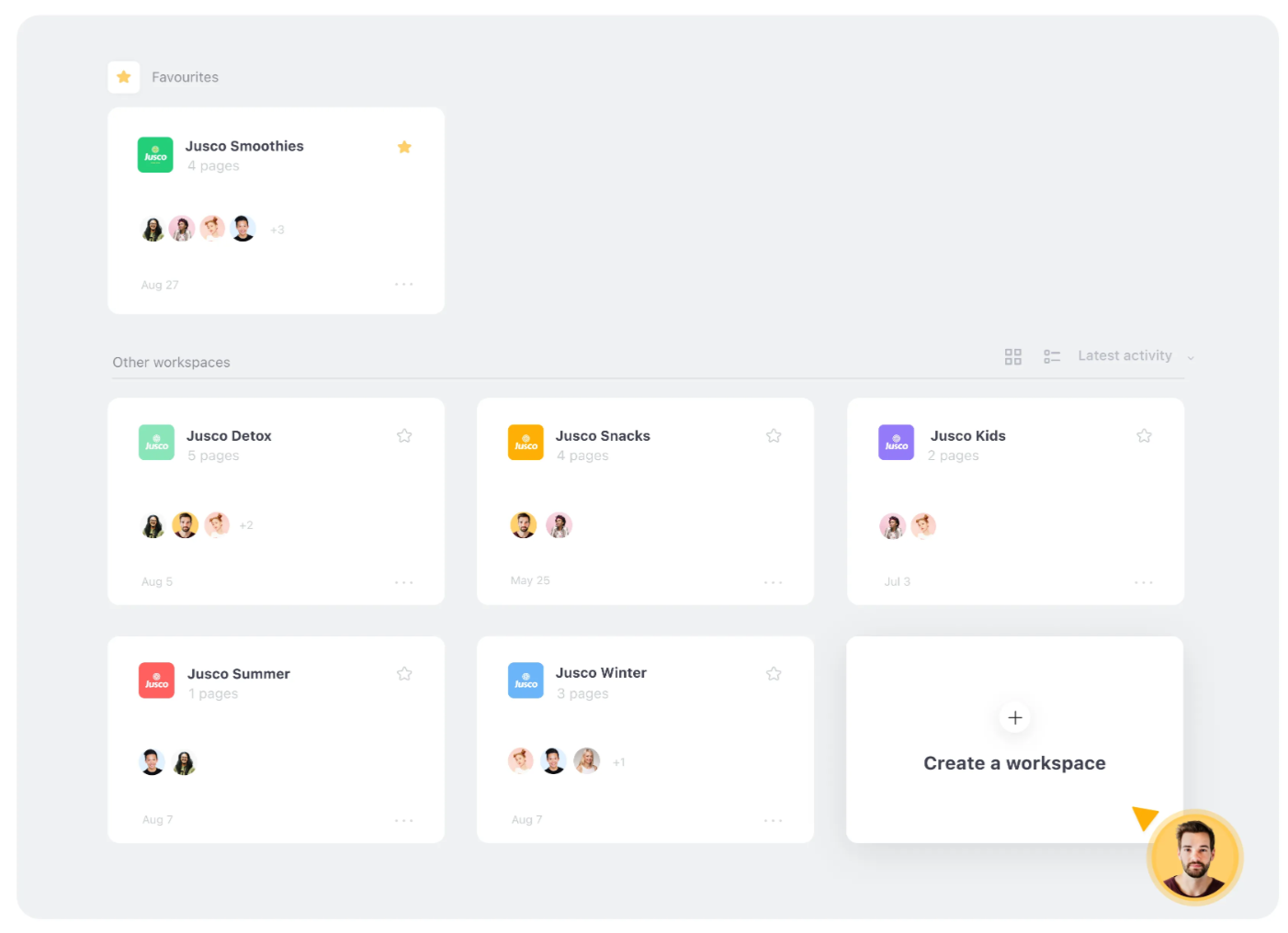
Planable’s workspace dashboard displaying multiple social media projects and collaborators
- Custom roles & permissions. Control exactly who can view, edit, approve, or publish. Useful for mixed internal teams plus external client stakeholders.
- Guest view links. Share a client-friendly view via a link so clients can review progress without accessing internal workspaces.
- Analytics & custom reporting. Consolidated reporting across channels and accounts for higher-level performance visibility (not just per-post metrics).
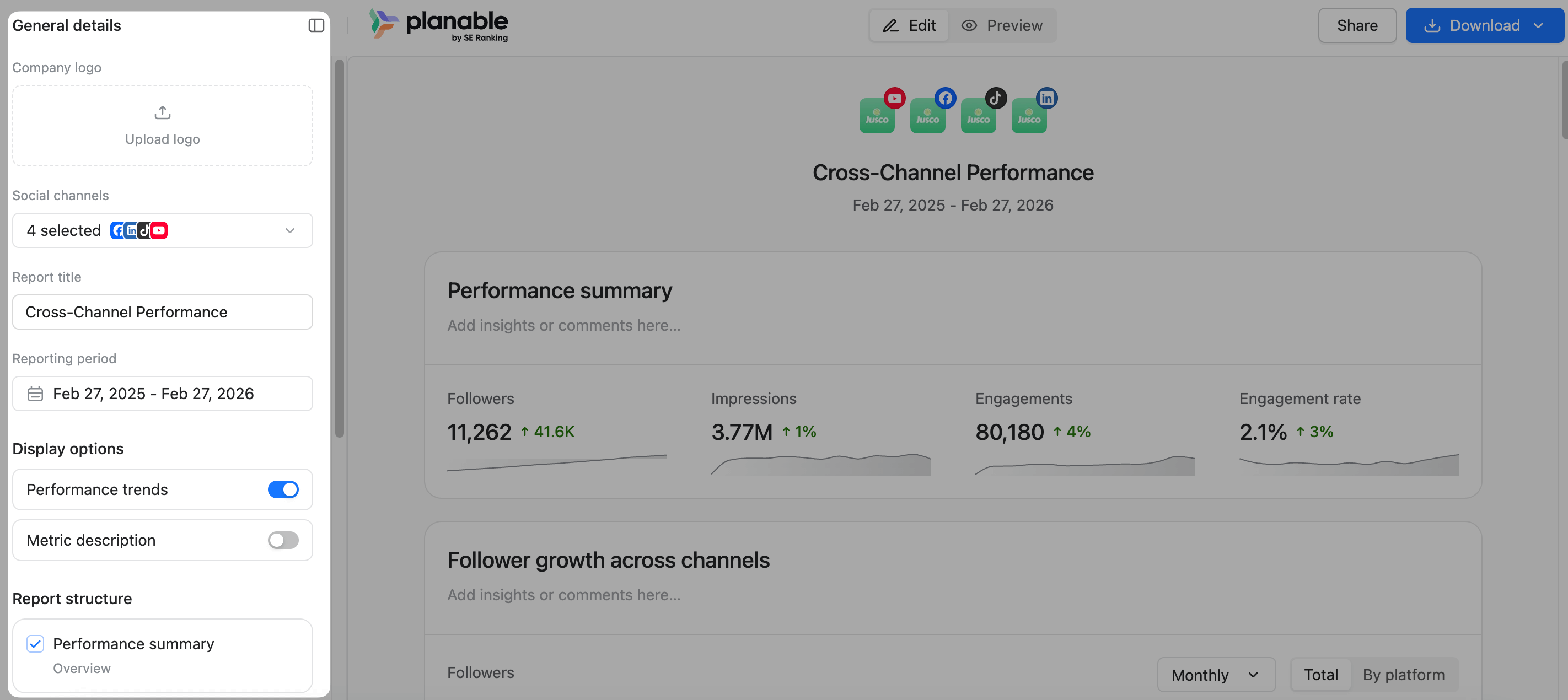
Planable customizable report view
- Internal comments & team-only drafts. Keep internal discussion and early drafts hidden from clients to protect the relationship and avoid confusion.
- Post activity & version history. Maintain a complete audit trail of edits, comments, and approvals, including who did what and when.
- Universal Content. Manage content beyond social (blogs, newsletters, briefs) in the same platform for teams that need broader content oversight.
- Social inbox. Monitor and respond to social engagement in one place. A natural add-on service to offer clients from within the same tool.
- Real-time collaboration with unlimited users. Let your entire team work in one environment, apply feedback immediately, and reduce back-and-forth across tools.
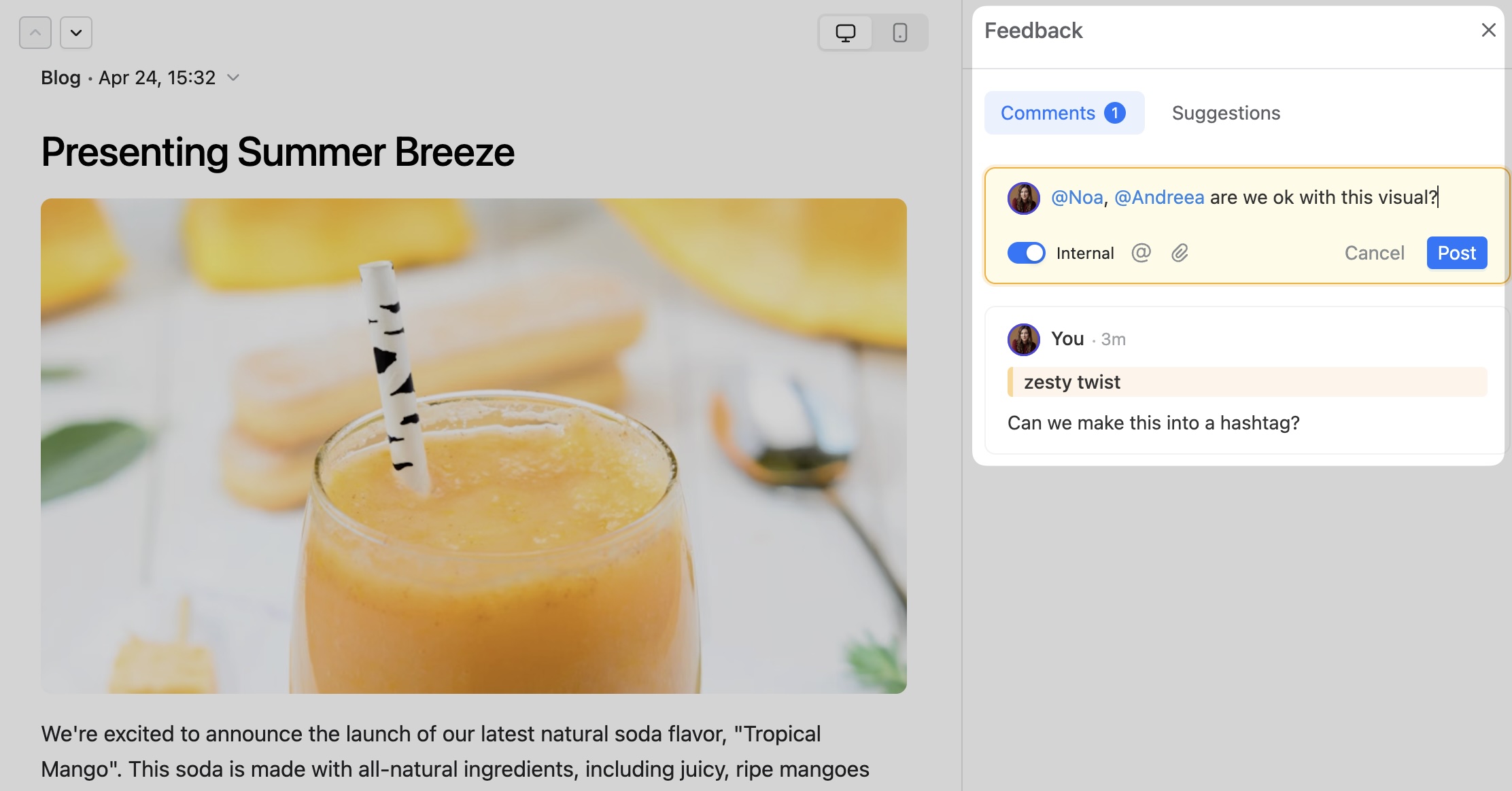
Real-time team feedback comments in a side panel in Planable
- Integrations with Canva, Slack, and Zapier for asset handoff, notifications, and workflow automation.
- Planable public API and MCP available in all plans.
Supported platforms: Instagram, Facebook, TikTok, YouTube, X (Twitter), LinkedIn, Google Business Profile, Pinterest, Threads
Limitations: Not designed for reputation management workflows.
Pricing: 50 scheduled posts free. Paid plans from $33/month per workspace, scaled by workspace count and feature tier.
Pricing model: Per workspace. Costs scale with client count, not headcount. Favorable for growing teams.
Bottom line: Planable gives agencies a clean system for managing client content: separate workspaces, granular permissions, and multi-step approvals keep every account organized and on track. From collaborative drafting to reporting and social inbox, it brings the core of agency workflows (planning, publishing, engagement, and performance visibility) into one place.
2. Sprout Social – best for social monitoring and enterprise reporting
Sprout Social covers the full stack: publishing, analytics, social listening, and inbox management.
The ViralPost feature identifies optimal posting windows per account based on actual audience behavior, and the reporting suite is among the most comprehensive available.
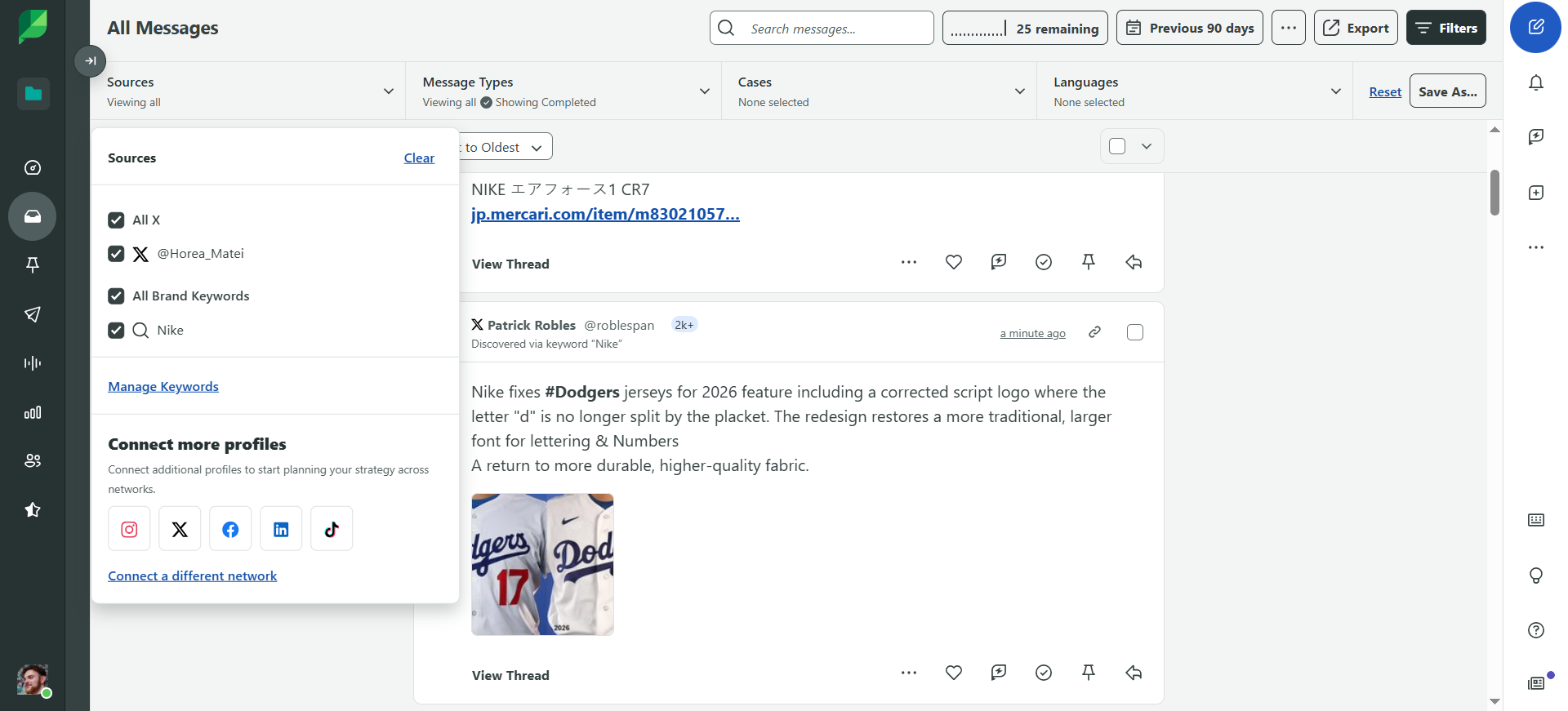
Sprout’s social listening dashboard displaying filtered messages
Who it’s for: Larger full-service and performance agencies where deep audience intelligence, social listening, and multi-channel reporting are non-negotiable client deliverables.
Sprout Social key features
- Full social media management with visual content calendar
- Built-in cross-platform analytics with multi-account reporting
- ViralPost for data-driven posting time recommendations
- Unified social inbox with team assignment and tagging
- Internal notes on brand mentions to add context for support or CX teams (useful for handoffs, escalation history, or customer background).
- In-depth social listening reports: topic-specific keyword breakdowns + demographics + brand mentions (Reddit too) + topic-specific content displays.
Supported platforms: Instagram, Facebook, X (Twitter), LinkedIn, Pinterest, TikTok, YouTube, WhatsApp, Facebook Messenger, Google Business Profile
Sprout Social pros & cons
- Top-notch reputation management, social engagement, and customer care features
- Very expensive entry-level price tag, especially considering agencies often need multiple users and workspaces, which quickly increases total cost
- Intuitive despite its complexity
- Features agencies often rely on (campaign tags, content approvals, bulk scheduling) are unavailable in the entry-level plan
- Detailed reports suitable for stakeholder and client reporting
- White-labeled reports are only available on Professional and Advanced plans
- Top-notch reputation management, social engagement, and customer care features
- Intuitive despite its complexity
- Detailed reports suitable for stakeholder and client reporting
- Very expensive entry-level price tag, especially considering agencies often need multiple users and workspaces, which quickly increases total cost
- Features agencies often rely on (campaign tags, content approvals, bulk scheduling) are unavailable in the entry-level plan
- White-labeled reports are only available on Professional and Advanced plans
Pricing: 30-day free trial. Plans starting from $199/month for five social profiles and smaller teams.
Pricing model: Per user, escalates significantly with team size. Factor in add-on costs for listening and advanced reporting before comparing to alternatives.
Bottom line: Sprout is a legitimate enterprise platform. The cost is high and escalates fast, but for agencies that offer social customer service and/or reputation management services , the capability justifies the investment.
3. Hootsuite – best for consolidated account management at volume
Hootsuite has built a mature feature set: unified social inbox, social listening, client management, and cross-platform scheduling in a single dashboard.
It’s a practical choice for agencies that need centralized oversight across a high number of accounts.
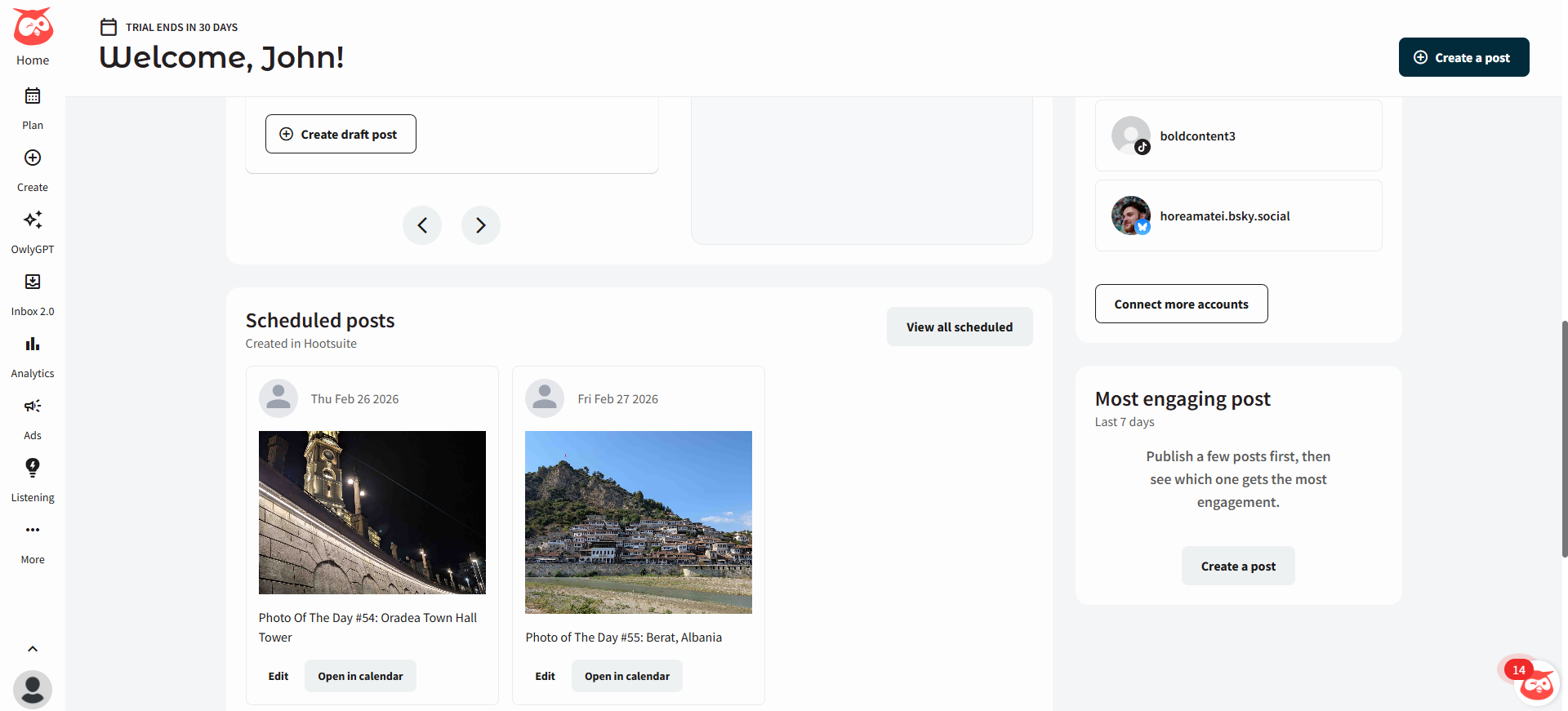
Hootsuite home dashboard featuring scheduled posts
Who it’s for: Agencies managing a large number of accounts that need a consolidated command center with social listening built in.
Hootsuite key features
- Cross-platform scheduling and campaign analytics
- Single social inbox across all connected accounts
- Gives recommendations: posting time, discoverability, and hashtag optimization
- Social listening: brand mentions, trending topics, competitor monitoring
- Client account management
- Community management tools with team collaboration features
Supported platforms: Instagram, Facebook, X (Twitter), LinkedIn, Pinterest, TikTok, YouTube
Hootsuite pros & cons
- Powerful account performance/competitor analytics and inbox management
- Pricey. Plans primarily aimed at large-scale enterprises, which can make it expensive for agencies with multiple users and client accounts
- Handles ad campaign publishing, management, and analytics
- Analytics can be difficult to navigate
- The interface has a learning curve and doesn’t match the UX quality of newer tools
- Powerful account performance/competitor analytics and inbox management
- Handles ad campaign publishing, management, and analytics
- Pricey. Plans primarily aimed at large-scale enterprises, which can make it expensive for agencies with multiple users and client accounts
- Analytics can be difficult to navigate
- The interface has a learning curve and doesn’t match the UX quality of newer tools
Pricing: 30-day free trial. Plans from $99/month.
Pricing model: Tiered by features and social accounts. The entry price understates what most agencies will actually need (approvals, roles, reporting, audit trails, multi-client controls), because the capabilities live in higher tiers.
Bottom line: Hootsuite delivers on breadth, but the entry plan isn’t the full product. Budget for the tier that unlocks what your agency needs, then compare that price against the alternatives.
4. SocialBu – best for automating repetitive workflows at scale
SocialBu addresses the operational drag of running many client accounts: fragmented inboxes, repetitive publishing tasks, and approval processes that slow down a lean team.
It consolidates scheduling, approvals, team roles, unified inbox, and automation in one dashboard.
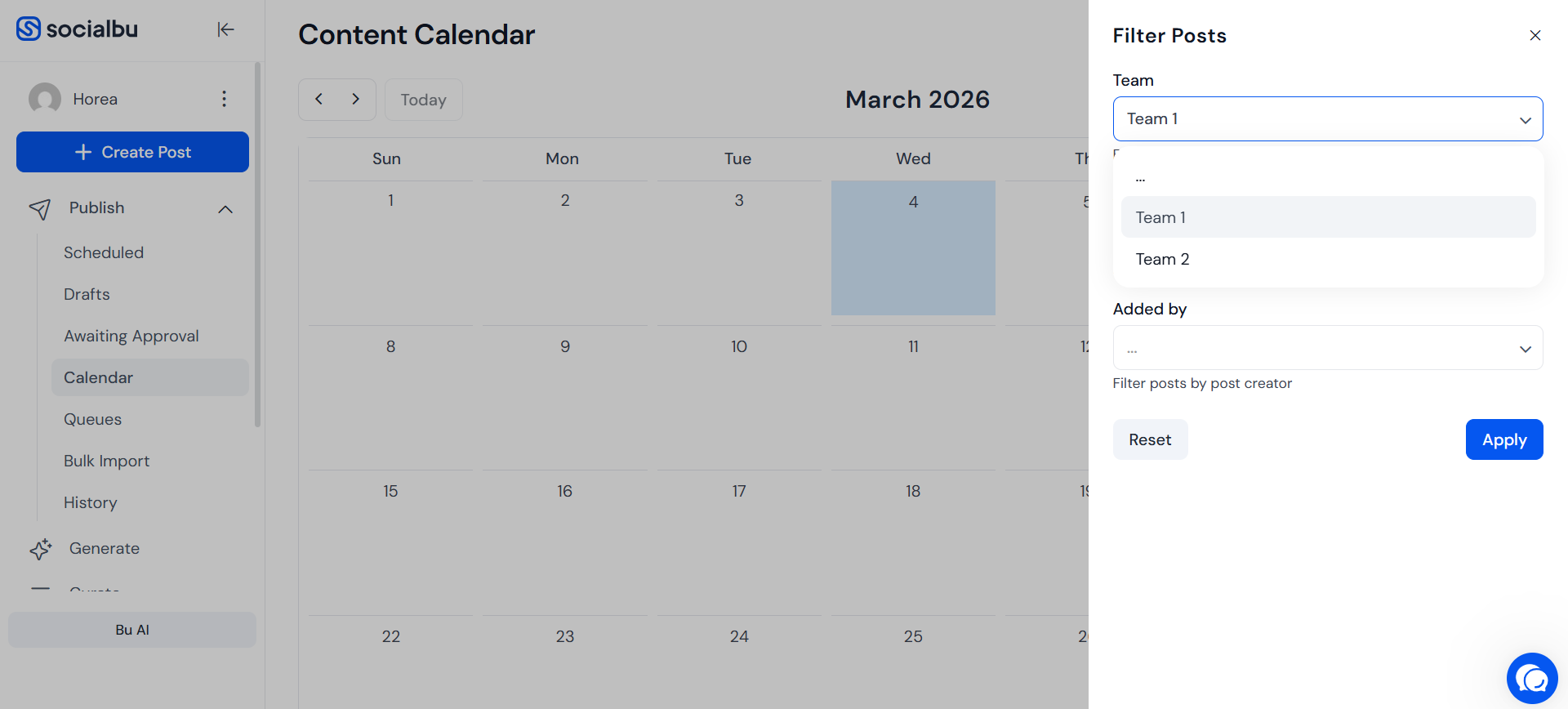
SocialBu content calendar interface with filter options
Who it’s for: Lean agencies managing high account volume that need automation to maintain output without adding headcount.
SocialBu key features
- Shared content calendar with scheduling and cross-account analytics
- Support role-based access with pre-publish approval workflows, plus condition-based automations (e.g., email the client automatically when a post is published).
- Bulk upload for high-volume scheduling
- Unified inbox for messages and comments across platforms
- Automation: RSS posting, first-comment publishing, auto-replies, webhooks
Supported platforms: Facebook, X (Twitter), Instagram, Threads, LinkedIn, TikTok, YouTube, Reddit, Pinterest, Mastodon, Google Business Profile, Bluesky
SocialBu pros & cons
- Clean interface with minimal learning curve
- Steep gaps between plans ($14 → $49 → $166/month) — can make pricing jumps difficult for agencies scaling gradually
- The option to add separate teams into the platform is perfect for agency work
- Calendar seems underdeveloped compared to other agency tools
- Reddit scheduling support is a big plus
- White-label reports only in top-tier plan (+ no other white-labeling options), which may limit agencies that rely on client-ready reporting
- Clean interface with minimal learning curve
- The option to add separate teams into the platform is perfect for agency work
- Reddit scheduling support is a big plus
- Steep gaps between plans ($14 → $49 → $166/month) — can make pricing jumps difficult for agencies scaling gradually
- Calendar seems underdeveloped compared to other agency tools
- White-label reports only in top-tier plan (+ no other white-labeling options), which may limit agencies that rely on client-ready reporting
Pricing: Standard $16/month. Super $49/month. Supreme $166/month.
Pricing model: Tiered by accounts and features. Low entry price makes it practical to test before committing.
Bottom line: SocialBu is a strong operational choice for agencies running lean. The automation layer (RSS posting, auto-replies, webhooks) meaningfully reduces time on recurring tasks. The trade-off is reporting depth.
5. SocialPilot – best value for growing multi-client agencies
SocialPilot offers the core agency feature set (bulk scheduling, white-labeling, client approvals, analytics) at a price designed for agencies that can’t absorb enterprise pricing.
The white-label capability is particularly relevant for agencies delivering branded reporting as part of the retainer.
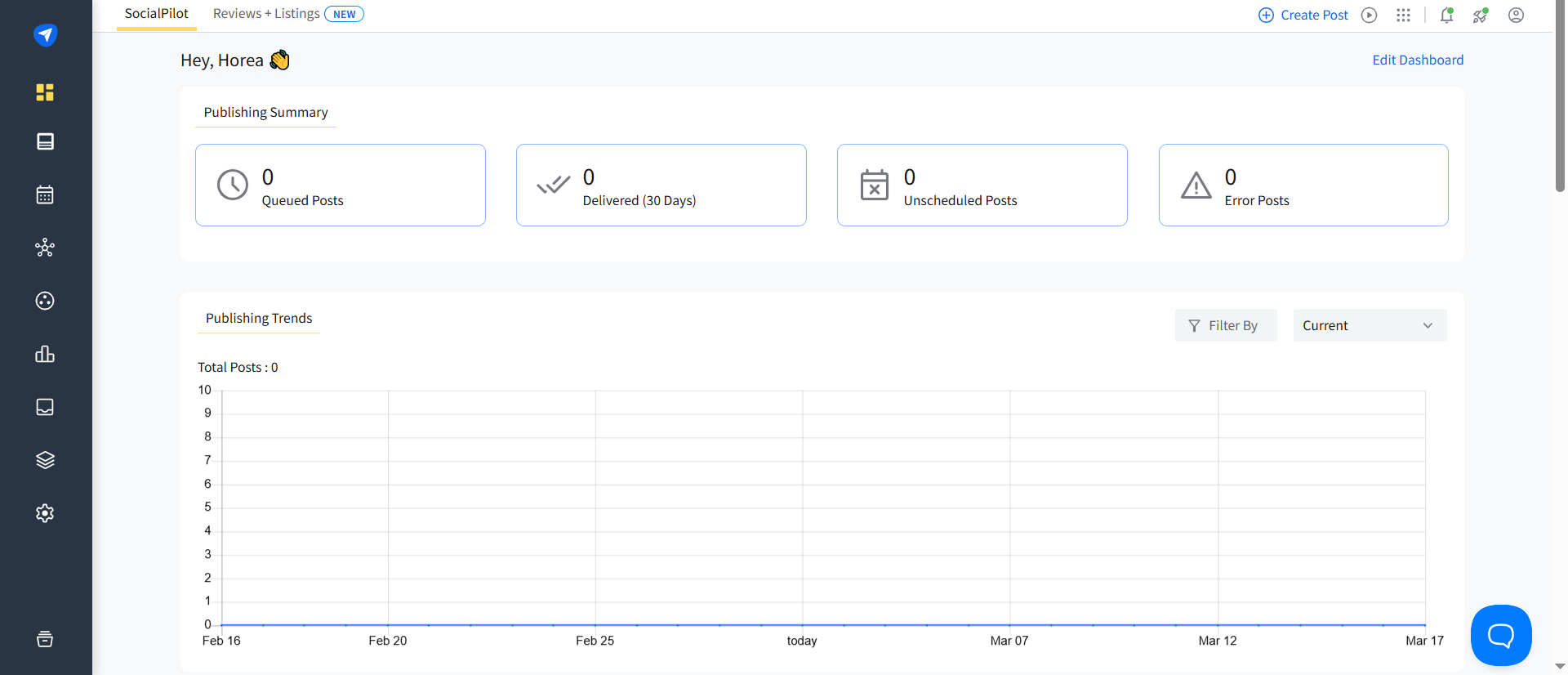
SocialPilot publishing dashboard showing queued posts, delivery stats, and publishing trends chart
Who it’s for: Growing agencies managing multiple clients that need white-label reporting and scalable scheduling without enterprise costs.
SocialPilot key features
- Visual content calendar with post management across accounts
- Bulk scheduling for up to 500 posts at once
- Can organize social accounts under groups for better client management, and with approval workflows
- In-depth analytics and white-label custom reports
Supported platforms: X (Twitter), Facebook, Instagram, LinkedIn, YouTube, Google Business Profile, Threads, Bluesky, TikTok
SocialPilot pros & cons
- RSS feeds + social inbox management
- Calendar preview doesn’t display comments or color-coded tags
- Great white-labeling (branded reports + dashboards)
- No other views outside calendar
- No social listening or competitor analysis
- RSS feeds + social inbox management
- Great white-labeling (branded reports + dashboards)
- Calendar preview doesn’t display comments or color-coded tags
- No other views outside calendar
- No social listening or competitor analysis
Pricing: 14-day free trial. Plans starting from $25.50/month, billed annually.
Pricing model: Tiered by accounts and features. White-labeling is included in higher-tier plans.
Bottom line: SocialPilot is the strongest value play for agencies that need white-label reporting and bulk publishing at scale. The absence of social listening is a real gap, but for content-delivery-focused agencies, the price-to-capability ratio is hard to beat.
6. Agorapulse – best for social listening & audience-level client reporting
Agorapulse combines scheduling, monitoring, and audience segmentation in a clean interface.
The standout feature for agencies is the audience label system: you can categorize followers by engagement level, track interaction history, and include audience quality data in client reports.
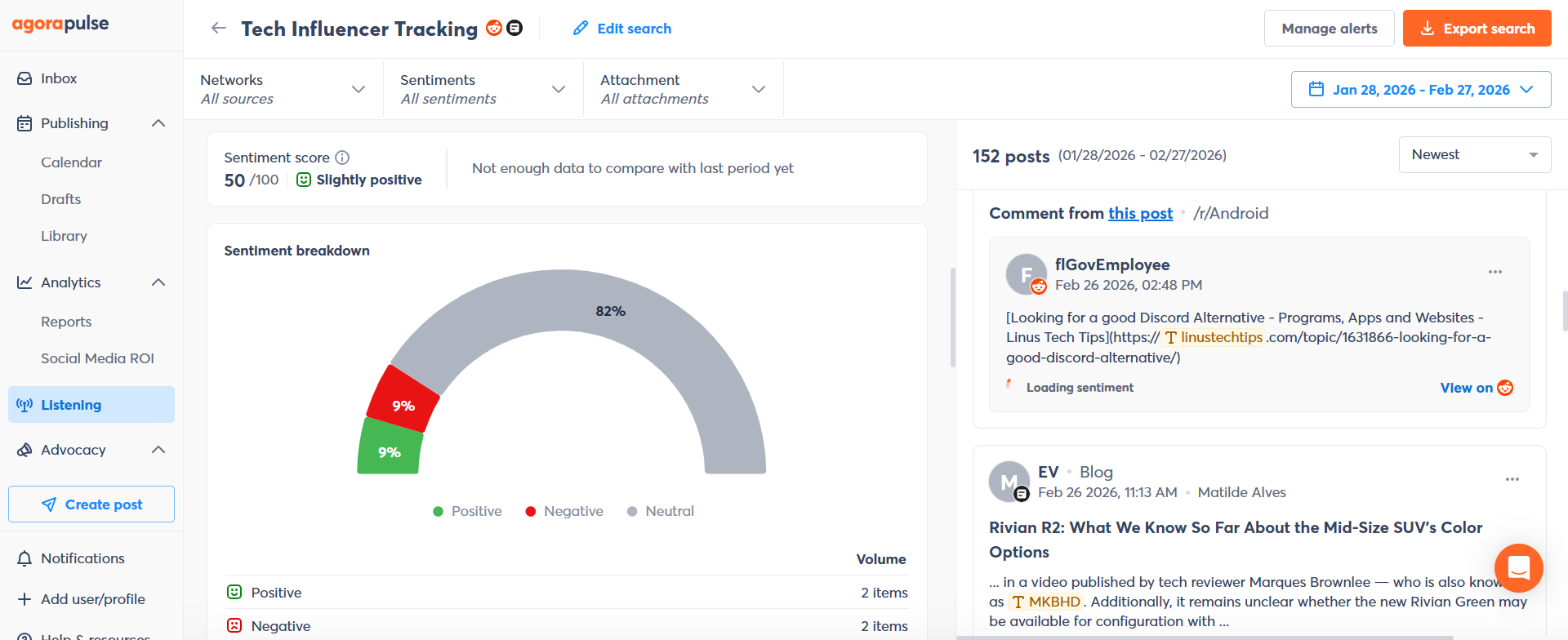
Agorapulse listening dashboard with sentiment analysis and monitored posts from Reddit and blogs
Who it’s for: Mid-sized agencies where demonstrating audience growth and engagement quality is part of the client deliverable, particularly for social-first or PR-adjacent accounts.
Agorapulse key features
- Social media calendar with complete post history across all platforms
- Social listening with customizable unified inbox (mentions, comments, reviews)
- Automated client reports on engagement and social performance
- Audience labeling for segmentation and interaction tracking
- Media library for on-brand content organization
Supported platforms: Instagram, Facebook, X (Twitter), LinkedIn, TikTok, YouTube, Google Business
Agorapulse pros & cons
- Very capable social listening, analytics, and inbox management features
- ROI reports via GA4 integration
- UI elements too small and becomes a problem for busy calendars
- Collaboration features, social listening, and Instagram visual grid are gated to higher-tier plans
- Very capable social listening, analytics, and inbox management features
- ROI reports via GA4 integration
- Expensive pricing plans
- UI elements too small and becomes a problem for busy calendars
- Collaboration features, social listening, and Instagram visual grid are gated to higher-tier plans
Pricing: Free plan available. Paid plans from $49/month after 30-day trial.
Pricing model: Tiered by users and social profiles. Costs increase significantly beyond 15 profiles.
Bottom line: Agorapulse is well-balanced for agencies managing up to around 15 profiles. The audience label system adds reporting depth that most tools skip. Beyond that profile threshold, the pricing becomes a recurring conversation.
7. Statusbrew – best enterprise features without per-user pricing
Statusbrew is designed for agencies managing multiple brands that need detailed performance reporting without per-user Sprout Social or Hootsuite rates.
The flat pricing model is a structural advantage as your team grows, and the 250+ metric reporting engine is enterprise-grade.
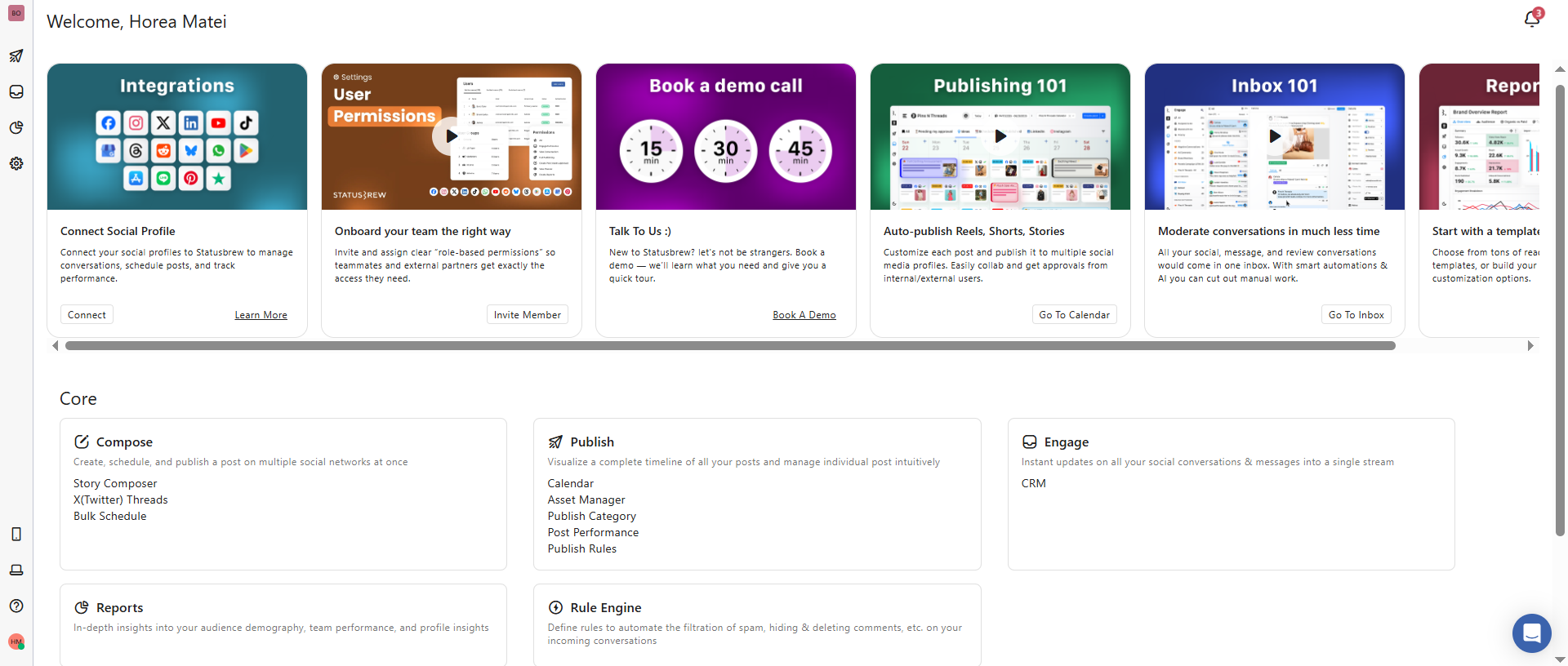
Statusbrew dashboard with social integrations, publishing tools, inbox management, and analytics modules
Who it’s for: Agencies that have outgrown mid-tier tools but can’t absorb per-user enterprise pricing; particularly those managing multiple brands where reporting is a core monthly deliverable.
Statusbrew key features
- Unified inbox for DMs, comments, and reviews across all connected platforms
- Visual content calendar with platform-specific customization and drag-and-drop scheduling
- Collaboration workflows: approval flows, role-based access, internal comments
- Reporting engine with 250+ metrics, customizable dashboards, shareable client reports
- Social listening across platforms and the web: sentiment, trends, competitor tracking
Supported platforms: Instagram, Facebook, X (Twitter), LinkedIn, YouTube, Pinterest, TikTok, Google Business Profile, Threads
Statusbrew pros & cons
- AI brand voice assistant to maintain consistency across channels
- Competitor analytics with white-label reports
- Locks users and social profiles across each plan (except Enterprise)
- No Facebook Group publishing support
- AI brand voice assistant to maintain consistency across channels
- Competitor analytics with white-label reports
- Does have UX quirks
- Locks users and social profiles across each plan (except Enterprise)
- No Facebook Group publishing support
Pricing: 14-day free trial. Plans from $129/month for 3 users and 10 social profiles. No per-user billing.
Pricing model: Flat rate — a significant advantage over per-user tools. Team expansion doesn’t trigger per-seat charges.
Bottom line: Statusbrew is the strongest value case for agencies comparing it to Sprout or Hootsuite at scale. The flat-rate model and 250+ metric reporting suite make it particularly suited to teams managing multiple brands with monthly reporting deliverables.
8. Zoho Social – best for agencies managing lead generation accounts
Zoho Social stands out for two capabilities agencies often under-leverage: predictive posting time recommendations per account, and a native CRM integration that connects social engagement to lead pipeline data.
For agencies running clients with active lead generation programs, that connection is a reportable differentiator.
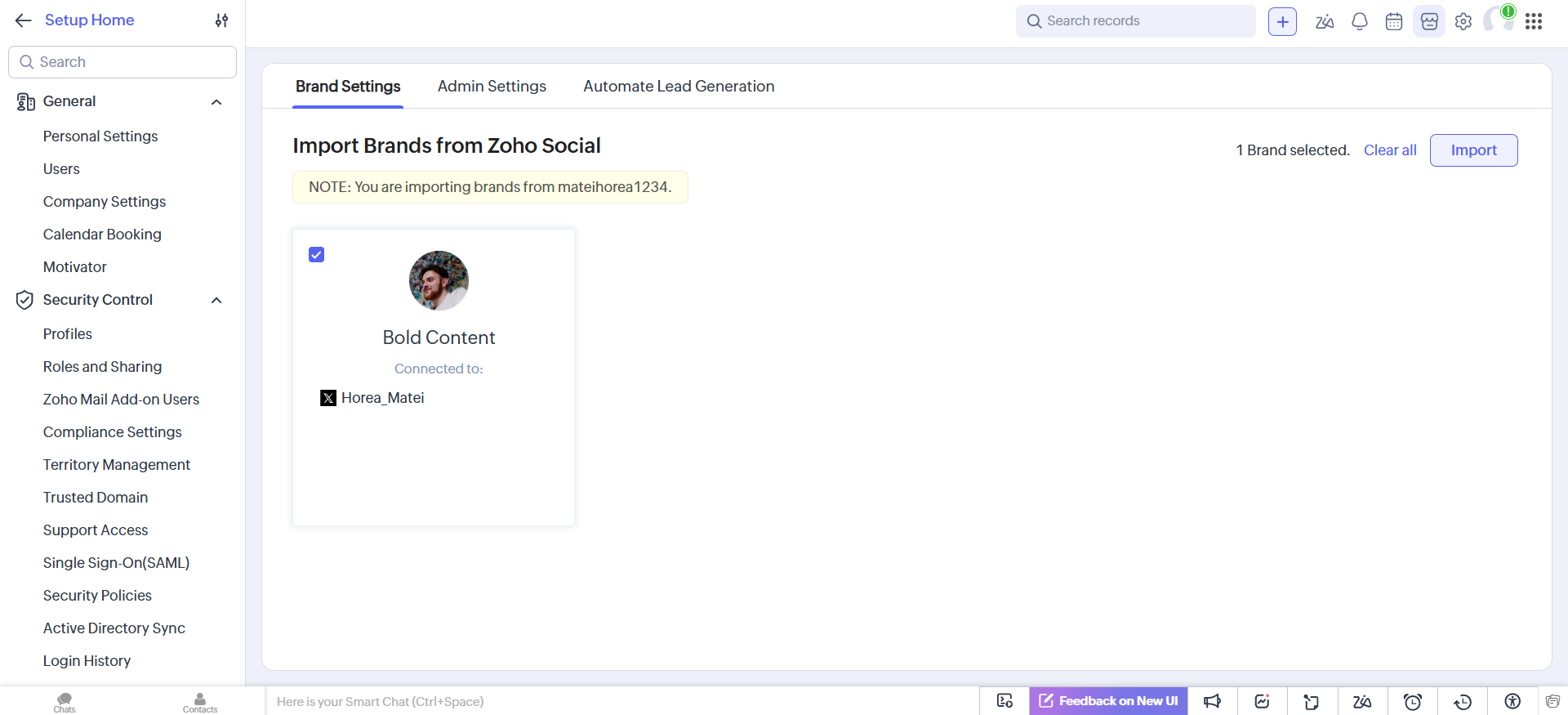
Zoho CRM settings screen importing a brand profile connected from Zoho Social
Who it’s for: Agencies managing clients where social is tied to lead generation and the CRM integration creates a measurable link between social activity and pipeline.
Zoho Social key features
- Data-driven scheduling based on per-account engagement patterns
- Collaboration with role-based access, team chat, and video calls
- Social monitoring dashboard with listening columns
- Campaign analytics including persona reports
- Native Zoho CRM integration
Supported platforms: Instagram, Facebook, X (Twitter), LinkedIn, Pinterest, TikTok, YouTube, Google Business Profile
Zoho Social pros & cons
- Unified publishing, collab, reporting, social listening + monitoring tools
- Although the interface is clutter-free, a lot of features are hidden behind menus and sub-menus
- Limited native content creation tools
- Universally accessible Team notifications tab useful for managers to get up-to-speed with team activity
- No per-platform post customization
- Unified publishing, collab, reporting, social listening + monitoring tools
- RSS feed support
- Universally accessible Team notifications tab useful for managers to get up-to-speed with team activity
- Although the interface is clutter-free, a lot of features are hidden behind menus and sub-menus
- Limited native content creation tools
- No per-platform post customization
Pricing: 15-day free trial. Plans from €230/month. It has two dedicated agency plans with more complex feature and workspace configurations. For brands and smaller teams, pricing starts at €10/brand/month.
Pricing model: Low entry price with agency-specific tiers. Strong price-to-capability ratio within the Zoho ecosystem.
Bottom line: Zoho Social’s value case is strongest when your client stack includes Zoho CRM. Without that integration, it’s capable but unremarkable.
9. Later – best for agencies managing Instagram-first visual brands
Later started as an Instagram scheduler, and the product still reflects that origin.
The visual planning experience (feed mockup, grid preview, visual calendar) is the strongest available for image-led brands.
The Link in Bio tool adds a lightweight conversion layer without requiring a separate tool.
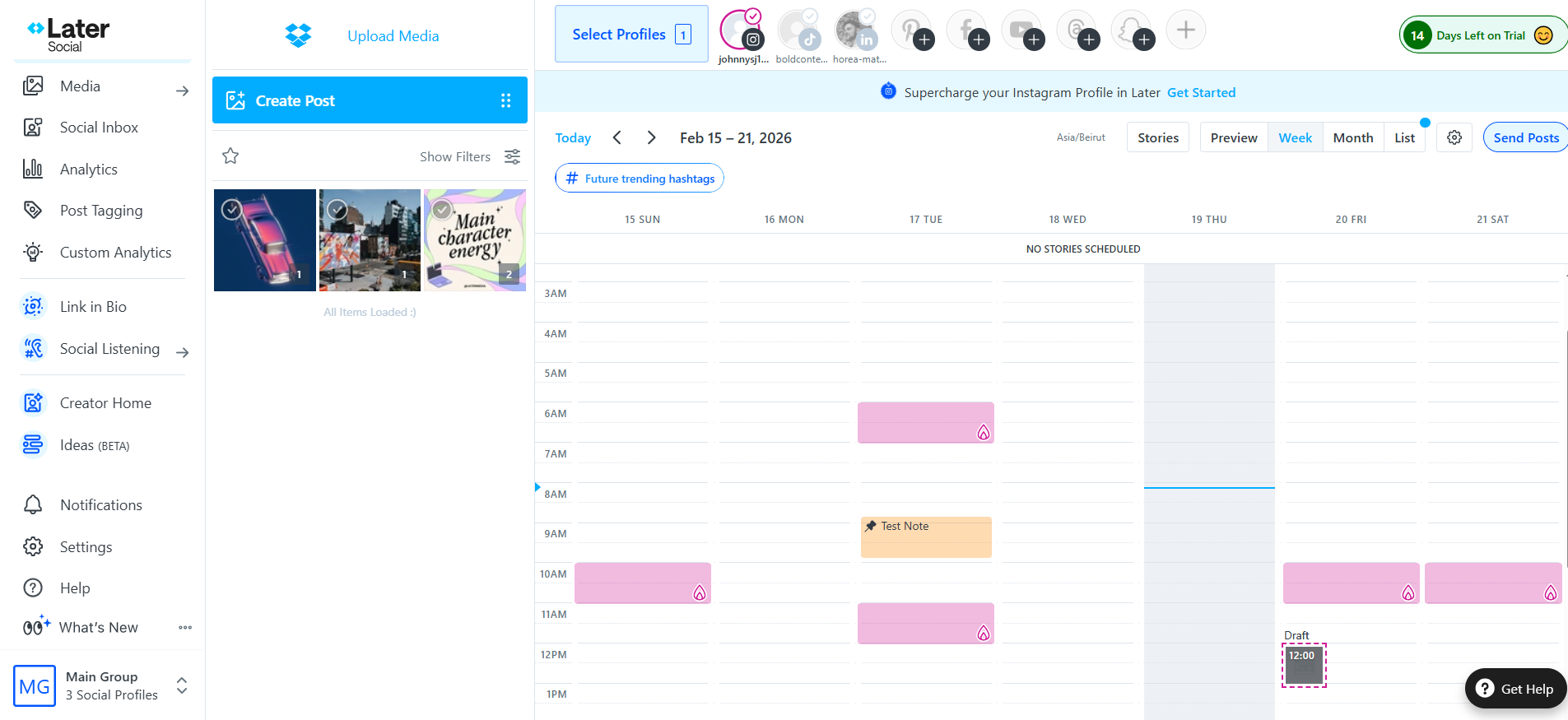
Later social media scheduler showing weekly content calendar, media library, and connected Instagram profiles
Who it’s for: Agencies managing lifestyle, e-commerce, or creator-adjacent clients where Instagram is the primary channel and visual brand consistency is the main deliverable.
Later key features
- Visual feed mockup for maintaining brand aesthetic across posts
- User-generated content discovery via hashtag search
- Link in Bio tool for customizable profile link pages
- Best time to post recommendations per account and basic analytics
Supported platforms: Instagram, Facebook, LinkedIn, X (Twitter), Pinterest, TikTok, YouTube
Later pros & cons
- Brand mention monitoring + sentiment analysis, in-calendar hashtag and ideal posting time suggestions
- Feed mockup, best-time recommendations, and most visual planning features are Instagram-only
- Little to no learning curve
- No white-labeling options
- The media library is permanently tacked onto the calendar and clutters the screen
- Brand mention monitoring + sentiment analysis, in-calendar hashtag and ideal posting time suggestions
- Little to no learning curve
- Feed mockup, best-time recommendations, and most visual planning features are Instagram-only
- No white-labeling options
- The media library is permanently tacked onto the calendar and clutters the screen
Pricing: Free plan (10 posts/month). Paid plans from $18.75/month.
Pricing model: Tiered by posts and social profiles. Entry pricing is low and appropriate for agencies managing a focused Instagram-heavy account set.
Bottom line: Later is the right tool for a specific brief: Instagram-focused clients where the visual feed experience is part of your agency’s value proposition. Outside that use case, it’s too limited for multi-channel agency operations.
10. Buffer – best for eCommerce clients & channel-focused publishing
Buffer is a focused publishing tool with a social inbox, approval flow, and a Shopify integration that most competitors don’t offer.
For agencies with eCommerce clients, connecting social publishing to store activity in one place has real workflow value.
The per-channel pricing model is the key variable: cost-efficient at low account counts and increasingly expensive as channels multiply.
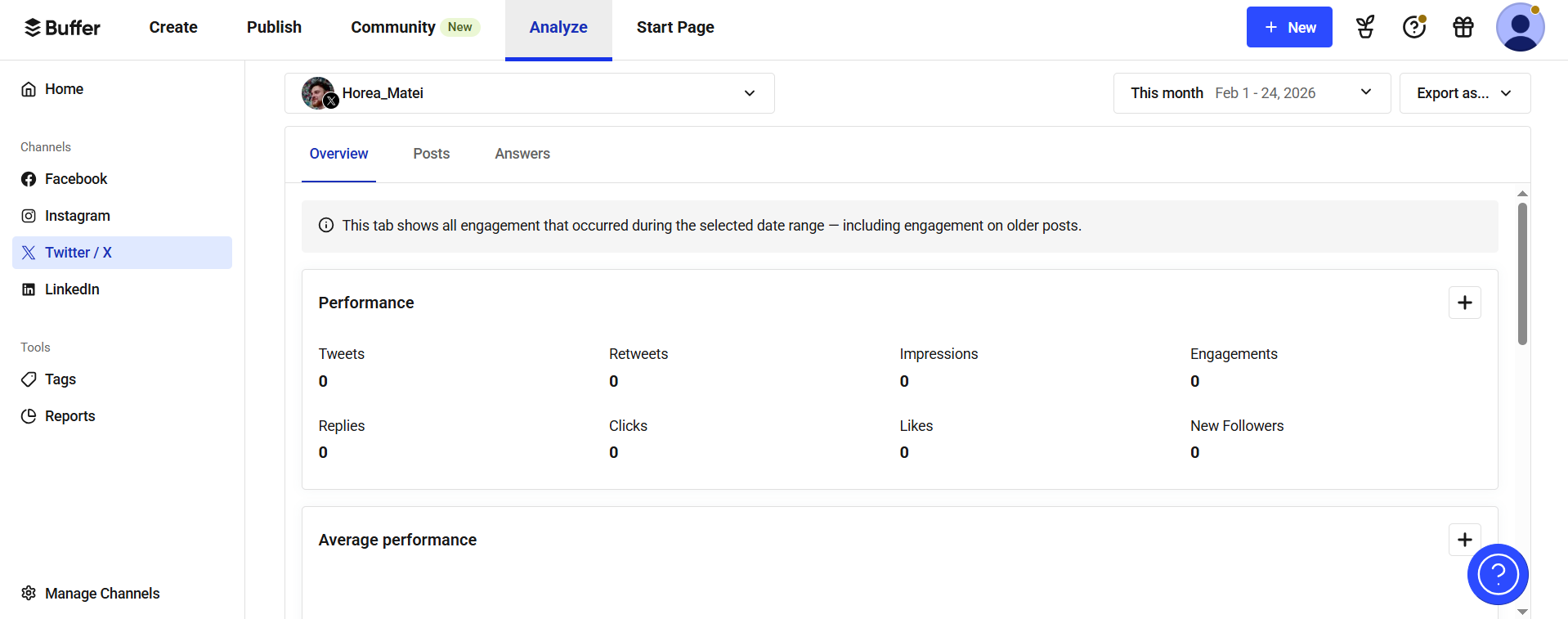
Buffer analytics overview displaying Twitter performance metrics including impressions, clicks, and engagement
Who it’s for: Agencies managing a limited number of channels per client where per-user billing would be more expensive.
Buffer key features
- Scheduling and publishing with content timing recommendations
- Social inbox for comments, messages, and mentions
- Approval workflow with role-based permissions
- Microsite builder (layer-based drag-and-drop interface) with custom color schemes and font presets. Supports images, videos, and lead magnets
- Capable analytics (hashtags, demographics + Answers)
Supported platforms: Instagram, Facebook, LinkedIn, TikTok, Google Business, Pinterest, X (Twitter) and Mastodon.
Buffer pros & cons
- Native WordPress integration for blog publishing + Feedly and Pocket for curation
- Per-channel pricing model may make it expensive to manage multiple accounts
- No built-in media asset manager
- Analytics are overview-level, not client-reporting depth
- Native WordPress integration for blog publishing + Feedly and Pocket for curation
- Hashtag manager
- Per-channel pricing model may make it expensive to manage multiple accounts
- No built-in media asset manager
- Analytics are overview-level, not client-reporting depth
Pricing: Free plan (10 scheduled posts/channel/month). Paid plans from $5/month per channel.
Pricing model: Per channel. Run your actual channel count across all clients before comparing sticker prices to other tools.
Bottom line: Buffer works well for agencies with a focused, low-channel account set or those with eCommerce clients. The per-channel billing becomes a problem at scale.
11. Sked Social – best for UGC-driven visual brands
Sked Social is built for teams where content curation is a significant part of the workflow.
The Chrome extension saves images from the web directly to the media library, and in-platform hashtag search surfaces UGC across networks without manual platform browsing.
The no-login client approval portal removes friction from the sign-off process.
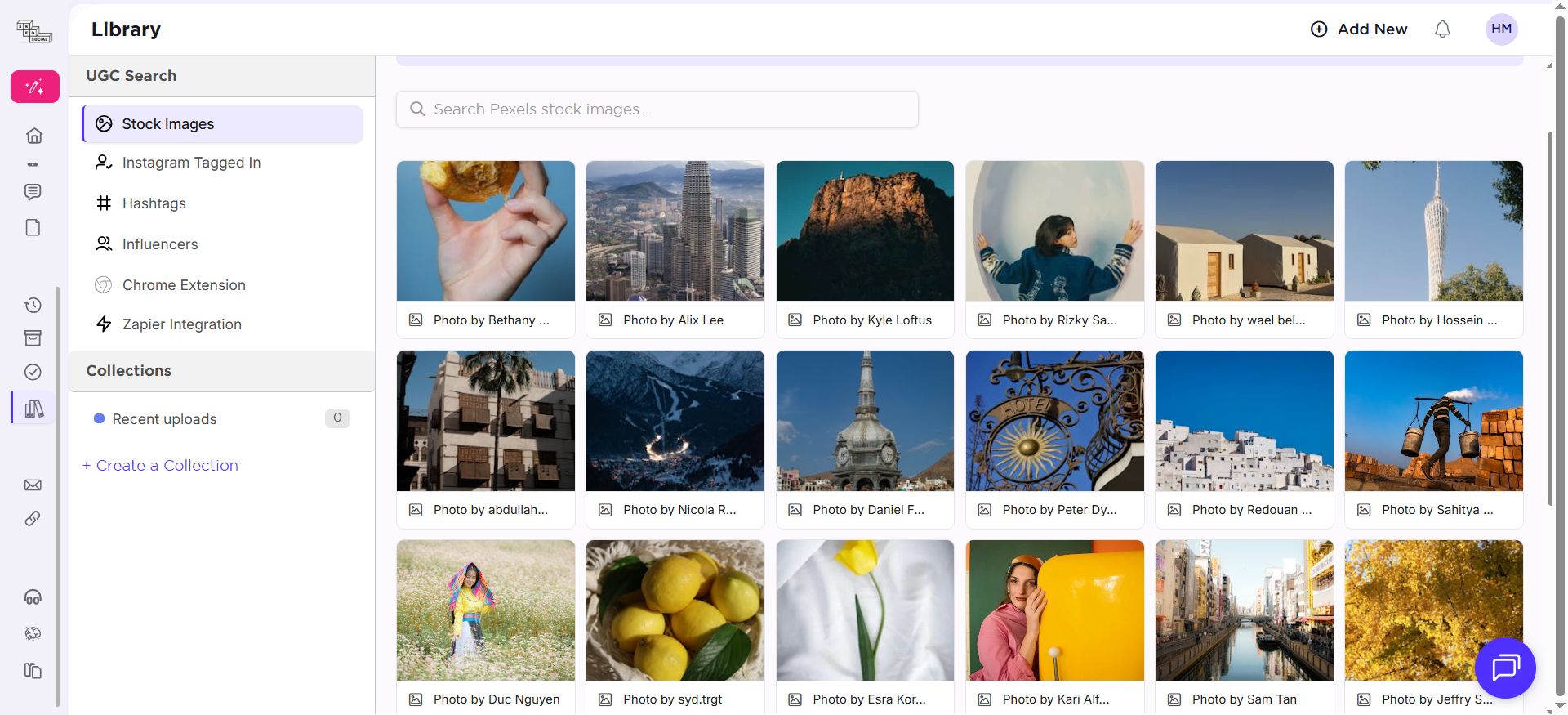
Sked Social media library with stock image search and UGC tools like hashtags, influencers, and collections
Who it’s for: Agencies managing visually driven brands with active UGC programs and a focused set of high-priority accounts.
Sked Social key features
- Chrome extension to save web images directly into the media library
- In-platform hashtag search for cross-network UGC discovery
- No-login client approval portal for sign-off without platform access
- Collab works on inbox management (assign messages to team members, leave internal comments on messages)
Supported platforms: Instagram, Facebook, X, TikTok, LinkedIn, YouTube, Google Business, Pinterest, plus notification-based publishing for Threads and Snapchat
Sked Social pros & cons
- Unified platform with collab, scheduling, analytics, listening, and UGC features
- Drafts won’t show up in calendar
- Brand kits useful for agencies handling multiple clients
- Composing content works on a step-by-step approach that feels less intuitive
- White label reports & link-in-bio
- Drag-and-dropping visuals to post composer adds them to the media library instead of the draft
- Per-account pricing increases costs with every profile added
- Unified platform with collab, scheduling, analytics, listening, and UGC features
- Brand kits useful for agencies handling multiple clients
- White label reports & link-in-bio
- Drafts won’t show up in calendar
- Composing content works on a step-by-step approach that feels less intuitive
- Drag-and-dropping visuals to post composer adds them to the media library instead of the draft
- Per-account pricing increases costs with every profile added
Pricing: 7-day free trial. Plans from $49/month.
Pricing model: Per account, favorable for a small, high-value account set. Unfavorable for agencies with wide, growing client rosters.
Bottom line: Sked Social’s UGC workflow is genuinely differentiated. The trade-off is a pricing model that scales against you as your client count grows. Best used for a focused set of high-priority, visually-driven accounts.
5 non-negotiables before you compare social media tools features
The best social media management software depends less on the number of features and more on the type of agency workflow you need to support.
A small agency managing five clients does not need the same setup as a large agency managing dozens of brands, multiple approval layers, paid and organic campaigns, and monthly executive reports.
Before choosing a platform, answer these questions:
1. How many clients and social profiles do you manage?
Some tools price by user. Others price by social profile, workspace, brand, or client. This matters because a low starting price can become expensive quickly as your agency grows.
Choose a tool that gives you room to add clients without forcing you into an enterprise plan too early.
2. How painful are your approval workflows?
If your team spends too much time chasing comments, edits, and approvals, prioritize a tool with strong collaboration features.
Look for:
- internal comments
- external client feedback
- role-based permissions
- multi-step approvals
- clear post status labels
- version history or edit tracking.
For content-heavy agencies, approval workflows often matter more than advanced analytics.
3. Do you need a social inbox?
If your agency manages comments, direct messages, mentions, or reviews for clients, choose a platform with a strong engagement inbox.
A good inbox should help you assign conversations, avoid duplicate replies, track response status, and manage multiple accounts from one place.
If your agency only plans and schedules content, you may not need to pay extra for advanced inbox features.
4. How important are reports?
Some agencies only need basic performance summaries. Others need polished, recurring, client-ready reports with custom metrics, white labeling, and automated delivery.
If reporting is a core part of your client service, check whether the tool supports:
- custom dashboards
- scheduled reports
- white-label exports
- cross-channel analytics
- campaign-level reporting
- competitor or benchmark data.
5. Who needs access?
Agencies often need access for account managers, social media managers, copywriters, designers, clients, freelancers, and leadership teams.
Before choosing a social media tool, check whether external collaborators are free, limited, or billed as full users. This can significantly change the real cost of the platform.
6. What is the main problem you are trying to fix?
Use the main bottleneck to guide your choice:
Slow client approvals
Planable or another collaboration-first tool
Too many comments and DMs
Agorapulse, Sprout Social, or another inbox-focused tool
Reporting takes too long
Sprout Social, Sendible, or a reporting-heavy platform
Budget is tight
SocialPilot, Zoho Social, or Buffer
Managing many small clients
Tools with flexible profile/client pricing
Enterprise governance
Sprout Social or another enterprise-grade platform
White-label reporting
Sendible or agency-focused reporting tools
Prioritize…
Planable or another collaboration-first tool
Prioritize…
Agorapulse, Sprout Social, or another inbox-focused tool
Prioritize…
Sprout Social, Sendible, or a reporting-heavy platform
Prioritize…
SocialPilot, Zoho Social, or Buffer
Prioritize…
Tools with flexible profile/client pricing
Prioritize…
Sprout Social or another enterprise-grade platform
Prioritize…
Sendible or agency-focused reporting tools
The right tool should reduce the operational friction your agency faces every week. A long feature list is less important than whether the platform saves time, prevents missed approvals, and helps your team deliver better work to clients.
How different agency types evaluate these social media management software
Not all agencies prioritize the same capabilities. The five non-negotiables apply across the board, but what matters most depends on how your agency operates.
- Full-service and performance agencies weigh reporting heavily. ROI measurement, cross-channel analytics, and the ability to tie social activity to business results are what justify retainers. Tools with shallow analytics create reporting debt. Someone on your team ends up manually building reports in a spreadsheet every month.
- Social-first content studios and creative agencies prioritize collaboration and approvals. The volume of content is high, the approval cycle is frequent, and the client relationship lives inside the content review process. A polished client approval experience is a competitive differentiator.
- PR and communications agencies need monitoring and inbox consolidation above most other capabilities. Response speed and message consistency matter. A fragmented social inbox where mentions and DMs are siloed by platform creates gaps that become crises.
- Multi-location and franchise marketing agencies require permissioning granularity and scalable publishing across many profiles. Cross-posting errors or off-brand content on a client’s local profile isn’t just an operational problem, it’s a client relationship problem.
How to avoid hidden costs when evaluating agency-grade smm tools
The sticker price on social media management software rarely reflects what agencies actually pay. These are the cost variables to model before committing.
- Per-user billing. A $249/month plan becomes $647/month with two additional team members at $199/user. Sprout Social and Agorapulse both use this model. Compare total team cost, not entry price.
- Add-on features. Social listening is a paid add-on on Sprout Social and gated to higher tiers on Hootsuite and Agorapulse. Advanced analytics and white-label reporting are frequently excluded from base plans. Identify which features you actually need, then confirm whether they’re included or add-ons at your target tier.
- Per-channel billing. Buffer charges per channel, not per account or user. An agency managing 5 clients with 6 channels each is paying for 30 channels; at $6/channel, that’s $180/month before any team or feature considerations.
- Per-account pricing. Sked Social scales with accounts rather than users. A growing client roster increases costs in direct proportion, factor that in when evaluating against flat-rate alternatives.
- Workspace limits. Planable’s workspace model scales with client count. Understand the pricing curve at your actual scale before signing up.
4 questions to finalize your shortlist
1. Does the pricing model match how your agency grows?
Per-workspace billing (Planable) favors agencies growing client count. Flat-rate billing (Statusbrew) favors agencies growing headcount. Per-user billing (Sprout, Agorapulse) favors small teams. Per-channel billing (Buffer) favors agencies with low channel counts per client.
2. What does the client experience look like in practice?
The social media management software you choose becomes part of how clients experience your agency. A polished approval interface and clean reporting builds trust. A cluttered operational dashboard shared with clients erodes it.
3. Where does reporting get built?
Identify whether the platform produces client-ready reports natively, or whether someone on your team is reformatting exports monthly. That labor cost compounds across clients and is invisible in a feature comparison.
4. What happens when you need to offboard a client?
Clean client separation (isolated workspaces, separate content histories, granular permissions) makes offboarding straightforward and reduces operational risk, preventing client crossover, access leakage, and approval/history confusion.
Final verdict
The best social media management tool for your agency and team depends on how your team works.
If approvals and content collaboration are your biggest bottlenecks, Planable is a strong choice because it keeps posts, comments, edits, and client approvals in one visual workspace.
If your agency needs advanced analytics, social listening, and enterprise-level reporting, Sprout Social is likely a better fit. If inbox management is the priority, Agorapulse is worth considering. If you need a more affordable option for scheduling and basic management, SocialPilot, Buffer, or Zoho Social may be enough.
Before committing to a platform, map out your current workflow: how many clients you manage, who needs access, how approvals happen, what reports you deliver, and which social channels matter most. Then compare tools based on those requirements instead of choosing the platform with the longest feature list.
The best tool is the one your team and clients will actually use consistently.
FAQs
What is the best social media management tool for agencies?
If approval workflows and collaboration are the bottleneck, Planable is the strongest fit. If social listening and enterprise reporting are non-negotiable, Sprout Social or Statusbrew are the most capable options. For cost-efficiency at scale with white-label reporting, SocialPilot offers the best value. For agencies needing automation to handle high account volume on a lean team, SocialBu is the practical choice.
How do I choose between tools with similar feature sets?
Start with the pricing model and the client experience. Tools with similar features but different pricing models will have very different total costs at agency scale. The client-facing experience (approval interfaces, branded reports, role-restricted access) has a direct impact on how clients perceive your work. Both are more durable decision criteria than feature-by-feature comparisons.
Horea is a B2B SaaS Content Strategist and MarTech researcher who specializes in software reviews, tool comparisons, and social media management. His work is research-first and fluff-free. He tests the tools, does the digging, and writes the kind of content that helps marketers make confident decisions.