10 best content calendar software for better organization in 2026
Content calendar software are an absolute must for marketing agencies juggling content for multiple clients. But how do you choose the one that fits your workflow and pleases your clients? Think about the awesome combo of content and social media calendar.
There’s no escaping some trial and error, but you can cut corners with my list of the tried and tested top 10 content calendar platforms! Read on for detailed reviews of the market’s most prominent content calendar tools.
Best social media content calendar tools
It’s tough enough to schedule and approve content for one client. However, agencies must cater to several clients simultaneously and still leave space for creativity.
Here are my 10 tested content calendar platforms that can ease content planning and let you concentrate on things that matter.
1. Planable: best content calendar software for approvals and client review
Planable is a social media management tool that lets teams and agencies create, review, approve, and publish social content from one shared calendar.
Most content calendars are mainly places to see what is scheduled. Planable’s calendar is also where the work gets finished. Comments, revisions, and client approvals happen directly on each post, so feedback stays attached to the content instead of being scattered across email threads, chat messages, or separate tools.
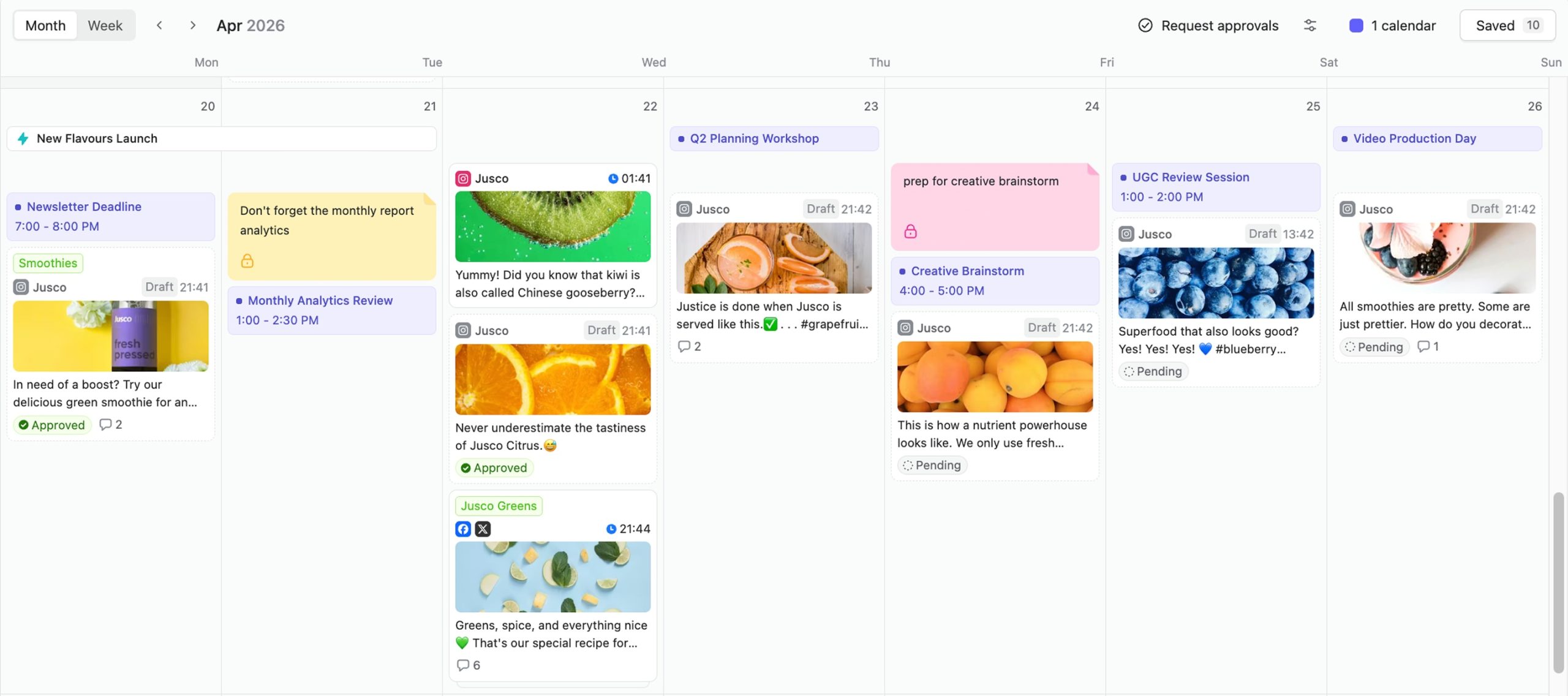
Organize social posts, campaign tasks, deadlines, and approval stages in Planable’s visual content calendar.
That’s the part I’d weigh most heavily if you’re choosing a tool on calendar functionality alone. Drag a post to a new date and Planable reschedules it. Add labels and you can filter the calendar down to a single campaign.
You can also switch between feed, calendar, grid, and list views depending on what you need to check: timing across the schedule, how an Instagram feed will look, or which posts are still waiting for review or approval. The catch is that access to all four views depends on your Planable plan.
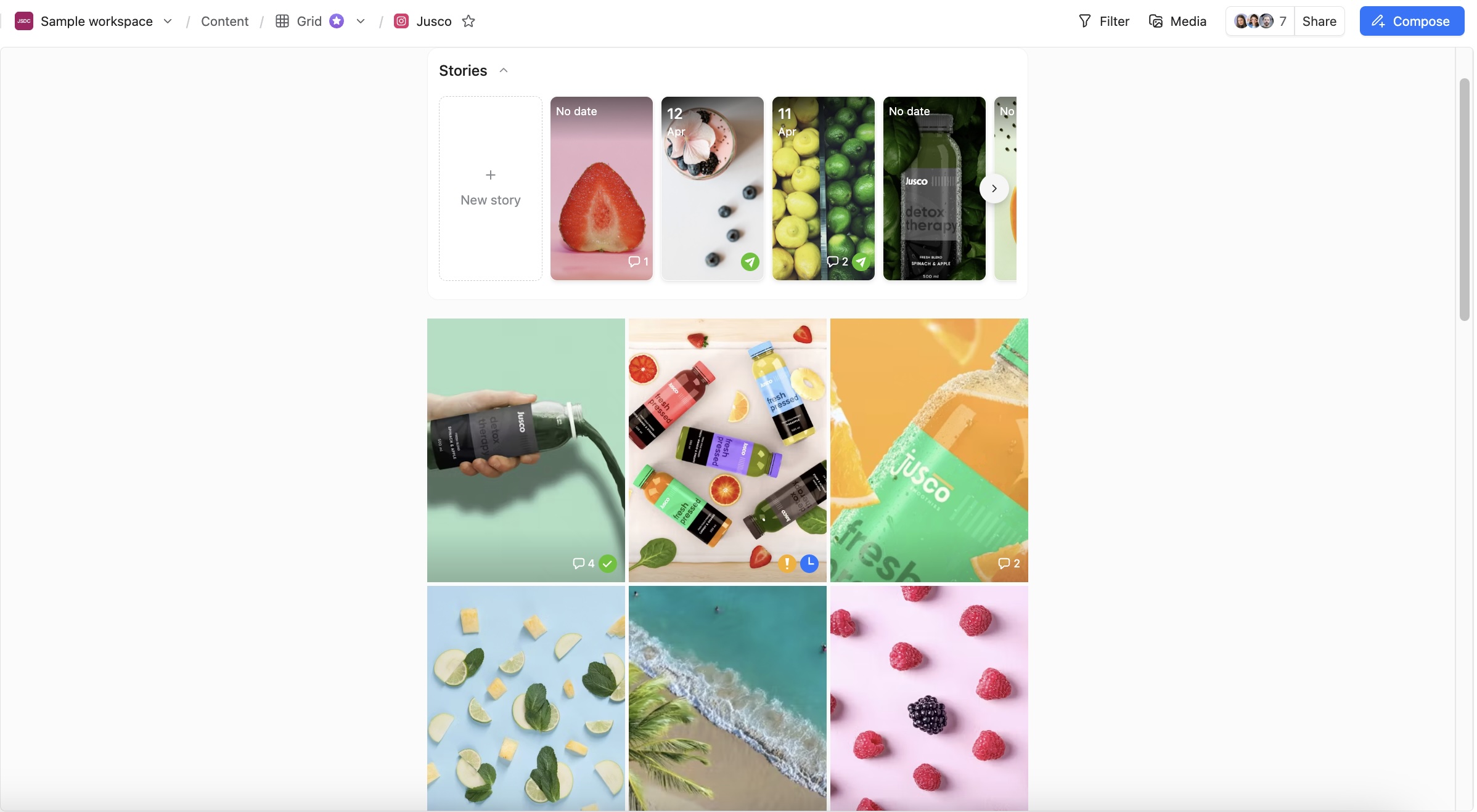
Scheduled Instagram posts using the grid view
Approvals are where it separates from a calendar you’d build in a spreadsheet. Nobody asks you for a link. Clients open the calendar and approve in place. If they don’t want an account at all, you send a guest view link and they review and comment without logging in. Agencies on Enterprise can stack internal sign-off before the client ever sees it.
Planable core features
- Auto-publishing to major social media platforms
Planable can automatically publish your content to 9 social channels: Instagram, Threads, Facebook, X, LinkedIn, Pinterest, TikTok, YouTube, and Google My Business.
- Approval types that scale with the account
It’s a thing to die for in a marketing agency. Get the internal approval from the team first and then pass the polished version to the client. A couple of clicks instead of complicated spreadsheets for countless hours and tons of emails. None and Optional on Basic, Required on Pro, multi-level on Enterprise.
Planable is all about collaboration: you can leave in-context comments & suggestions, use internal notes, and create content together with your colleagues.
The date picker surfaces the two strongest slots for whichever day you’ve selected, from platform benchmarks. Add Analytics and it blends in that page’s own engagement history from its last 100 published posts.
- Client-ready reporting with competitor benchmarks
Page and post performance plus competitor benchmarks, in client-ready reports you can export to PDF or CSV or hand over as a share link. Covers Facebook, Instagram, LinkedIn, YouTube, TikTok and Google Business Profile. Add-on at $12–14 per workspace/month.
- One inbox for all your comments and direct messages
Comments and DMs in one view, with sentiment filtering, an Open/Later/Done status per post, an unanswered-comments filter and AI-drafted replies.
Downsides: The fuller view set plus multi-level approval sit on the higher tiers, which is worth knowing if you’re an agency sizing up Basic.
Pricing: $33/workspace/month on Basic (4 social pages, 60 posts), $49 on Pro (10 pages, 150 posts, public API), custom on Enterprise. Two months free on annual. The free trial has no time limit (50 posts, no card).
2. Notion: the best social media calendar with task tracking
Notion is an excellent content calendar platform to streamline your social media efforts and build an efficient editorial calendar. Although it’s not tailored for content management specifically, it combines tracking tasks and planning content nicely.
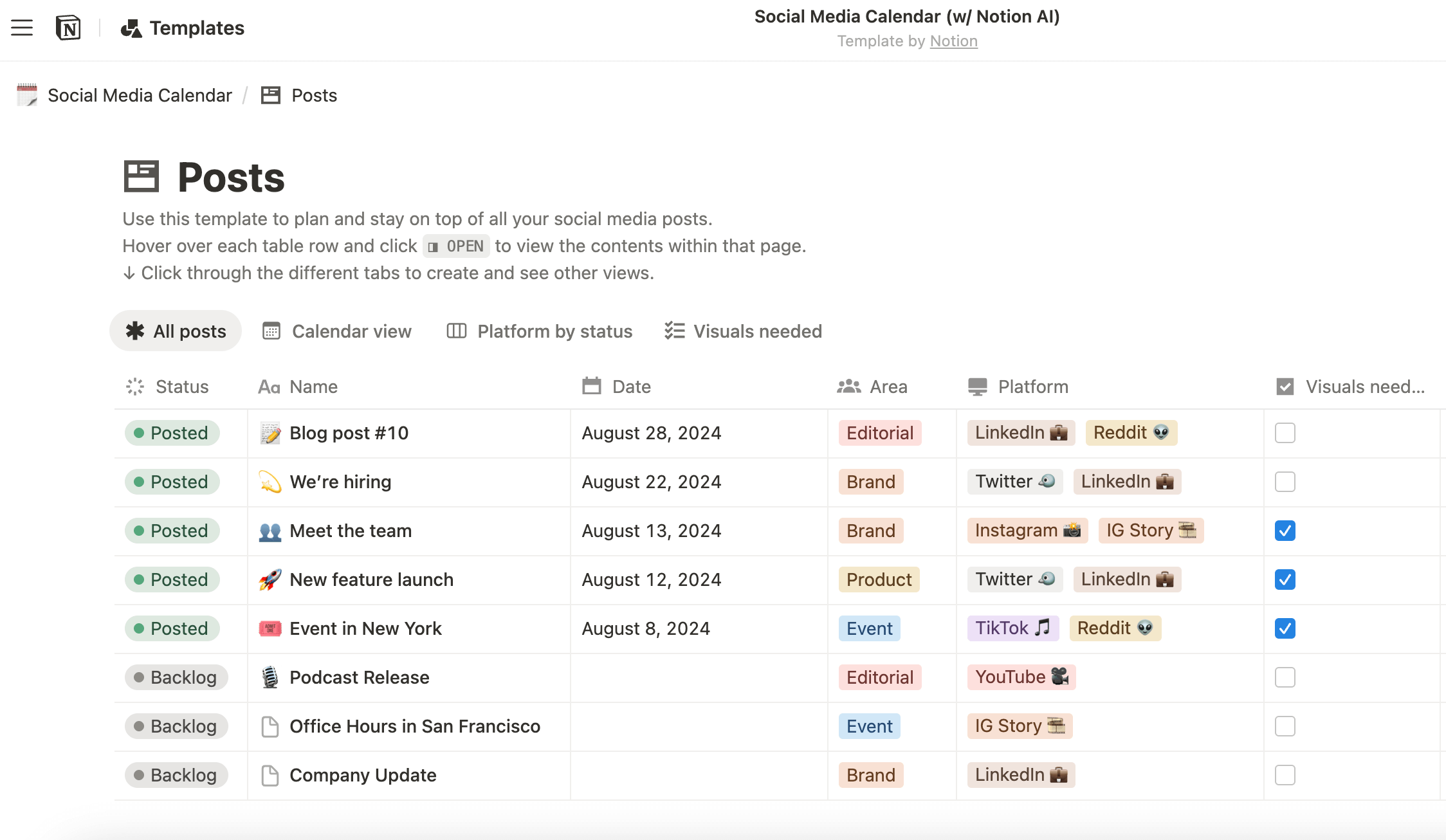
Marketing teams use Notion’s collaboration tools to create smooth workflows and stay on track through the content creation process. Members of the workspace can tag each other in tasks, leave comments, and work together on brainstorming new social posts and other content pieces.
Notion core features:
From a simple editorial calendar to a full-scale content marketing task tracking and creation pipeline, Notion has it all. Just choose a free template that suits you the most and start working.
In Notion, you can create separate workspaces to manage content calendars for each client and switch between them effortlessly.
Downsides: Notion remains a fancy version of Google Calendar combined with task tracking. No platform analytics or automated approval workflows, just a straightforward content calendar with basic workflows.
Pricing: Notion has a free version (which, sadly, won’t be enough for an agency) and three paid plans, starting at $10/month per user.
3. ProofHub: best project management tool for content planning & execution
ProofHub is an all-in-one project and workflow management platform that works especially well when content calendars need to extend beyond scheduling into real execution. While it’s not a content management system in its typical sense, ProofHub helps teams manage the full internal workflow behind content, such as planning, coordination, and delivery, from a single place.
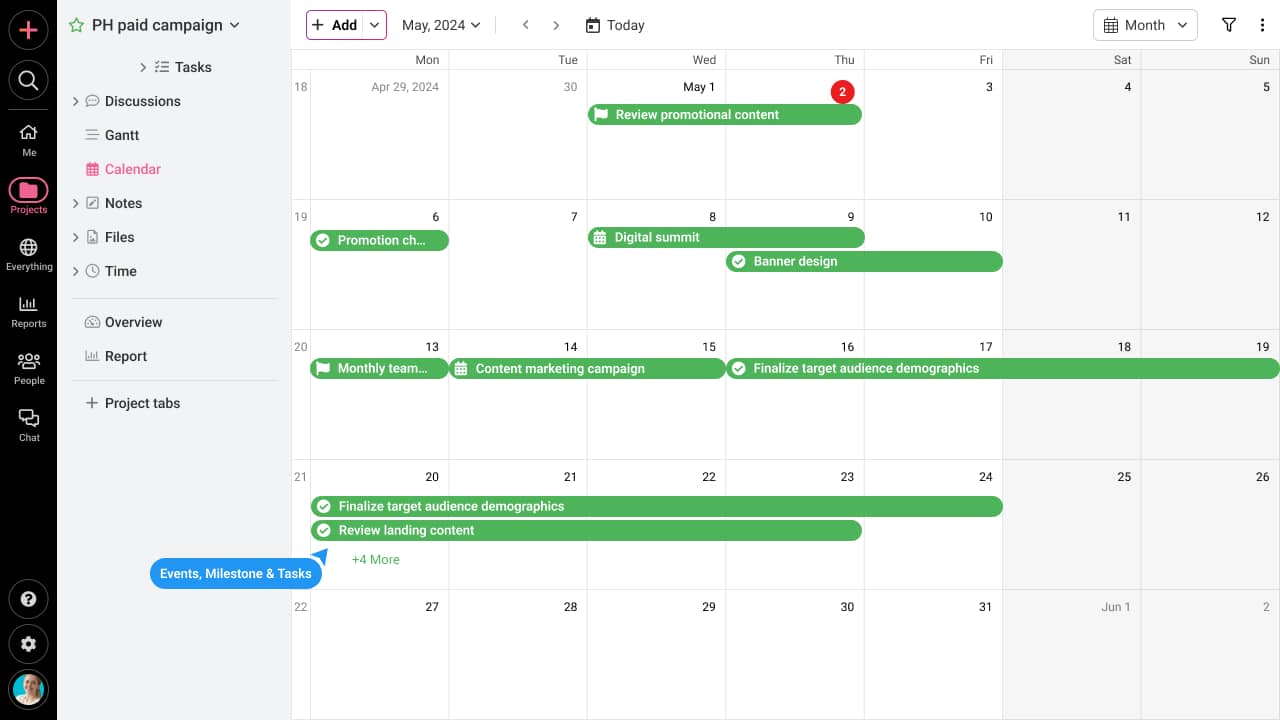
ProofHub’s calendar, task lists, and board views help agencies and marketing teams map out campaigns, track deadlines, and manage multiple projects for multiple clients with ease. By visualizing content pipelines, alongside dependencies and workloads, teams can quickly identify roadblocks, prioritize tasks, and ensure deadlines are met across clients and campaigns.
ProofHub core features:
With four different views to plan projects, assign tasks, and track progress, you can easily maintain real-time visibility over all your projects.
Teams can leave in-context feedback on docs, PDFs, images, and videos, reducing back-and-forth with clients and speeding up approval cycles.
Store all creative assets with version control in one place, accessible by team members and clients with controlled permissions.
ProofHub lets you build structured task lists and workflows once and reuse them across clients. This means you can create your content pipeline for exactly how your team works.
Downsides: ProofHub is inclined toward project management and collaboration, not direct social media publishing or analytics. You can not schedule content to post directly; you can manage tasks to post and track performance.
Pricing: ProofHub offers a flat pricing model with no-per-user fees. You can onboard as many team members, clients, or external contributors to the platform with both its Essential plan, priced at flat $45/month (billed annually), and Ultimate control plan, priced at flat $89 per month (billed annually)
4. SocialPilot: A cost-effective solution for growing teams
SocialPilot stands out as a user-friendly, cost-effective social media management tool, ideal for businesses and agencies managing multiple clients. Its Content Calendar feature is designed to simplify the scheduling process, allowing users to plan, organize, and publish content seamlessly across multiple platforms.
The visual calendar gives a clear, intuitive layout of scheduled posts, helping users stay on top of their social media campaigns.
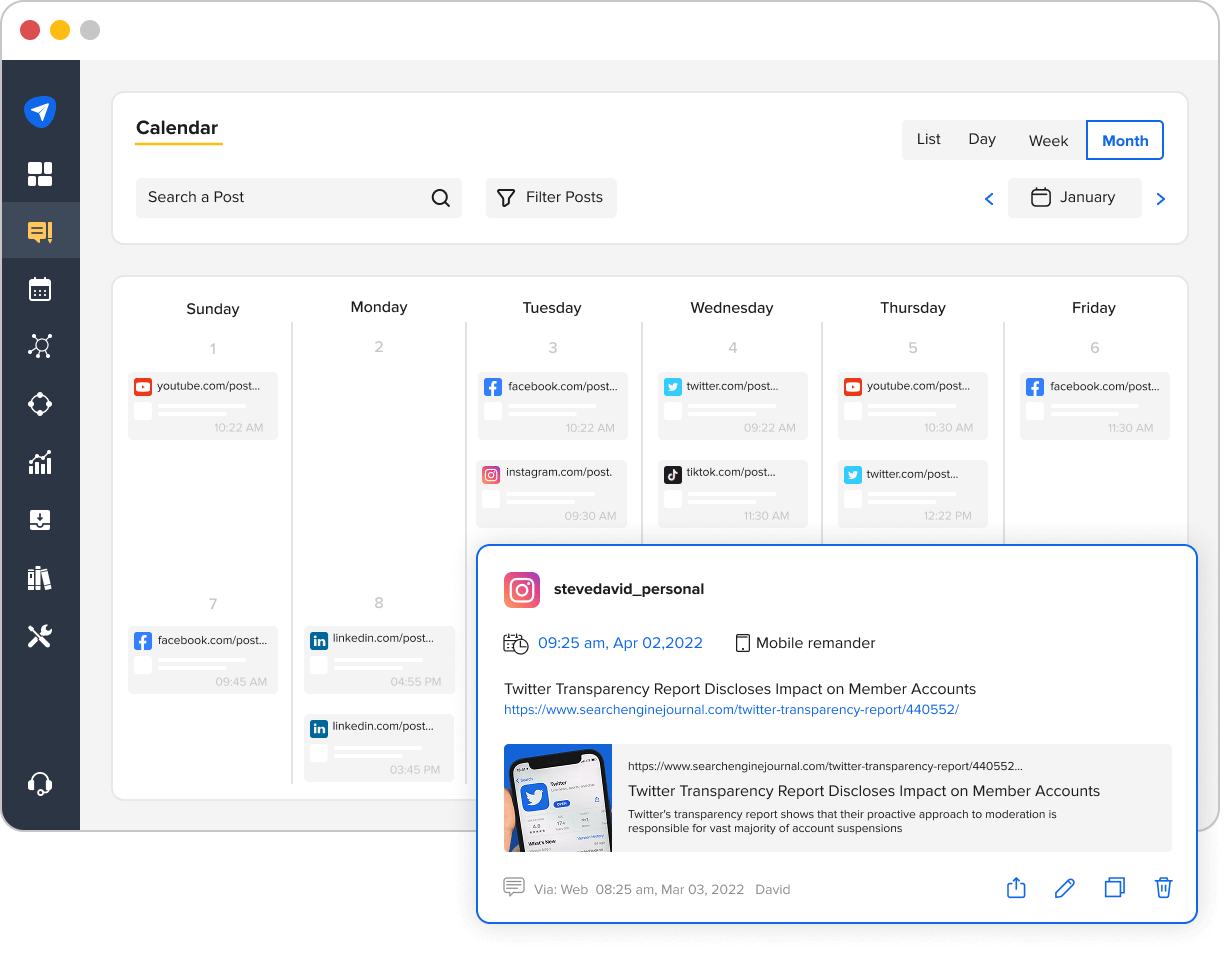
Whether you’re posting on Facebook, Instagram, LinkedIn, Twitter, or Pinterest, SocialPilot’s bulk scheduling feature allows agencies to save time and manage high volumes of content effectively.
One of the platform’s strengths is its AI-powered scheduling that optimizes posting times for maximum engagement.
Additionally, SocialPilot enables collaborative workflows, allowing teams to create and approve content together, improving efficiency.
SocialPilot core features:
- Bulk scheduling & auto publishing
Easily schedule posts across multiple social platforms in advance.
- Content approval workflows
Team collaboration to streamline content creation and approval.
- Social media analytics & reporting
In-depth performance insights to guide your strategy.
Downside: Some users have noted that while the platform offers a comprehensive set of features, certain advanced functionalities are limited to higher-tier plans.
Pricing: SocialPilot offers three pricing tiers starting at $25/month.
5. Hootsuite: best full-cycle content management software
Hootsuite is one of the packed social media management tools agencies use for full-cycle content management.
Besides a visual calendar, Hootsuite provides marketing teams with built-in analytics, direct social media publishing tools, social listening, and a centralized inbox. You can manage your client’s portfolio from one dashboard.
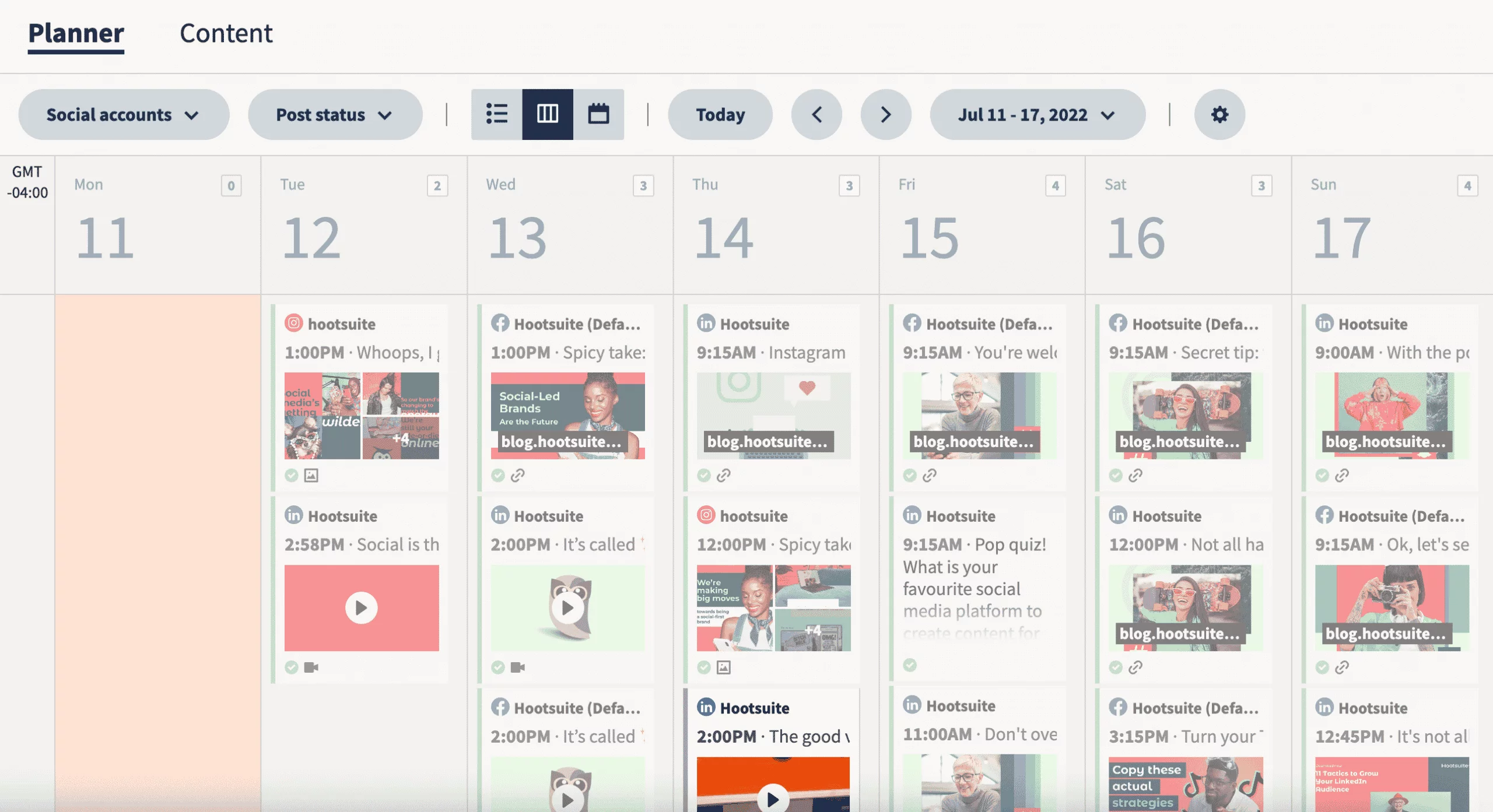
Many users mention bulk scheduling as one of their favorite features. Working with many clients, agencies manage enormous amounts of content, and bulk scheduling is the kind of social media automation that saves the day.
Hootsuite core features:
Hootsuite supports direct publishing to major social media channels like Instagram, Facebook, LinkedIn, X, YouTube, Pinterest, and TikTok.
- Unified social inbox & social listening
All tags, mentions, and DMs gathered in one place. Social inbox helps marketing teams jump on the conversation faster and enhances clients’ social media presence by timely replies.
Downsides: Some social media marketers say Hootsuite’s interface is a bit outdated. Another thing to keep in mind is approval workflows — those are only included in the Enterprise plan.
Pricing: Hootsuite has three paid plans starting at $99/month.
6. Sprout Social: the best social media management tool for big budgets
Sprout Social is a super-packed content marketing platform jacked with features and add-ons.
Its social media scheduling tool allows you to plan and publish social posts to multiple social media accounts simultaneously — or tailor preferred timing for each network.
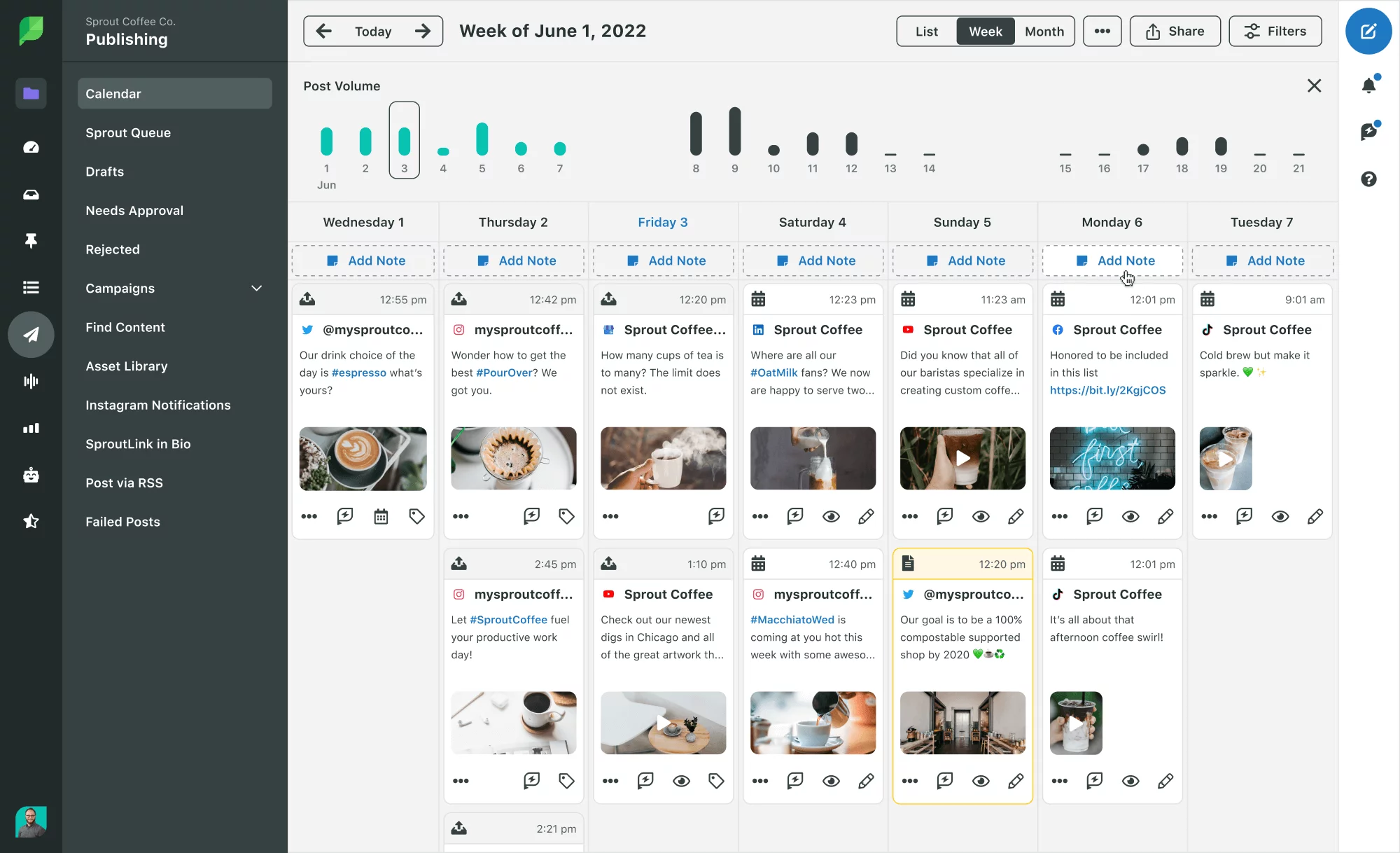
For publishing, Sprout Social supports Facebook, Instagram, LinkedIn, Pinterest, TikTok, X, and YouTube. You can schedule social media posts to go live automatically and move on to the next client.
Sprout Social core features:
Including the client’s channels overview, competitive analysis, and audience research — a perfect foundation for a successful social strategy.
- Visual social media calendar
Plan your social media campaigns or stand-alone posts in a shared content calendar software. You can easily share it with your teammates and clients for approval.
Downsides: The biggest disadvantage of Sprout Social is the price: for such a multitool, you’ll pay at least $249/month — with five social accounts, no approvals, and competitive reports. But if you are a big agency with lots of clients and high stakes, consider using those 30 days of free trial period.
Pricing: The cheapest plan is $249/month (with $199 per each extra user). Two other plans, Professional and Advanced, cost $399 and $499. Plus the Enterprise plan, which comes at a custom cost.
7. ClickUp: best project management tool with content calendars
One app to replace them all — that’s how ClickUp positions itself. This multi-purpose project management collaboration platform equips marketing teams with customizable task management, real-time communication, and many templates, including a social media calendar.
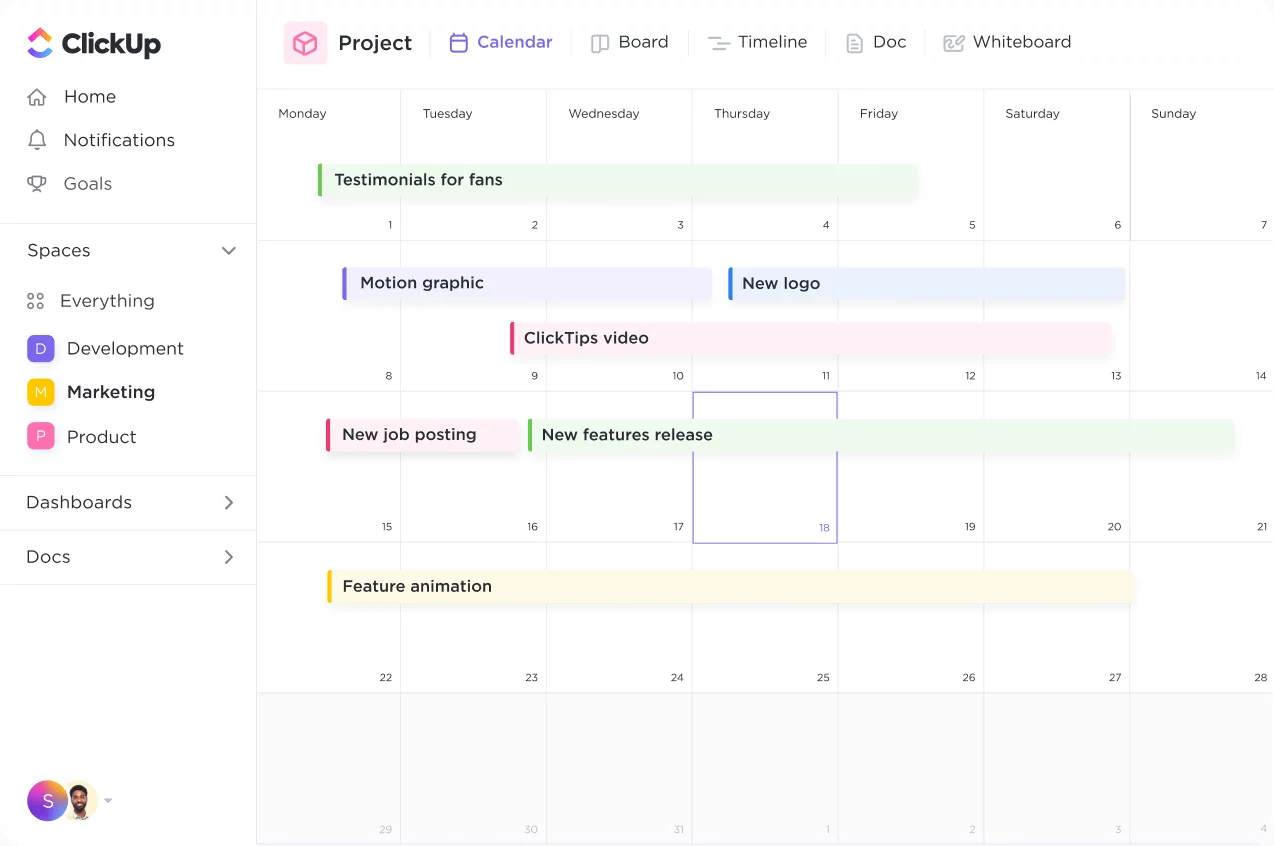
ClickUp helps agencies visualize projects, collaborate on assets, and speed up content creation. The ready-made task tracker has multiple views to keep tabs on your content strategy. The content calendar view clarifies the upcoming plans, and the timeline is great for identifying potential overlaps and bottlenecks.
ClickUp core features:
ClickUp has a lot of templates to ease the setup for your social media marketing team. Workspaces, tasks, docs, calendar tools — choose what suits you and customize the rest in iterations.
ClickUp allows marketing teams to share in-context feedback in docs, PDFs, images, and videos to apply client’s changes faster.
Downsides: ClickUp is tailored for project management rather than for running social media platforms. You can’t schedule or publish your content and can’t gather analytics — but you can create a task to do so.
Pricing: ClickUp has a forever free version that may be enough for a small agency. Regarding the paid plans, the platform offers three, starting at $7/month per user. Quite reasonable, if you ask me.
8. Airtable: best for custom content calendar apps
Airtable is a low-code platform that helps you craft robust, tailor-made databases and applications that boost your marketing team’s essential content workflows. It can be just the social content calendar or a full-bodied project management platform tailored to your needs.
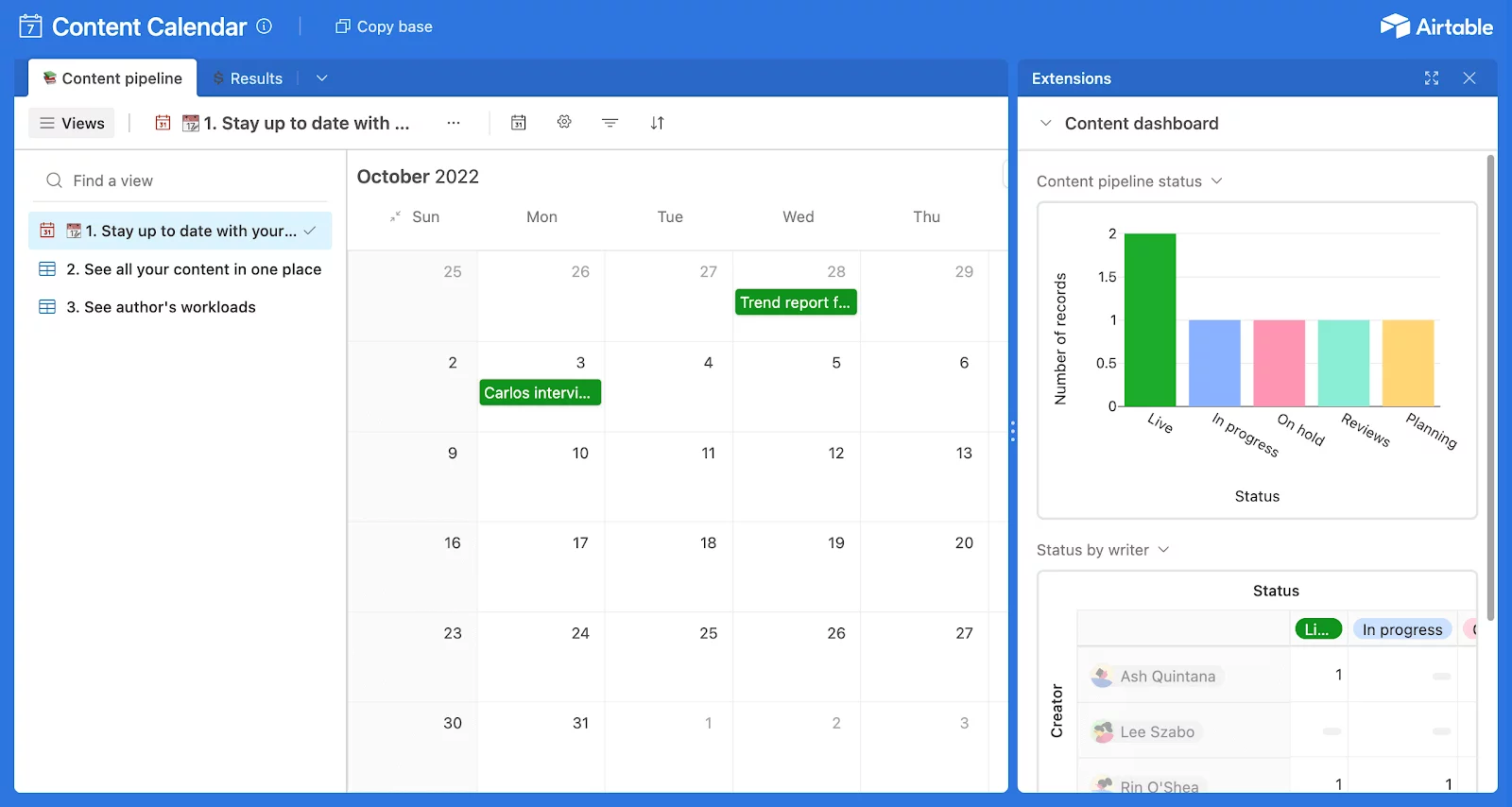
The platform is rich in creating custom workflows with automated trigger actions. You can automate your task management, content publishing, and approval requests so the social media team can spend more time creating content than doing routine stuff.
Airtable core features:
You practically build your social media content planner from scratch to fit your needs. After the base is ready, link it with third-party apps for more functionality — like your own custom-made content tool.
Airtable has several content and social media calendar templates you can use to start building your app. You can also leverage ready-made user interface designs to beautify your app.
If your agency has a specific content creation pipeline or other peculiarities in the workflow, a custom social media calendar solution from Airtable may just be your thing.
Downsides: With such a level of customization, Airtable is not an out-of-the-box solution. Initially, the app you’re building has no functionality. You can schedule content, but the app won’t automatically publish posts unless you plug in Zapier or another third-party tool.
Pricing: Airtable has a free version and three paid plans starting at $24/month.
9. Buffer: best basic content calendar with analytics
I like Buffer for being just enough. As a social media calendar, Buffer helps manage social content calendar from a single dashboard with a clear interface and straightforward calendar view. Nothing too KABOOM in Buffer — it’s your regular social media calendar tool with planning, scheduling, and analytics.
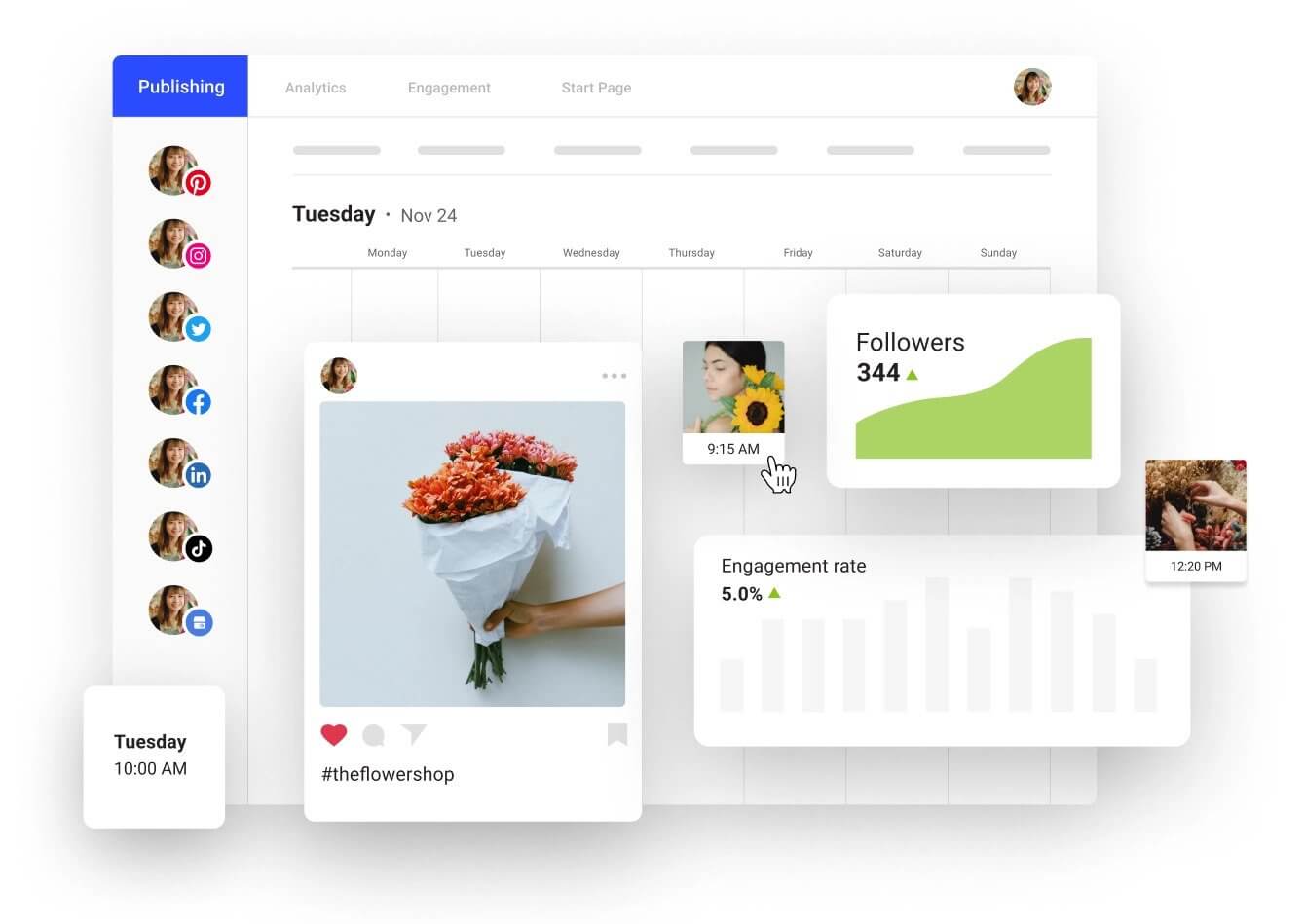
You can batch schedule posts for any major social media platform like Instagram, Facebook, X, LinkedIn, TikTok, and Pinterest through Buffer.
Social inbox is also in the picture — this allows you to manage all client mentions in the same content calendar software you use for scheduling.
Buffer core features:
Such as the best time to publish, posting frequency, etc. Schedule posts for the highest engagement time slots that Buffer identifies based on your audience insights.
Reports take a lot of time when you have multiple clients. Buffer will generate your custom reports automatically, so you don’t have to gather them every month manually.
Downsides: For some social platforms, Buffer comes with limits on the number of posts to be scheduled in advance, even on the paid plans. Also, Buffer’s analytics doesn’t track paid content results, which can be an issue if you boost a post and want to include cumulative analytics in your report.
Pricing: Buffer offers flexible billing based on the number of channels and feature set. The free plan includes a content calendar for three channels with auto-publishing. The platform also has a dedicated Agency plan that costs $120/month for a pack of 10 channels, analytics, and collab features.
10. CoSchedule: best content calendar for multimedia planning
CoSchedule is a content calendar software that includes social media, blog posts, media releases, and all things content marketing. Marketing can get messy, especially when you have multiple brands to manage, and CoSchedule gets it.
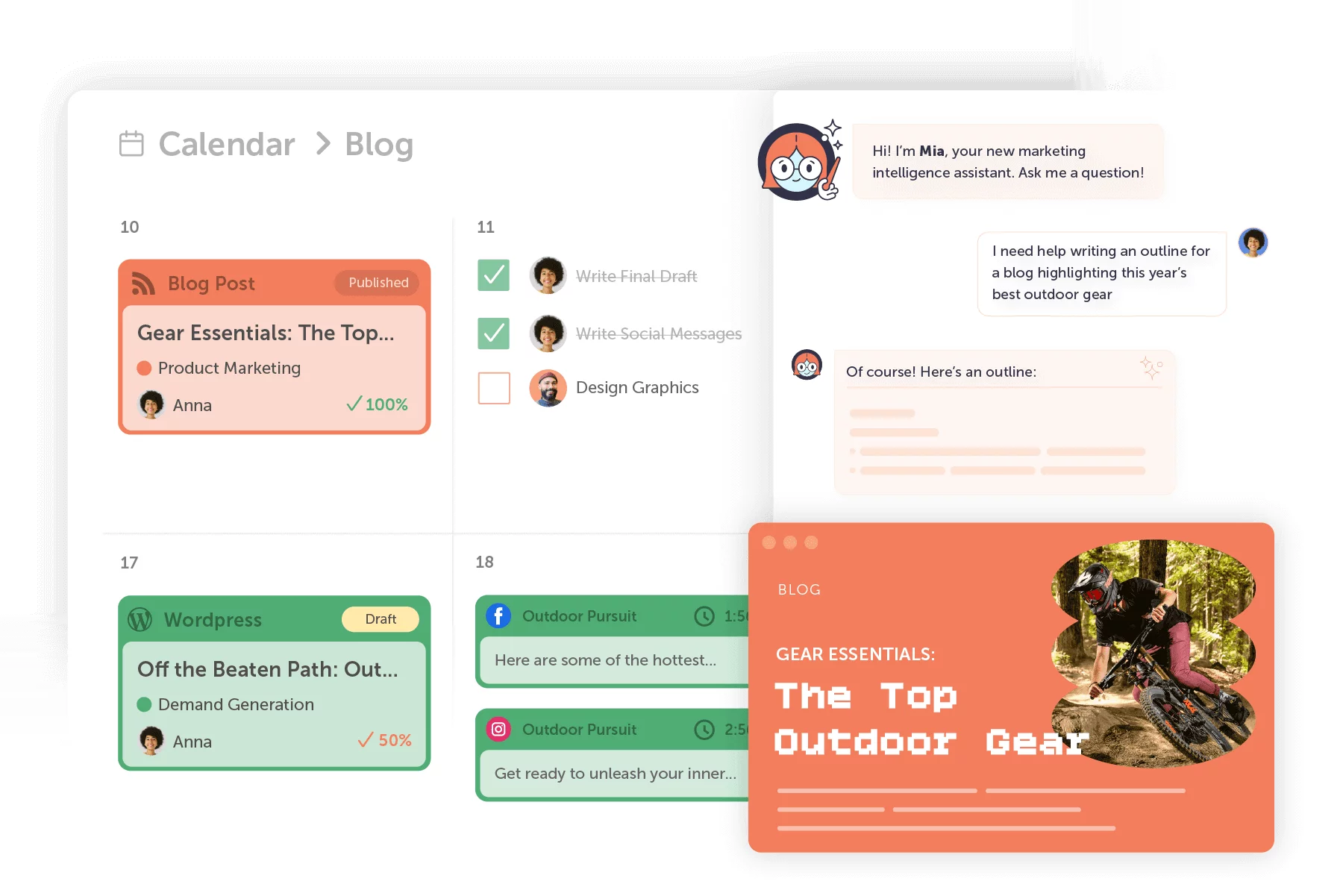
Using CoSchedule calendar tools, it’s easier to identify schedule gaps, stay consistent in messaging, and organize social media campaigns. The platform recently added auto-publishing to social media, including Facebook, Instagram, YouTube, LinkedIn, X, TikTok, and Pinterest.
CoSchedule core features:
Track all marketing efforts for a client in one place and easily change priorities through a drag-and-drop rescheduling tool.
CoSchedule provides enough analytics to demonstrate your results to customers and tune the strategy accordingly. Reports include engagement and campaign reports, and general social media profile analysis.
Downsides: The disadvantage users see in CoSchedule is the lack of collaboration options. In the Social Calendar plan, you can comment on tasks and content, but approval workflows are only included in CoSchedule’s Suite.
Pricing: CoSchedule has a free calendar, which is pretty but not enough for a marketing agency. Besides that, the platform offers a Social Calendar for $29/month per user and a Content Calendar for custom prices.
Social media calendar software FAQs
Not sure which content calendar tool to use or how to integrate one into your workflow? Here are straight answers to the most common FAQs on how the right software helps you plan, schedule, and stay on top of your content.
What’s the best content calendar tool for 2026?
I’d go with Planable, because you can create, collaborate on, schedule, and distribute your social media posts in the blink of an eye. Also, it helps streamline your content efforts and makes maintaining a perfect social media posting schedule ABC-easy.
How do you integrate a calendar into social media?
Start by using trial periods to test which social media calendar platform works best for your team. Use labels to organize content, create templates for recurring tasks, and map out your strategy on a timeline. Schedule posts in advance and keep your calendar updated to stay on track.
Content marketer with a background in journalism; digital nomad, and tech geek. In love with blogs, storytelling, strategies, and old-school Instagram. If it can be written, I probably wrote it.