WooCommerce vs BigCommerce: Feature-by-Feature Comparison for Ecommerce
Many ecommerce merchants believe that they have to sell their products on an exiting platform such as Amazon to be successful. While it’s true that Amazon has a huge market share, you can still have success selling your products elsewhere.
One way to do so is by picking a suitable ecommerce platform to host your online store.
This post discusses two of the best ecommerce platforms in the market: WooCommerce vs BigCommerce.
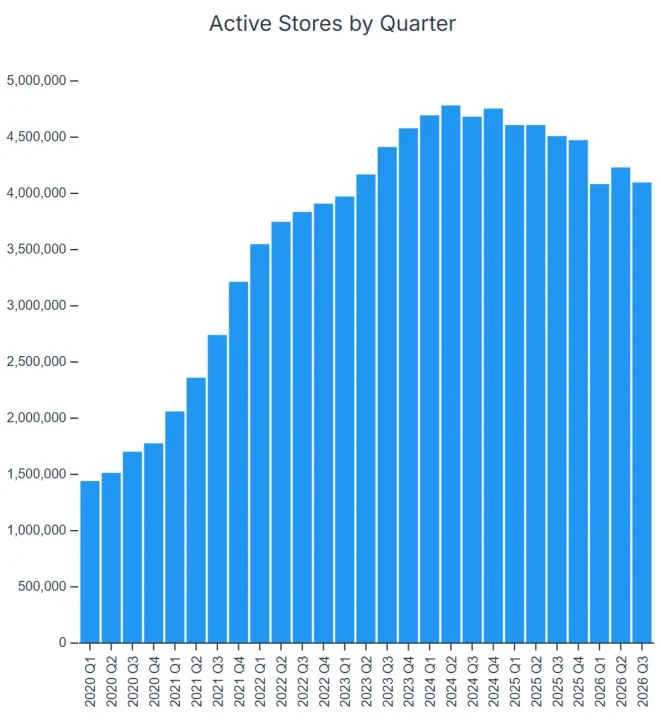
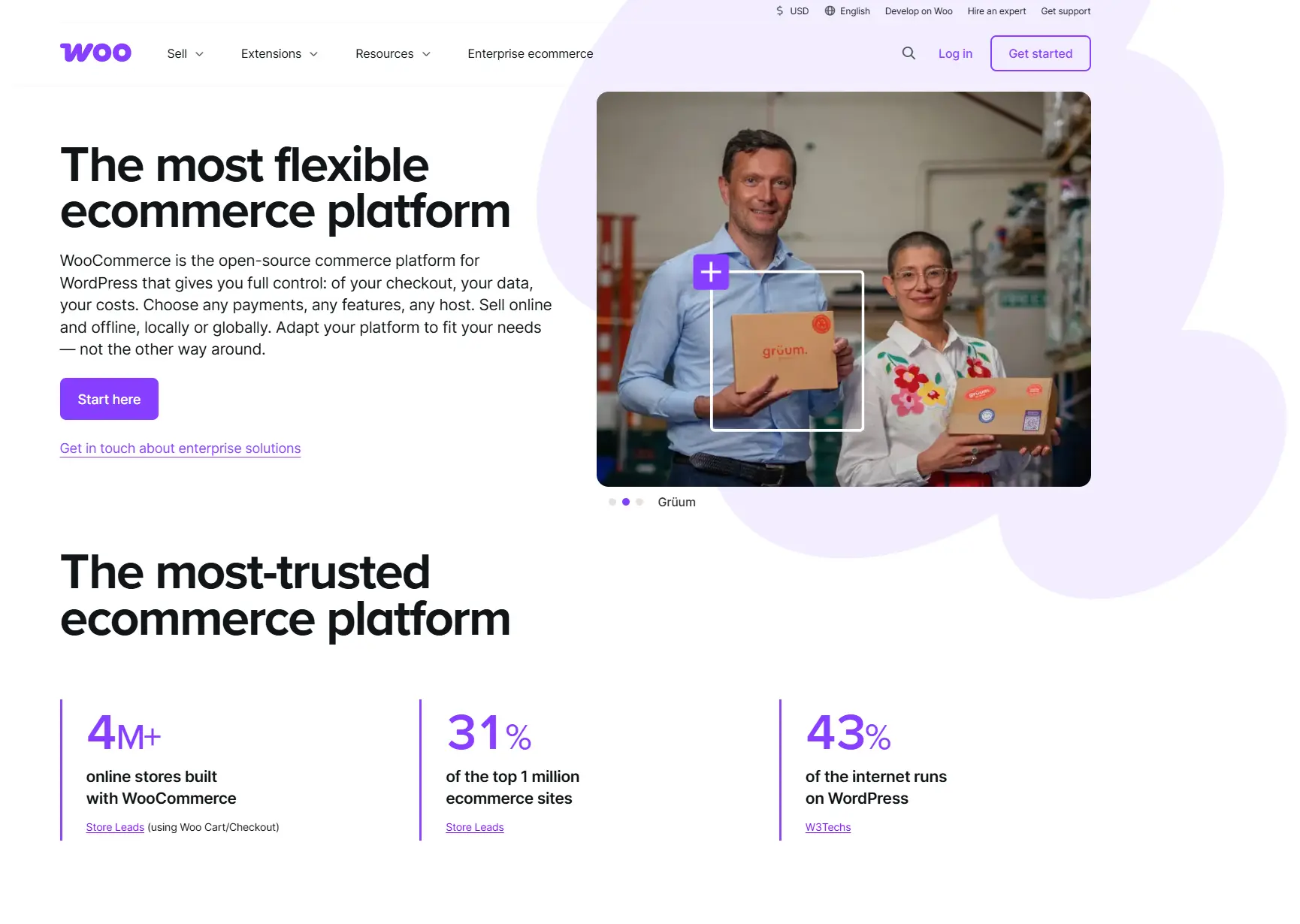
WooCommerce is a plugin that turns a WordPress site into a store. It’s the most widely used ecommerce platform by store count — Store Leads tracks roughly 4.5 million live WooCommerce stores, about a third of all ecommerce sites it monitors.
BigCommerce, on the other hand, is a standalone platform that offers most of the features you’d want right out of the box.
So which one is best for your ecommerce business: BigCommerce or WooCommerce?
Let’s find out.
Boost your WooCommerce store’s revenue by up to 85% using our email marketing plugin
Quick sign up | No credit card required
WooCommerce vs Bigcommerce: An overview
Before we get into the capabilities of each platform, let’s take a quick look at what they are.
As mentioned above, WooCommerce and BigCommerce are among the best ecommerce platforms in the market.
BigCommerce is a standalone platform with most of the features you’d want built in. It’s much smaller by store count — around 37,000 live stores — and it competes in the mid-market and enterprise tiers rather than on volume.
In contrast, WooCommerce is a WordPress plugin that adds ecommerce functionality to a website, but it doesn’t offer hosting, SEO, or buit-in marketing tools.
WooCommerce vs BigCommerce: verdict scorecard
BigCommerce takes built-in features, scalability, support, and security. WooCommerce comes out ahead on apps and themes. Pricing is a genuine tie, since what you pay depends on how you build the store.
| Category | WooCommerce | BigCommerce | Winner |
|---|---|---|---|
| Built-in marketing | Blog only, via WordPress | Blog, 70+ discount options, abandoned cart saver, newsletter signup | BigCommerce |
| Ecommerce features | Freedom to choose extensions; costs add up | Most features built in, wide integration range | BigCommerce |
| Shipping | Free USPS and DHL label extension; third-party for the rest | Built in, with UPS, USPS, and FedEx quotes on every plan | BigCommerce |
| Payments | 30 countries, 135+ currencies natively | 230+ countries, 140+ currencies pre-integrated | BigCommerce |
| Pricing | Free plugin, but you buy hosting, domain, SSL, theme, extensions | Flat subscription covering hosting, SSL, and support | Tie |
| Ease of use | Requires WordPress setup first; setup wizard helps | Minutes to launch, drag-and-drop editor, guided tour | BigCommerce |
| Scalability | You manage resources, updates, security, and backups | Fully hosted; storage, backups, uptime, and updates handled | BigCommerce |
| Apps and integrations | Far larger plugin library | Solid marketplace, smaller catalog | WooCommerce |
| Themes | Paid themes from $39, grouped by niche | 10 free themes; paid themes $150–$399 | WooCommerce |
| Customer support | Docs and guides; extension support sits with each developer | 24/7 email, chat, and US phone on all plans | BigCommerce |
| Security | Secure, but you own updates, backups, and vetting | ISO/IEC 27001 and PCI DSS Level 1 certified, handled for you | BigCommerce |
WooCommerce vs BigCommerce: Features comparison
Both platforms are packed full of features to help you create and grow your ecommerce store. Here’s an in-depth comparison of features.
| Feature | WooCommerce | BigCommerce |
|---|---|---|
| Hosting | Bring your own | Included |
| SSL certificate | Bring your own | Included |
| Website builder | Via WordPress | Native drag-and-drop |
| Blog | Via WordPress | Built in |
| Email marketing | Extension required | Extension required |
| Abandoned cart recovery | Extension required | Built in (higher tiers) |
| Discount engine | Extension required | 70+ options built in |
| Order and inventory management | Extension required | Built in |
| Shipping labels | Free USPS and DHL extension | Built in, multi-carrier |
| Real-time shipping quotes | Extension required | Built in, all plans |
| Analytics and reporting | Basic built-in reports | Financial, sales, and marketing reports |
| Customer segmentation | Extension required | Built in (higher tiers) |
Built-in marketing features
Both BigCommerce and WooCommerce have limited built-in marketing features.
So, you’ll often need third-party BigCommerce apps and WooCommerce extensions to help reach prospects and nurture leads through your online store.
For instance, with WooCommerce the only built-in marketing capability is WordPress’s blog feature for content marketing. There are no built-in email marketing plugins, list-building tools, etc.
BigCommerce offers more built-in marketing tools than WooCommerce. These include:
- A built-in blog to help boost your SEO rankings through content.
- 70+ discount options available out of the box to help promote your products.
- An automated abandoned cart saver that sends email reminders to your customers to complete their checkout.
- A newsletter signup box for list-building.
Developing a BigCommerce marketing strategy is much easier. The platform provides key marketing features that you can use right out of the box.
Verdict: BigCommerce wins, as it has more built-in marketing features than WooCommerce.
Ecommerce features
BigCommerce comes with most ecommerce features built in. This means that you won’t need many external integrations to get started.
The platform provides a wide array of integrations to choose from, which is its biggest upside. But it could also be a huge disadvantage depending on your business needs.
Let’s look at some feature comparisons:
- Website builder:
BigCommerce, being a standalone platform, features a drag-and-drop website builder with access to a content management system with SEO features.On the other hand, although WooCommerce doesn’t offer these directly, all its users have access to the world-class CMS and website builder that WordPress provides. Therefore, they aren’t features WooCommerce needs to include directly.
Verdict: BigCommerce has more built-in ecommerce features as well as integration options.
Shipping features
These enable you to fulfill your customer orders and easily handle returns.
As with most other features, BigCommerce’s shipping functionalities are built-in. You can easily set up your shipping location and rates. You can also customize your shipping rates and offer free or discounted shipping.
BigCommerce also partners with numerous shipping agents. You’ll be able to offer your customers quotes from the most popular shipping companies like UPS, USPS, FedEx, and more.
With every plan, you can print labels and fulfill other shipping processes.
Pros of shipping with BigCommerce
- Built-in shipping features
- Numerous shipping options
- Transparent pricing
- Cross-border shipping
Cons of shipping with BigCommerce
- Limited international shipping providers
With WooCommerce, you’ll need extensions to fulfill your shipping needs. There’s a free WooCommerce Shipping extension that allows you to print USPS and DHL labels from the dashboard.
For more functions, you’d need to integrate with third-party shipping providers. While this gives you freedom, it can also be costly.
Pros of shipping with WooCommerce
- Discounted shipping rates with USPS and DHL
- Freedom to integrate with shipping providers you choose
Cons of shipping with WooCommerce
- Third-party integrations can be expensive
- No native partnerships with international shipping providers
Verdict: BigCommerce wins for its built-in shipping capabilities.
Payment features
Both WooCommerce and BigCommerce let you offer a wide range of payment options to your customers. Some of the well-known ones include:
- PayPal
- Stripe
- Apple Pay
- Square
BigCommerce provides pre-integrations with payment solutions covering over 230 countries in over 140 currencies.
WooCommerce payment, on the other hand, is available in 30 countries and you can accept payments in 135+ currencies, with no integrations needed. For wider coverage, you’ll need extensions.
Verdict: Again, BigCommerce wins in this category as it saves you the trouble of finding payment extensions that work for international shoppers.
WooCommerce vs BigCommerce: Pricing
At first glance, pricing is a tremendous difference between WooCommerce and BigCommerce. BigCommerce has four paid plans to choose from, and WooCommerce is a free WordPress plugin.
But that’s only half the story.
| Cost item | WooCommerce | BigCommerce |
|---|---|---|
| Platform license | Free plugin | Monthly subscription |
| Hosting | Paid separately, ongoing | Included |
| Domain | Paid separately, ongoing | Not included |
| SSL certificate | Paid separately | Included, dedicated |
| Theme | Free options; paid storefront themes from $39 | 10 free; paid $150–$399 |
| Extensions and apps | Pay per extension, ongoing | Optional; most core features included |
| Support | Community docs; paid developer help common | 24/7 included on all plans |
| Maintenance | You or a hired developer | Handled by BigCommerce |
WooCommerce puts every line in that column under your control, so your total can land well under a BigCommerce subscription or well over it. BigCommerce trades that control for a bill you can predict.
With WooCommerce pricing, determining whether it’s affordable can be tricky. For one, you’ll need to have a few things already, all of which you’ll need to pay for regularly. These include:
- A domain
- A hosting account
- An SSL certificate
You’ll also need a theme—free ones are available, but paid ones are generally more likely to meet your needs. In addition, WooCommerce allows you to install extensions for more functionality.
One way to look at a WooCommerce store is that it’s like building a house. Each plugin is a brick and your shop can have as many or as little as you want. So no two stores have to be completely identical.
That’s a lot of flexibility, and it also means that you have a lot of control over your costs. Your monthly bill could be higher than with BigCommerce, but it could also be lower.
There’s the option of hiring developers to fully manage your store, which would be more expensive. However, you’d know that everything is taken care of, from implementation to security updates.
BigCommerce has four tiers:
| Plan (from June 2026) | Formerly | Monthly | Billed annually | Key additions |
|---|---|---|---|---|
| Core | Standard | $39 | $29/mo | Blog, page builder, dedicated SSL, reporting, single-page checkout, real-time shipping quotes |
| Growth | Plus | $105 | $79/mo | Customer segmentation, abandoned cart recovery, stored cards, persistent cart, 24/7 phone support |
| Scale | Pro | $399 | $299/mo | Google Reviews display, priority support, higher API limits |
| Performance | Enterprise | Custom | From $1,499/mo | Dedicated account management, advanced B2B, custom quoting |
On the surface, it appears to be more expensive than WooCommerce. But, the price includes all features, hosting, SSL certificates, and 24/7 customer support.
You don’t necessarily need to buy any extra extensions.
Whether WooCommerce is cheaper or more expensive depends on how you build your WooCommerce store. Since BigCommerce offers an all-inclusive service, it could also be the cheaper option.
Verdict: It’s a tie.
WooCommerce vs BigCommerce: Ease of use
Both platforms are intuitive and simple to navigate. There are a couple of considerations, though.
BigCommerce has a smooth onboarding process and you don’t have to worry about setting up hosting. This simplifies the process.
A brand new store can be set up within minutes and you can customize its appearance and start adding products immediately. There’s a what-you-see-is-what-you-get drag-and-drop editor to help you add content to your web pages—no code needed.

You’ll also have an introductory tour to help you navigate the options and settings.
The experience is different with WooCommerce because it’s a plugin. You need to have your WordPress website up before you use it. This includes hosting and domain (and, ideally, security), then installing WooCommerce.
Since you can download various extensions, it’s more of a choose-your-own-adventure journey. So the introductory tour can’t be quite as comprehensive as BigCommerce’s.
Its setup wizard, however, is helpful and offers all the direction you need to get started.
Compared to other ecommerce platforms, neither tool ranks the highest for ease of use. For instance, there’s a bit of a learning curve with BigCommerce.
That said, both platforms are simple to use and the easiest option will often be a matter of personal choice of whether you prefer BigCommerce’s all-in-one platform or WooCommerce’s plugin-focused approach.
If you haven’t set up your website yet, you’ll need some technical WordPress knowledge to get started with WooCommerce. Also, being a plugin, there’s the additional trouble of selecting extensions to optimize your online store.
This gives BigCommerce a bit of a leg up in this category.
Verdict: BigCommerce wins.
WooCommerce vs BigCommerce: Scalability
Every growing ecommerce business needs a platform that allows them to scale easily. This means growing without affecting your business performance or user experience.
BigCommerce is a fully hosted solution that comes with all the essential features. This means that you’ll never have to worry about:
- Storage
- Backups
- Downtimes
- Updates
- Security
It also comes with scalable pricing plans so you can update your BigCommerce plan as your business grows. This will give you access to more features and advanced functionalities.
WooCommerce works differently.
First, you’ll be in charge of all your store’s resources, updates, security, and backups. This can be difficult to do without significant experience or technical knowledge.
Also, scaling your WooCommerce store means scaling your WordPress website. This means that you’d need to:
- Choose quality themes and plugins
- Find an excellent host that supports your scaling business
- Limit your plugins and update them so you don’t slow down your website.
- Pick the right third-party extensions for your marketing, shipping, payment needs, etc.
This all makes scaling with WooCommerce more complicated compared to BigCommerce.
Verdict: BigCommerce allows for easier scalability than WooCommerce.
WooCommerce vs BigCommerce: Apps and integrations
Both platforms offer a wide range of apps and integrations to enhance your store.
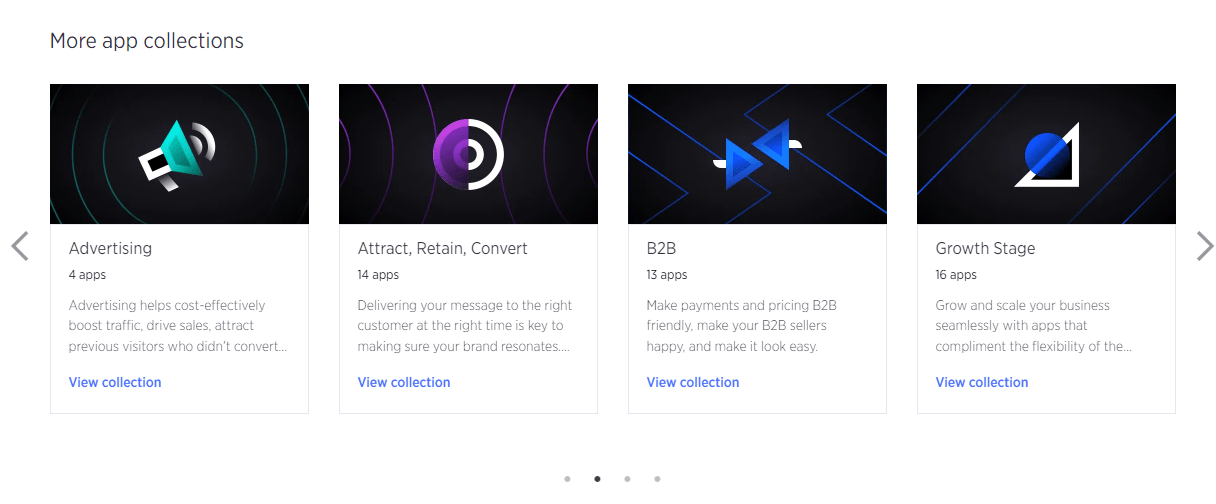
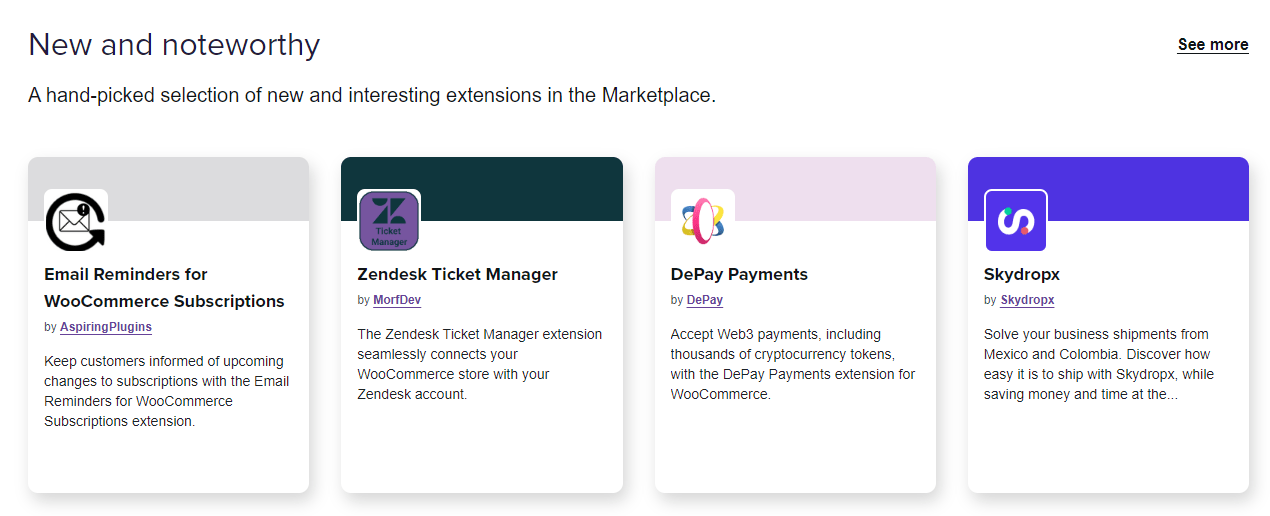
The WooCommerce store and the BigCommerce store group the various apps into collections, helping you quickly find what you need. Whether your chosen platform lacks a feature or you’re not keen on the native options, simply visit the store and explore the various choices on offer.
For both platforms, the integrations open up a new world of possibilities. You can explore various shipping options and tools to help with:
- Collecting customer reviews
- Content marketing and SEO
- Building customer loyalty
- Live chat and customer support
- Reporting and analytics
These integrations mean that you don’t need to rely on the native capabilities of WooCommerce or BigCommerce.
For instance, for your email and SMS marketing needs, you can try the Omnisend for WooCommerce addon or our seamless BigCommerce plugin. This allows you to create powerful omnichannel workflows and automations.
With Omnisend, you’d be able to send automated abandoned cart reminders, automations, and order confirmations to fit your requirements. It can help you grow your list size exponentially, and send hyper-relevant marketing messages, even on the free plan.
Now, back to WooCommerce vs BigCommerce integrations.
Most of WooCommerce’s functionality depends on integrations and plugins, and it offers way more plugins than BigCommerce.
Verdict: WooCommerce wins!
Scale your ecommerce store on autopilot with Omnisend’s email and SMS automation
Quick sign up | No credit card required
WooCommerce vs BigCommerce: Themes and customization
Both platforms have a selection of free and paid themes to choose from. BigCommerce currently has 10 free themes.

The paid ones typically cost between $150 and $399, and there’s an editing interface to change everything from the font and colors to the icons.
You can get WooCommerce’s paid storefront themes for the lower price of $39. Like WordPress’ theme options, extensive customization is possible if you have the technical know-how.
You can also choose a WooCommerce theme by niche, saving you a lot of time if you already know what you want.
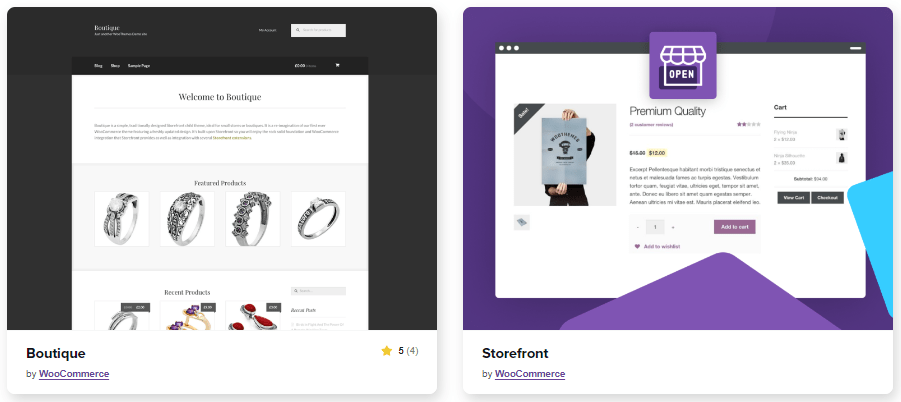
Whichever platform you choose, you’ll have plenty of choices for making your store look exactly how you want it.
Compared to BigCommerce, WooCommerce has more theme options to choose from. What’s more is that they’re grouped by industry, making it easier to choose. There are also cheaper options and a wider range of designs.
Verdict: WooCommerce wins.
WooCommerce vs BigCommerce: Customer support
This is one of the most important aspects to consider when choosing an ecommerce platform. Let’s see what customer support options BigCommerce and WooCommerce offer.
BigCommerce offers 24/7 email, chat, and US-based phone support to customers on all plans. The highest tier plan also includes priority support, express routing, and customer success management.
Other helpful learning resources include:
- Help center
- BigCommerce University
- Podcast
- Webinars
- Blog
WooCommerce has several guides, tutorials, and technical resources for core issues relating to the plugin, for instance how to set up a WooCommerce store.
For support related to the WooCommerce plugins and extensions you choose, you need to contact their official developers.
Being a WordPress plugin, WooCommerce’s customer support is not consolidated, unlike BigCommerce.
Verdict: BigCommerce has a wider range of customer support options and round-the-clock availability.
WooCommerce vs BigCommerce: Security
BigCommerce and WooCommerce are both secure platforms, but there’s a key difference between them. BigCommerce handles it on your behalf, whereas WooCommerce requires you to be hands-on.
BigCommerce boasts on its website that it’s “built for speed and security” and in addition to the free SSL certificate, it also proudly states that it “is ISO/IEC 27001:2013 & PCI DSS 3.2, Level 1 certified, and stores are protected by multiple security layers like firewalls, file integrity scanners, and intrusion detection.”
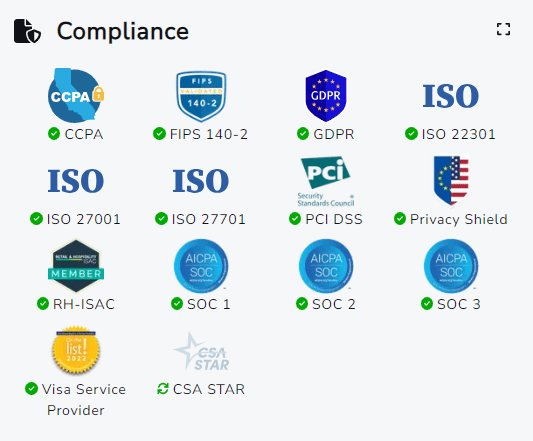
WooCommerce can also be extremely secure, but it’s largely up to you as the store owner. Your priority needs to be ensuring that you’re on the latest WordPress version with appropriate security and anti-spam measures in place.
Extensions can occasionally be exploited, so it’s important to only install reputable addons and always keep them up to date.
For further peace of mind, performing regular backups of your site will allow you to restore it if the worst happens.
Many WooCommerce store owners choose to work with professional developers to keep everything running smoothly. This is one effective way to use WooCommerce without needing to stay on top of updates and backups.
Verdict: BigCommerce takes care of all your security concerns, making it the easy winner.
WooCommerce vs BigCommerce: Wrap up
| Choose WooCommerce if | Choose BigCommerce if |
|---|---|
| You already run a WordPress site | You’re starting from scratch |
| You want total control over every component | You want features and security handled for you |
| You have technical skills or a developer on hand | You’d rather not manage hosting, updates, or backups |
| You need a specific integration only WordPress offers | You want predictable monthly costs |
The BigCommerce vs WooCommerce debate will continue. However, the truth is, both are popular for good reason—they’re excellent and extremely capable ecommerce platforms.
If you’re struggling to choose between them, the good news is that each is extremely capable and customizable, so you can’t go wrong.
If you want to use WordPress, or already have a site on WordPress, then WooCommerce may be more appealing. You’ll have total control over your store, including the freedom to choose shipping, marketing, and ecommerce extensions.
Conversely, BigCommerce may appeal more if you’re starting from scratch as it has most features and security plugins already in place.
To optimize your store’s performance, you can use Omnisend’s dedicated plugin for each platform. This gives you access to our specialist tools for growing your audience and increasing your sales.
Looking for an effective email and SMS marketing solution for your ecommerce store?
Quick sign up | No credit card required
This article was researched and written by our experts following a precise process.
See the process