Which Is Better for You?
Pricing is the biggest Brevo vs. Mailchimp difference, as Brevo charges by email volume with contact caps below Enterprise, and Mailchimp charges by contacts with a send multiplier. Large list with infrequent sends? Brevo’s cheaper. A small list you send to a lot? Mailchimp’s cheaper.
But the cheapest option isn’t necessarily your best pick. Brevo and Mailchimp have different integrations and capabilities across AI, reports, flows, and channels. It all depends on your business size and priorities.
Our Mailchimp vs. Brevo comparison reflects 2026 pricing and features to help you pick the right marketing tool.
Brevo vs. Mailchimp: quick comparison
Brevo is best for multichannel marketing on a budget, a built-in CRM for sales, and AI-assisted tasks thanks to Aura AI. Its volume-based pricing stores large lists cheaply and costs less than Mailchimp for infrequent senders.
Mailchimp is best for pre-built email templates and flows and frequent senders due to its contact-based pricing. Predictive analytics and custom reports also have a lower entry price if your business needs them.
| Brevo | Mailchimp | |
|---|---|---|
| Best for | Value across email, SMS, and general marketing with pricing based on monthly email volume. | Ecommerce features at a lower price point; contact-based pricing for frequent sends. |
| Ease of use | ★★★★☆ | ★★★★☆ |
| G2 rating | 4.5/5 (2,600+ reviews) | 4.4/5 (4,500+ reviews) |
| Shopify App Store rating | 4.8/5 (2,030+ reviews) | 4.8/5 (1,350+ reviews) |
| Capterra rating | 4.6/5 (3,500+ reviews) | 4.5/5 (17,600+ reviews) |
| Free plan limits | 100,000 contacts, 300 emails/day | 250 contacts, 500 emails/month |
| Starting price | $9/month | $13/month |
| Channels | Email, SMS, MMS, web push*, mobile push*, WhatsApp* | Email, SMS*, MMS* |
| CRM | Marketing and sales with a CRM dashboard | Marketing features only |
| Support | Email in all plans; phone support is included in Professional and Enterprise plans | 24/7 live chat and email in all paid plans; Premium plans have phone support; free plans get 30 days of email support |
| SMS coverage | 180+ countries | 37 countries |
| Email templates | 50+ | 380+ |
| Integrations | 100+ | 200+ |
| AI features | Aura AI with four agents, three available in all plans, plus model context protocol (MCP) integration | Intuit Assist for generative AI*, MCP integration, connectors for Claude and ChatGPT |
*Plan dependent. Brevo vs. Mailchimp comparison accurate as of August 2026. Green entries are overall winners.
Brevo vs. Mailchimp pricing: which is cheaper?
Brevo wins for cheap email marketing when you have a large list. It bills on monthly email volume and has a 500,000 contact storage limit on Starter and Standard plans above 15,000 sends. It also offers a lower entry price of $9/month versus $13/month.
The scenario where Mailchimp’s contact-based pricing works out best is if you send frequently to your list. You pay for stored contacts, and each plan caps your sends, with a 10–15x contact send limit as you move up the tiers.
Brevo prices by monthly email volume rather than by contact count, so a large list emailed infrequently can cost less than Mailchimp, though each send tier carries its own contact cap.
There are five plans available with Brevo: Free, Starter, Standard, Professional with disclosed pricing, and Enterprise with custom quote-based pricing.
Brevo’s free plan stores up to 100,000 contacts with a 300/day email quota, equivalent to roughly 9,000 emails/month. It caps automations at 2,000 contacts/month.
The next paid tier holds 200x fewer contacts than free, at 500. Starter and Standard have contact caps of 500 at 5,000 emails/month, 1,500 at 10,000 emails/month, and 2,500 at 15,000 emails/month. All tiers from 20,000 emails/month have a 500,000 contact limit.
Professional plans have a flat 2,000,000 contact limit and cover 150,000–10,000,000 emails, and the Enterprise plan has unlimited contacts for 10,000,000+ emails/month.
Brevo pricing as of August 2026
| Monthly emails | Starter | Standard | Professional |
|---|---|---|---|
| 5,000 | $9/month | $18/month | – |
| 10,000 | $17/month | $35/month | – |
| 15,000 | $25/month | $49/month | – |
| 20,000 | $32/month | $69/month | – |
| 30,000 | $39/month | $79/month | – |
| 40,000 | $46/month | $89/month | – |
| 50,000 | $56/month | $97/month | – |
| 60,000 | $65/month | $104/month | – |
| 80,000 | $74/month | $119/month | – |
| 100,000 | $82/month | $139/month | – |
| 150,000 | – | $179/month | $499/month |
| 250,000 | – | $249/month | $599/month |
| 500,000 | – | $429/month | $699/month |
| 1,000,000 | – | – | $999/month |
Mailchimp has four plans: Free, Essentials, Standard, and Premium.
The Free plan stores up to 250 contacts with a 500 email send quota per month. It doesn’t allow any automation flows or SMS marketing, whereas Brevo’s free plan does.
Essentials plans provide a 10x contact send limit, the Standard plan has a 12x contact send limit, and the Premium plan has a 15x contact send limit. Premium plans are for 10,000+ contacts. The contact-based pricing works in your favor the more frequently you email your list.
Mailchimp pricing as of August 2026
| Contact count | Essentials | Standard | Premium |
|---|---|---|---|
| 500 | $13/month | $20/month | – |
| 1,500 | $26.50/month | $45/month | – |
| 2,500 | $45/month | $60/month | – |
| 5,000 | $75/month | $100/month | – |
| 10,000 | $110/month | $135/month | $350/month |
| 15,000 | $180/month | $230/month | $465/month |
| 25,000 | $270/month | $310/month | $620/month |
| 50,000 | $385/month | $450/month | $815/month |
| 100,000 | – | $800/month | $1,025/month |
| 150,000 | – | – | $1,325/month |
| 200,000 | – | – | $1,600/month |
Brevo vs. Mailchimp: ease of use and templates
Brevo’s onboarding is faster and gets you creating your first campaign sooner, but Mailchimp has a much broader template library and an equally capable editor.
Mailchimp’s onboarding sends you a code to verify your email and walks you through roughly seven screens, depending on your selections. Brevo sends a link to verify your email. You can then access the dashboard after entering or skipping your information.
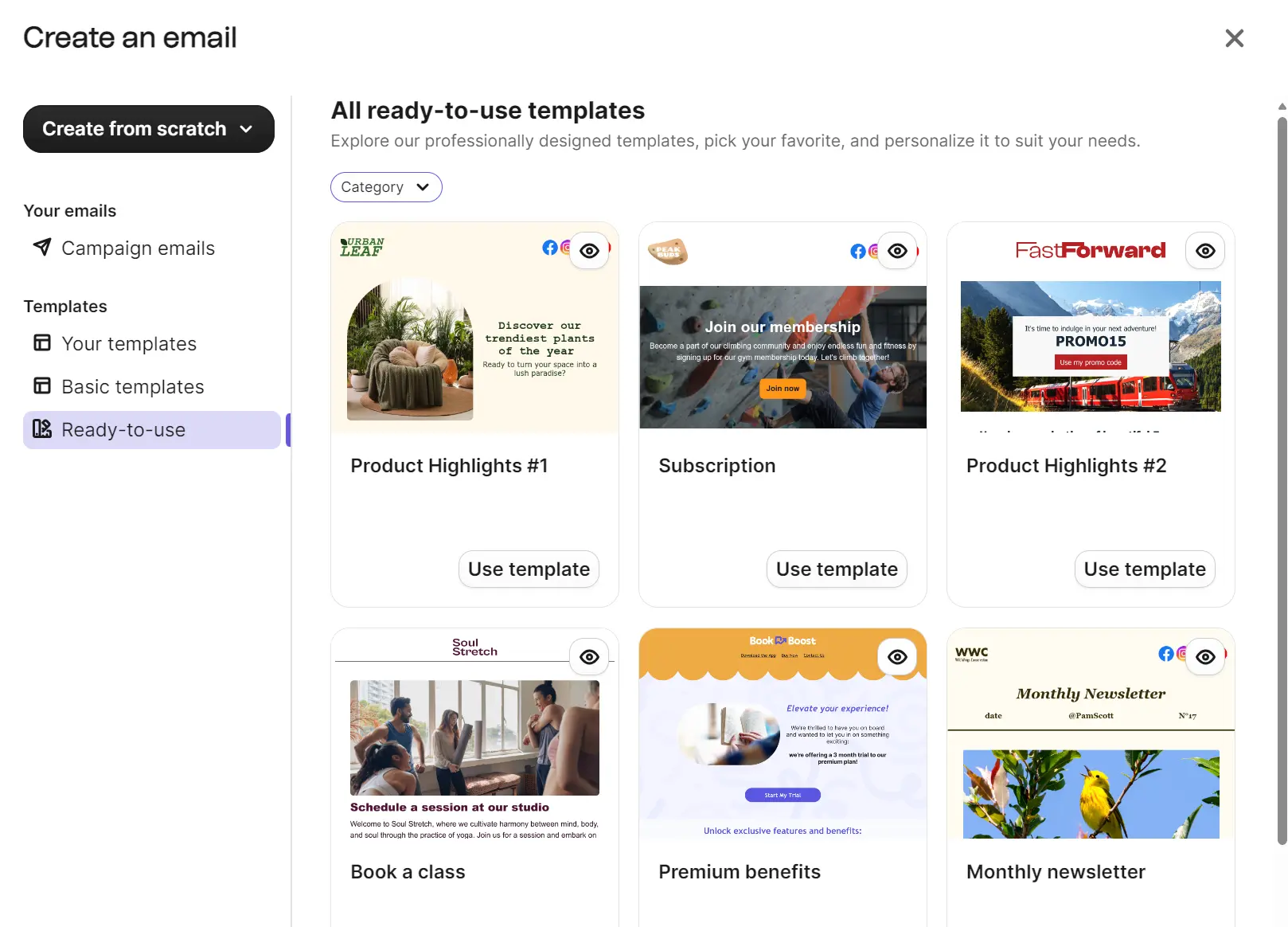
Once you’re inside Brevo, you can start building. The Campaigns tab provides options for email, SMS, or generating an email with AI. The pre-built email templates include 48 ready-to-use designs in paid plans and five basic templates in all plans.
The email builder has a drag-and-drop interface with 13 blocks, including a product block that pulls items from your connected store. There are also pre-built Sections, and you can use Aura AI to change images and text.
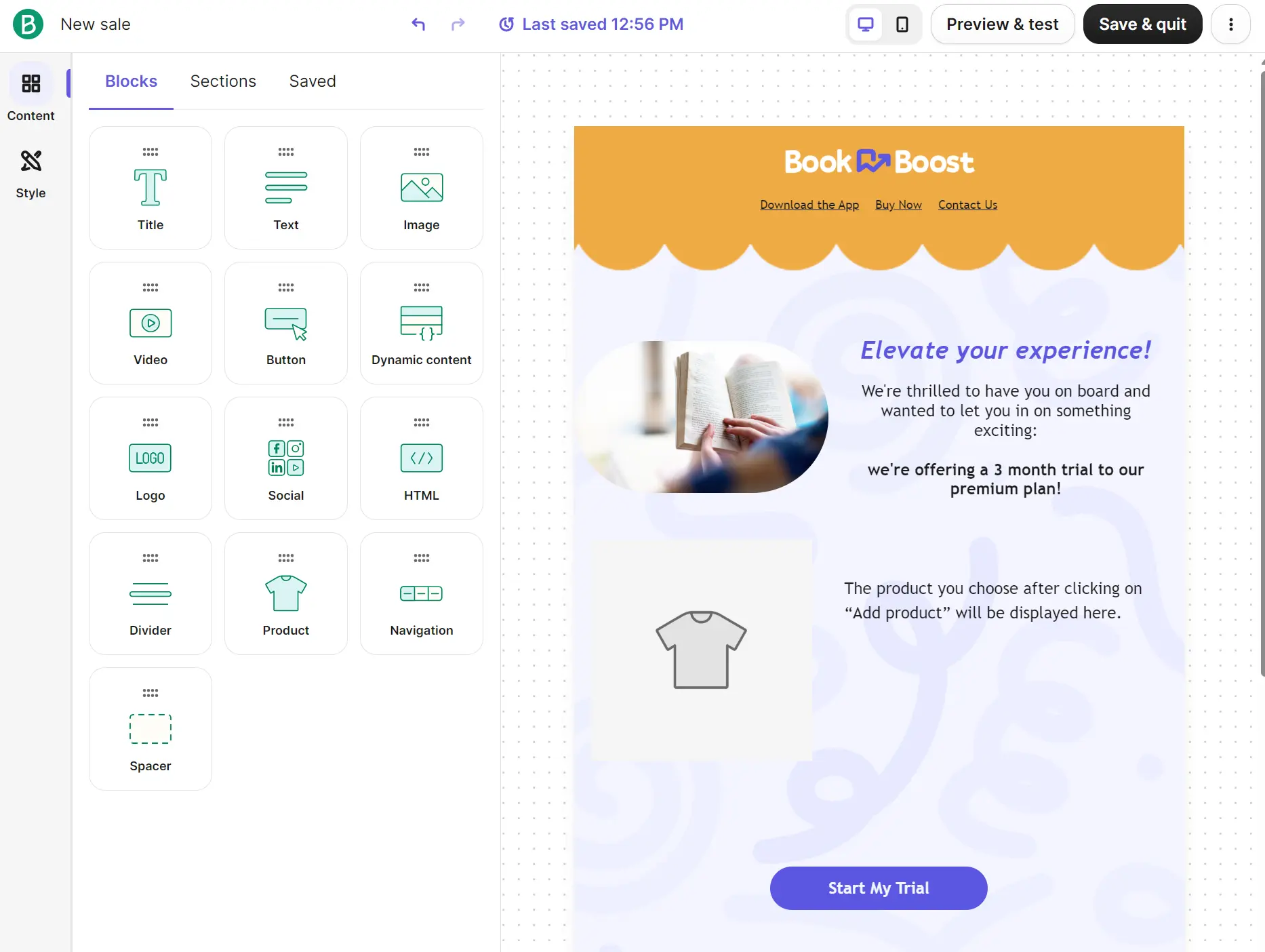
Mailchimp’s email template library contains 380+ designs with a search bar, industry and style filters, and tabs to select goals and occasions.
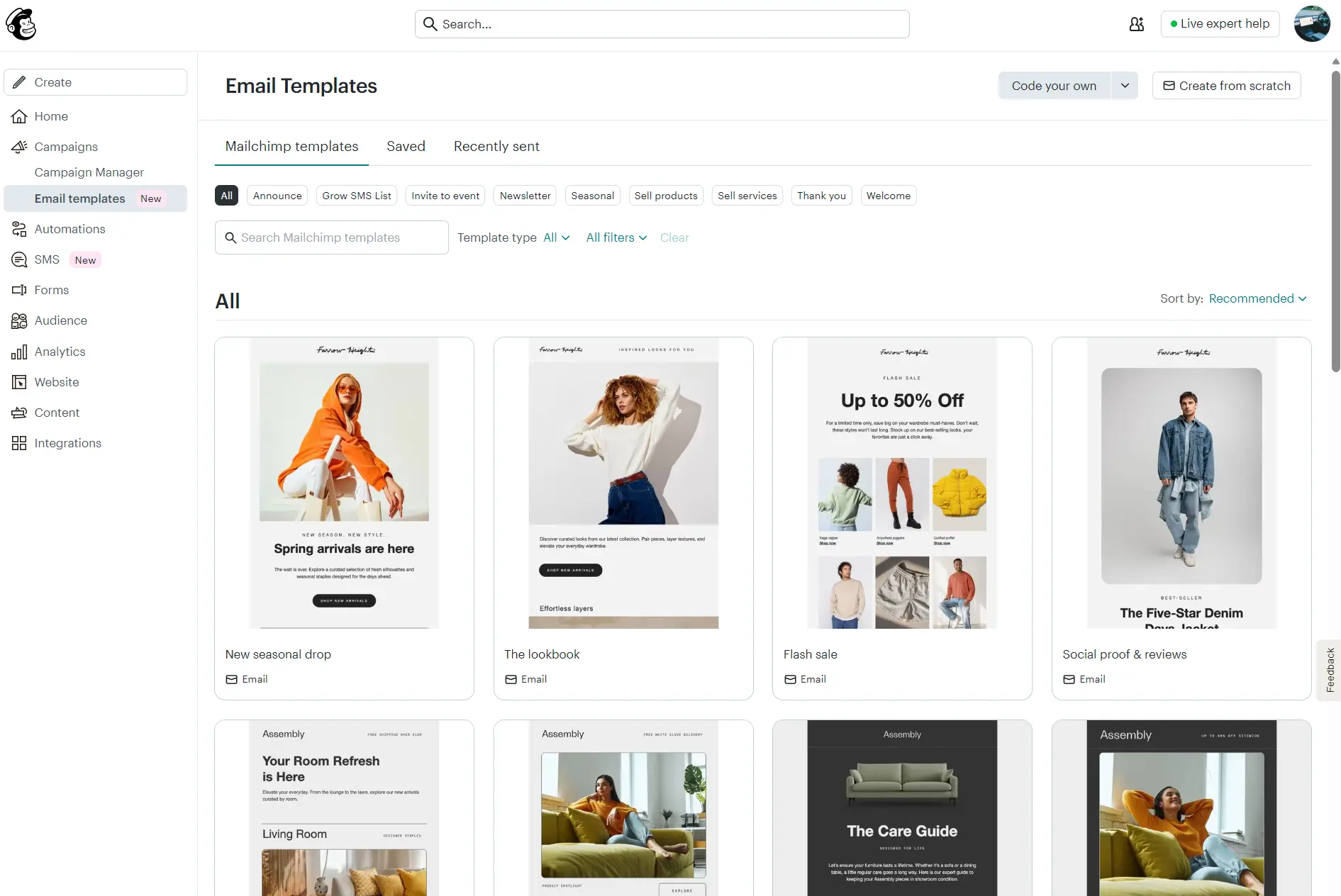
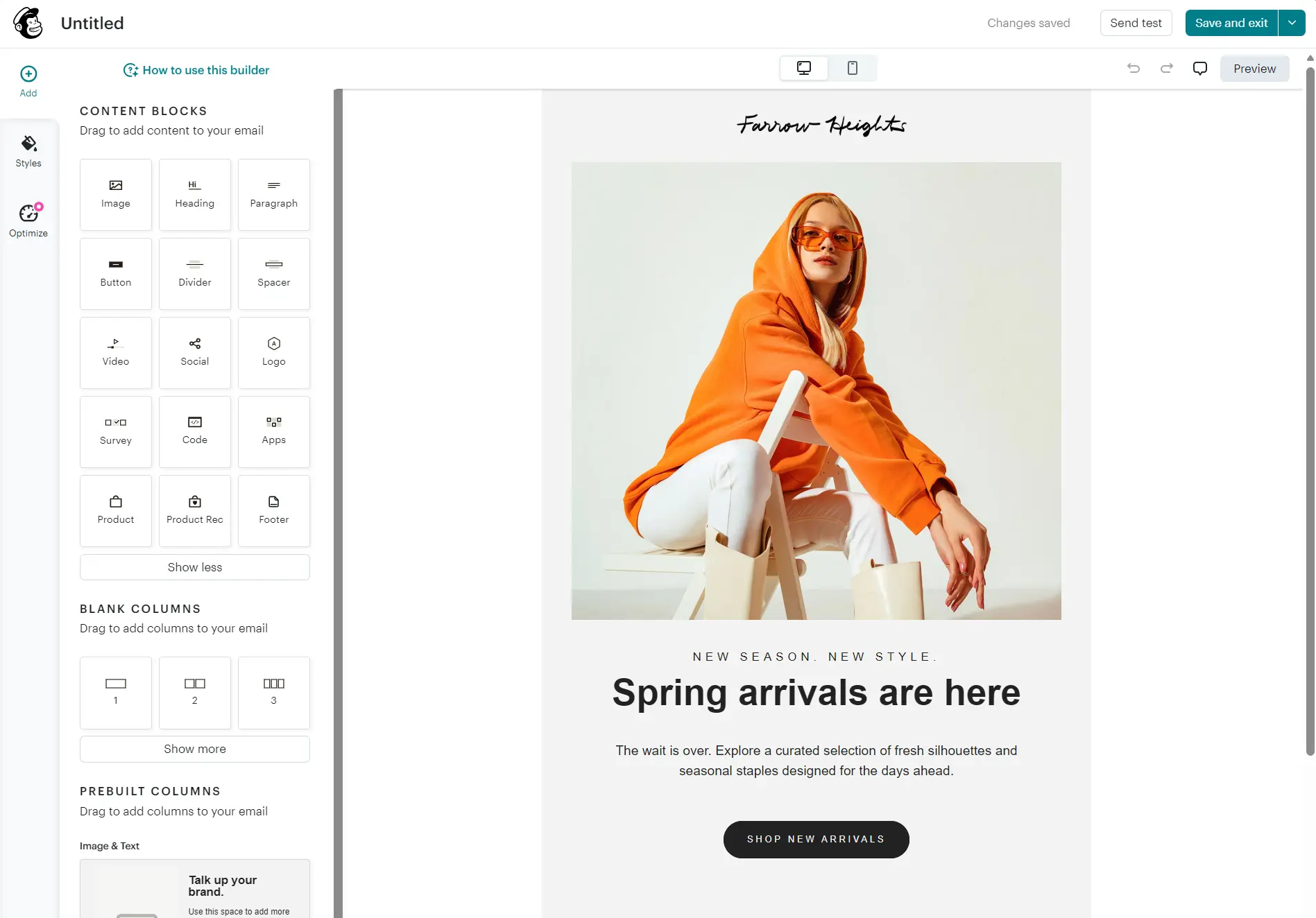
The email editor contains 15 blocks with a drag-and-drop layout. There’s also an Optimize feature, which recommends improvements such as making images clickable. If you’re on the Standard plan or above, you can click Refine with AI on images and text to edit them.
Brevo vs. Mailchimp: marketing automation and workflows
Brevo offers more automation value with availability in all plans. Mailchimp restricts flows to paid plans, but offers a much broader flow template library for ecommerce email marketing.
If you want to run a welcome series and abandoned cart series for free, then Brevo is the only option here. The Free plan limits automations to 2,000 contacts/month, but at least you can have them at all. Mailchimp’s free plan has no automations.
Brevo’s Standard plan lifts that 2,000 cap to unlimited. All plans let you use real-time event triggers and multiple entry points in workflows. Its triggers cover contacts, email engagement, and ecommerce, including Shopify events and predictive ones like churn risk.
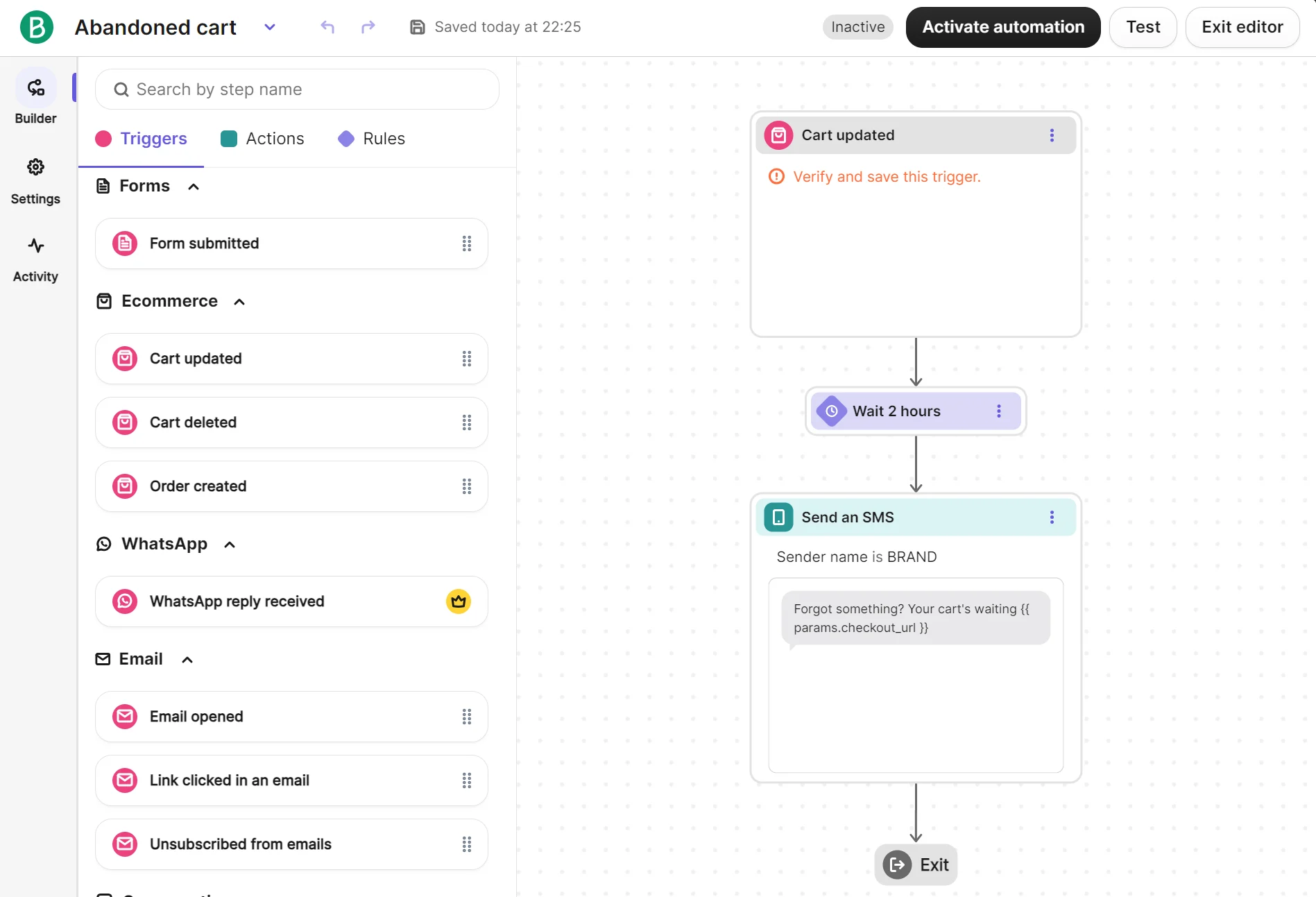
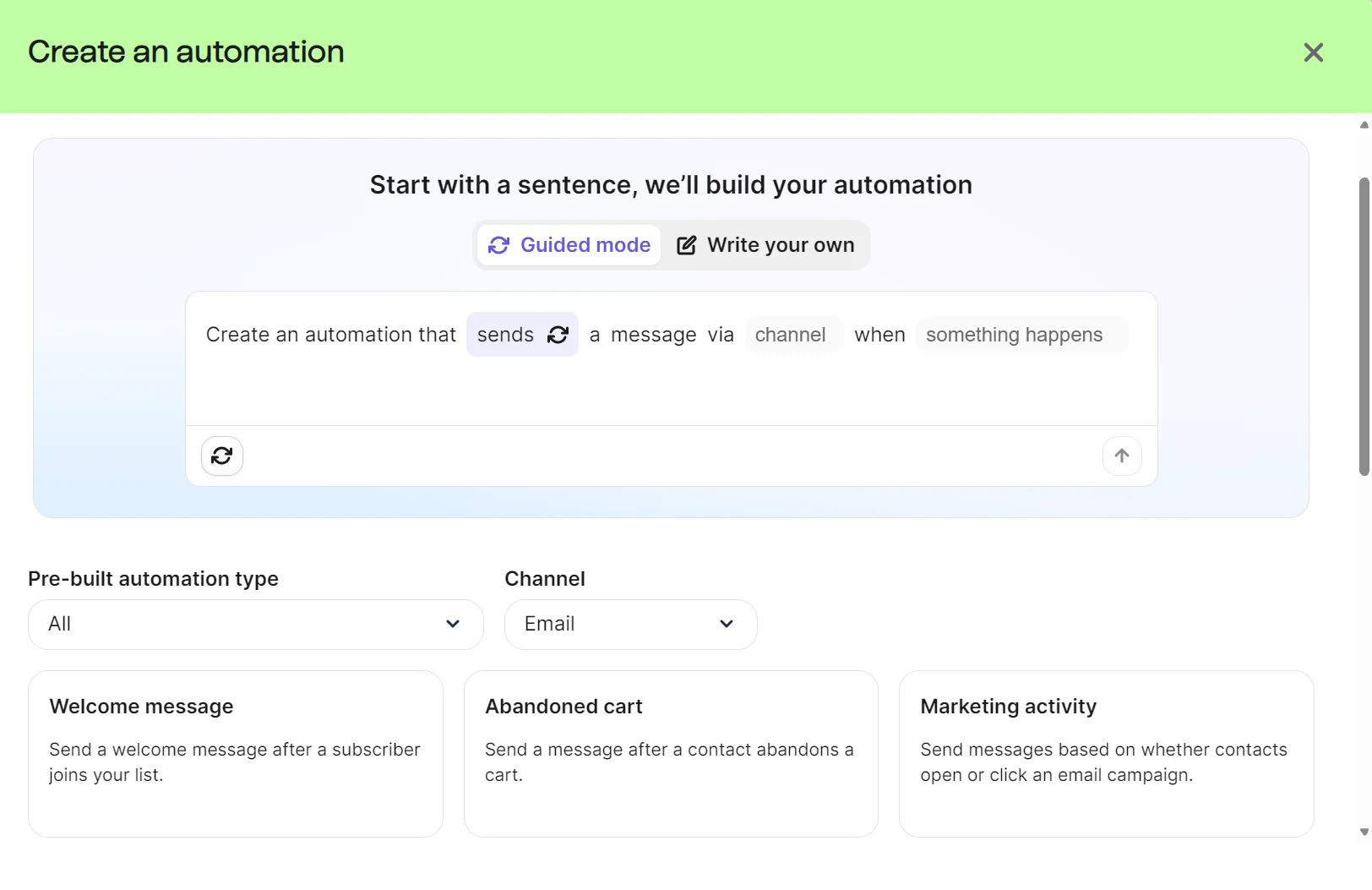
Aura AI can build automations for you with a prompt, or you can pick one of 15 pre-built email automations spanning welcome to follow-up.
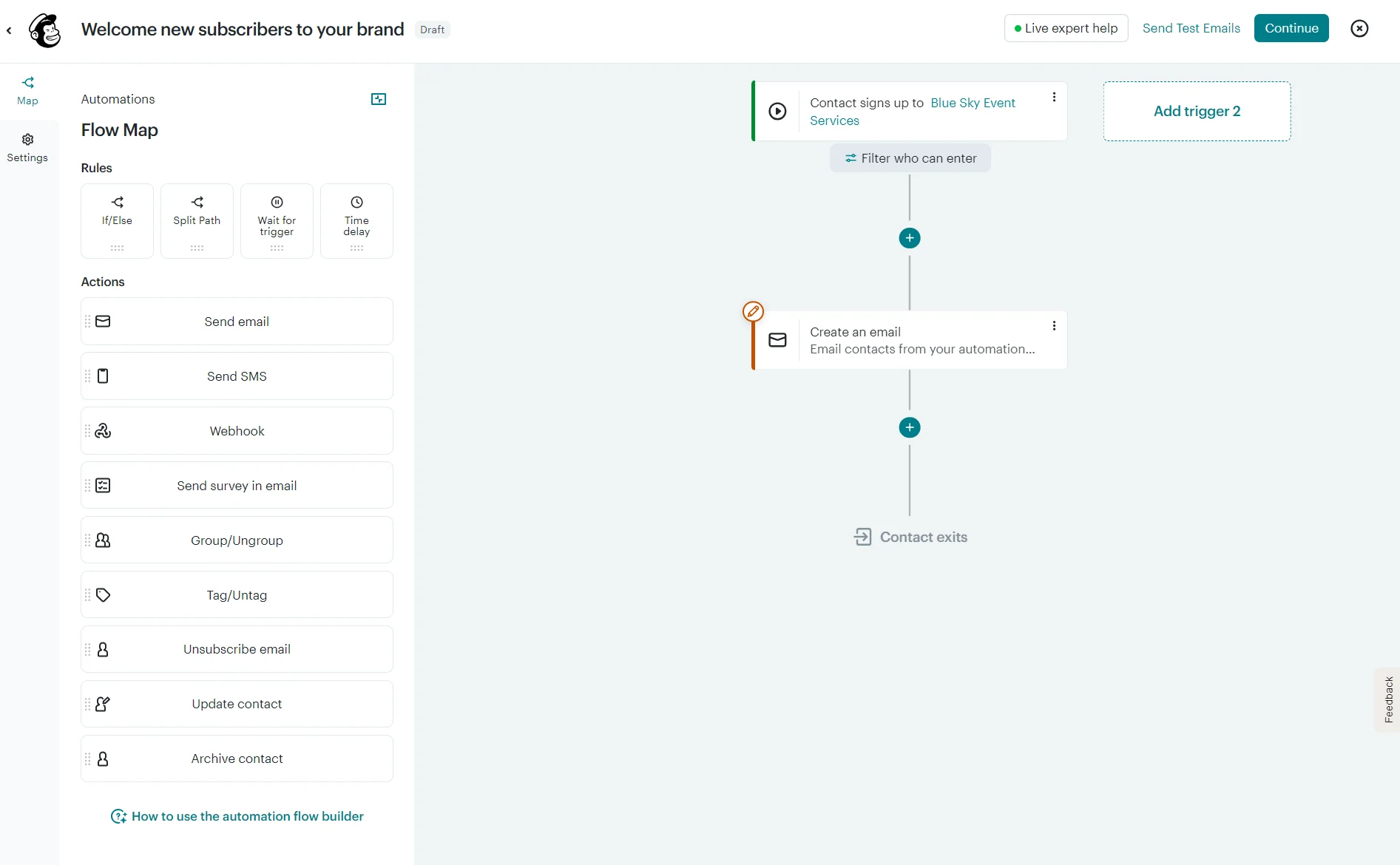
Mailchimp’s Essentials plan limits you to four steps per flow. The Standard plan supports up to 200 steps per flow, multiple branching points, and shopping activity triggers.
Those triggers include Shopify events (abandoned checkout, browse, search, cart actions) and predictive triggers, such as customer churn risk.
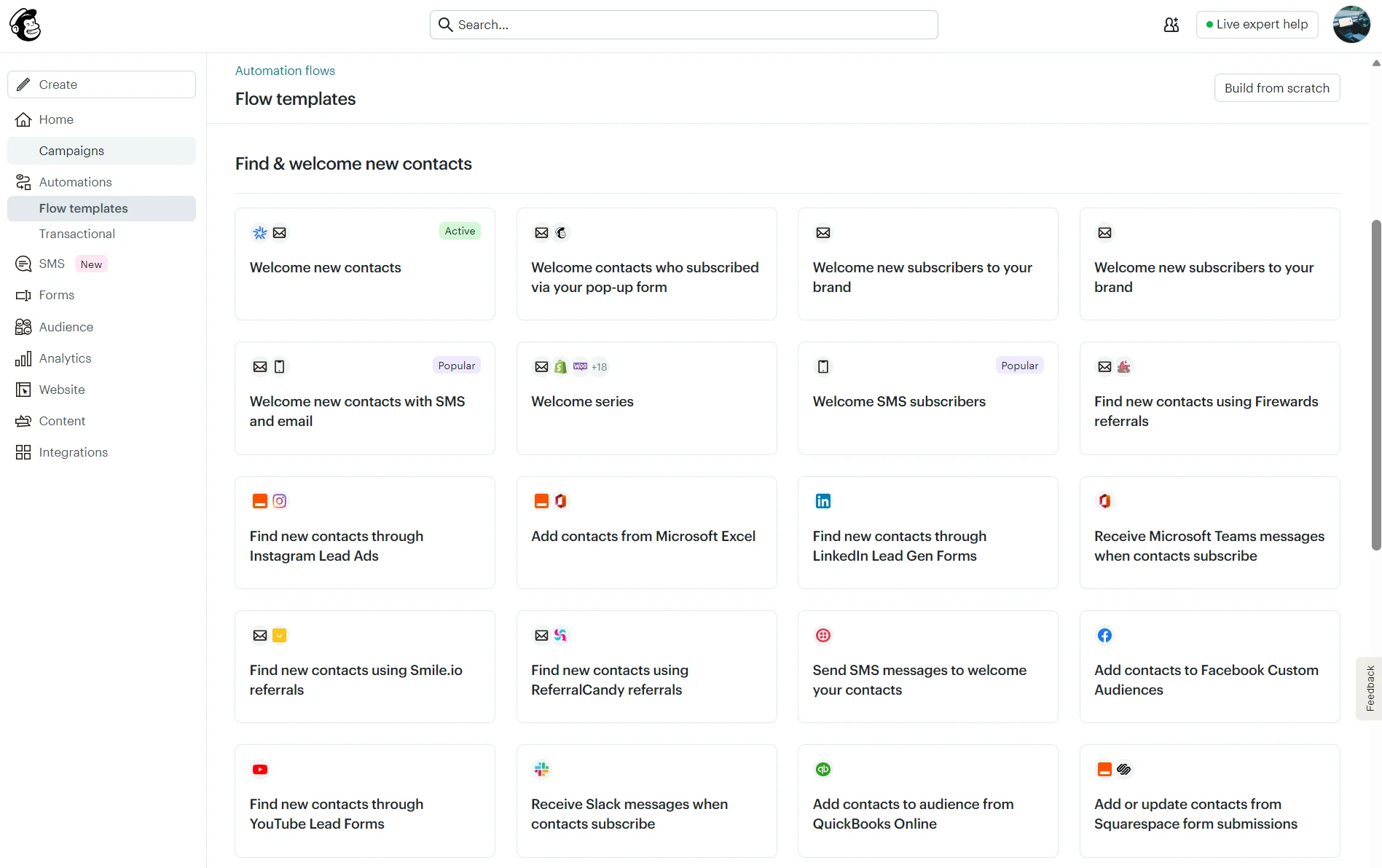
The flow template library in Mailchimp includes 100+ pre-built templates, and if you’re on the Standard plan or above, AI can generate emails for those flows.
Brevo vs. Mailchimp: CRM and sales features
Brevo has a sales CRM for contacts, companies, deals, and tasks. Mailchimp has marketing CRM features for audience management.
The CRM in Brevo is included in all plans as part of the Sales Free package, with up to 50 open deals and one pipeline, a connected calendar, and a connected inbox. It’s most useful if you’re a B2B company or sell services alongside products.
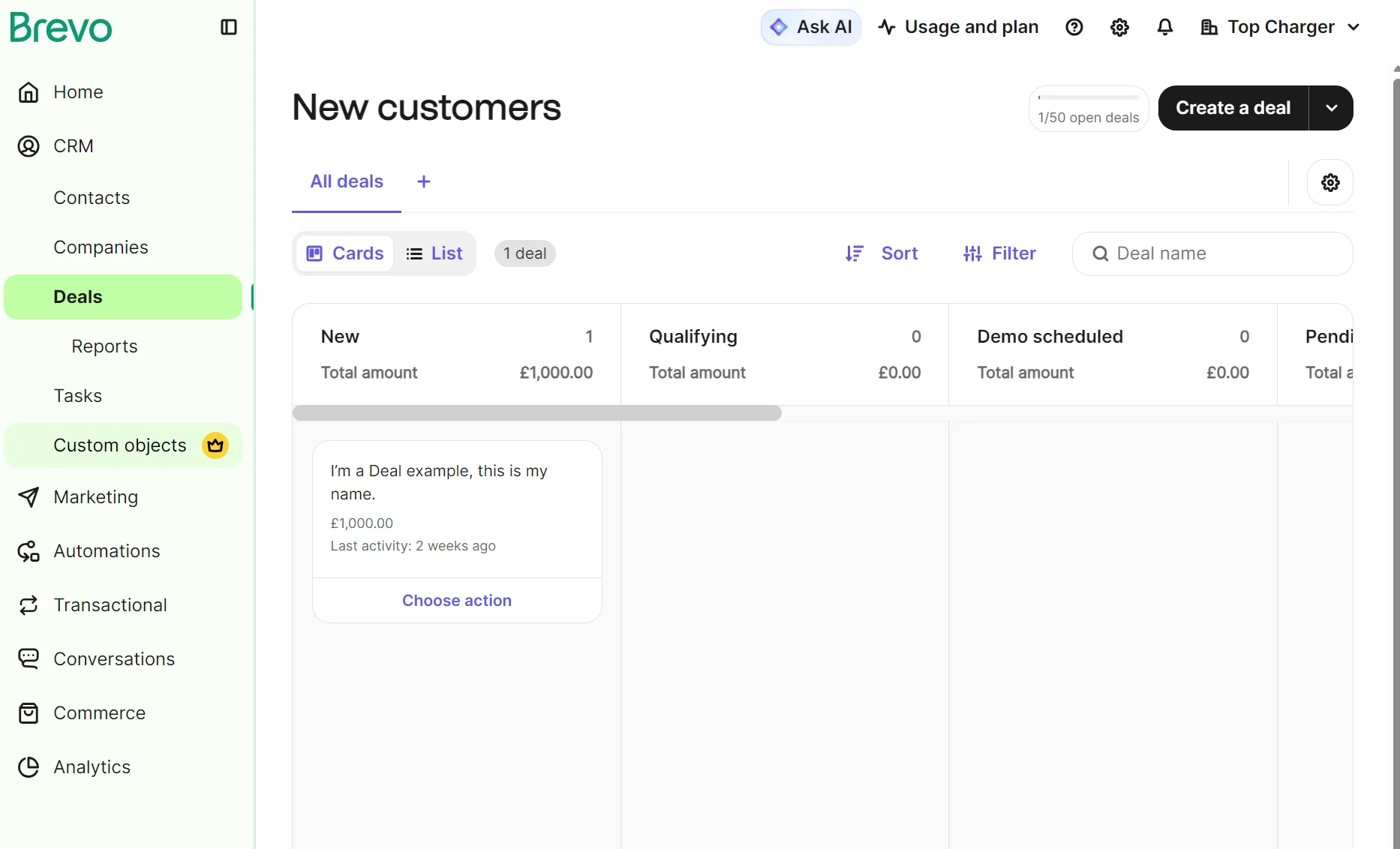
You can access more CRM features with the Sales Essentials or Sales Advanced add-ons, which increase the price of your monthly bill. Each package includes one seat. The table below shows pricing, accurate as of August 2026:
| Sales package | Cost on top of marketing plan | Features |
|---|---|---|
| Sales Free | $0/month | 50 open deals, automated meeting scheduling, revenue reports, forecasting |
| Sales Essentials | $31/month, additional seats are $31/month per seat on top | Multi-user access for five, unlimited open deals, sales automation |
| Sales Advanced | $65/month, additional seats are $65/month per seat on top | Voice over Internet Protocol (VoIP), multiple currencies, outreach sequences, 1:1 SMS |
Mailchimp’s audience management includes list and segment views, contact profiles, and an audience analytics dashboard tracking contact growth, sources, and attributed revenue. What it lacks is a sales-CRM dashboard with deals and pipeline stages, which Brevo provides.
Brevo vs. Mailchimp: SMS marketing
Brevo is the better tool for low-volume SMS marketing. Its SMS credits are available in bundles of 100 versus Mailchimp’s starting bundle of 1,000, and they don’t require a paid marketing plan.
Brevo’s SMS credits never expire, but are also non-refundable. Mailchimp requires a paid marketing plan to use SMS, and your credits will automatically renew each month.
Both tools let you create standalone SMS campaigns and multichannel automations, where you can combine email and SMS in abandoned cart sequences and other messages.
Brevo SMS pricing starts at $1.09 for 100 message credits. Prices depend on volume and destination country, with different countries consuming different credit volumes per message.
Check out Brevo’s SMS costs as of August 2026 below, with the destination set to the United States. It shows that Brevo’s price per credit stays flat at $0.0109 regardless of volume.
| Number of messages | Bundle cost |
|---|---|
| 100 | $1.09 |
| 200 | $2.18 |
| 500 | $5.45 |
| 1,000 | $10.90 |
| 2,000 | $21.80 |
| 10,000 | $109 |
| 100,000 | $1,090 |
Brevo supports SMS to 180+ countries and MMS only in the United States.
Mailchimp supports SMS in 37 countries and MMS in the United States and Canada. It sells SMS credits in bundles from 1,000 to 450,000 credits.
Your SMS credits in Mailchimp must be used during the billing cycle because they renew and don’t roll over. You can change your monthly credit plan at any time.
Here are Mailchimp’s SMS costs as of August 2026 up to 100,000 SMS credits:
| Number of credits | Bundle cost |
|---|---|
| 1,000 | $20/month |
| 2,500 | $25/month |
| 5,000 | $45/month |
| 10,000 | $90/month |
| 20,000 | $140/month |
| 35,000 | $250/month |
| 100,000 | $600/month |
Mailchimp’s credits cost more at 1,000 but less than Brevo’s from 2,500 credits upward, though only if you use the full bundle each month. Mailchimp also requires a paid marketing plan to send SMS, which adds to the cost.
Brevo vs. Mailchimp: email delivery and deliverability
Brevo scores your sending health and sets up authentication for you. Mailchimp shows the raw metrics and advertises a delivery rating of more than 99%.
Mailchimp requires you to manually add DKIM as two CNAME records and set up a DMARC TXT record for domain authentication before sending.
Brevo can authenticate your domain automatically, adding Brevo code, DKIM, and DMARC records if you log in to your domain provider’s account directly from Brevo. It then detects your provider and adds the required DNS records. Alternatively, you can add them manually.
Once you’re sending, Mailchimp provides delivery details within the Marketing dashboard with a Delivery section. It provides a percentage graph for abuse report rate, bounce rate, delivery rate, and unsubscribe rate, with a selector for different graph views.
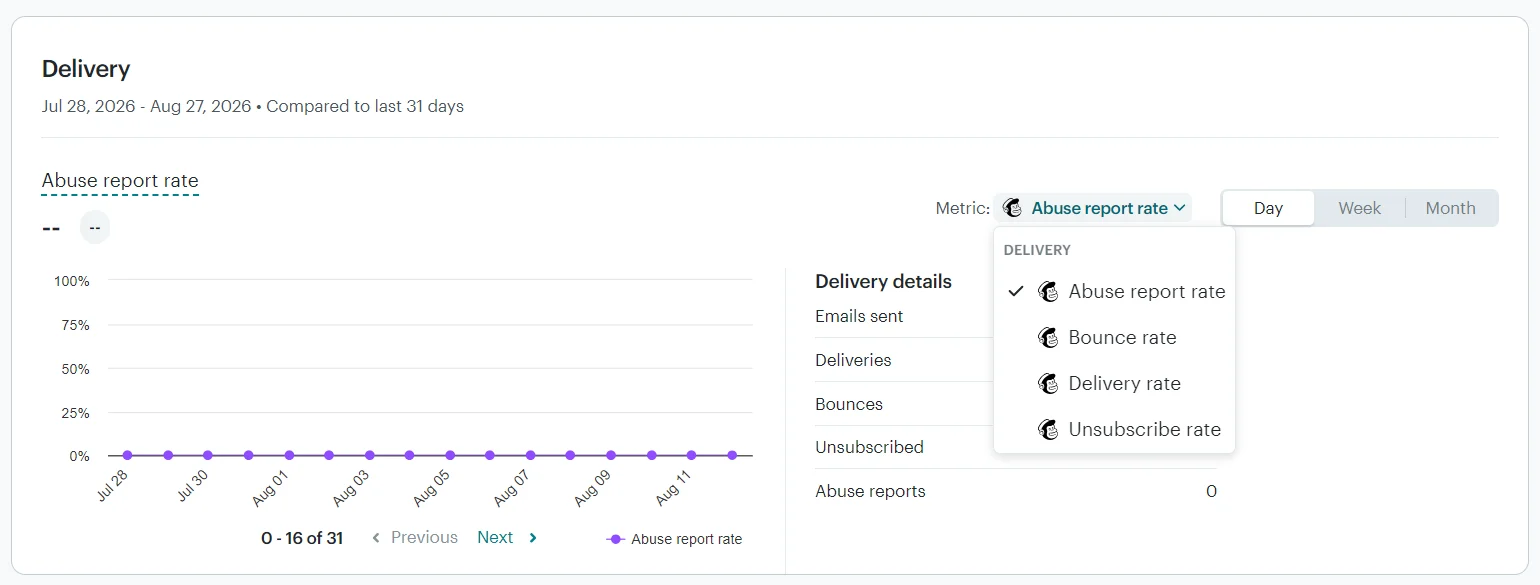
Standard plans also allow building custom reports with nine delivery metrics: email abuse report rate, email abuse reports, email bounce rate, email bounces, email deliveries, email delivery rate, email unsubscribe rate, email unsubscribes, and emails sent.
Brevo provides a Deliverability center, accessible in Settings rather than in Analytics, that shows your sending status and provides a score with analysis.
Your 0–100 score is calculated from open rate, click rate, hard/soft bounce rate, unsubscribe rate, complaint rate, and domain authentication.
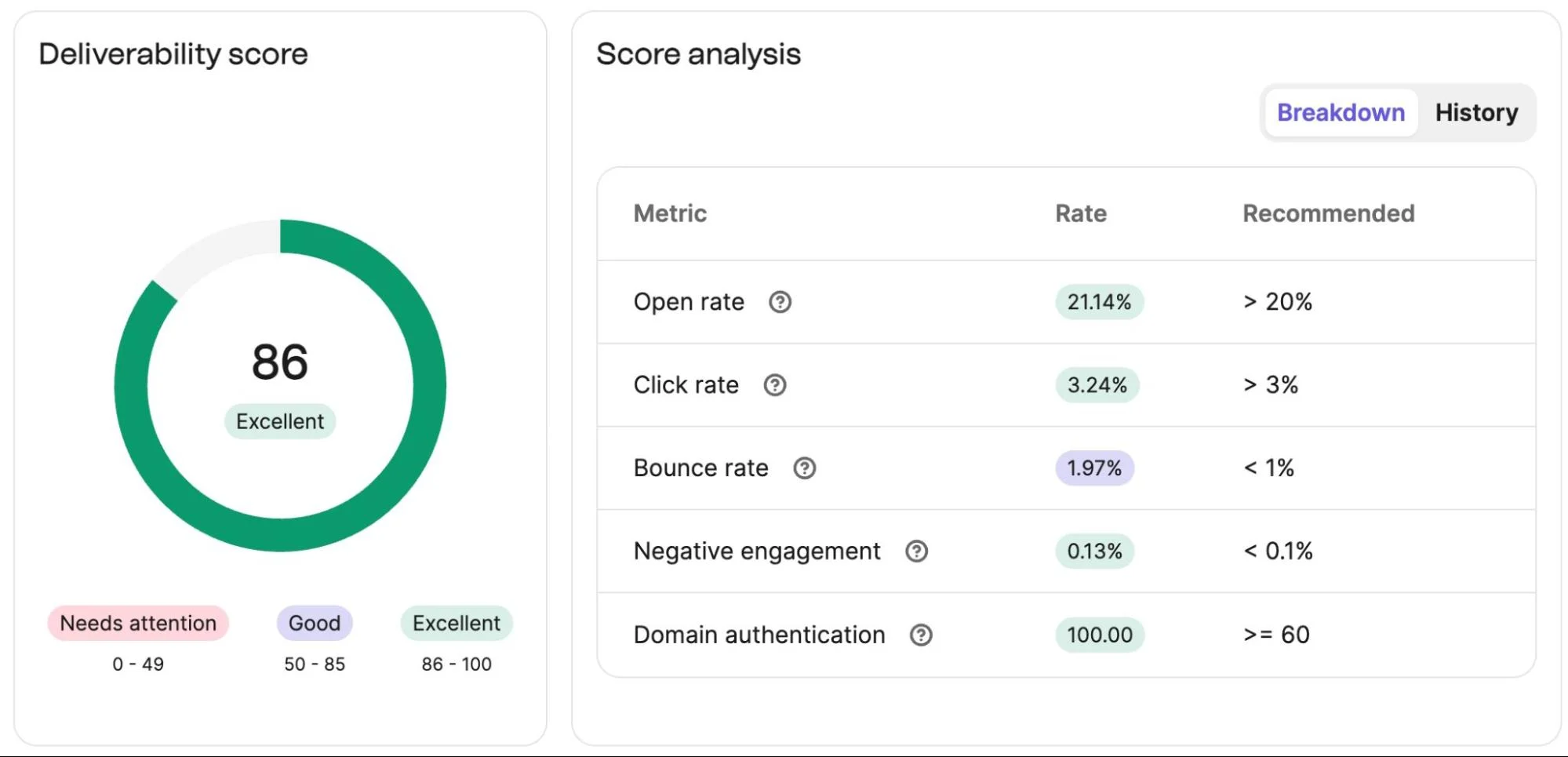
The Statistics dashboard in Brevo, available in Free, Starter, and Standard plans, also shows soft and hard bounces, unsubscribes, and unsubscribe rate alongside engagement metrics. Professional plans have the analytics dashboard with default views for deliverability and emails.
Does Brevo or Mailchimp include transactional email?
Only Brevo includes transactional email in all plans. Mailchimp restricts it to a demo in Free and Essentials plans, with Standard and Premium plans requiring an add-on.
Mailchimp’s transactional emails are not part of its standard marketing plans. The Transactional Email add-on is a separate monthly plan. You purchase blocks of 25,000 emails starting from $20 per block, and unused emails in blocks do not roll over.
Our Mailchimp vs. Brevo comparison found that Brevo’s transactional emails do not require an add-on or paid marketing plan. Your transactional emails count toward your monthly sends, so if your store is high volume, you’ll need to account for that and potentially move up a tier.
Transactional SMS is also available in Brevo across all plans. Mailchimp requires you to have a Standard plan or above, purchase a block for the Transactional Email add-on, and also purchase SMS credits to send transactional SMS.
SMS credits in Mailchimp are issued monthly and expire. In Brevo, credits never expire and do roll over.
Brevo vs. Mailchimp: integrations and ecosystem
Mailchimp has a broader integration library with 200+ apps versus Brevo’s 100+. Both have apps for Make and Zapier to connect to 1,000+ additional tools.
Both tools have apps for Shopify, WooCommerce, BigCommerce, and WordPress, plus several other popular platforms, such as Big Cartel and PrestaShop.
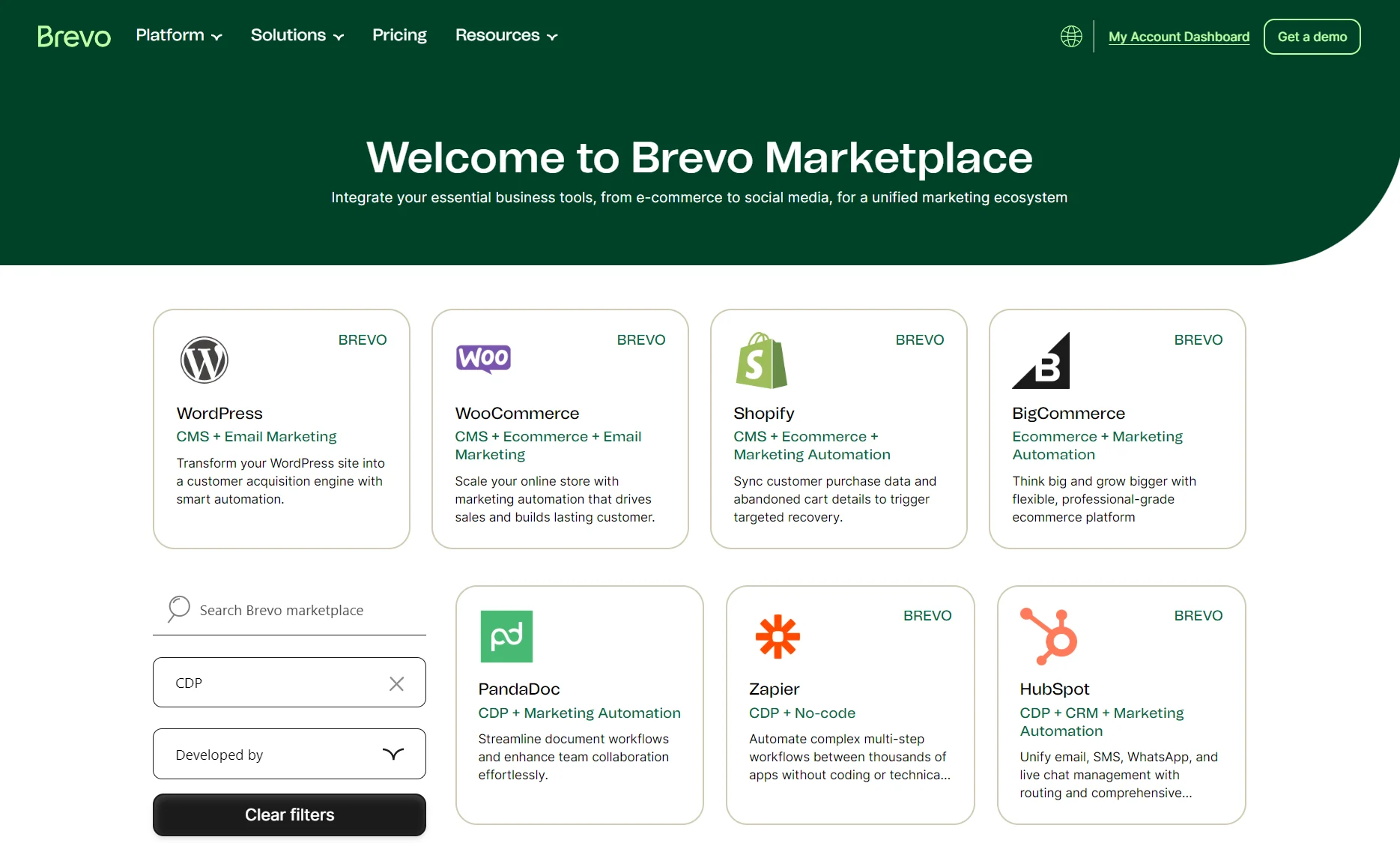
The spread of apps per category is different between them. For instance, Mailchimp has 36 apps in analytics compared to Brevo’s 24, but Brevo has four apps in reviews compared to Mailchimp’s two.
Enterprise integrations to CRMs and customer data platforms (CDPs) also differ. Brevo connects to HubSpot natively; Mailchimp doesn’t. Both connect to Zoho.
Not all the apps listed on Brevo and Mailchimp are native. Some require an API connection or middleware, such as Zapier, to connect to the other tool.
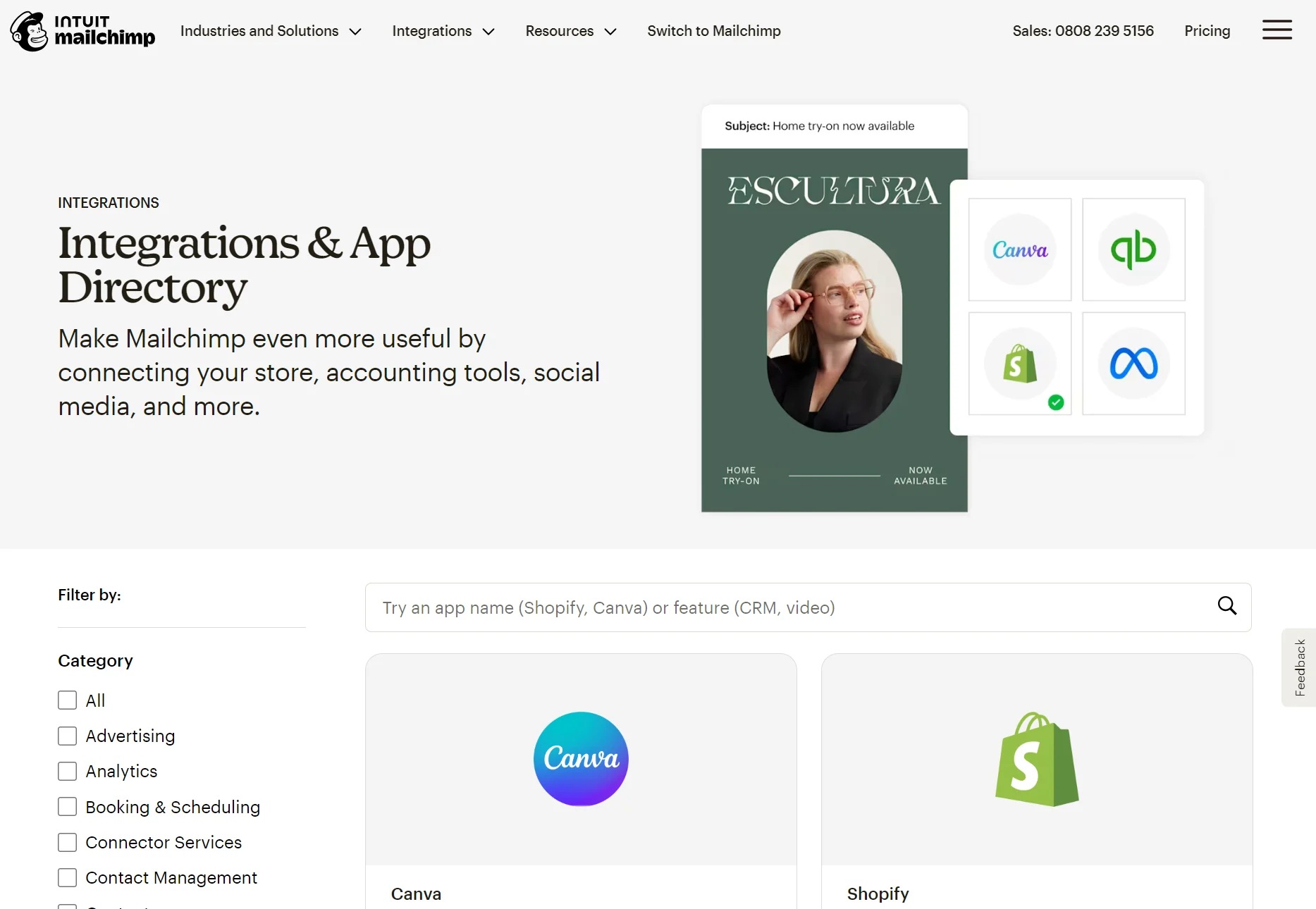
Which email marketing tool suits your stack better depends on what apps you’re already using, and what platform your ecommerce store is on. Mailchimp has more integrations, but not necessarily the ones you need.
Brevo vs. Mailchimp: analytics and reports
Mailchimp is the more mature tool for monitoring your performance and determining where growth is coming from. Its advanced capabilities, such as custom reports and predictive customer lifetime value (CLV), are also available from $20/month in the Standard plan. Only Brevo’s $499/month Professional plan has similar capabilities.
Mailchimp and Brevo track revenue attribution with a connected store and cover opens, clicks, and delivery rates for emails.
Brevo’s Free, Starter, and Standard plans don’t have an analytics dashboard, but they do provide a standard Statistics page for marketing and transactional emails.
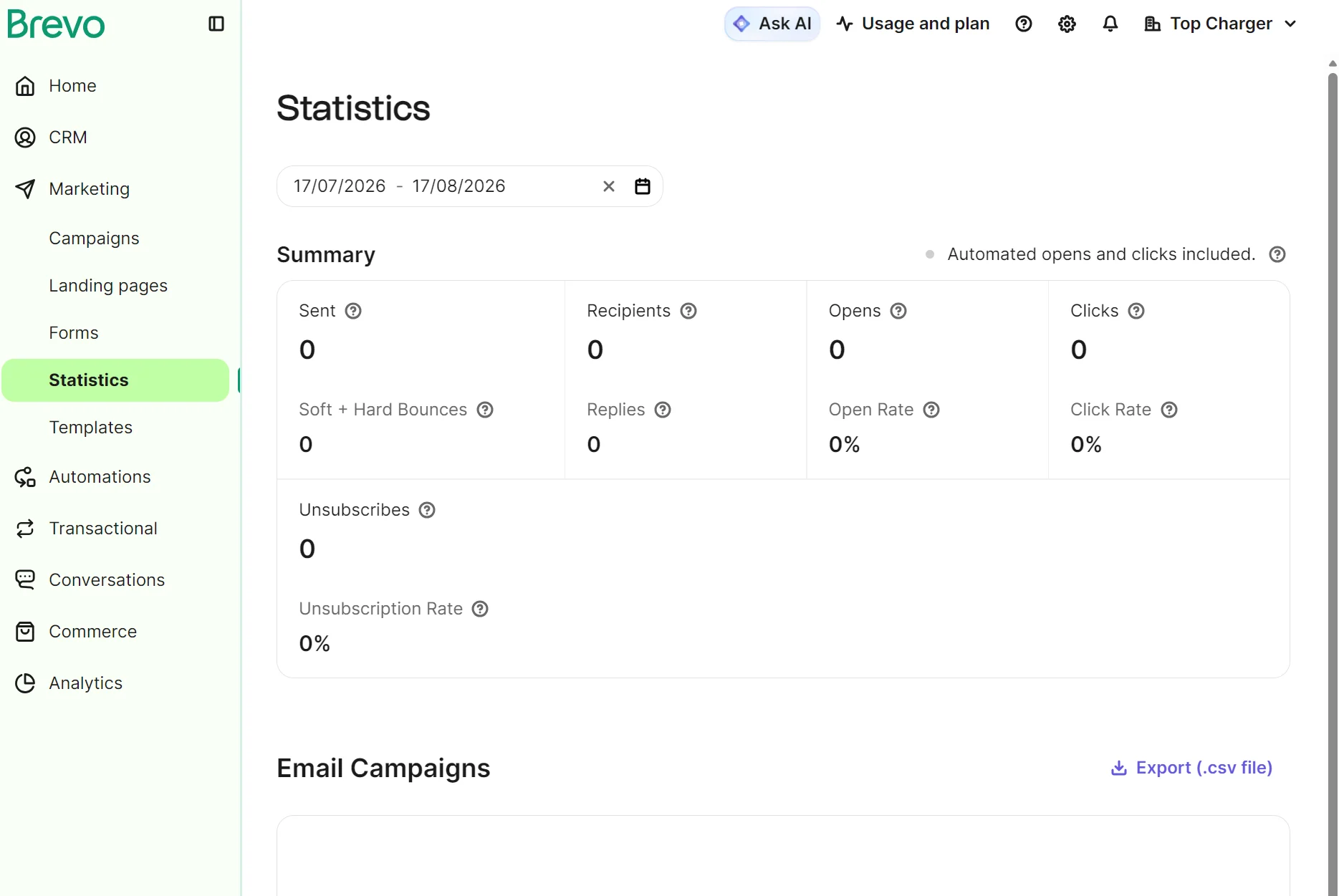
Viewing automation statistics requires opening an automation in the editor and going to the Activity tab, where you can see sent, delivered, unsubscribes, and total clicks.
Professional plans add the analytics dashboard with automation, emails, SMS, revenue, and deliverability reports. You can also build custom reports and access predictive scores for CLV and order behavior.
Mailchimp limits reports in its Free and Essentials plans. You can click View Report on individual automations and campaigns to see their open rate, click rate, unsubscribe rate, and delivery rate, but there isn’t a centralized dashboard.
Standard plans include the marketing dashboard with metrics across channels, plus you can view conversion insights with a connected store and build custom reports.
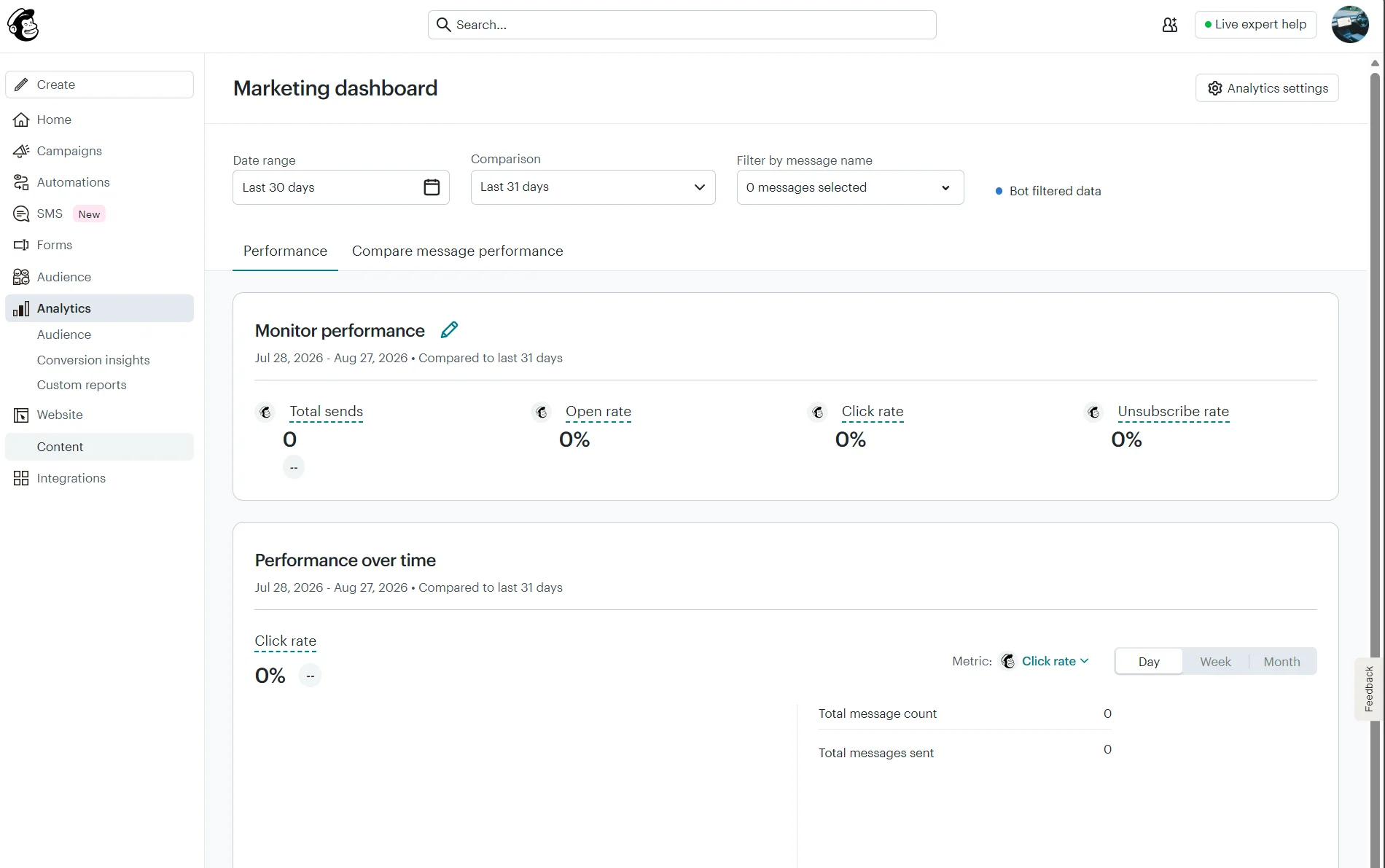
The Conversion insights dashboard has predictive analytics, including likelihood to purchase, CLV, predicted time to next purchase, and customer churn risk.
The Audience dashboard shows your contacts over time, including net contact growth and source performance, to help you track where your list growth is coming from.
AI features: Brevo vs. Mailchimp
Brevo has better AI features. All plans have Aura AI, a chatbot with three agents, plus a fourth on Professional, whereas Mailchimp restricts its less capable Intuit Assist (beta) to Premium and Standard plans.
Aura is Brevo’s AI-powered assistant for generative content tasks and marketing workflow automation, such as building campaigns. Intuit Assist is Mailchimp’s AI tool, with generative capabilities for flows and content.
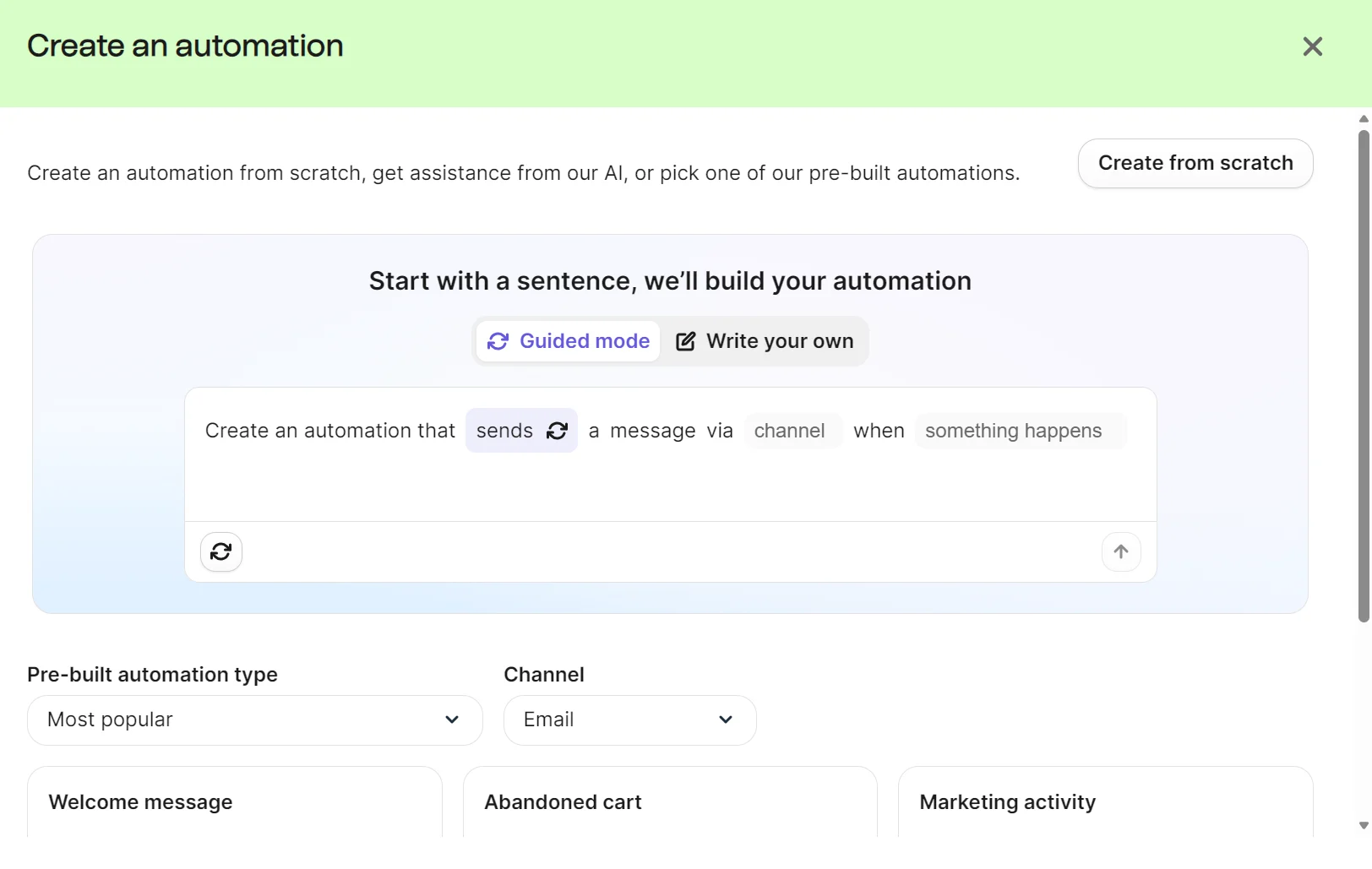
There are four Aura AI agents you can use in your account:
| Agent | What it does |
|---|---|
| Marketing agent | Generates content, automations, and sets send times |
| Sales agent (requires the Sales Essentials add-on) | Creates sales sequences, updates contact profiles, drafts emails |
| Data management agent | Answers plain-language data questions |
| Conversations agent | Summarizes live chats, edits replies for tone |
If you’d rather use your own tools, you can connect to Brevo’s MCP Server and add a supported AI assistant to your account.
Mailchimp’s Intuit Assist is available to select Standard and Premium customers in the United States, UK, Canada, and Australia in beta. It includes Mailchimp Assistant, a chatbot that can help you complete tasks, AI-powered workflows, and AI content generation.
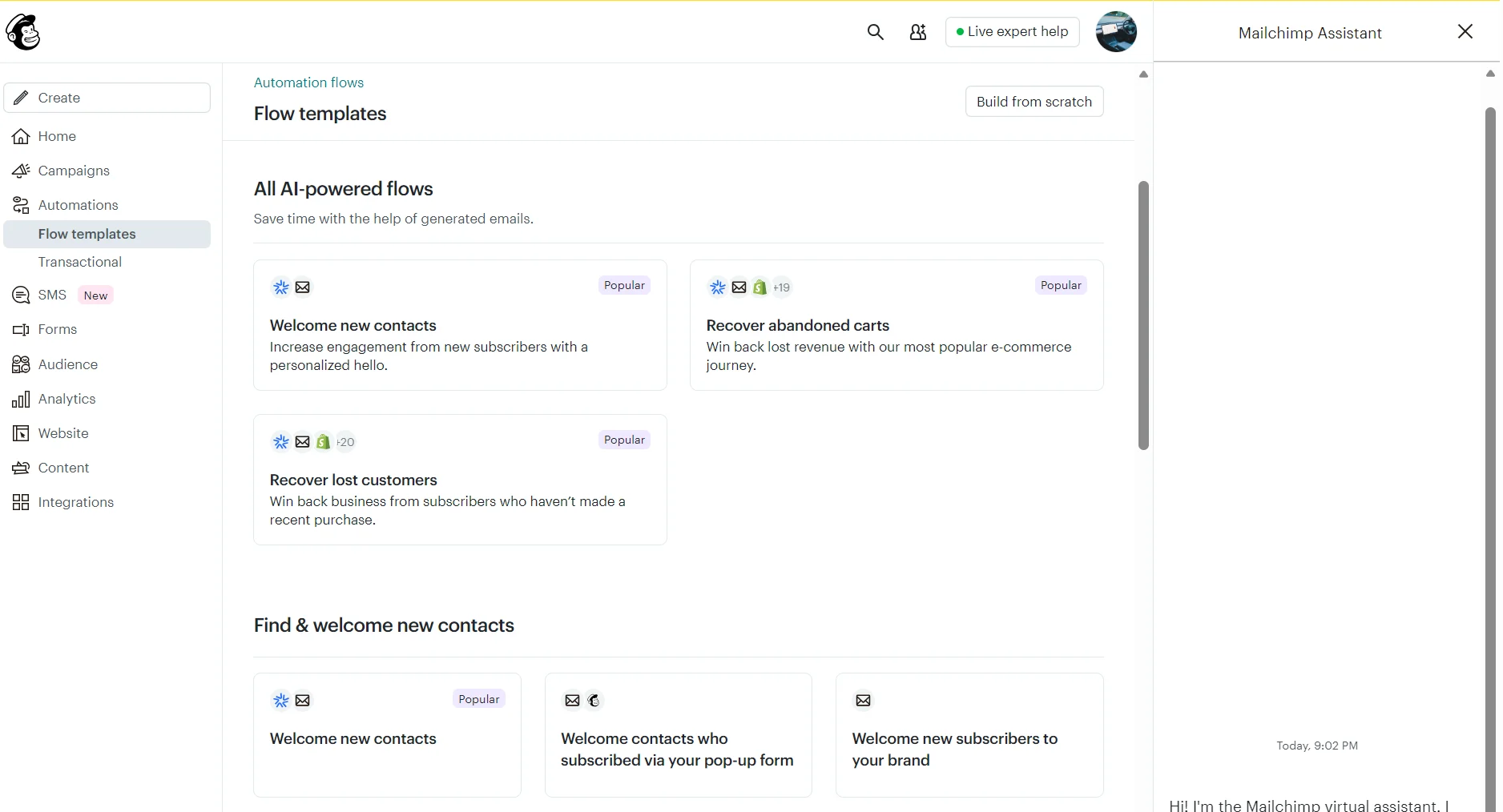
Mailchimp has a Claude Connector and ChatGPT integration, allowing these tools to access your data to create and analyze workflows and campaigns.
During our Mailchimp vs. Brevo review, we found that Intuit Assist has fewer capabilities than Aura AI and feels less like a built-in feature. You can ask Aura AI to build a segment, and it’ll do it, whereas Intuit Assist won’t. Consider also that Aura AI is included in all Brevo plans.
Brevo vs. Mailchimp: pros and cons
Brevo pros
- Starting price of $9/month, and email volume pricing that costs less than Mailchimp for large lists sent infrequently
- Automations included on the free plan, capped at 2,000 contacts/month, with the cap removed on Standard
- SMS is supported on every plan, with credits that don’t expire
- Transactional email and transactional SMS included on every plan, with no add-on required
- A sales CRM included at no extra cost, with deal pipelines, revenue reports, and forecasting
- Aura AI included on every plan, with three agents covering marketing, data analysis, and chat, plus a sales agent in Professional
Brevo cons
- Fewer email templates, with 50+ against Mailchimp’s 380+
- A smaller integration library, at 100+ compared to Mailchimp’s 200+
- The analytics dashboard, custom reports, and predictive CLV scores are locked to the $499/month Professional plan
- Phone support is included in Professional and Enterprise plans only
Mailchimp pros
- Contact-based pricing that costs less than Brevo when you send frequently to a smaller list
- There are significantly more pre-built email templates (380+)
- The integrations directory has 200+ apps
- Custom reports and predictive CLV scores included in the Standard plan
- Live chat support runs 24/7 on paid plans
- The Audience dashboard tracks contact growth and shows where new contacts are coming from
Mailchimp cons
- The free plan has no automations at all, and flows stay capped at four steps until you upgrade to Standard
- SMS needs the Essentials plan, MMS needs Standard, and coverage tops out at 37 countries
- Transactional email isn’t included in any marketing plan; it’s a separate add-on sold in 25,000-email blocks from $20
- There’s no sales CRM, only contact and segment tools, so deals and pipeline stages aren’t tracked
- Entry price sits at $13/month, $4 above what Brevo charges to start
Who should choose Brevo?
Brevo fits you if you’re storing a large contact list but sending to it infrequently. Its pricing is based on email volume rather than contact count, so a big list with light sending costs less. It also suits you if you want SMS, transactional email, and a sales CRM bundled into your plan rather than paid for separately.
Brevo is less suitable if you send frequently to a smaller list. Mailchimp’s contact-based pricing will cost less at that volume. Brevo alternatives are also worth considering if you need a large template library or if predictive CLV scoring matters on a budget.
Who should choose Mailchimp?
Pick Mailchimp if you have a modest list with large sending requirements, as its contact-based pricing could work out cheaper. Other scenarios where Mailchimp works out include if you need more integrations, or have an ecommerce store and want predictive CLV and purchase likelihood without a top-tier plan.
Don’t pick Mailchimp if you need a sales CRM or transactional messaging in a low-tier plan, and consider other Mailchimp alternatives if global SMS coverage is needed.
A better fit for ecommerce: Omnisend
Omnisend is an ecommerce-first email and SMS marketing tool with pre-built segments, workflows, email templates, and forms for your customer journey. It natively connects to Shopify, WooCommerce, and BigCommerce.
All plans have 24/7 live chat and email support, and unlike Brevo and Mailchimp, it provides customer lifecycle stage maps based on AI analysis of recency, frequency, and monetary value (RFM) in all plans.
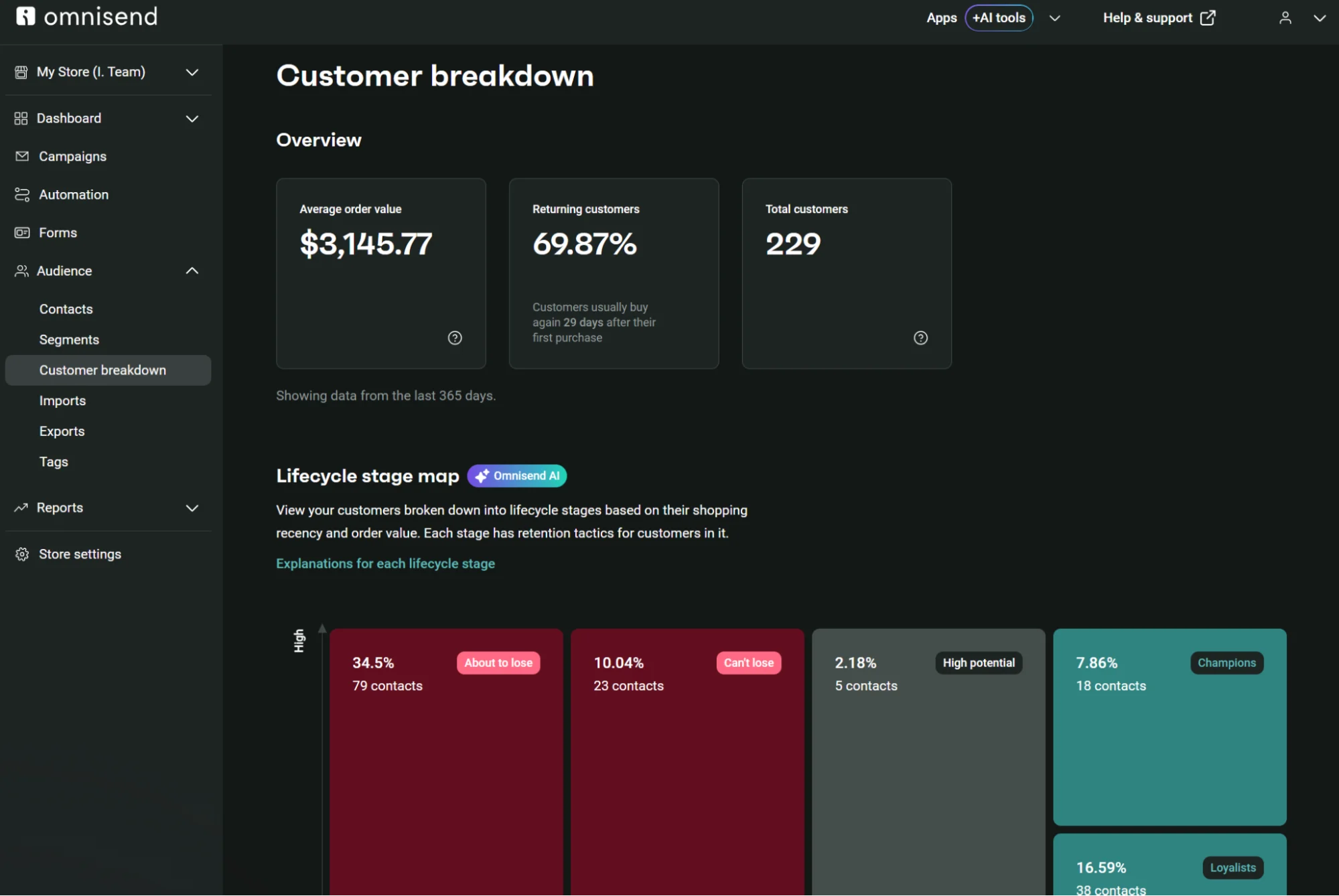
Additional capabilities regardless of your plan or tier include an AI segment builder, generative AI for content including subject lines, multi-store support, and multichannel automations spanning email and web push notifications. SMS is available in Pro. Plus, migration from Mailchimp to Omnisend takes up to five days.
Omnisend customers achieved a 79:1 ROI across all channels in 2025
Quick sign up | No credit card required
Brevo vs. Mailchimp: final verdict
Brevo wins if you have a large, infrequently emailed list and want a sales CRM and automation depth built into the price. Mailchimp wins for a small- to mid-size list you send to frequently, and your priority is email and integrations, rather than multichannel on a budget.
This article was researched and written by our experts following a precise process.
See the process
FAQs
Is Brevo cheaper than Mailchimp?
Yes, Brevo is cheaper to start: the Starter plan is $9/month against Mailchimp’s $13/month for Essentials. The mid-tier plan also works out cheaper, at $18/month for Standard versus Mailchimp’s $20/month.
How do I switch from Mailchimp to Brevo?
Create a free Brevo account, then access the Mailchimp by Brevo app in the directory. The integration will sync your lists, which you can then segment in Brevo. Flows and email templates need to be rebuilt manually.