15 marketing project management tools for productive teams
Do marketing project management tools help you work faster, cleaner, and more efficiently? The short answer is yes. Marketing is a busy field. There are always multiple projects to juggle, a lot of deadlines to meet, and changes to apply. Many marketing teams also have to work with external or internal stakeholders to get their feedback on the marketing campaign plan or digital assets. And it can get messy.
So in this article, I’ve gathered 15 best marketing project management software solutions you can use to streamline your workflows. From tracking your tasks to automating approvals, these tools have you covered.
Marketing project management tools help you keep chaos at bay. It’s that simple.
Project management software allows you to streamline marketing campaign management, ensuring things are done on time and up to your standards. It also eases communication within the team, so everyone’s aware of and accountable for their tasks.
Here’s what to look for in a solid marketing project management software:
Check that the tool plays well with other marketing tools like Slack, Google Drive, and social media platforms to streamline communication and asset sharing.
Choose software that’s easy to navigate so both your team and your clients can adopt it quickly without extensive training.
Look for options that allow you to communicate smoothly with internal teams and external partners.
The best project management tools help enable fast feedback and approval on creative assets, streamlining your content workflow.
Choose marketing project management tools with features that help track deadlines, set priorities, and assign responsibilities to keep your projects on schedule and organized.
1. Planable – best for content planning and approvals
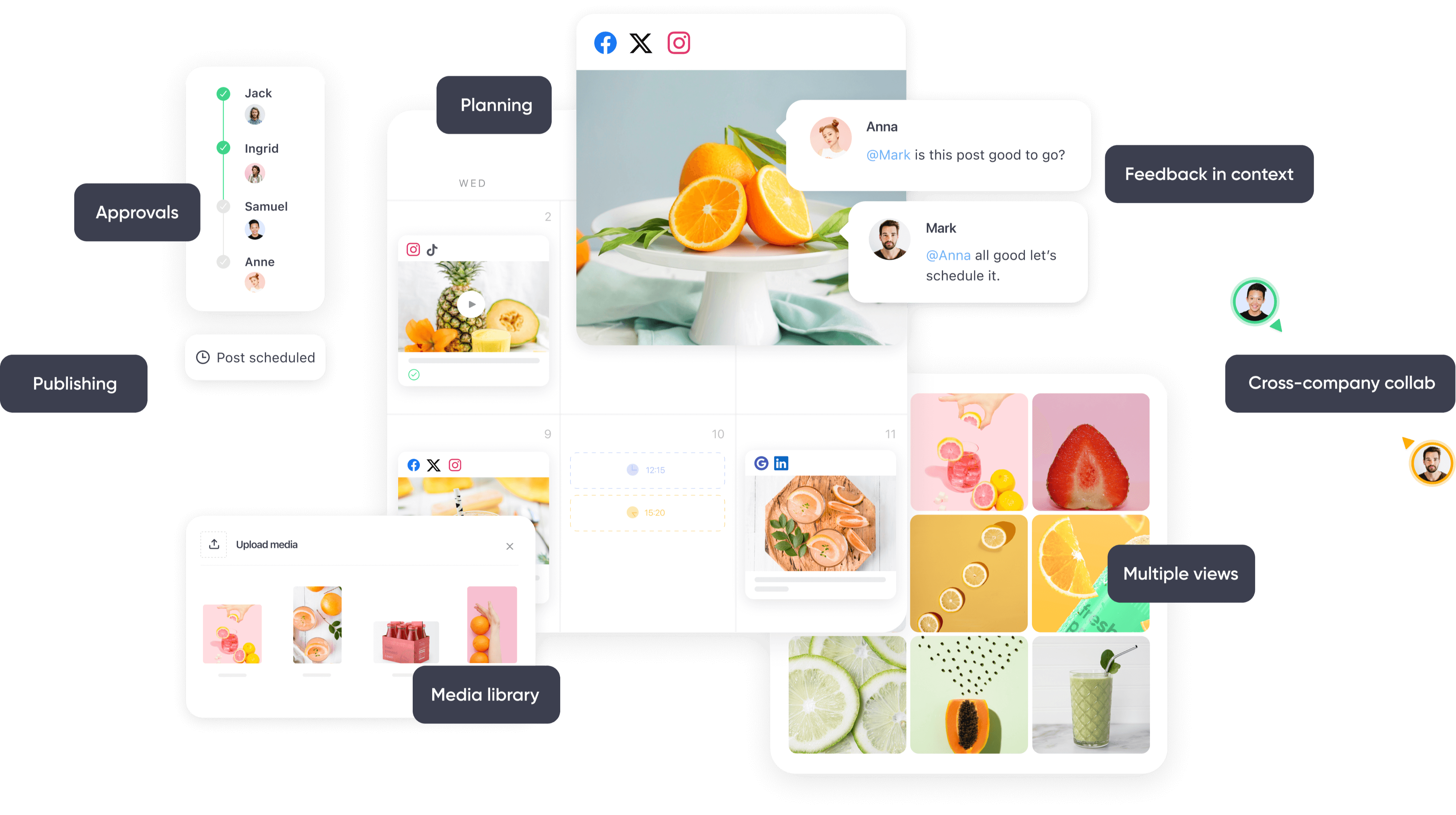
Planabe’s planning, approvals, scheduling, feedback, media library, and collaboration features
Planable is a fantastic tool built specifically for modern marketing teams and creative departments. It’s designed for those who value seamless collaboration and fast, simple workflows.
Collaboration is at the heart of Planable. Team members can leave comments, suggestions, and annotations directly on content in the feed view, making feedback smooth and direct. Use internal comments to keep team discussions private. Clients don’t need to know everything, right?
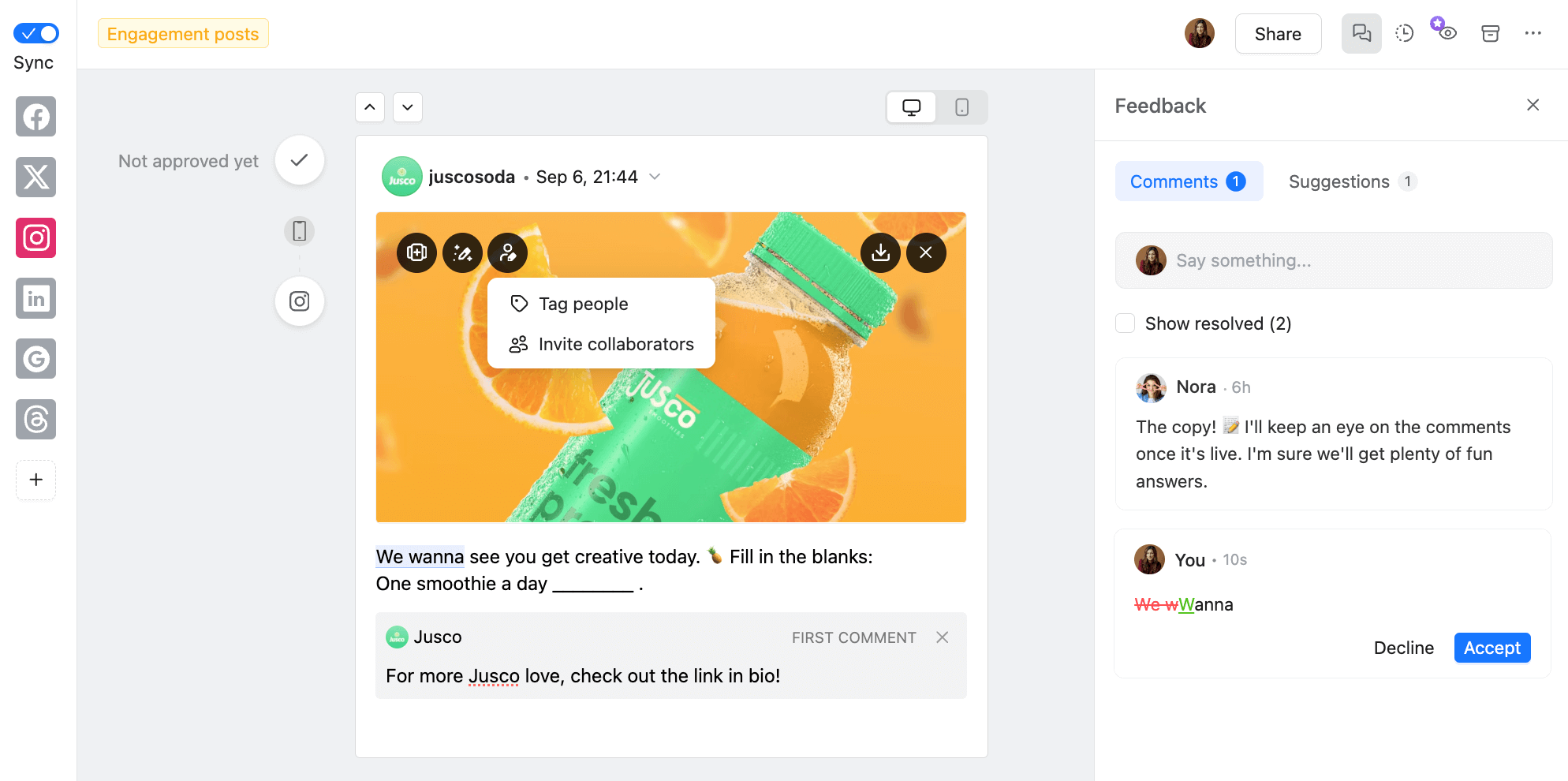
Collaboration on an Instagram post in Planable
Speaking of clients. Planable makes it easy to connect with your team and external contributors in one organized space. One-time contributors don’t need Planable accounts — you can simply share a link to the relevant content with them. Ongoing external collaborators, like long-term clients, can be added to a dedicated workspace.
Planable also helps with content planning through a sleek marketing calendar. Custom-colored labels allow you to filter by campaigns and organize your content visually. You can schedule social media posts for nine major social platforms and let Planable publish your content automatically. The drag-and-drop interface of the calendar makes it super easy to reschedule if plans change.
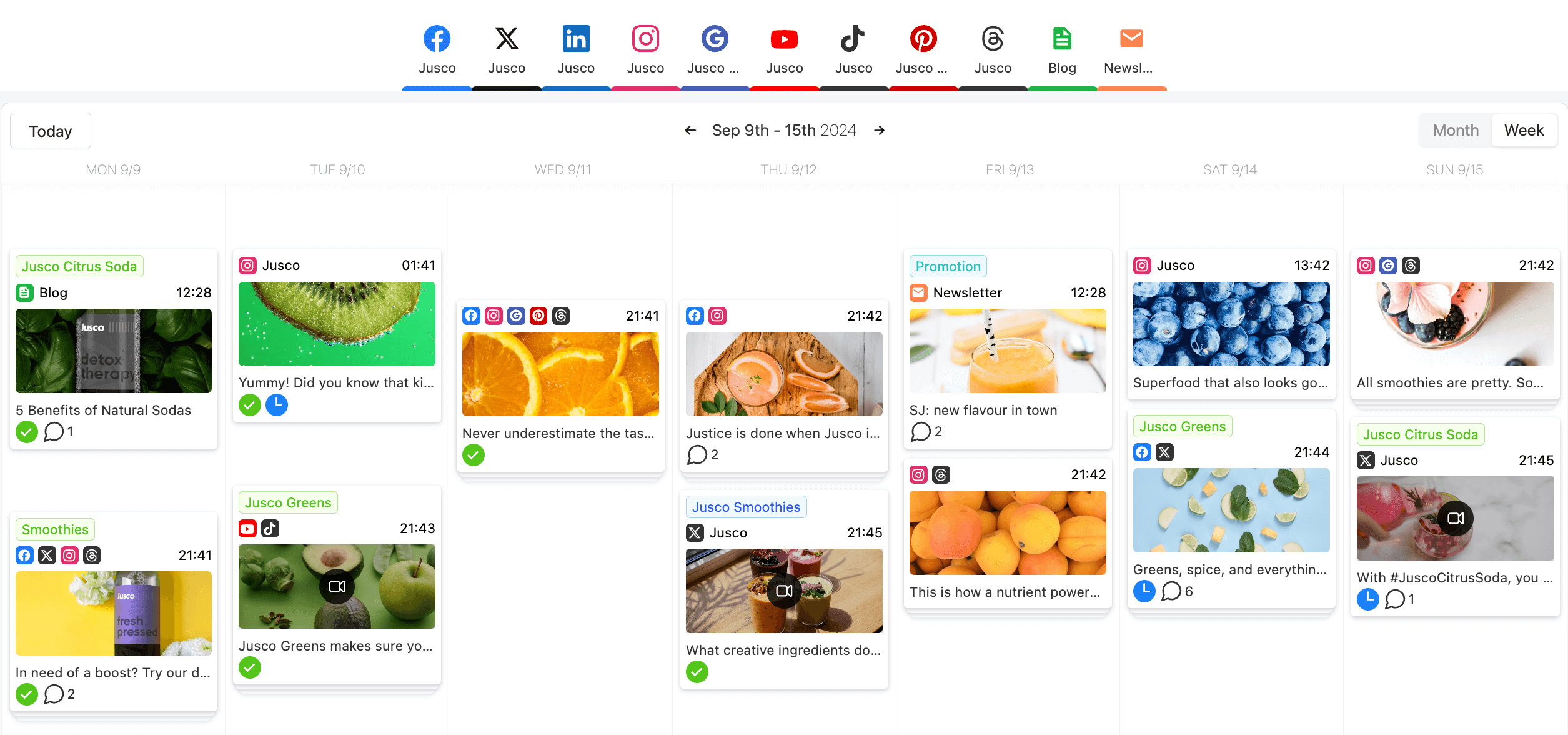
Content calendar view in Planable
But Planable’s about more than just social media content. Its Universal Content feature supports all types of written content, from articles and emails to briefs and video scripts.
The cherry on top? Customizable approval flows. Planable brings all of your review and approval processes into one tool.
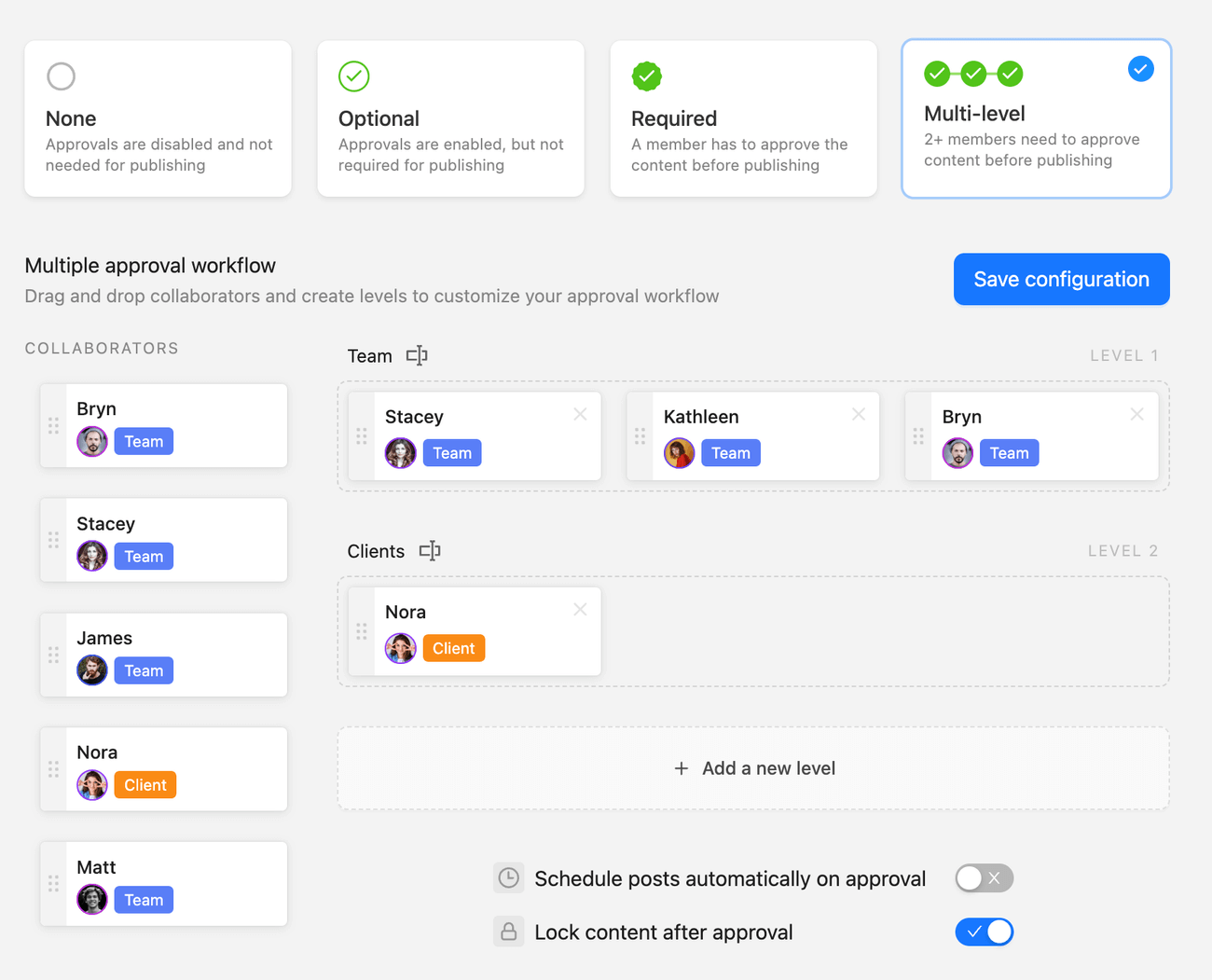
Multi-level approval workflow in Planable
With multi-level approval, teams can set up internal reviews followed by client approvals — or vice versa. Lock content after approval or set it to be published automatically at a specific date and time.
Key features
Add comments, annotations, and internal notes directly in the text. Notifications keep everyone updated on your marketing project status.
Schedule and publish social media posts to nine major platforms. Use drag-and-drop to reschedule and color-coded labels to organize campaigns and filter content at a glance.
Separate workspaces for each client or brand, customized to their needs. Invite clients as collaborators or share links for quick feedback without the need to set up an account.
- Customizable approval flows
Set up review processes that match your workflow, from no approval to multi-level. Teams can review content internally first, then share it with clients for final sign-off. Lock approved content or automate publishing post-approval.
Drawbacks: Planable can’t publish content to blogs, and has no task management tools.
Pricing: Planable offers 50 free posts as a trial. After that, you can upgrade for $33/month per workspace.
2. Asana – best project management software for cross-functional teams
Asana is a powerful tool for cross-functional teams managing marketing projects. It helps marketing teams stay aligned with other departments, making Asana a great choice for a company-level tool.
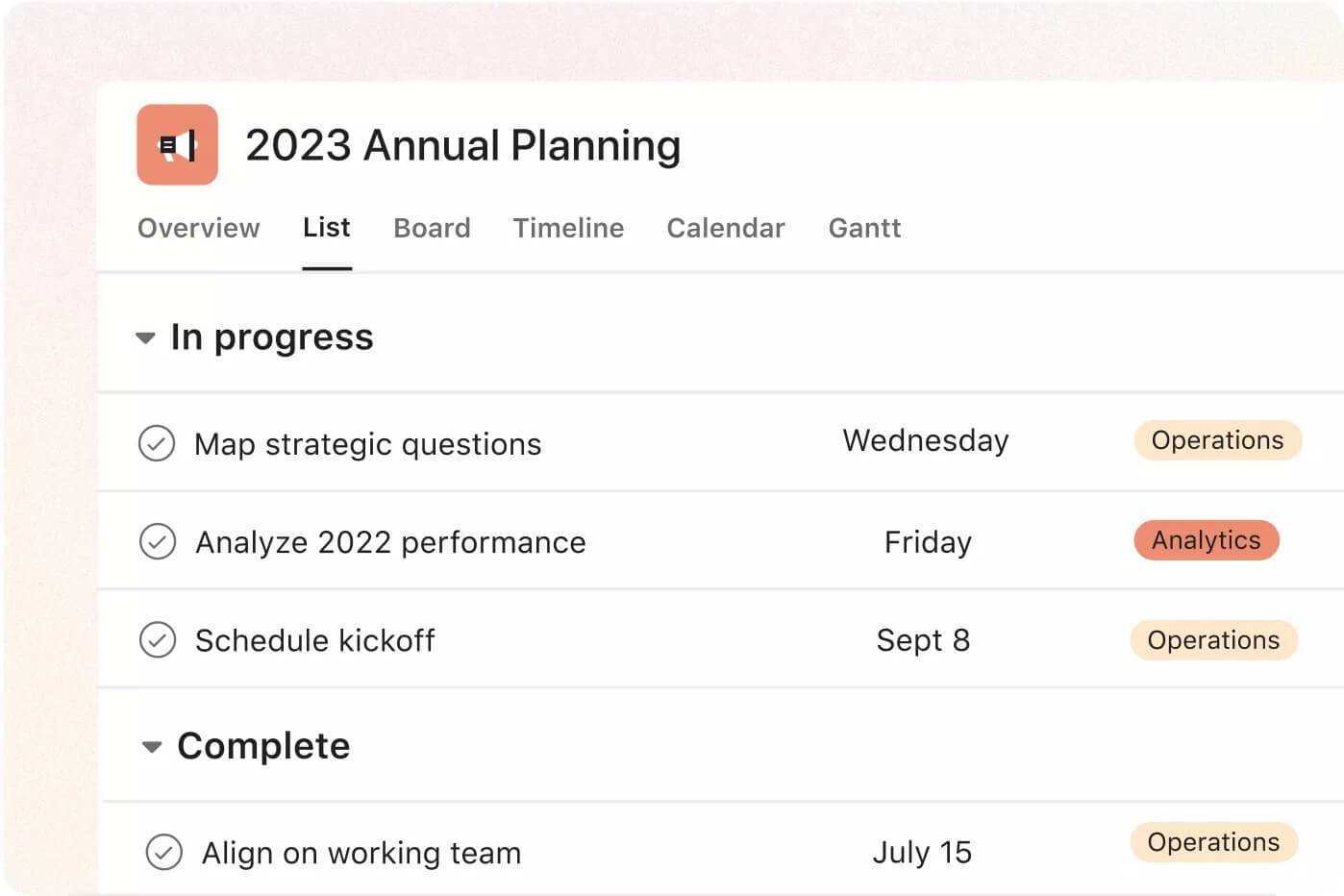
Asana offers task tracking, project timelines, and workload management to organize marketing campaigns. Project managers love Asana’s intuitive interface and flexibility, allowing them to handle multiple projects and complex workflows.
Key features
- Timeline and calendar views
Visualize and manage projects with timelines and calendars. These views help track progress and define key milestones.
Set task dependencies to make sure essential steps are completed before moving forward. This keeps workflows smooth and efficient.
Build workflows to fit your marketing project’s needs. A project manager can create custom processes for content creation, project planning, and more.
Drawbacks: Asana sends a lot of notifications, especially if you’re managing marketing tasks from different projects simultaneously. There are ways to ease the notification overload, though.
Pricing: Free Asana is available for teams of up to 10 people. Upgrade for $13.49/month per user.
3. ClickUp – best marketing project management tool for resource planning
ClickUp is an all-in-one project management tool for marketing teams. It combines task tracking, CRM, and resource management tools. This combo supports marketing managers in organizing workflows, tracking progress, and allocating resources effectively.
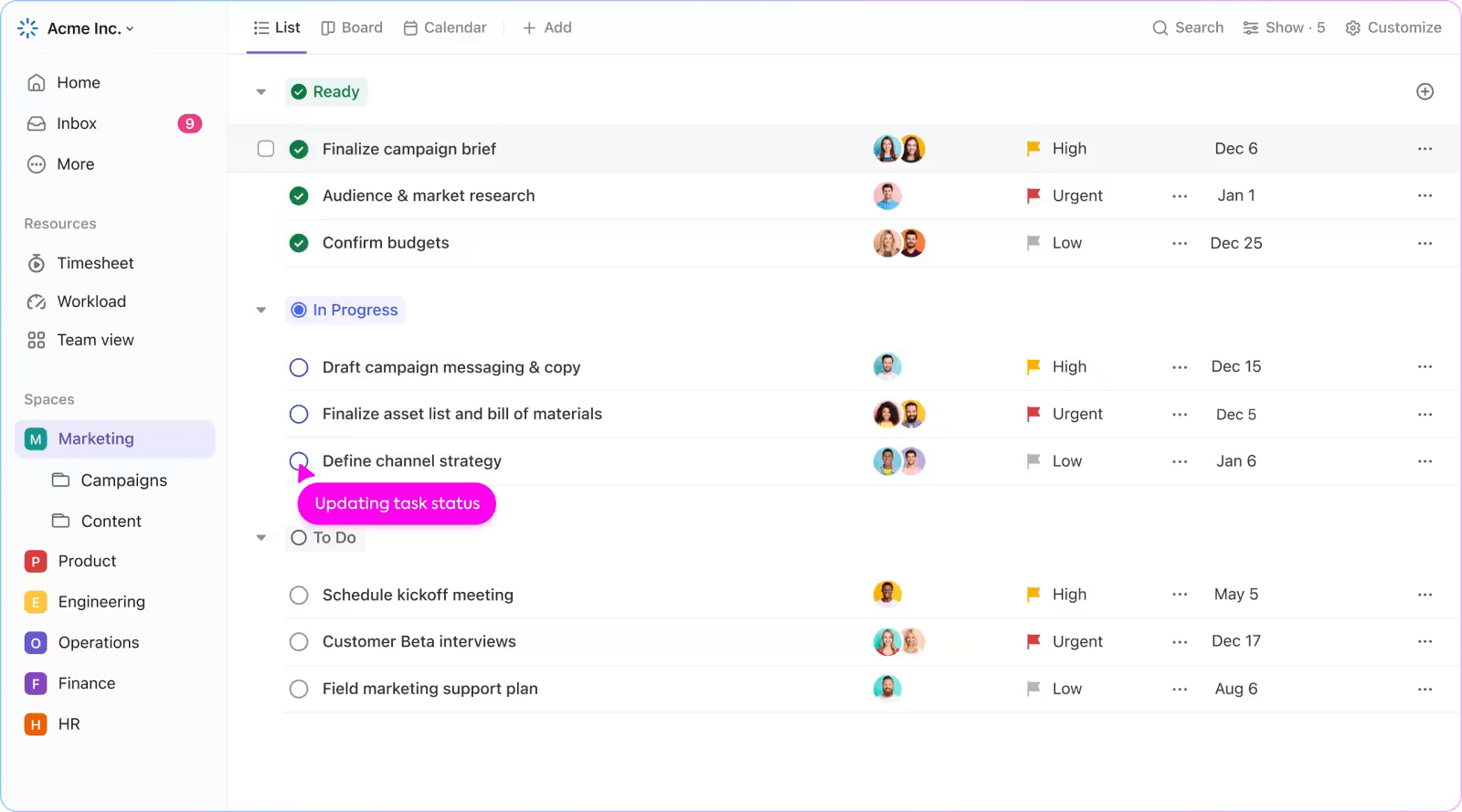
Centralizing tasks and client information in one platform helps marketing teams plan and prioritize projects based on capacity and client needs.
Key features
Assign tasks, track project progress, and attach related marketing materials like creative assets to specific campaigns.
Visualize and manage tasks on a timeline to avoid bottlenecks or compare workload against the team’s capacity and project dashboards to assess workload and progress.
- Time tracking and reporting
Track hours spent on tasks to monitor team efficiency and generate reports to optimize resources and budget.
Drawbacks: ClickUp’s wide range of features can feel overwhelming for new users and may require a steep learning curve.
Pricing: ClickUp has a free version. You can upgrade for $10/month per user.
4. Trello – best marketing management software for simple workflows
Trello is a popular project management software that helps small marketing teams organize tasks and streamline workflows. Known for its easy-to-use Kanban boards, Trello allows teams to visualize and track a marketing project’s progress.
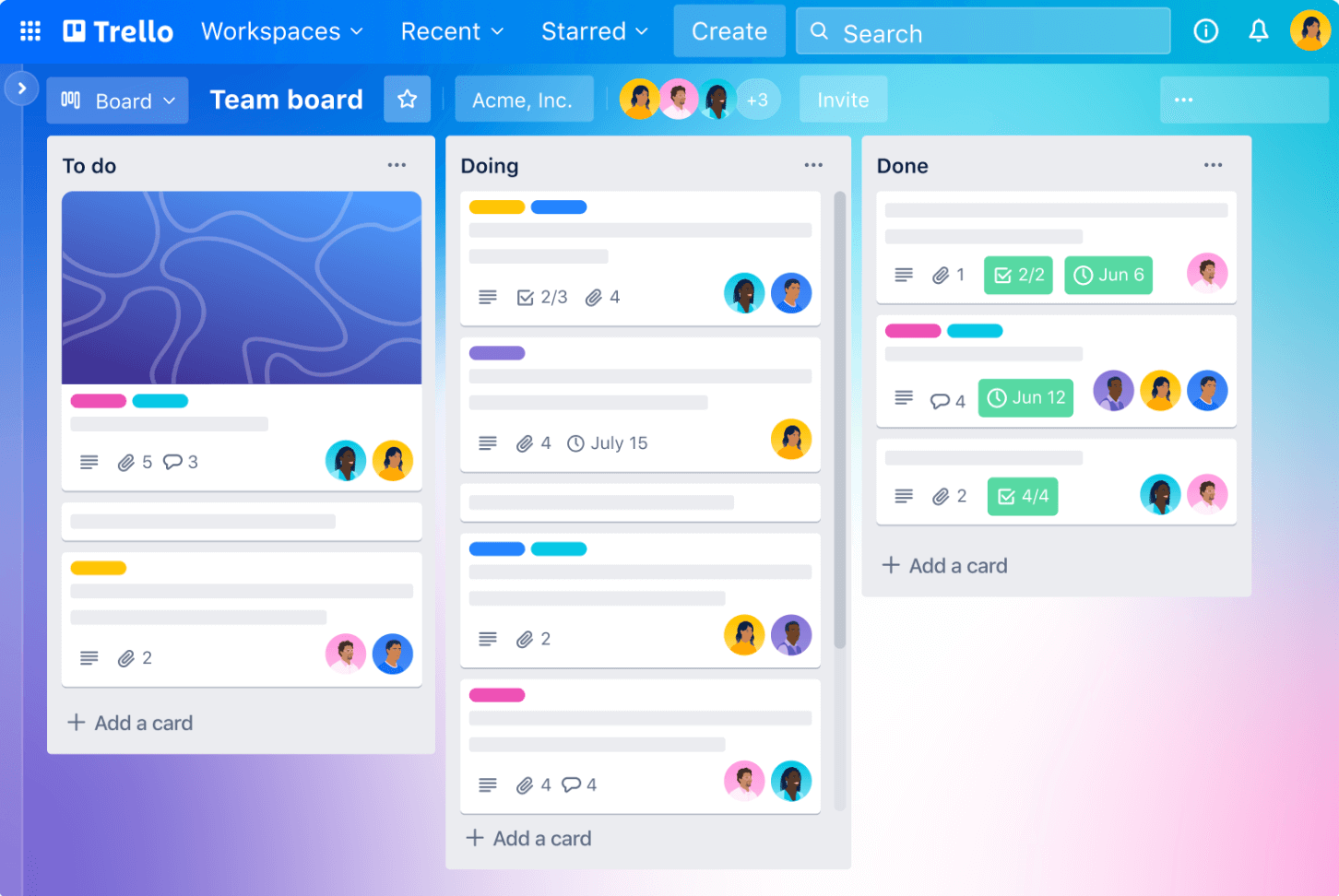
Thanks to its free plan and simplicity, Trello is a favorite for startups, freelancers, and small internal marketing teams.
Key features
Use customizable boards to manage projects, organize tasks, and evaluate progress at a glance.
Assign tasks to team members, set due dates, and add task descriptions to keep everyone informed and on track.
Use Trello’s automation and integrations with other project management tools to improve your workflows.
Drawbacks: Trello is a little too simple if you are a marketing team managing multiple marketing projects.
Pricing: Trello offers a free plan, with premium options starting at $5 per user/month.
5. HubSpot – best marketing management software for marketing automation and CRM
HubSpot is a marketing project management software for campaign management, email workflows, and lead nurturing. It has solutions for every marketing process, from campaign planning to customer follow-ups.
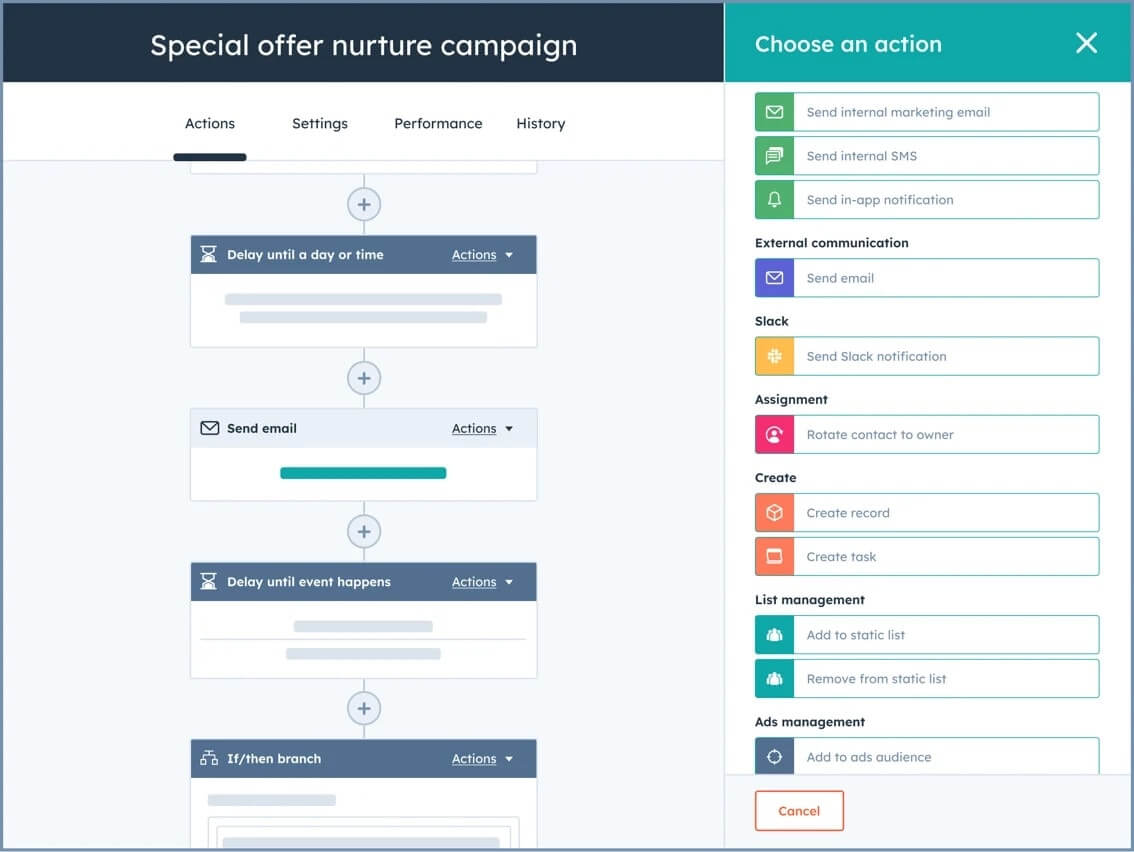
HubSpot is especially effective for complex, multi-channel marketing campaigns. It also helps marry sales, customer support, and marketing through the same ecosystem.
Key features
HubSpot’s CRM helps you track interactions and manage customer relationships from first contact to conversion.
Automate email marketing campaigns and manage content delivery based on customer behavior.
Track campaign performance with detailed reports on engagement, conversion rates, and ROI.
Drawbacks: HubSpot is a complex system and works best as one. Not all of its features are effective as standalone solutions.
Pricing: HubSpot has multiple paid plans for businesses and individuals. The customer platform starts at $20/month per seat, and you can create a custom bundle with HubSpot marketing project management tools.
6. Hive – best project management software for marketing agencies with complex workflows
Hive is a project management tool that helps teams manage complex workflows. It offers tools for campaign planning, resource allocation, and client communication.
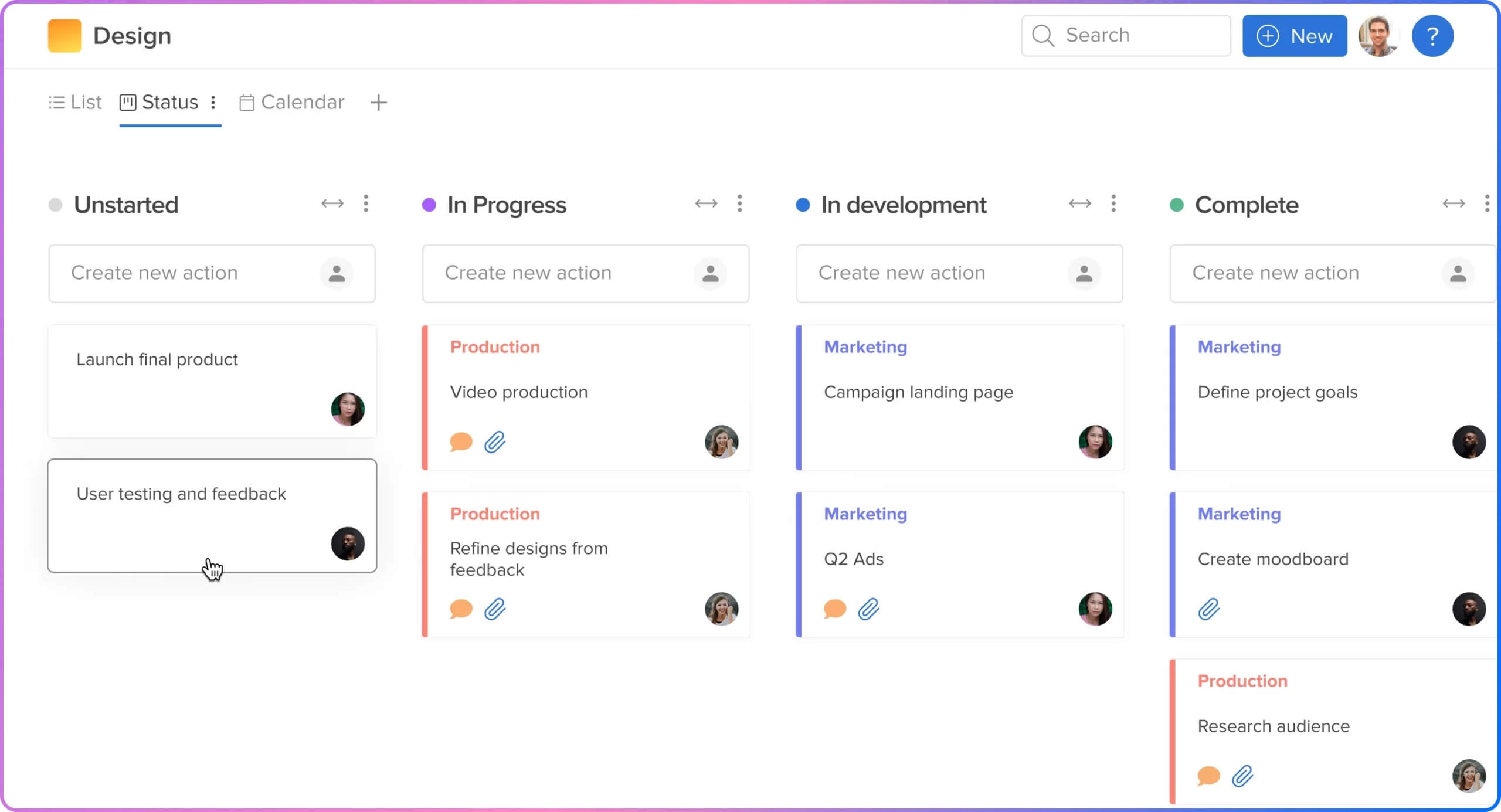
It’s a good marketing project management option for agencies with many clients and simultaneous projects. Secure approvals speed up project feedback and built-in time management tools allow for easy invoicing.
Key features
Build structured projects with parent and child tasks and assign them to your team members. Use portfolio and milestone tracking for a clear view of overall progress.
- Time tracking and invoicing
Track time spent on tasks and generate invoices with the QuickBooks integration for complete budget visibility.
Use customizable forms to gather client information and keep project details organized from the start.
Drawbacks: Most users mention that Hive has a steep learning curve and can be pretty complex.
Pricing: Hive has a free plan and three paid options starting at $4/month per user.
7. Wrike – best project management software for customizable workflows in large teams
Wrike is a project management system built for large teams that need flexible workflows. The advanced project management features make it easy to manage tasks, track time, and adjust workflows to fit each campaign.
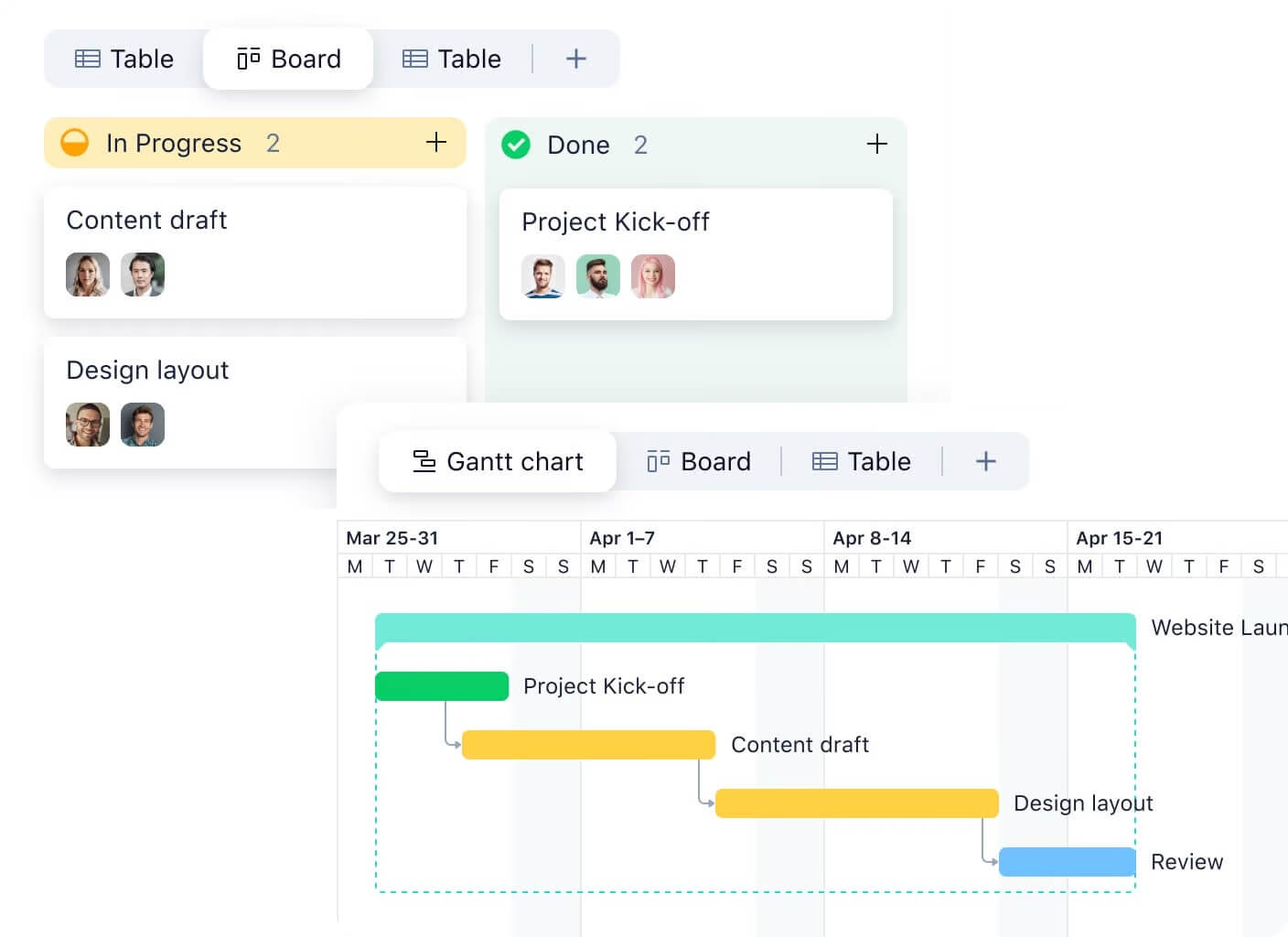
Wrike’s flexibility in assigning tasks and tracking progress gives teams a clear overview of their efforts. This is a good fit for marketing agencies managing marketing projects for multiple clients.
Key features
Create workflows for every marketing project. This helps marketing project managers structure campaigns in the best way for them.
- Time tracking and reporting
Track work hours and create reports to see how resources are used. This is especially useful for agencies serving clients on an hourly basis.
Assign tasks with dependencies, set timelines, and prioritize to keep team members on track.
Drawbacks: Wrike can feel complex for smaller teams with simpler processes and smaller projects to manage.
Pricing: Wrike has a free plan for small teams. You can upgrade for $10/month per user.
8. Teamwork – best for client-focused project management
Teamwork is a marketing project management tool that strongly focuses on client interactions. Pre-built project templates organize your operations, while workload planning and budget balance help with resource scheduling.
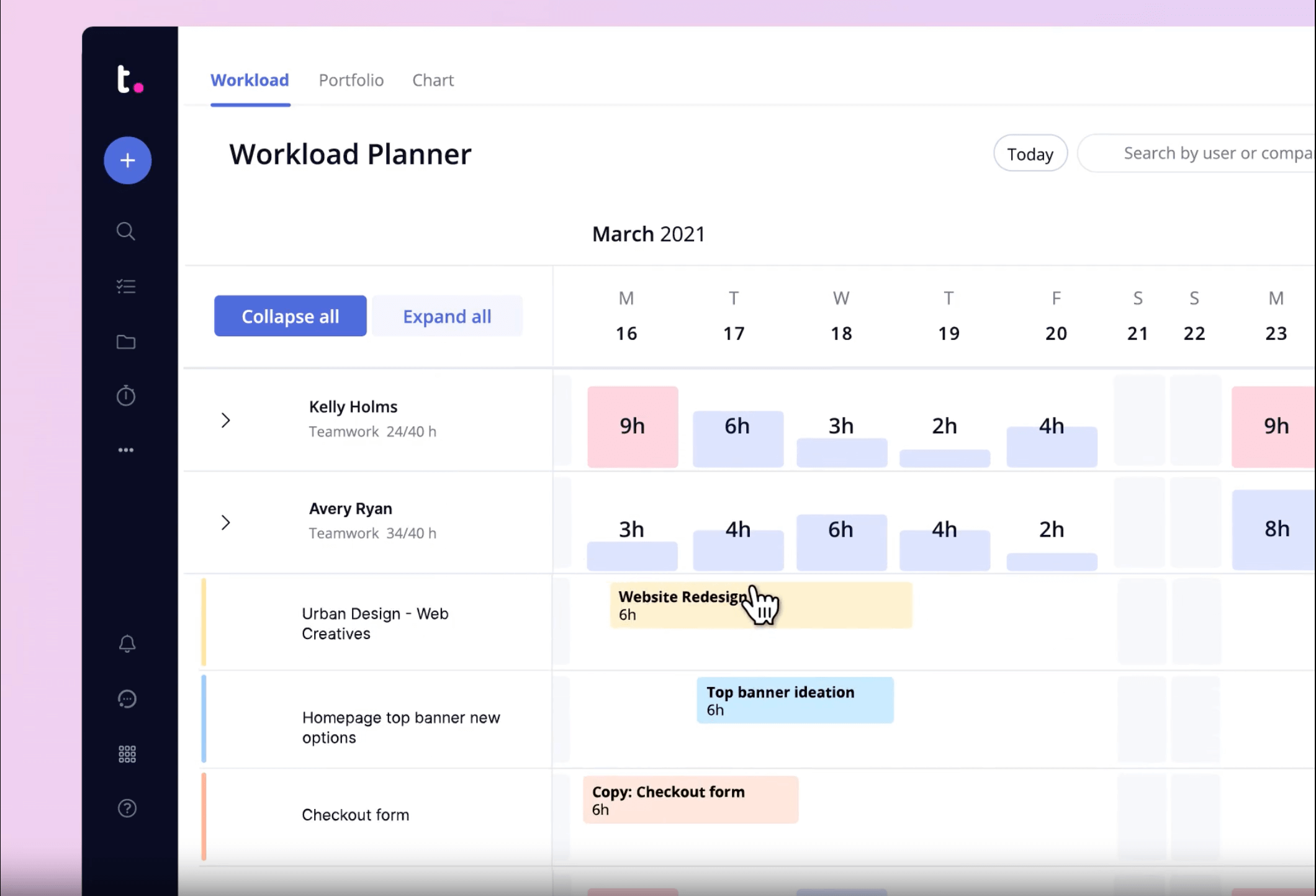
Teamwork has a lot of team collaboration tools that help you evaluate your team’s capacity and overall project health. This tool is most suited for marketing agencies or teams working with freelancers.
Key features
Balance team workloads to optimize capacity, see who’s overloaded and who can take on more, and rearrange tasks to avoid burnout.
- Time tracking and billing
Track billable hours on tasks to see where the paid time goes. Keep budget, rates, and time spent in the same system, simplifying budget management.
Allow clients to view project progress and provide feedback without disrupting internal workflows.
Drawbacks: Users mention that Teamwork‘s proofing tools need more work.
Pricing: Teamwork has a free demo and four paid plans starting at $13.99/month per user.
9. Basecamp – best for simple team collaboration and task management
Basecamp is a no-frills project management software focused on straightforward team collaboration. It positions itself as a small business solution for simple, practical project management without the bells and whistles of more complex tools.
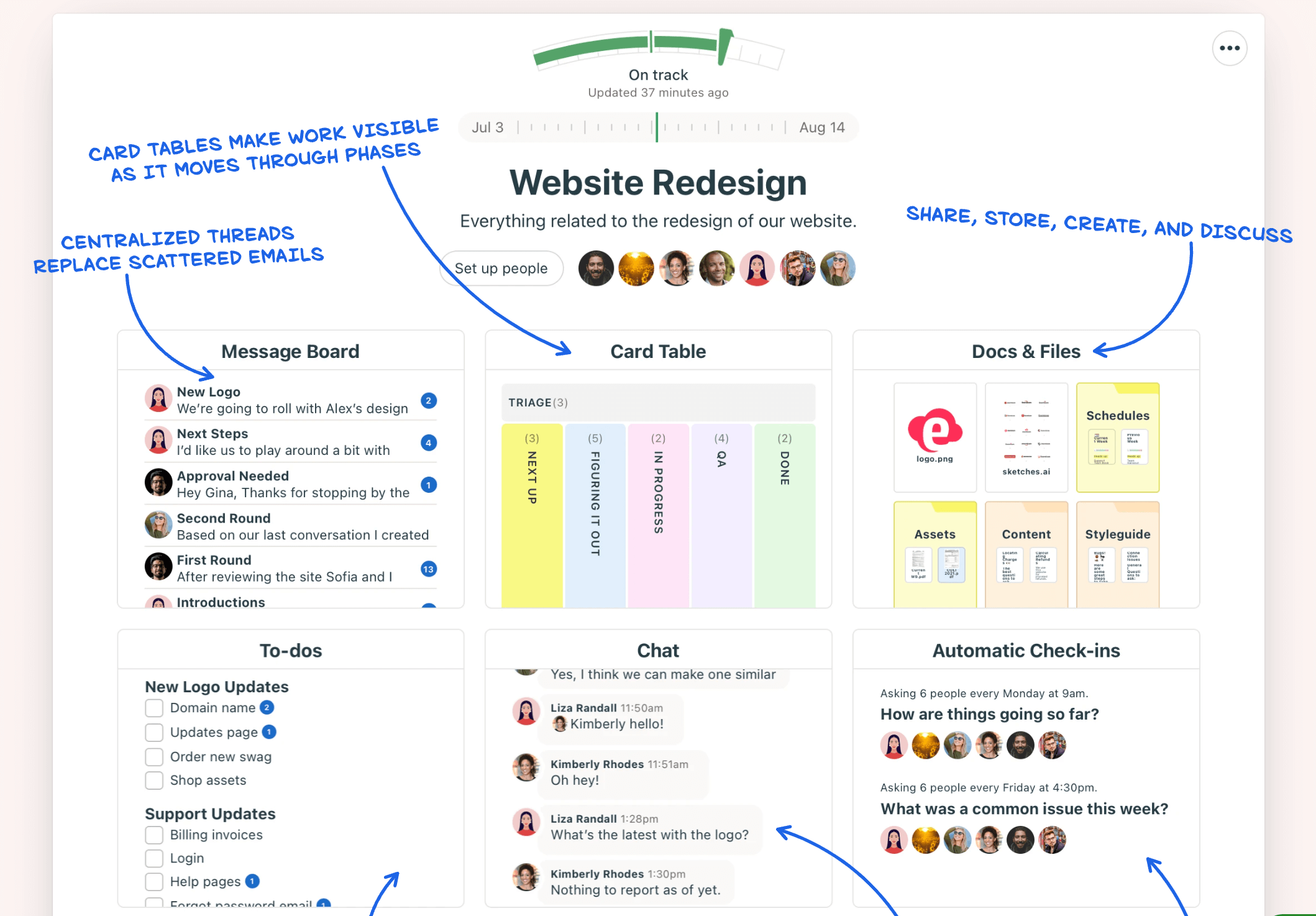
Basecamp is an easy-to-use, all-in-one solution for small teams that unites task management, chatting, and automatic check-ins — nothing too flashy.
Key features
- Task management and to-do lists
Create tasks, assign team members, and track progress with easy checklists and Kanban boards.
Basecamp creates a dedicated group chat for every project. You can exchange messages and keep all project-related chatter in one place.
Store docs and files attached to a specific project, simplifying access to shared resources.
Drawbacks: Basecamp lacks advanced project tracking and analytics needed for larger projects.
Pricing: Basecamp is simple in everything. Two plans: one for $15/user per month and one for $299/month with unlimited users.
10. Notion – best project management software for document management and knowledge sharing
Marketers know Notion as a project management tool with customizable Kanban boards and nice content calendar templates. But besides this, Notion is also great for file sharing and building project wikis.
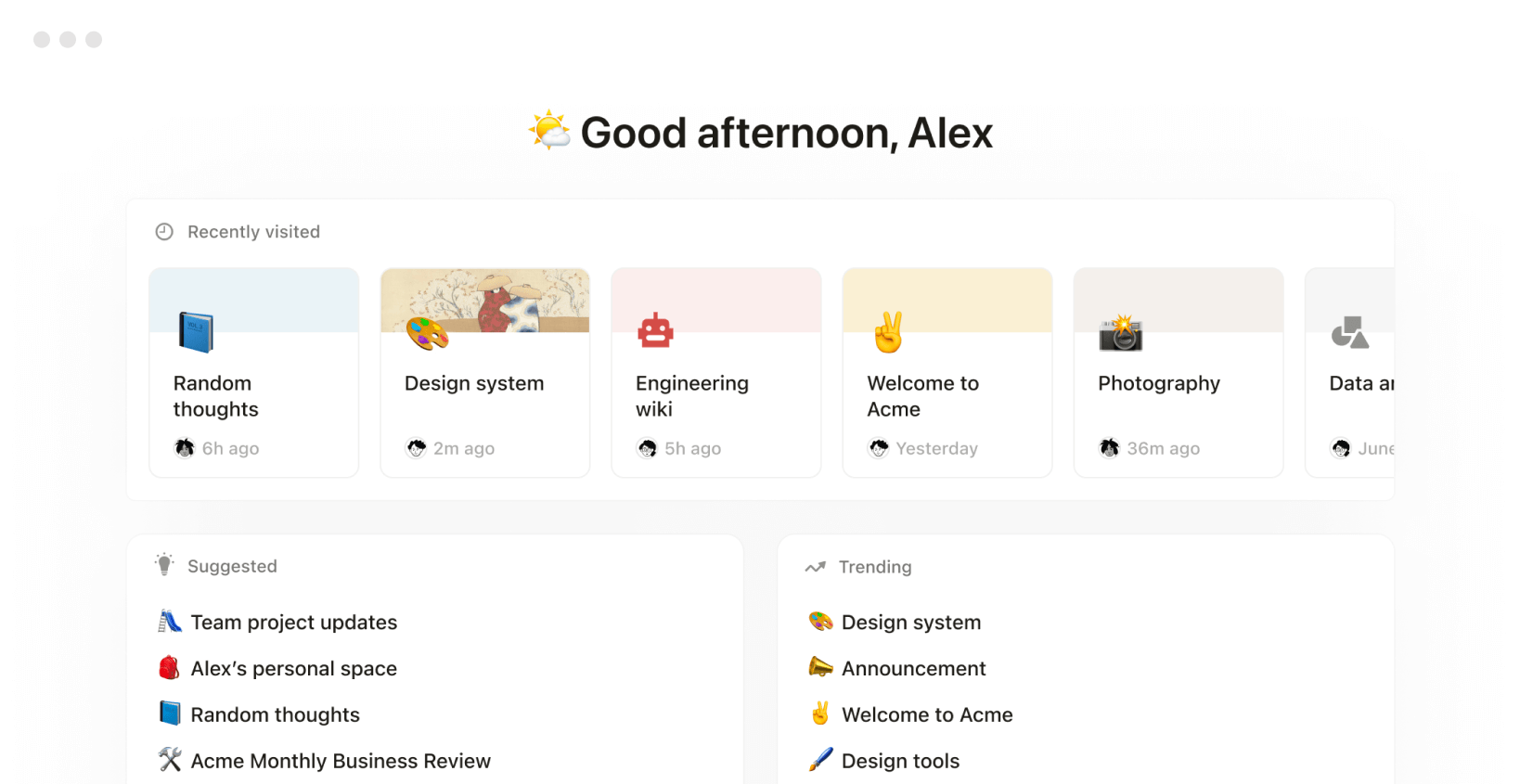
Having all documentation in one place streamlines workflows and simplifies onboarding. Project managers can store insights from past campaigns, building a shared knowledge base for the team.
Key features
- Basic project management features
Track tasks with boards, timelines, and calendars to keep projects on schedule.
Seamlessly integrate info from Figma, Amplitude, GitHub, Google Drive, and more into Notion’s wiki.
Create notes and docs with flexible building blocks like bullet lists, snippets, and paragraphs. The organized sidebar keeps your workspaces tidy and transparent.
Drawbacks: As a project management tool, Notion lacks the advanced features that big multifunctional teams might need.
Pricing: Notion has a free version and three paid plans starting at $12/month per user.
11. Airtable – best DIY project management software
Airtable is a highly flexible project management software that lets teams build tailored workflows. A spreadsheet-style interface allows users to customize views, create databases, and link information. This gives you granular control over project organization.
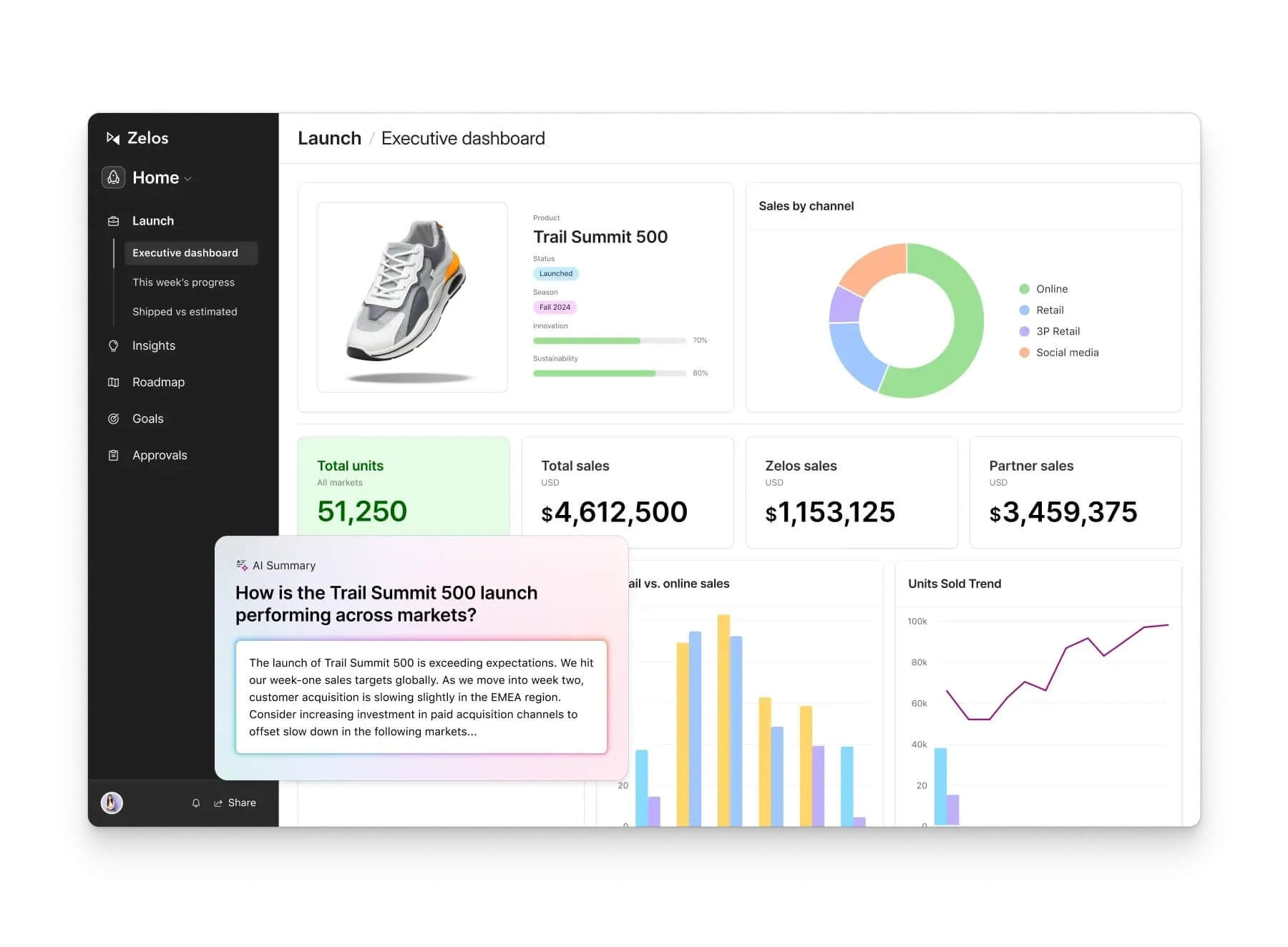
Airtable is a solid option if no ready-made marketing tools fit your specific needs.
Key features
Use various pre-built templates for projects like content calendars, marketing campaign planning, and task tracking.
Set up views in grids, Kanban boards, calendars, or galleries to organize projects your way.
Link related data across tables, creating a structured and connected workspace for complex projects.
Drawbacks: Airtable’s flexibility is powerful but overwhelming, as it’s not an out-of-the-box solution.
Pricing: Airtable has a free plan for tiny teams. Bigger teams can upgrade for $24/month per seat.
12. Kantata – best for resource and budget management
Kantata is an enterprise-level project management software focused on resource and budget planning. Designed for large teams, it helps manage finances, allocate resources, and track project costs effectively.
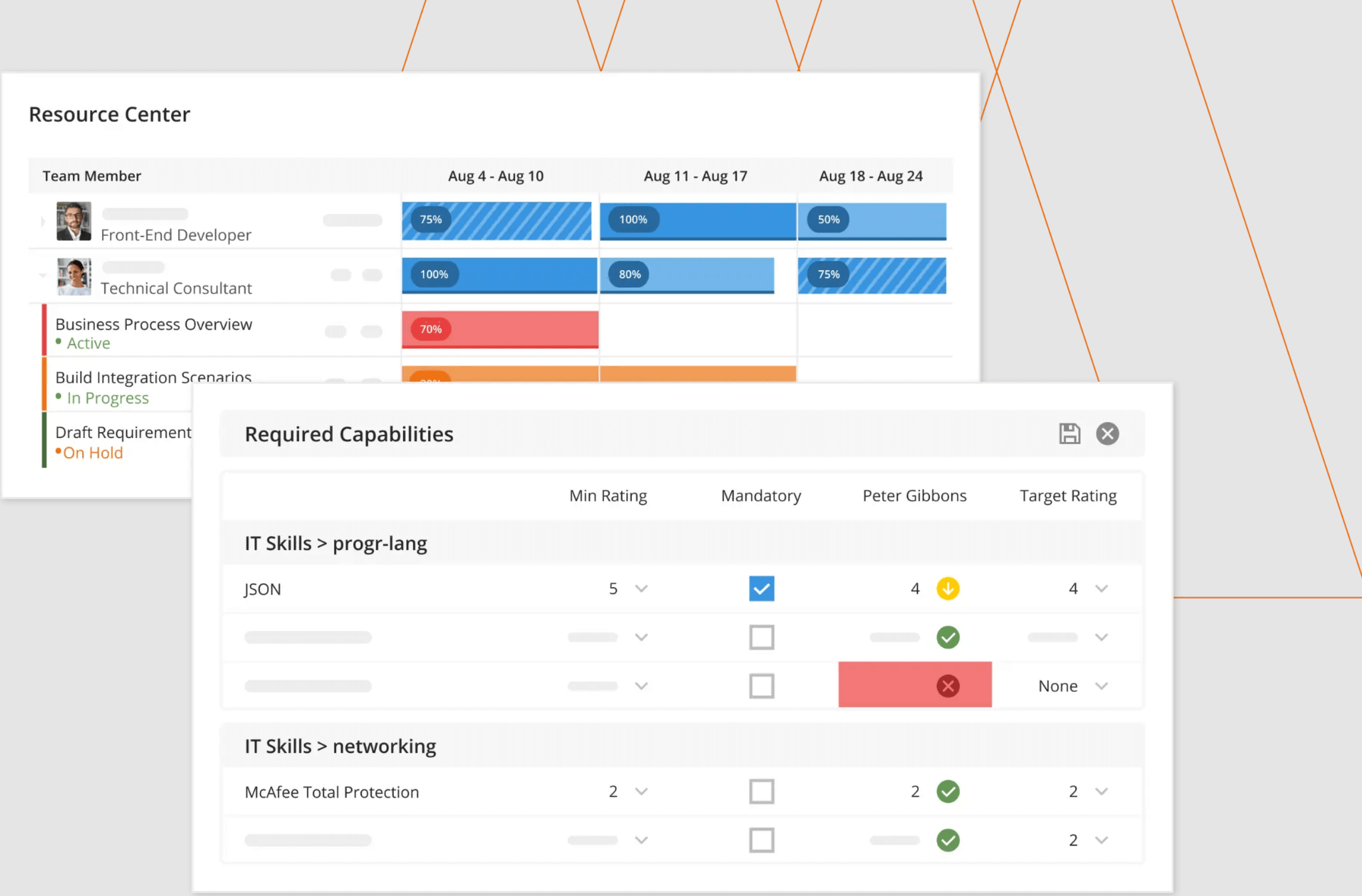
Although Kantata is not made explicitly for marketers, it supports marketing-related projects.
Key features
Manage tasks based on availability and skills to keep projects on track and avoid burnout.
Monitor spending across projects, helping teams stay within budget and control costs.
Sync data with Salesforce to connect project and sales insights, enhancing collaboration.
Drawbacks: Kantata’s mobile app lacks some features presented in the desktop version.
Pricing: Kantata has custom pricing.
13. Scoro – best for finance management and project budgeting
Scoro is a comprehensive marketing project management software that combines project planning, financial tracking, and invoicing in one platform. It helps manage the entire project lifecycle, from estimating budgets to tracking results.
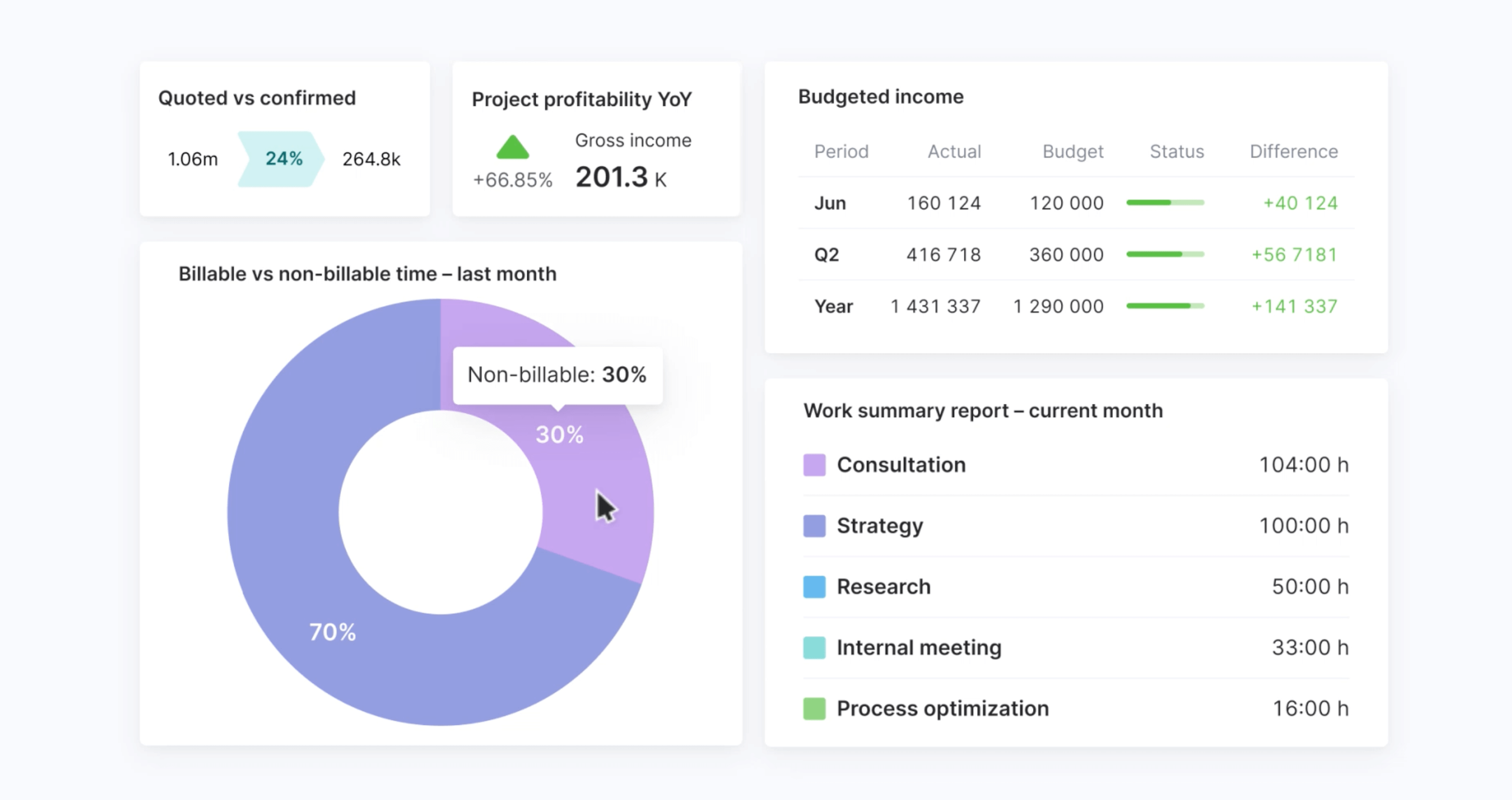
Marketing is not only about creative things — it’s also dull numbers and quotes. Scoro’s unique blend of sales, delivery, and financial insights gives teams a real-time view of project performance.
Key features
Gain clear financial insights with tools for quoting, budgeting, and tracking profitability at a project, client, or service level.
Connect with accounting software through customizable setups and two-way syncing, ensuring smooth data flow.
- Real-time performance tracking
Track project progress, resource usage, and finances in real time, keeping teams informed.
Drawbacks: Scoro’s financial features may feel excessive if your team mostly does marketing and has dedicated departments for handling the rest.
Pricing: Scoro has four paid plans starting at $28/month per user.
14. Quickbase – best for customizable project tracking
Quickbase is a no-code project management platform. It lets teams create, connect, and customize applications to fill workflow gaps.
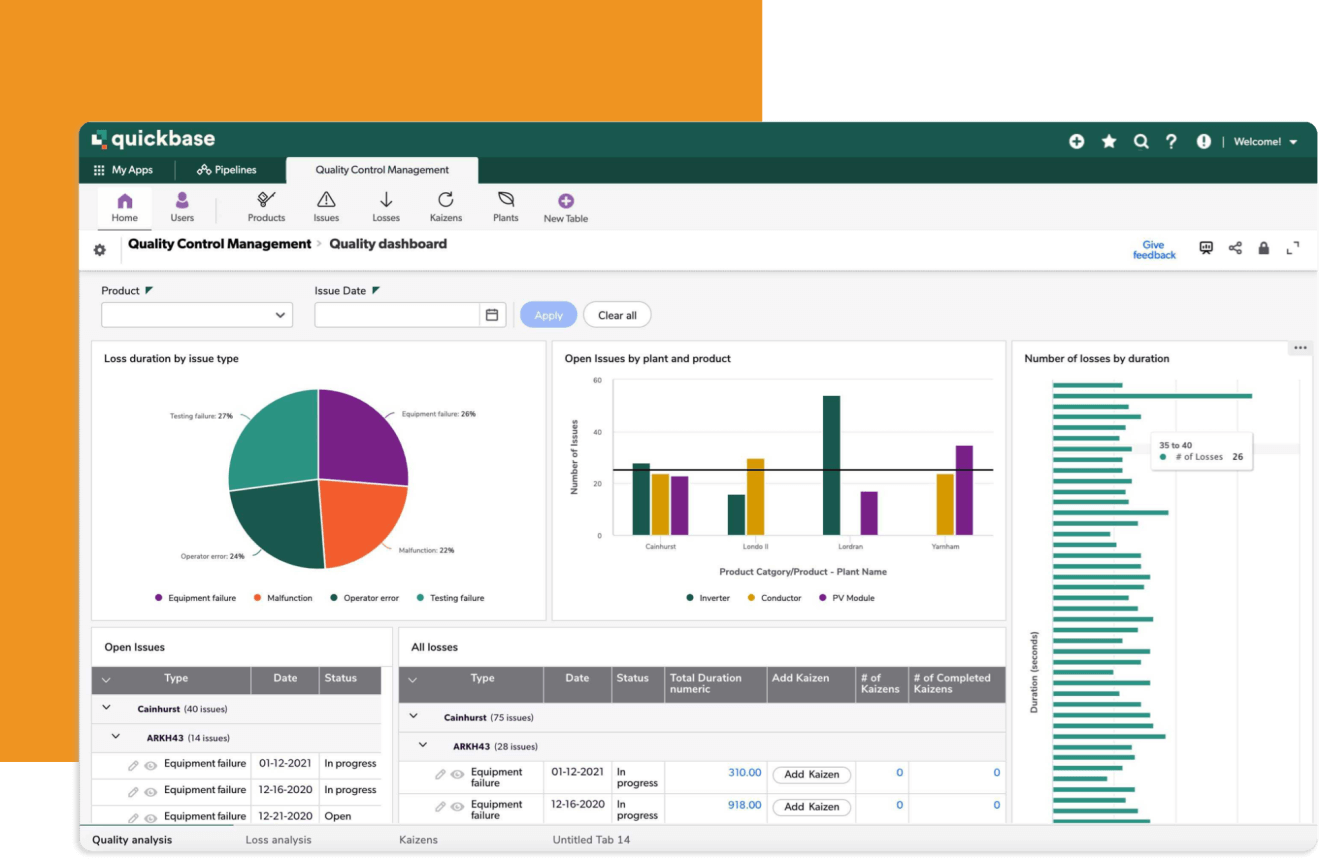
Unlike other systems, Quickbase integrates with existing tools, so you won’t need to wipe down current systems. Instead, you can plug them into one powerhouse, unifying data across platforms. Or create new ones!
Key features
Design workflows that fit your team’s specific needs, all without coding. Use drag-and-drop automation to speed up your pipeline.
Monitor your projects and resources with dynamic, role-based reports.
Connect with your existing systems and databases, ensuring seamless data flow across platforms. Quickbase integrates with 40+ apps.
Drawbacks: Quickbase’s customization options require time and skill to set up effectively.
Pricing: Quickbase has three paid plans starting at $35/user/month with 20 users minimum.
15. Miro – best marketing software for brainstorming and visualization
Miro is a collaborative, online whiteboard tool. It helps marketing teams brainstorm, visualize, and organize complex projects.
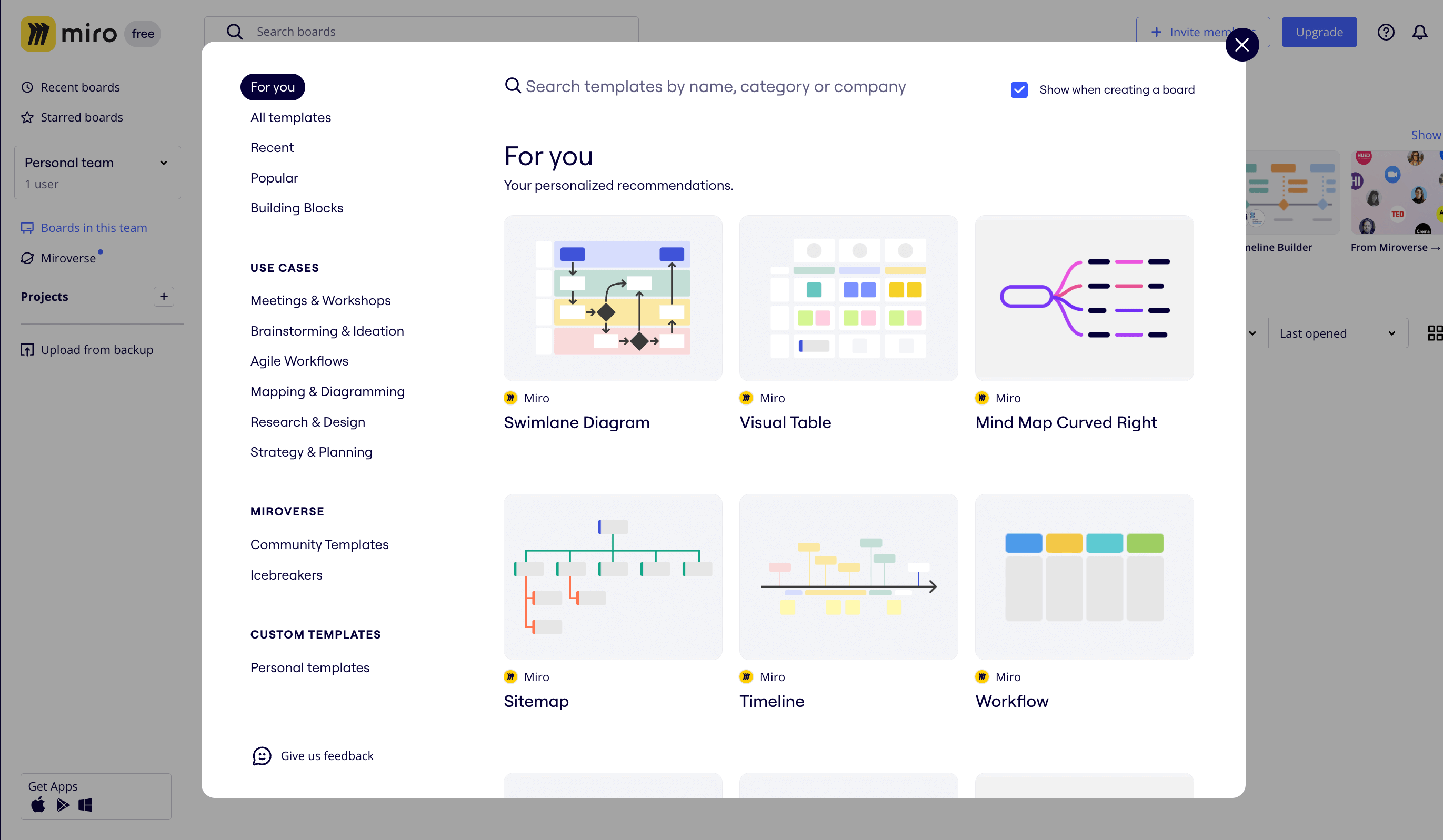
Miro’s intuitive collaboration features allow multiple team members to contribute ideas in real time. The visual and interactive approach breaks down marketing efforts into clear, actionable steps.
Key features
Team members can share ideas, add sticky notes, and organize thoughts on an infinite canvas — an easy boost for kick-off sessions and basic project planning.
- Project visualization tools
Break down your marketing campaign into visual schemes like flowcharts, Gantt charts, or mind maps. Perfect for visualizing complex projects.
- Templates and integrations
Miro offers pre-built project templates for common marketing tasks. It also integrates with tools like Slack and Google Drive.
Drawbacks: Miro’s exceptional in visualization, but it falls behind on classic project management tools like task tracking and file sharing.
Pricing: Miro has a free version and three paid plans starting at $8/month per member.
Find the right marketing project management tool for your team
Marketing project management doesn’t have to be chaotic. The right tool can streamline workflows, boost collaboration, and keep every campaign on track. Whether you need seamless content approvals, task automation, or resource planning, there’s a solution out there to fit your team’s style.
With options like Planable, which offers an intuitive workflow and 50 free posts to get started, finding the right fit for your marketing team has never been easier.
Content marketer with a background in journalism; digital nomad, and tech geek. In love with blogs, storytelling, strategies, and old-school Instagram. If it can be written, I probably wrote it.