Social media AI agent: the beginner’s cheat code
Remember when social media management meant juggling countless browser tabs while drowning in spreadsheets? If that’s still your reality, there’s a better way. Social media AI agents are changing how marketing managers approach their brands’ digital presence — and I’m here for it.
These intelligent assistants help overwhelmed marketers overcome some big challenges: content overload, round-the-clock engagement demands, and the never-ending data analysis cycle needed to optimize their strategy.
According to recent AI statistics, 42% of marketing managers who use AI for daily tasks say that generating social media captions is a key use case, showing just how valuable these tools have become for automating and improving workflows, thus saving precious time.
What is a social media AI agent?
A social media AI agent is intelligent software that automates and improves social media management. It acts as a 24/7 digital marketing teammate. Examples include AI chatbots for customer service, smart caption generators for engaging post text, content schedulers for optimal timing, and analytics tools that provide actionable insights for social media strategies.
Why use a social media AI agent?
Let’s get one thing out of the way: we’re all new to this meet-our-new-AI-colleague thing. And, naturally, some people are skeptical. Will it really help or get in our way? Will it end up replacing people? Are we wasting precious resources on a fad?
All these are legitimate questions. However, marketing teams implementing a social media agent, such as using tools like ChatGPT for social media post ideation, are getting great results. So, here’s why you should consider including a social media agent in your workflow:
1. Save time through automated social media post creation
The most immediate benefit of a social media agent is the hours you gain.
AI agents excel at generating creative post ideas and writing engaging content for multiple social media platforms. Instead of staring at a blank screen, wondering what to post, marketers can prompt their AI agent to suggest relevant topics based on audience interests and industry trends.
This automated content creation process can reduce content production time by 50%, allowing you to focus on strategy rather than execution.
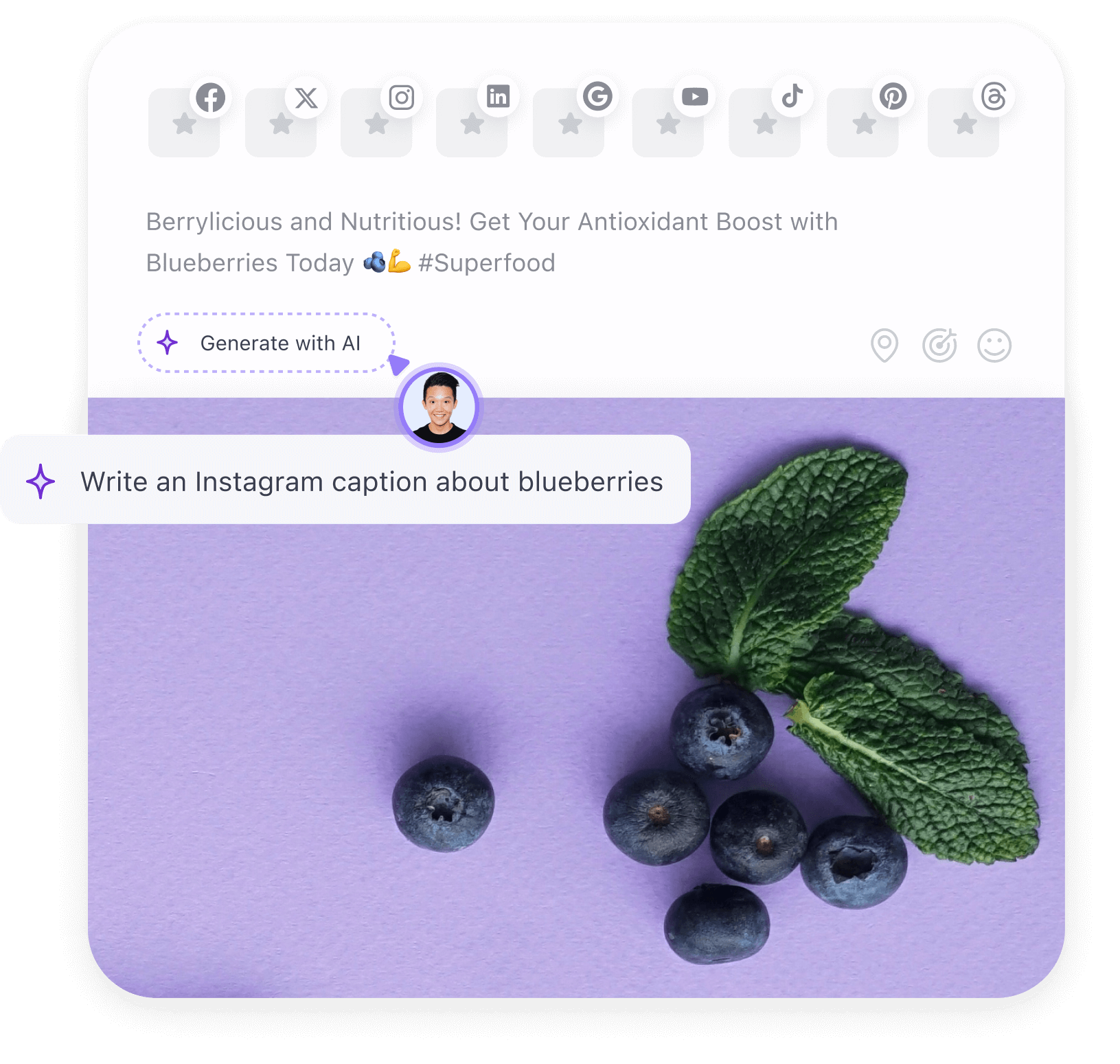
Planable’s AI caption generator helps marketers quickly create engaging, platform-ready social media copy.
2. Enhance content strategy with performance tracking
One key feature that makes social media AI agents invaluable is their ability to quickly centralize and analyze past performance data and recommend improvements.
These agents examine which posts perform best, identify patterns in audience engagement, and suggest optimal posting times for each social channel. This helps you move away from a one-size-fits-all approach towards more easily personalizing content for specific platforms and audience segments.
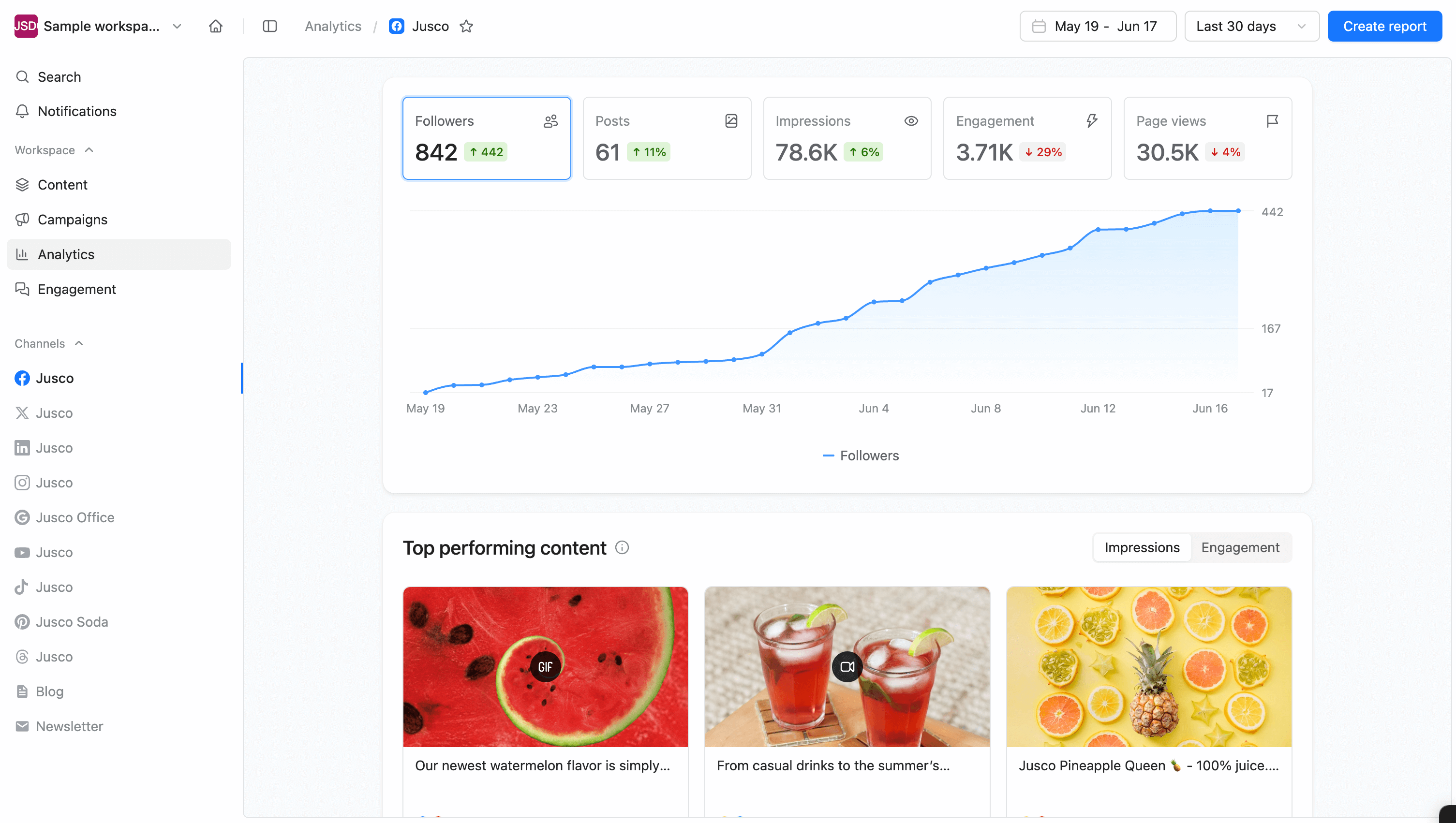
Facebook analytics in Planable displaying follower growth, engagement, and top performing visual posts.
3. Maintain a consistent brand voice across platforms
Consistency is important for brand recognition, but maintaining a unified voice across different social platforms can be challenging, especially when working with various team members and collaborators.
AI agents are lightning-fast at learning and replicating a brand’s unique tone and style guidelines. When programmed with examples of company voice, they create content that feels authentic to the brand, whether it’s for LinkedIn’s professional environment or Instagram’s more casual space.
4. Scale your social media presence as needed
Whether managing a growing brand or a portfolio of clients, an ever-expanding social media presence is challenging, to say the least. Don’t pass on opportunities just because you don’t have the time or resources to deal with it all.
AI tools allow you to scale without proportionally increasing workload. Marketing departments can manage multiple social media accounts, posting more frequently on each platform without feeling overwhelmed. Freelancers can automate repetitive tasks so they can focus on being creative for clients.
The social media agent can handle creating content variations for different platforms, scheduling posts, and even suggesting response templates for common questions.
Reduce errors and improve quality control
Do you know that moment of horror after spotting a typo in a published post (even though you checked it many times)? I do, and it’s not pleasant.
Social media AI agents can serve as your quality control check, correcting spelling and grammar, and even suggesting more engaging phrasing before content goes live.
The best part is that these agents are typically integrated within tools and platforms, so the feedback is instant.
I already mentioned generating social media captions as a key use case, but social media AI agents shine across multiple areas of digital marketing. Here are the most valuable applications:
1. Content creation and curation
Imagine you’re staring at a blank content calendar for next month. Your social media agent can instantly generate fresh post ideas and write compelling captions tailored to your brand voice, which you only have to edit.
Need to build out your AI content strategy? Your digital assistant can analyze trending topics in your industry and suggest relevant themes. For example, it can create a month’s worth of Instagram captions that maintain your brand’s unique tone while incorporating seasonal themes and trending hashtags.
If AI agents feel intimidating, start with simpler tools, like a reply generator for Facebook comments, a hashtag generator for Instagram posts, or a caption generator for X (formerly Twitter). These aren’t full AI agents, but they help keep your workflow tight, your content consistent, and your calendar under control.
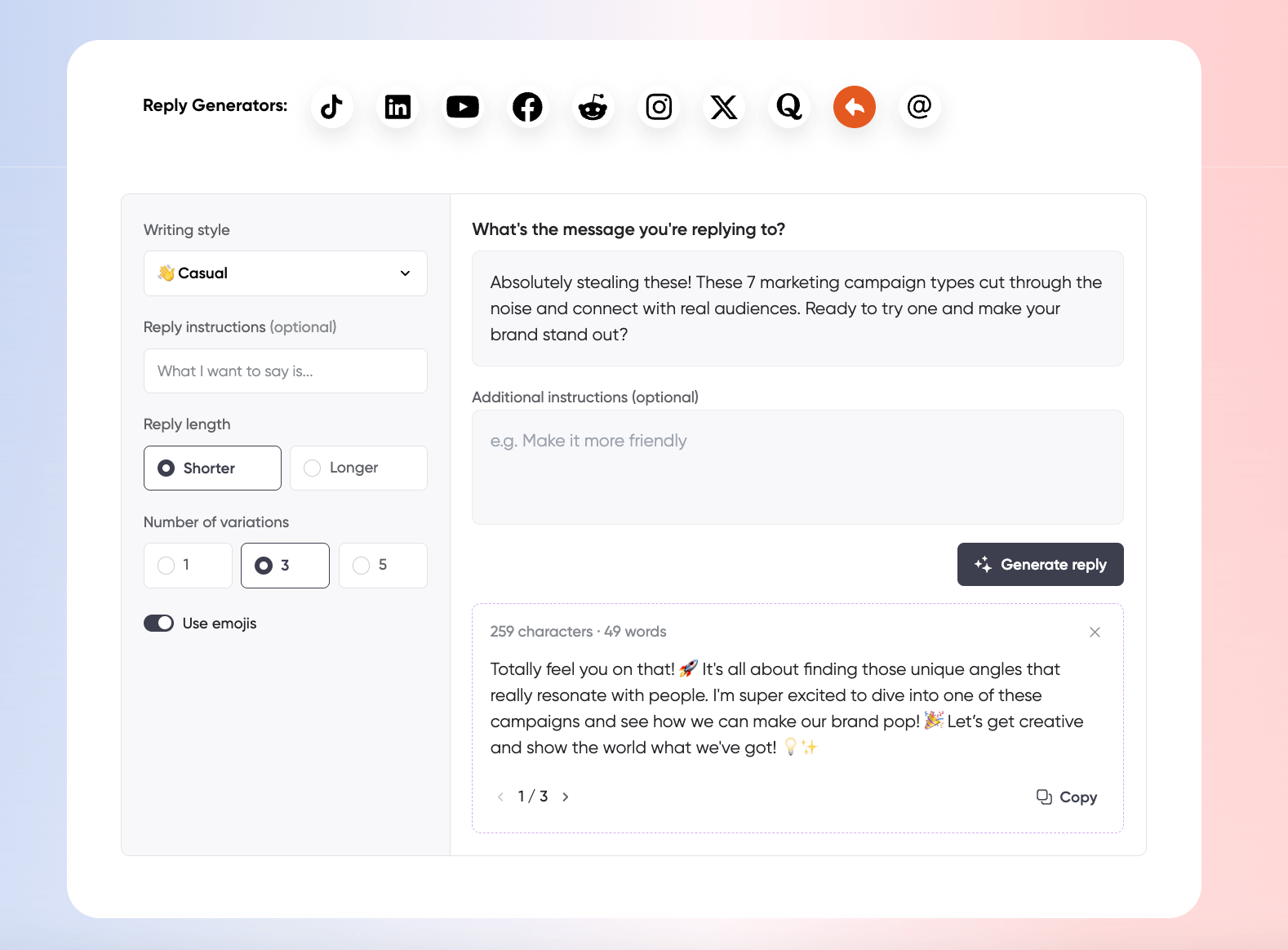
Planable’s free AI reply generator crafting casual, emoji-filled social responses across multiple platforms.
2. Customer support and chatbots
Let’s say you’re receiving the same questions repeatedly across your social channels. An AI chatbot can handle these routine inquiries 24/7, providing instant responses even when you’re off the clock.
When a customer asks about your return policy at 2 AM, your bot delivers the answer immediately. This saves the complex conversations for your human team while ensuring your audience never feels ignored.
3. Scheduling and automation
You know your audience is active at specific times, but manually posting during those windows isn’t always feasible. Smart AI marketing tools analyze your past performance to pinpoint exactly when your content performs best, then automatically publish at those optimal times.
Picture this: you open your laptop in the morning and immediately see engagement notifications from posts that went live while you were sleeping. It feels good to have some of the weight lifted off your shoulders, doesn’t it?
4. Analytics and social listening
When you’re wondering why certain content resonates better than others, your social media agent is already on it, monitoring brand mentions, tracking sentiment, and identifying emerging conversations.
Rather than getting lost in tabs and spreadsheets trying to figure things out, you receive clear insights about which content types drive the most engagement. You can then spend your time more wisely thinking of the best ways to adjust your strategy based on what your audience wants to see.
Understanding how AI uses social media data can also help you interpret these insights more effectively. Knowing which platforms AI learns from and how visibility on those networks can influence your brand’s presence in AI-generated answers.
The benefits are convincing. But isn’t it too complex and technical to build your own social media agent? It sure doesn’t sound simple to get a piece of software to do tasks for you.
Fortunately, it’s not as difficult as it seems (you’re probably even doing some of the steps below already). Even if you’re a beginner, this ChatGPT guide shows you how to create a digital assistant for your social media management tasks.
1. Define your social media agent’s purpose
Before going into the technical setup, clarify exactly what you want your social media agent to accomplish:
- Identify your pain points.
Which social media tasks consume most of your time? What feels overwhelming in your workflow?
- Choose specific activities.
Focus on tasks like content creation, post scheduling, audience engagement, or analytics reporting.
- Set clear goals and define success.
For example, “Use a social media agent to create 20 social media posts weekly” or “Automate 60% of client inquiries”.
2. Gather brand voice materials
Your social media agent needs to understand your brand’s unique personality before it can do the heavy lifting for you:
- Create a document with your brand guidelines (tone, style, values).
- Collect 5-10 examples of your best-performing social posts.
- List forbidden phrases, topics, or approaches for your brand.
- Include key messaging points and preferred hashtags.
3. Set up ChatGPT for creating content
The simplest way to start is with ChatGPT Plus ($20/month) or the free version:
- Sign up at chat.openai.com.
- Create a new chat specifically for social media content.
- Upload your brand brief and materials, and ask ChatGPT to analyze them and use the guidelines when creating content.
As you can see in the example below, ChatGPT will also guide you through the process once you state your purpose.
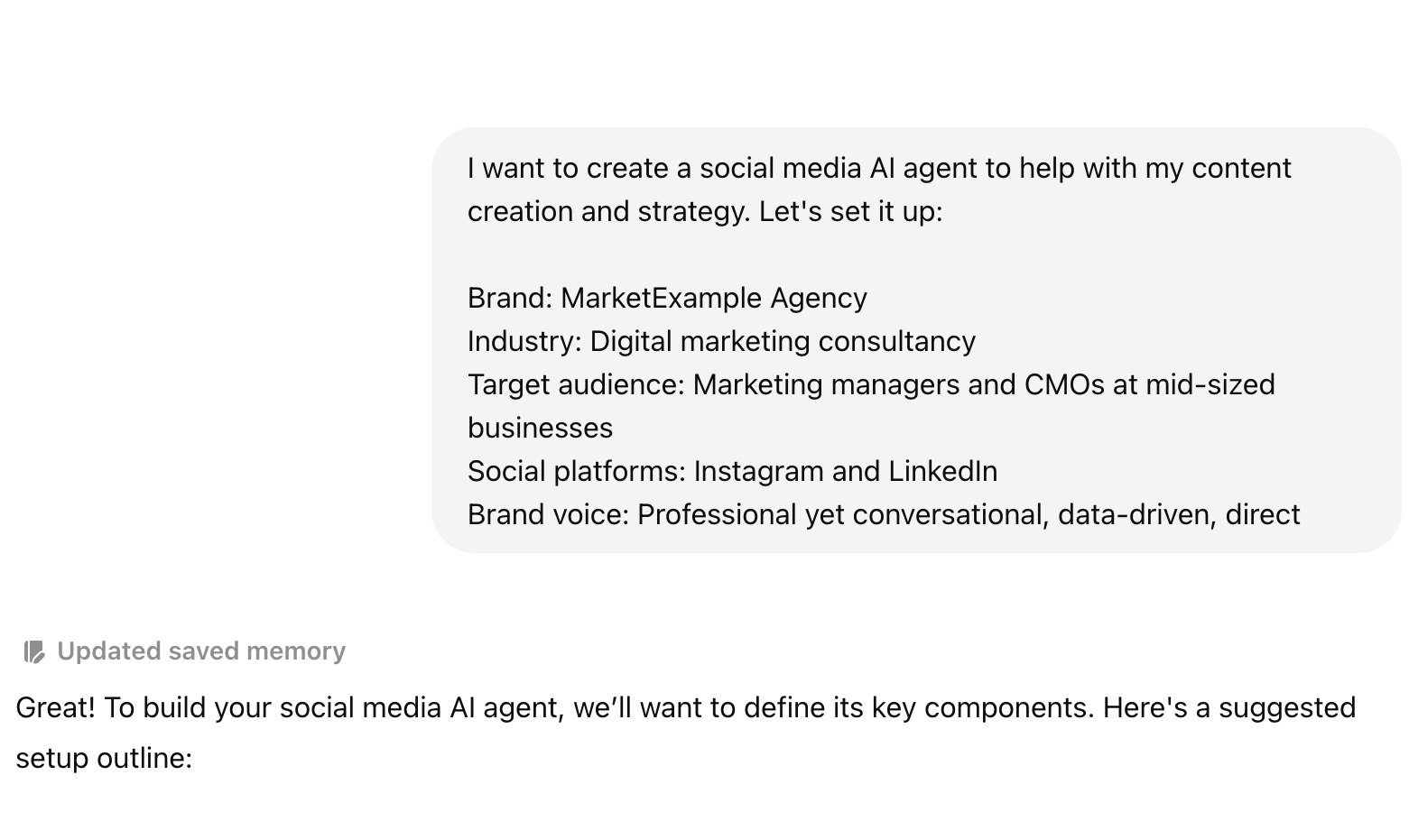
ChatGPT screenshot setting up a social media AI agent using custom brand tone and strategy prompts.
- Continue with a clear prompt template like: “Help me develop a content calendar for the next two weeks.”
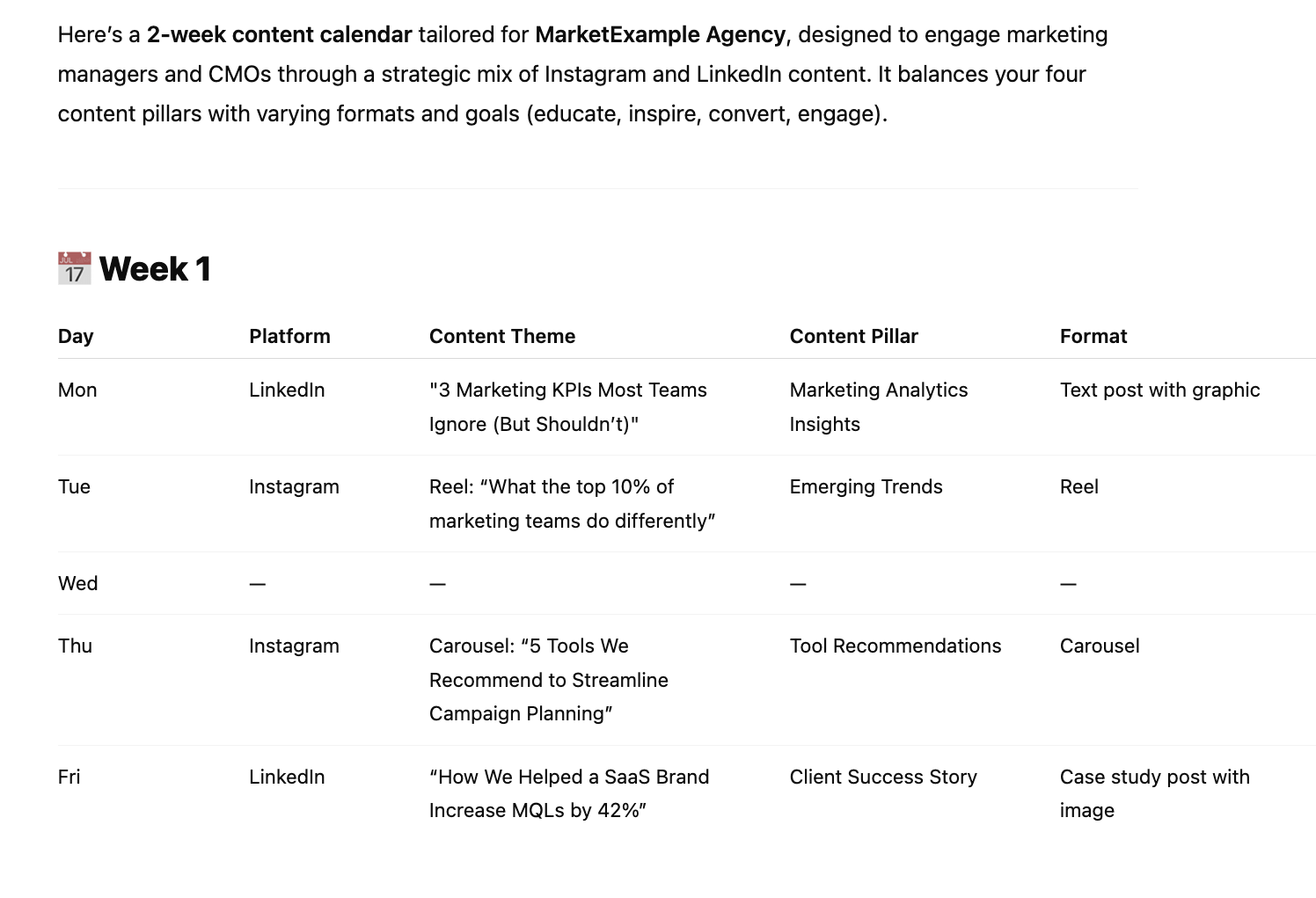
ChatGPT-generated weekly content calendar screenshot, tailored for platforms, goals, and formats.
- Be specific in your prompts. For example, include information about the content pillars you want to focus on and what each post should include, such as a caption, hashtags, and a call to action.
- Fine-tune your prompt depending on the results you get, guiding the social media agent towards your desired result.
- Save your most effective prompts as templates for consistent results each time.
4. Develop your AI agent’s features
Basic prompt templates already go a long way towards making your social media work more effortlessly. You can also move beyond basic prompts by creating a more sophisticated social media agent:
- Use ChatGPT’s Custom Instructions feature to set permanent guidelines (Note: at the time this article was written, this feature was not yet available in the UK and EU).
- Create specialized “sub-agents” for different platforms (Facebook, LinkedIn, Instagram, TikTok, etc.).
- Develop prompt templates for different content types: engagement questions, industry news commentary, behind-the-scenes content, product announcements.
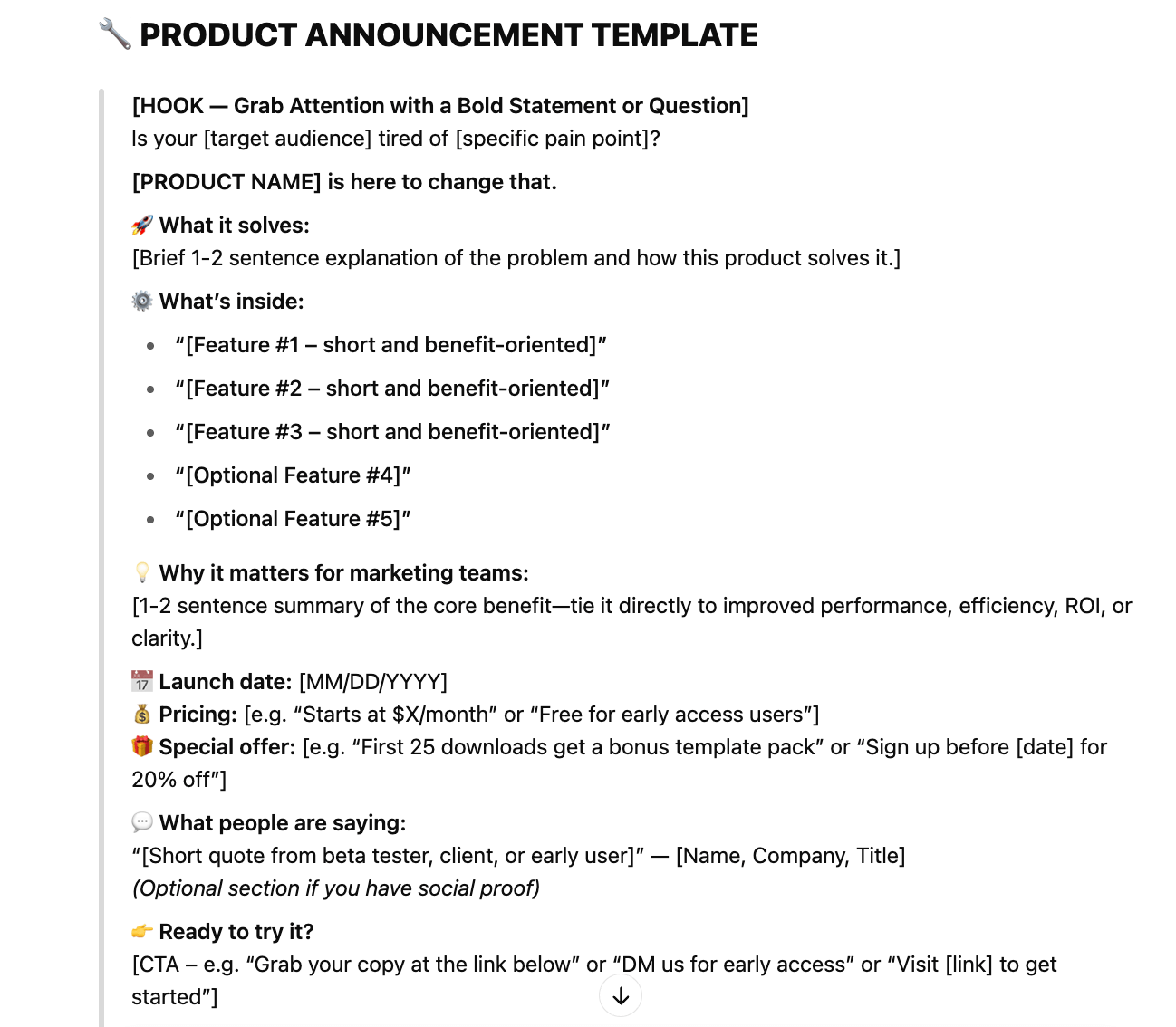
Screenshot from ChatGPT illustrating how to create a tailored AI agent through structured prompts.
This structure helps your AI agent handle diverse social media content needs efficiently.
5. Integrate external data sources
Help your social media agent improve by feeding it relevant information:
- Share analytics data with ChatGPT to improve content recommendations.
- Upload recent industry news articles for topical content ideas.
- Provide competitor posts for comparison and inspiration.
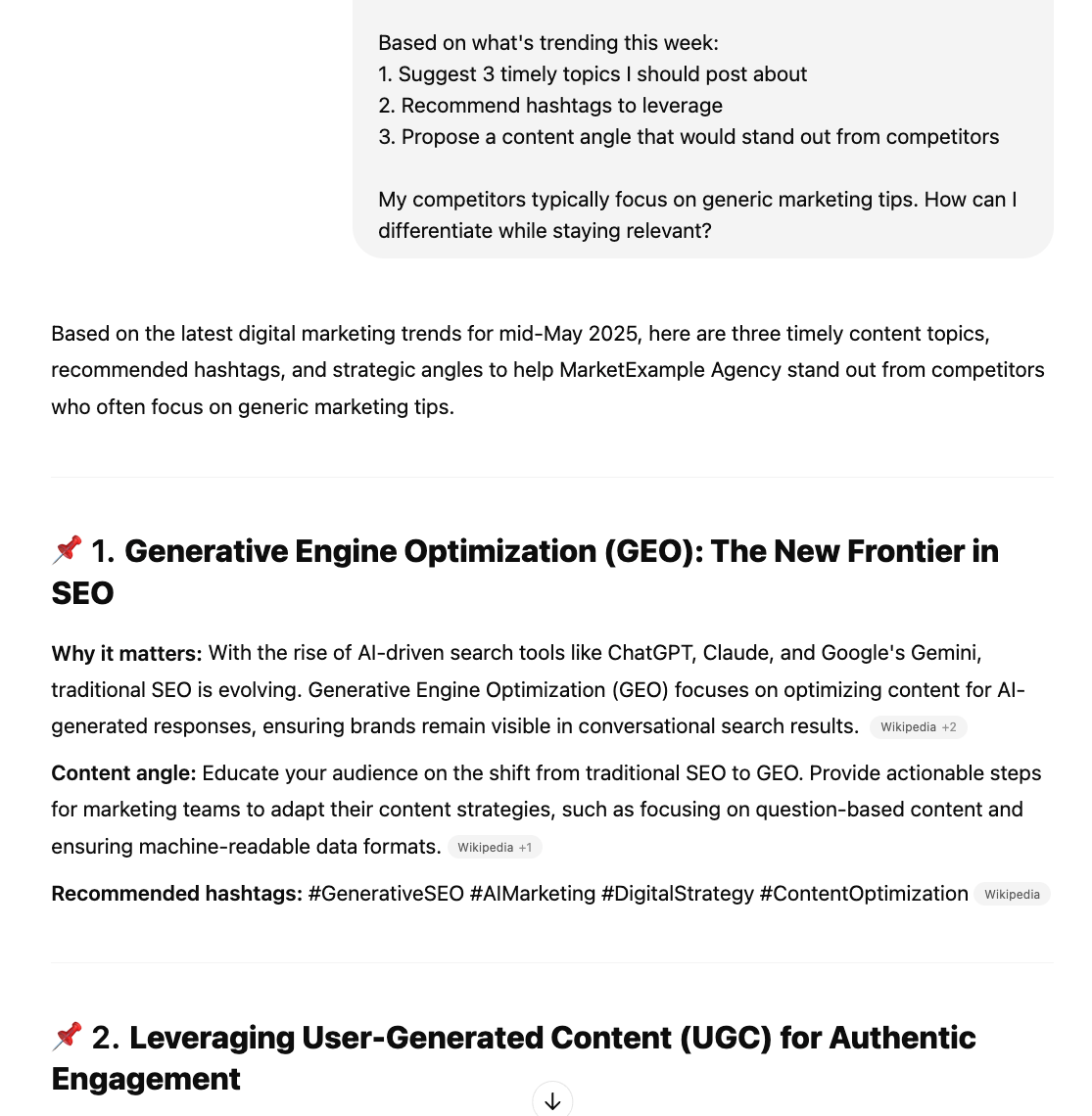
Screenshot from ChatGPT showing how to train an AI agent with trends and hashtags for smarter suggestions.
6. Implement a post approval workflow
Don’t get too carried away now and let AI do all the work while you’re out for a coffee. Even the best AI tools need human oversight:
- Set up a simple approval process where you review all AI-generated content.
- Create a checklist for evaluating posts (brand alignment, accuracy, creativity).
- Use a tool like Planable to get real-time feedback and schedule approved content.
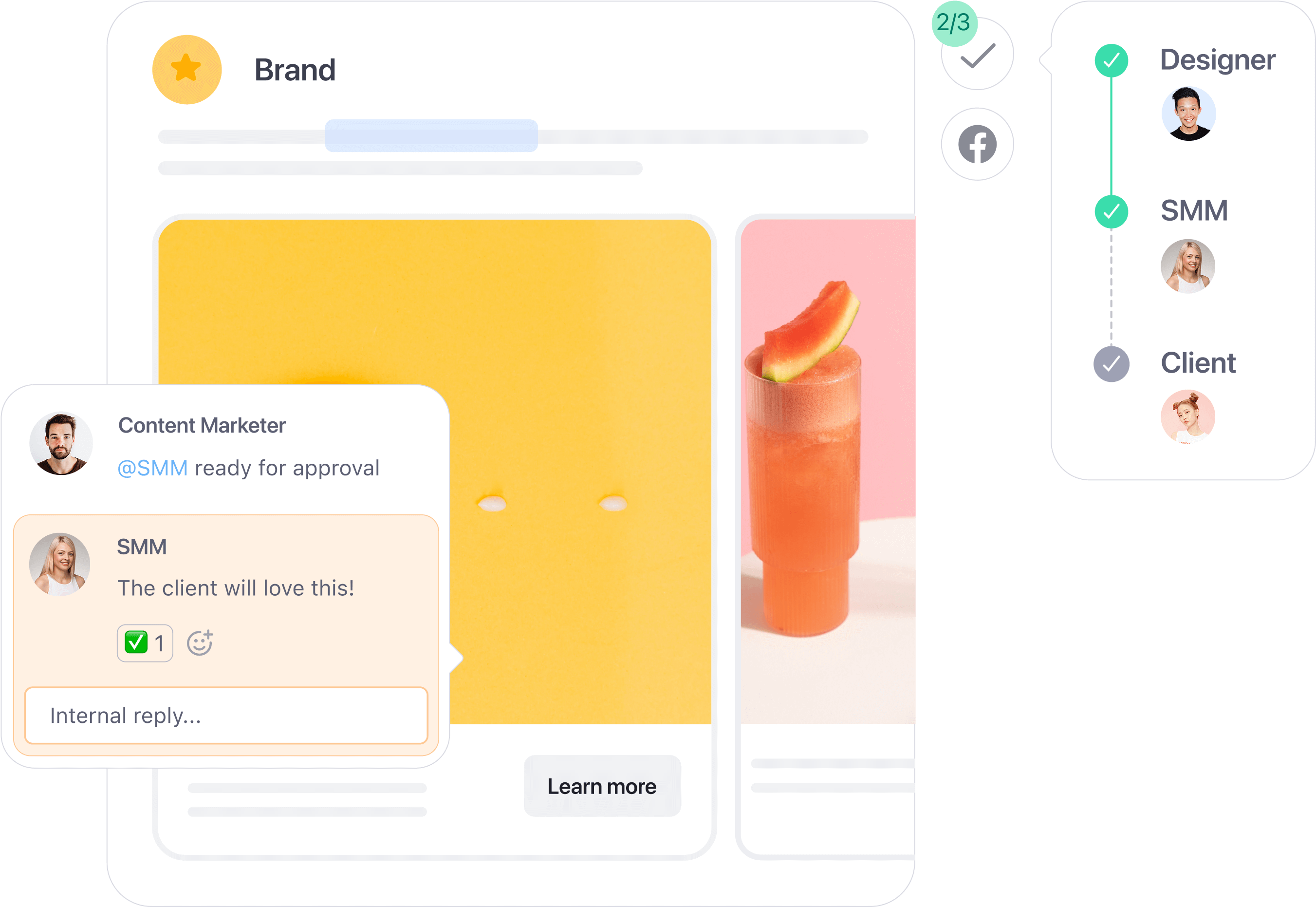
Collaborative post approval in Planable, showing feedback from designer, SMM, and client before publishing.
7. Expand your agent’s capabilities
Once you’re comfortable with content generation, add more sophisticated features:
- Analytics interpretation.
Upload performance data and ask your social media agent to analyze it and suggest improvements, as in the example below.
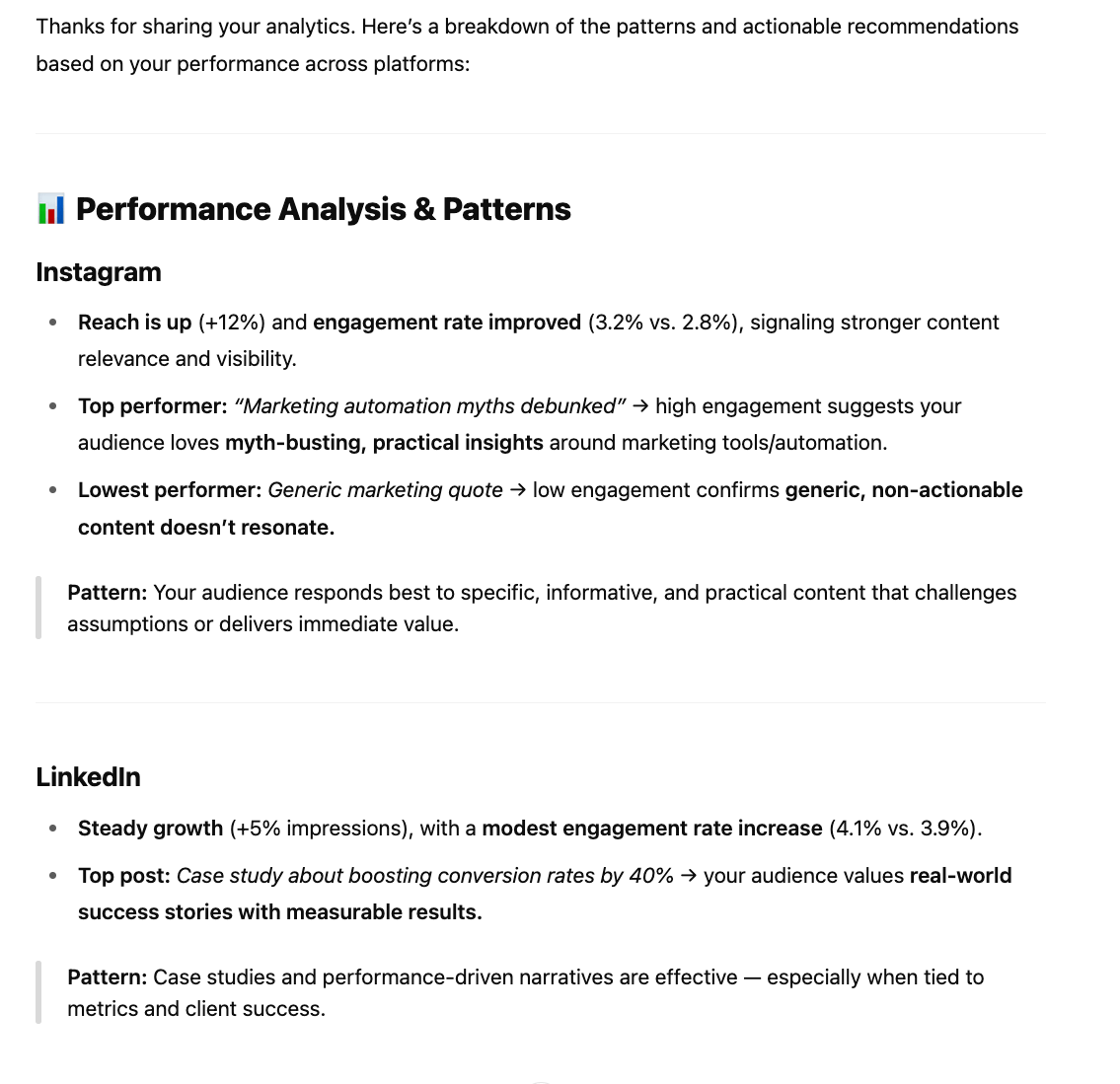
Screenshot from ChatGPT showing analysis of platform performance to guide content planning decisions.
Ask it to generate monthly content plans based on business goals and performance analysis.
Have it monitor trending topics relevant to your industry and include them in your content calendar suggestions.
Create frameworks for handling common audience or client questions.
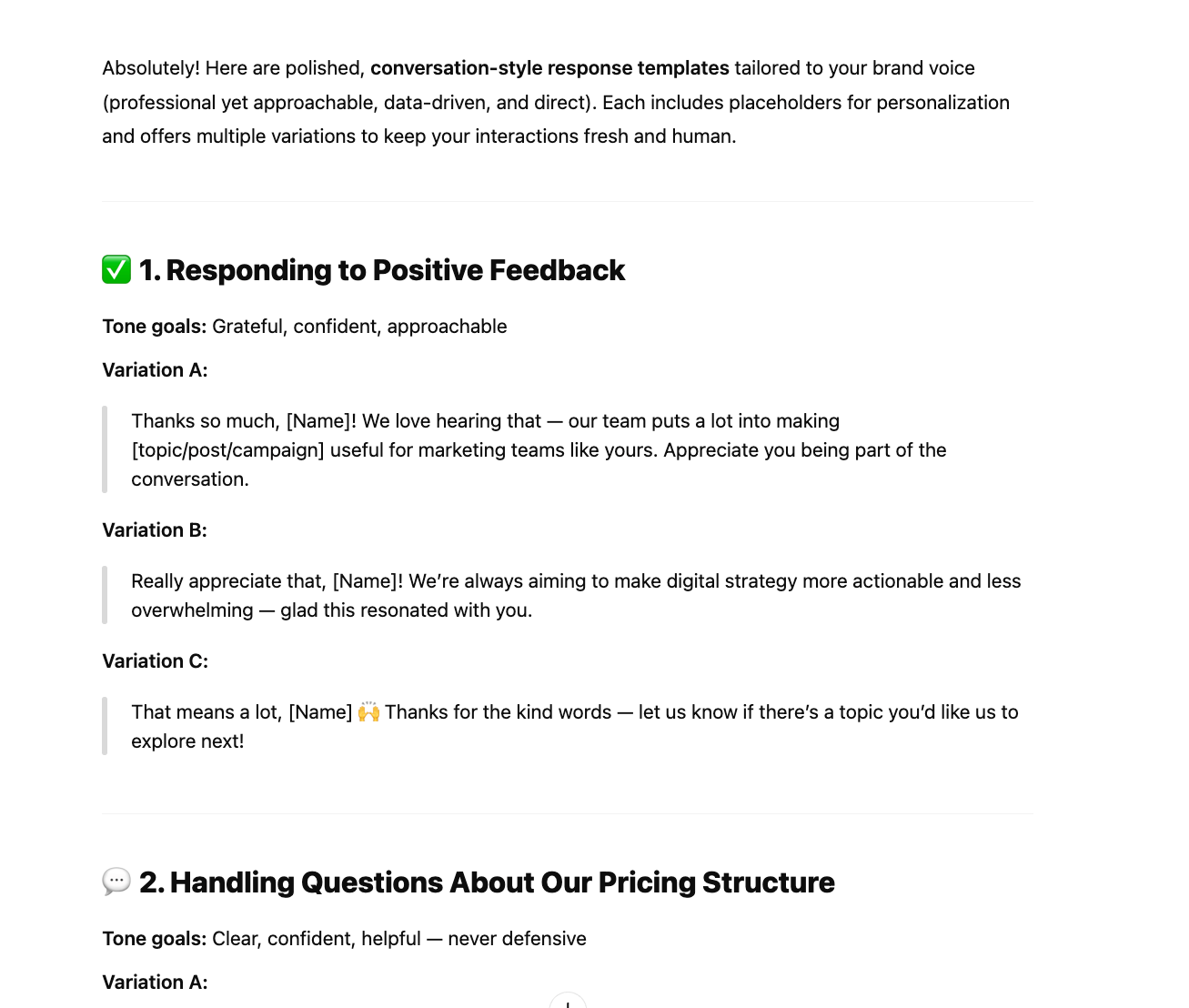
Screenshot from ChatGPT displaying social response templates created by a trained AI agent.
8. Measure performance and refine
Setting up and using AI agents to improve your workflow will have a bit of a learning curve. However, you should soon start seeing results. To evaluate their performance, track things like:
- Time saved on content creation and scheduling
- Engagement rates between AI-assisted and manually created posts
- Volume of content published across social media platforms
- Time saved on client inquiries
- Changes in social media ROI after implementing AI
While the DIY approach with ChatGPT (and similar platforms) offers impressive capabilities, marketing teams often benefit from purpose-built solutions that have AI integrated directly into social media management.
These specialized tools combine the power of AI content generation and automation with collaboration, approval, and scheduling capabilities, eliminating the need to use multiple systems or build from scratch. This is where Planable becomes the perfect companion for your social media AI workflow.
Rather than switching between ChatGPT for content creation and separate tools for collaboration and scheduling, Planable provides an environment where AI-generated content moves smoothly from creation to publication, with a much-needed human touch.
1. Enhanced social media content generation
Planable AI is integrated directly into the content editor, bringing intelligence to your workflow without platform switching:
- Generate ideas with AI right inside your content calendar.
- Enhance existing captions with alternative phrasings or tone adjustments.
- Create platform-specific variations of the same message.
- Get AI-powered hashtag recommendations.
- Polish your messaging before scheduling.
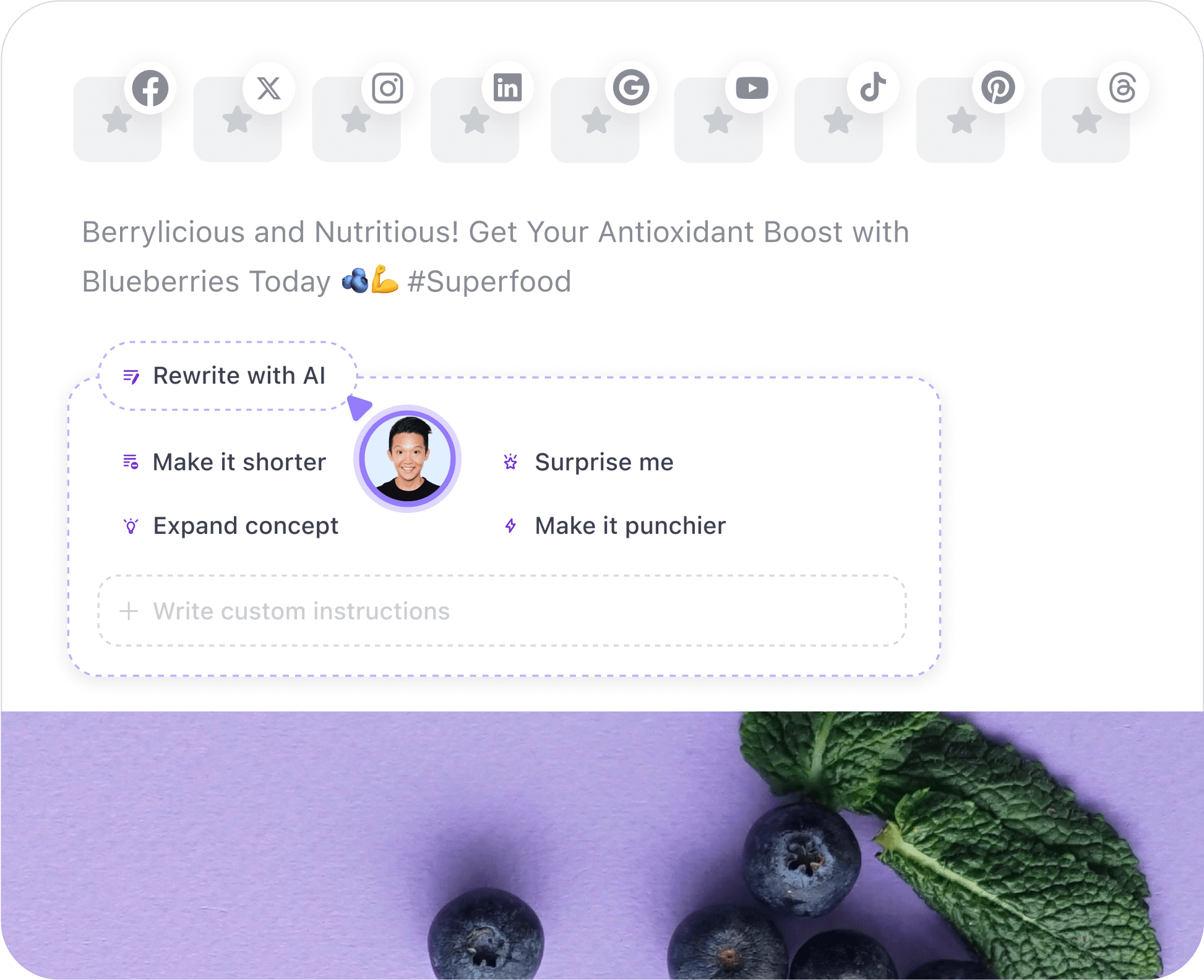
Planable’s AI rewrite feature offering quick caption edits like shorten, expand, or make punchier.
2. Smooth collaboration
You can create content directly in Planable or import your generated post. In either case, Planable offers a centralized workspace where you can interact with your team or clients on content. This allows you to review and refine everything before it goes live:
- View exactly how posts will appear on each platform in a multi view options.
- Organize content by campaign, client, or social channel.
- Enable various stakeholders to leave feedback directly on posts.
- Track revisions and approvals in a transparent workflow.
- Ensure AI-generated content aligns with your brand guidelines and business goals.
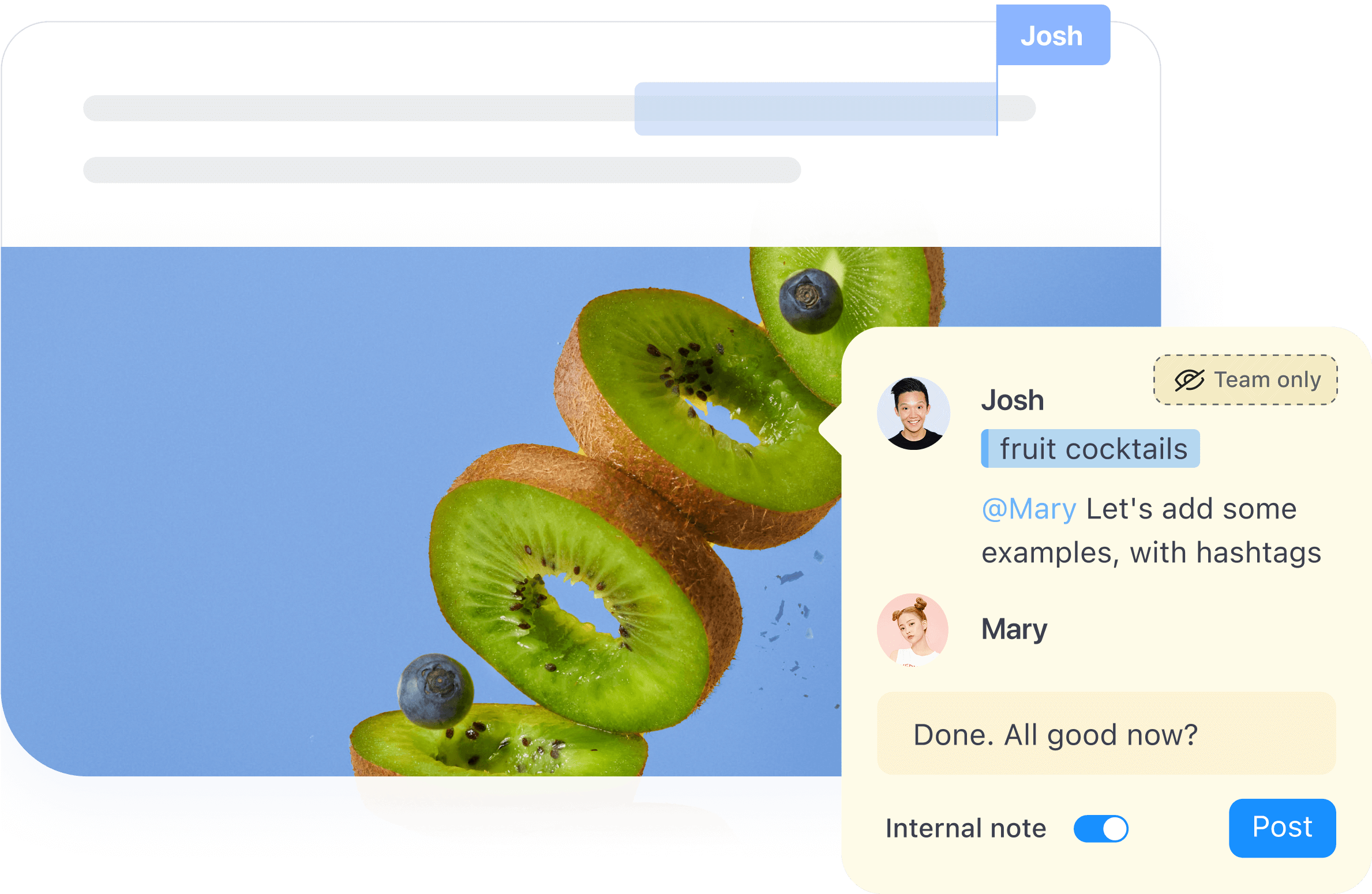
Planable enables real-time team collaboration and feedback directly on social media post drafts.
3. Intelligent social media management
Once content receives final approval, Planable’s scheduling capabilities take over:
- Set optimal posting times based on audience engagement data.
- Schedule posts across multiple platforms simultaneously.
- Create posting cadences that maintain a consistent brand presence.
- Adjust publication schedules with simple drag-and-drop functionality.
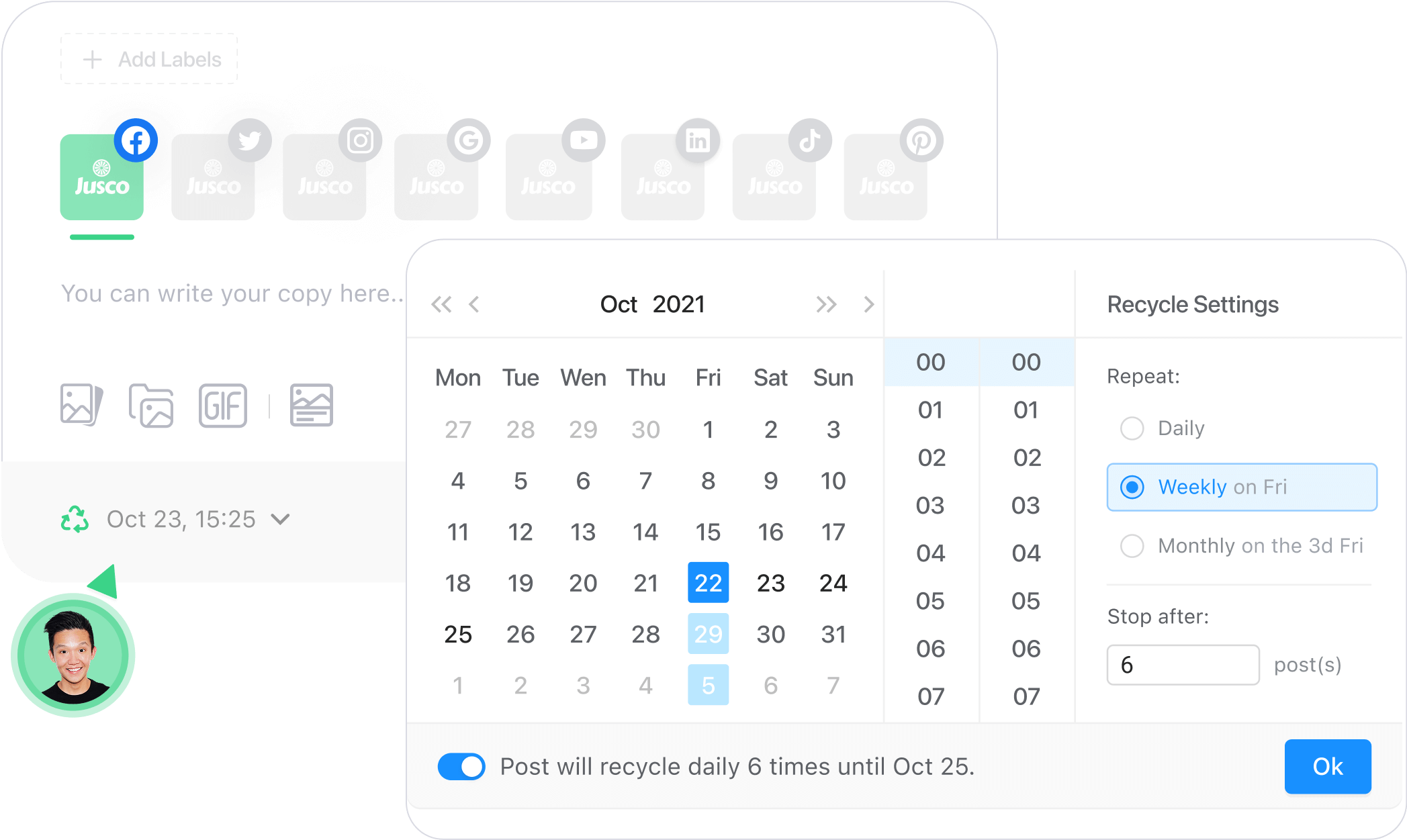
Scheduling a recurring Facebook post in Planable with custom recycle settings and calendar date selection.
AI agents may revolutionize content strategy, but the human touch is still essential for quality, authenticity, and brand alignment. Planable brings you the best of both worlds, leveraging AI and automation while making it easy for users to be part of an efficient workflow.
Embracing AI smartly in social media strategies
Social media agents can really change how you do digital marketing. They take care of the boring, repetitive stuff so you can focus on the bigger picture. The best way to use them is to mix what the AI does best with your own creative ideas, while establishing clear approval processes.
If you use these tools wisely, you can make your social media even better without losing your personal touch. Start with the basics, rely on intuitive technology, and add more AI in your workflow as you get comfortable.
Sabina is a freelance writer with 15+ years of experience in the MarCom industry. Her to-do list includes helping people write better and businesses sell more through content. She is the host of Zest, a podcast that brings writing within listeners’ reach.