7 best social media APIs for agency workflows in 2026
Social media APIs don’t come in a single flavor. Instagram, LinkedIn, TikTok, and X each publish their own API with separate app review processes and rate limits that change without warning. Building one native integration typically takes 2–3 weeks per platform, by most developer estimates. Agencies managing content for multiple clients can’t absorb that overhead per network.
We compared seven unified social media management APIs against the criteria agencies actually care about: approval workflow support, multi-client workspace management, and MCP/AI-agent compatibility.
The comparison below shows which platforms are best suited to agency operations, where each API has limitations, and which options are better suited to automation-first teams.
Native social media APIs vs. social media management APIs
Native social media APIs (Meta Graph API, LinkedIn API, TikTok API) give you direct access to each platform’s data. Social media management APIs like Planable, Buffer, and Ayrshare give you one integration that covers all of them at once.
What native platform APIs are
Every major platform publishes its own: Meta/Facebook Graph API, Instagram Graph API, LinkedIn API, TikTok Content Posting API, YouTube Data API, Pinterest API, and X/Twitter API.
Each requires:
- Separate app registration on the platform’s developer portal
- A platform-specific approval process (LinkedIn’s partner program approval takes 3–4 months)
- Its own authentication flow and ongoing maintenance when the platform updates its API
They work well for teams with dedicated engineering capacity (think data science teams or platform-specific analytics products built around one network). What they lack for agencies is the collaboration layer: no approval workflows and no multi-client workspace structure.
What social media management APIs are
A social media management API is a single REST (or GraphQL) endpoint that abstracts multiple platform APIs. The vendor owns the integration layer. What changes on the platform side stays their problem, not yours.
What you get beyond raw publishing access:
- Approval workflows (Planable, Hootsuite)
- Multi-client workspace structure (Planable)
- Analytics pulled from multiple platforms in a single call (Planable, Ayrshare)
Who they’re for:
- Agencies managing content across multiple clients and platforms
- SaaS builders who want social as a feature without building eight separate integrations
- Teams that want vendor-maintained platform coverage
The rest of this guide compares the leading social media management APIs for agency use.
How these 7 social media APIs compare
Here’s how the seven tools compare across the criteria that matter most for agency API workflows.
The MCP column tracks MCP (Model Context Protocol) support, an open standard that lets AI assistants connect to external tools programmatically.
Planable
Yes
Yes
$33/mo
Multi-client publishing with approval controls
Ayrshare
No
Add-on only
$149/mo
High-volume SDK-based automation
Buffer
Open
No
$5/mo
Developer-first GraphQL workflows
Postiz
Partial
Basic
$29/mo
Maximum platform coverage, open source
Zernio
Yes
No
$6/account
Paid + organic social (ad platforms)
Hootsuite
No
Yes
$99/mo
Enterprise teams on Hootsuite
PostEverywhere
No
No
$19/mo
AI-assisted posting on a budget
Best for agencies
Multi-client publishing with approval controls
Approval workflows
Add-on only
Best for agencies
High-volume SDK-based automation
Best for agencies
Developer-first GraphQL workflows
Best for agencies
Maximum platform coverage, open source
Starting price
$6/account
Best for agencies
Paid + organic social (ad platforms)
Best for agencies
Enterprise teams on Hootsuite
Best for agencies
AI-assisted posting on a budget
Pricing as of August 2026. Platform counts and features subject to change; verify current plans at each tool’s website.
The 7 best social media management APIs for agencies
Here’s the detail behind each entry.
1. Planable: best for approval workflows and agency automation
Best for: agencies managing 5+ client accounts that need both API access and structured content approval before anything publishes.
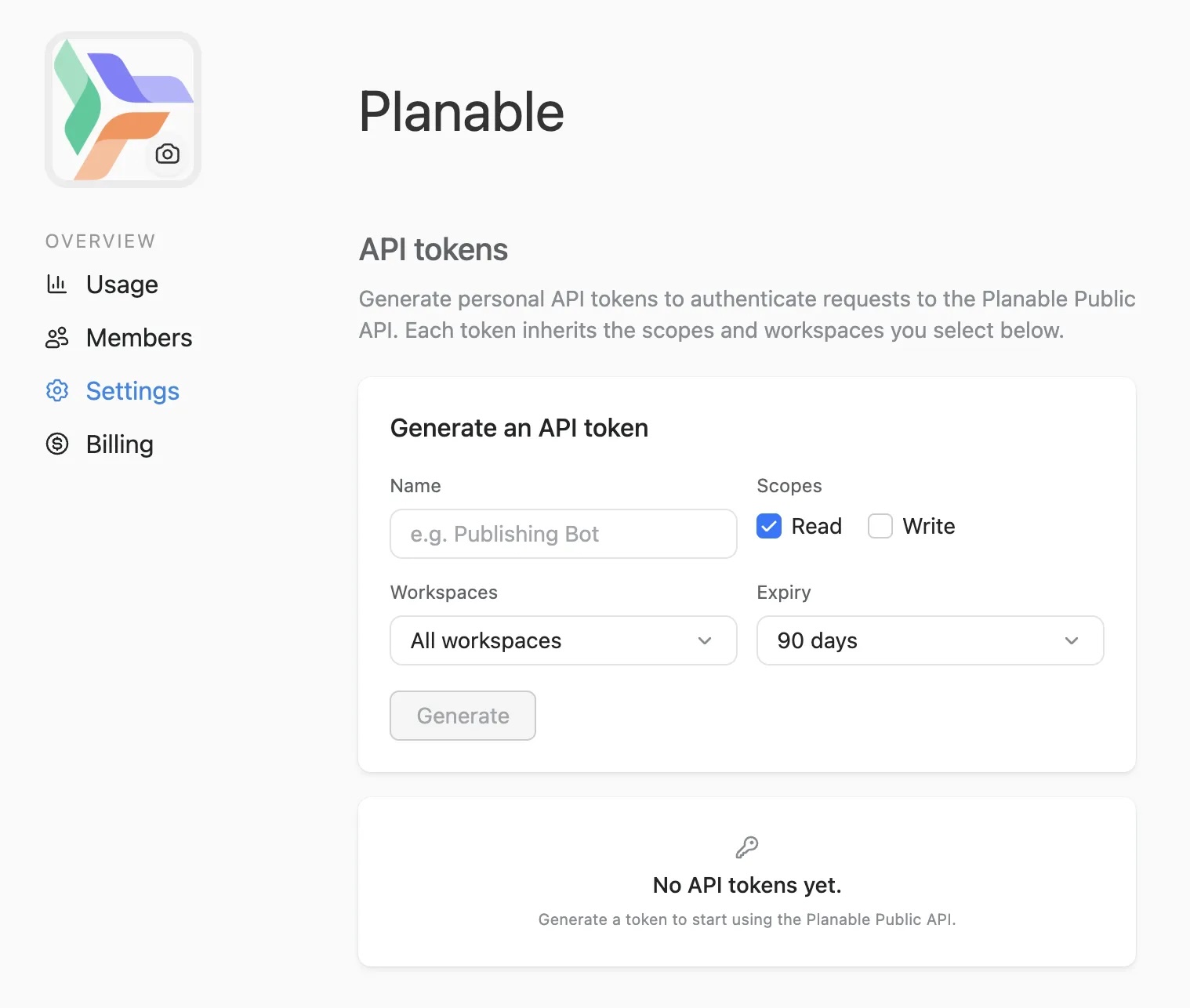
Planable’s Public API lets agencies push approved content from their CMS into client workspaces, poll approval status programmatically, and publish across connected platforms without touching Planable’s interface.
Most unified social media APIs work the same way: call the endpoint, the post goes live. For personal tools and basic schedulers, that execution model is fine. For agencies managing client content, it creates a real risk: a post can go live before the client’s team has reviewed it or legal has signed off.
Planable’s API is structured differently. Content created or pushed via the API lands in draft status inside the corresponding client workspace. It does not publish until the assigned approvers have reviewed and signed off, following the same approval workflow as any manually created post. The API call does not skip the review layer; it routes into it.
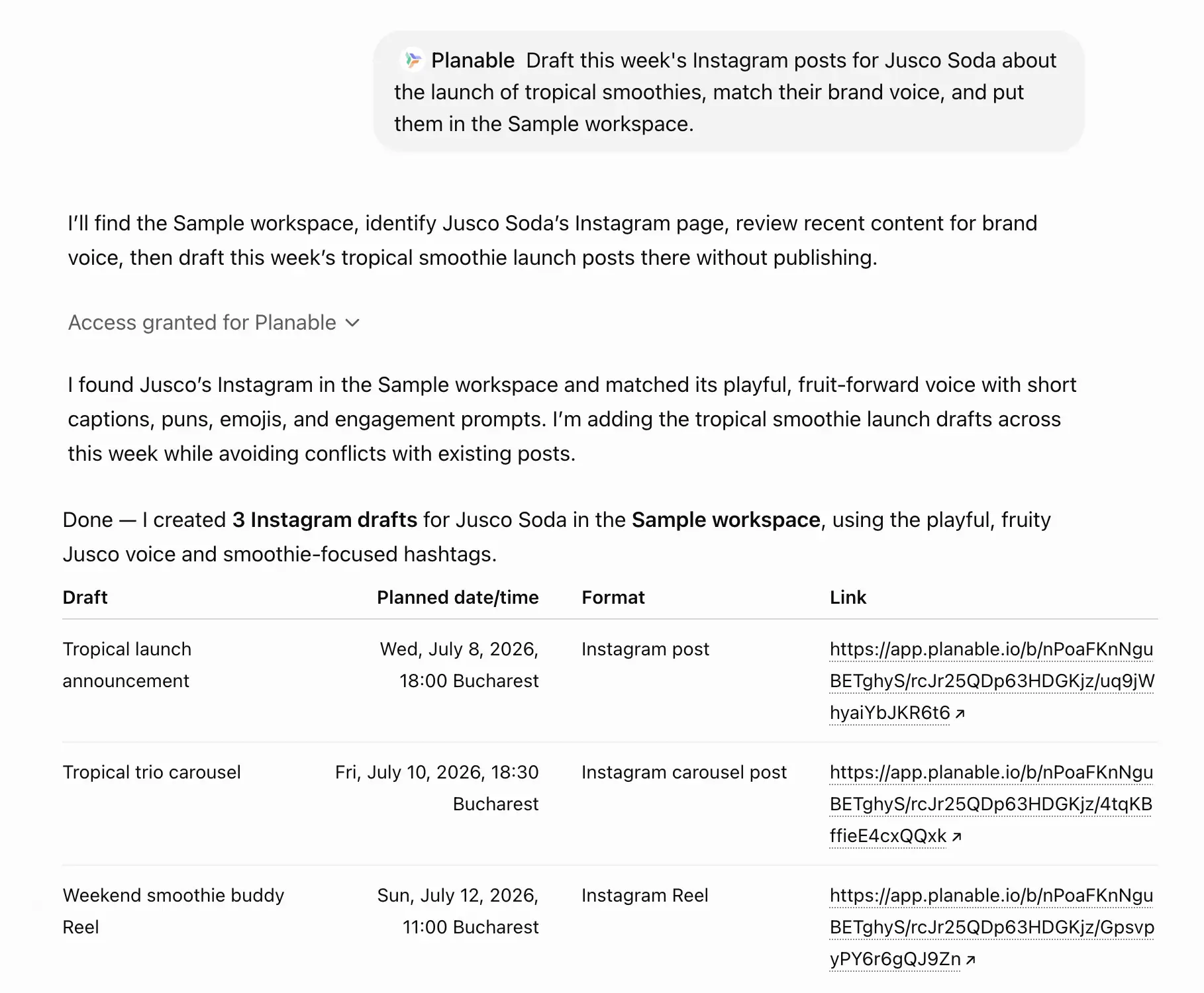
Planable drafts and schedules three Instagram posts for a tropical smoothie campaign while matching the brand’s voice
The MCP integration extends that model to AI agent workflows. An agency using Claude or ChatGPT to draft content can point those tools at mcp.planable.io, and the AI places its output directly into the client’s content calendar as drafts.
For agencies building AI-assisted content pipelines, that constraint is the key detail: the MCP integration does not remove the approval step. It means a draft can now arrive from an AI agent rather than a human copywriter, but the review layer stays in place regardless of the source.
Planable API capabilities
- Authentication: API key, generated in Account Settings > Integrations; no separate developer portal required; keys are workspace-scoped
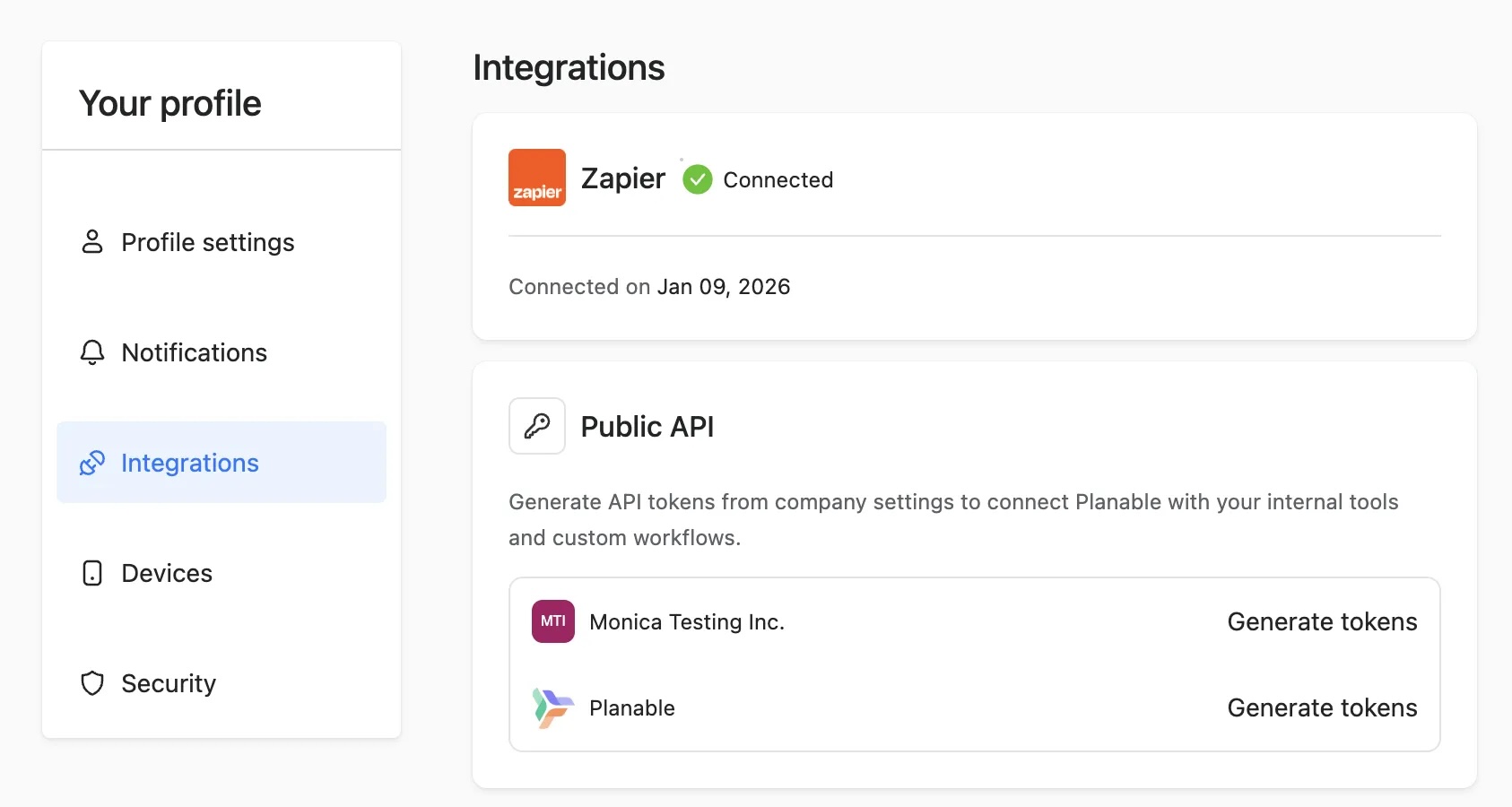
- Key endpoints: create, schedule, update, and delete posts; trigger and poll approval status; read workspace structure, pages, and team members; retrieve analytics data (Analytics add-on required)
- MCP server: available on all plans including free; connects Claude, GPT-4, and Cursor to Planable workspaces; all AI-created content is placed in draft, not auto-published
- Zapier integration: no-code bridge for teams without developers; connects Planable to your agency’s other tools without API code
Supported platforms: Facebook, Instagram, LinkedIn, X, TikTok, YouTube, Pinterest, Google Business Profile, Threads
Limitations: No standalone external developer portal. Platform-native API limits apply per network. Analytics requires a separate paid add-on.
Pricing: Pro plan $33/month per workspace (API included from Pro and above). MCP available on all plans including free.
Pricing model: Per-workspace pricing means agencies managing multiple client accounts need one workspace per client. A 15-client agency pays for 15 workspaces. Factor the per-workspace cost into your client billing structure from the start. API access is not separately metered; it is included in the Pro plan subscription at no additional cost per API call.
Planable API takeaway
Planable’s Public API gives agencies programmatic access to approval workflows, workspace management, and content scheduling. Unlike most unified APIs that publish immediately, Planable routes everything through its native approval workflow: AI drafts, humans decide.
The MCP server extends that to AI agents on all plans, including free. The per-workspace pricing model means your monthly cost grows directly with your client count, so account for that in your agency’s billing structure before committing.
2. Ayrshare: best for multi-platform SDK coverage
Best for: agencies and developers building integrations in Python, JavaScript, Ruby, or PHP who need coverage across 13+ platforms, including niche networks like Telegram, Reddit, and Snapchat alongside the major ones.
Ayrshare is a REST API supporting 13+ social platforms, with official SDKs in JavaScript, Python, Ruby, and PHP. It has the widest SDK coverage of any unified social media API in this comparison.
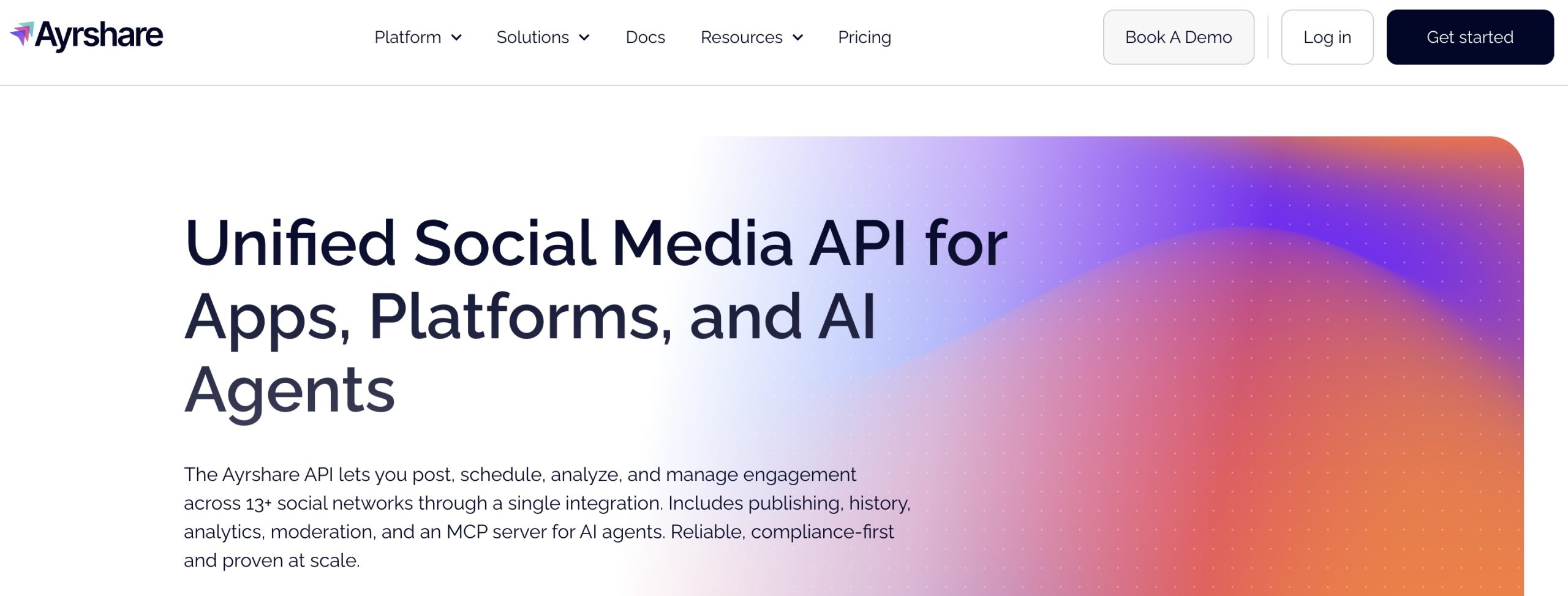
Ayrshare gives developers a single REST endpoint for posting and managing content across more than 13 platforms. Beyond the standard networks, it covers platforms many unified APIs skip: Telegram, Reddit, and Snapchat.
For agencies managing clients with active communities on those networks, that breadth is a genuine differentiator. Authentication is via API key; each plan includes analytics and comment management.
Ayrshare API capabilities
- REST API; authentication via API key
- SDKs: JavaScript, Python, Ruby, PHP
- Analytics and comment management included
Supported platforms: 13+ (Facebook, Instagram, LinkedIn, X, TikTok, YouTube, Pinterest, Threads, Telegram, Reddit, Snapchat, and more)
Limitations: No MCP server available and the approval workflows are enterprise add-on only (not in the core pricing).
Pricing: $149/mo Premium for one social profile; $299/mo Launch for 10 social profiles; $599/mo Business for 30 social profiles.
Pricing model: Tiered subscription; API call limits and profile count increase per tier; agency reseller program available at Business tier.
Ayrshare API takeaway
Ayrshare is the SDK-richest option in this comparison, with the broadest platform coverage. For developers who work across multiple languages, it’s the natural pick. For agencies that need native approval workflows, note they’re available only as an enterprise add-on, not built into the core API.
3. Buffer: best for GraphQL and developer tooling
Best for: developers who prefer GraphQL flexibility over REST, or existing Buffer customers who want to add a programmatic publishing layer on top of their current setup.
Buffer‘s API is the only GraphQL option in this comparison, queried via a single endpoint, with an open-source MCP server published by Buffer and a free tier covering 1 API key and 3 social channels.
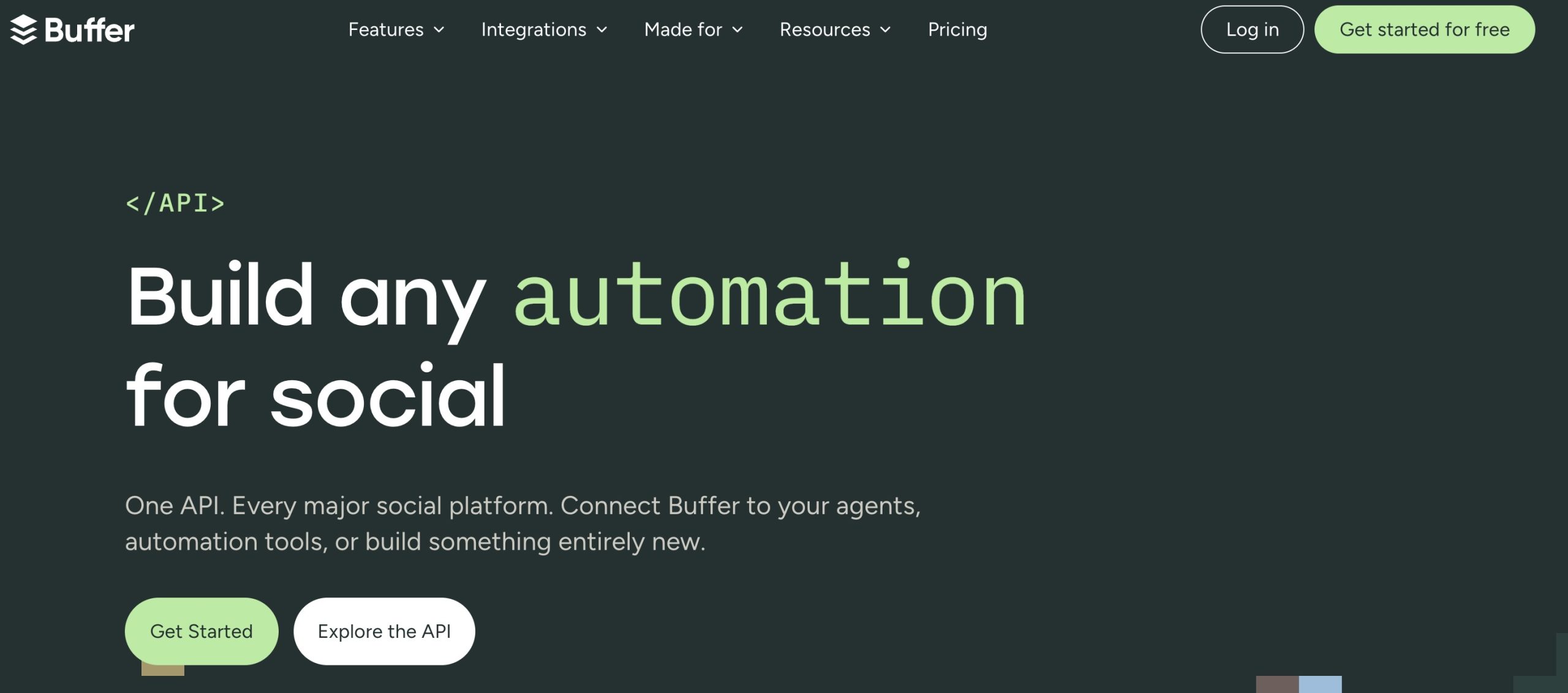
GraphQL’s single-endpoint architecture means you request exactly the fields you need, rather than receiving a fixed response shape. For developers familiar with GraphQL, this makes integrations lighter to build and maintain over time.
The open-source MCP server lets AI assistants interact with Buffer’s publishing layer directly via the MCP protocol, without custom integration work on your end.
Buffer API capabilities
- GraphQL API (single endpoint)
- Authentication: API key
- Open-source MCP server published
- Free tier: 1 API key, 3 social channels
Supported platforms: X, Facebook Pages, Instagram Business, LinkedIn, TikTok, Pinterest, Mastodon, YouTube, Bluesky, Threads, Google Business Profile (11 platforms)
Limitations: Buffer has no approval workflows and no per-client workspace structure. Content published via the API goes into the queue immediately, with no mechanism to hold posts for client review. Agencies that need human sign-off before anything goes live will need a different tool.
Pricing: Free (1 API key, 3 channels); Essentials plan adds more API keys and channels.
Pricing model: Buffer’s API access is tied to its subscription plans, not sold separately. The free tier is functional for individual developers or small teams building scheduled publishing tools (not a time-limited trial). Multi-key workflows require a paid plan.
Buffer API takeaway
Buffer’s GraphQL API and open-source MCP server make it the most developer-ergonomic option in this comparison. The free tier is a genuine starting point. For agencies that need per-client workspaces and approval flows before anything publishes, those features are absent.
4. Postiz: best for open-source and maximum platform coverage
Best for: agencies with in-house developer capacity who want to self-host, audit the codebase, or need maximum platform breadth
Postiz is an open-source social media management API supporting 30+ platforms, the highest platform count in this comparison.
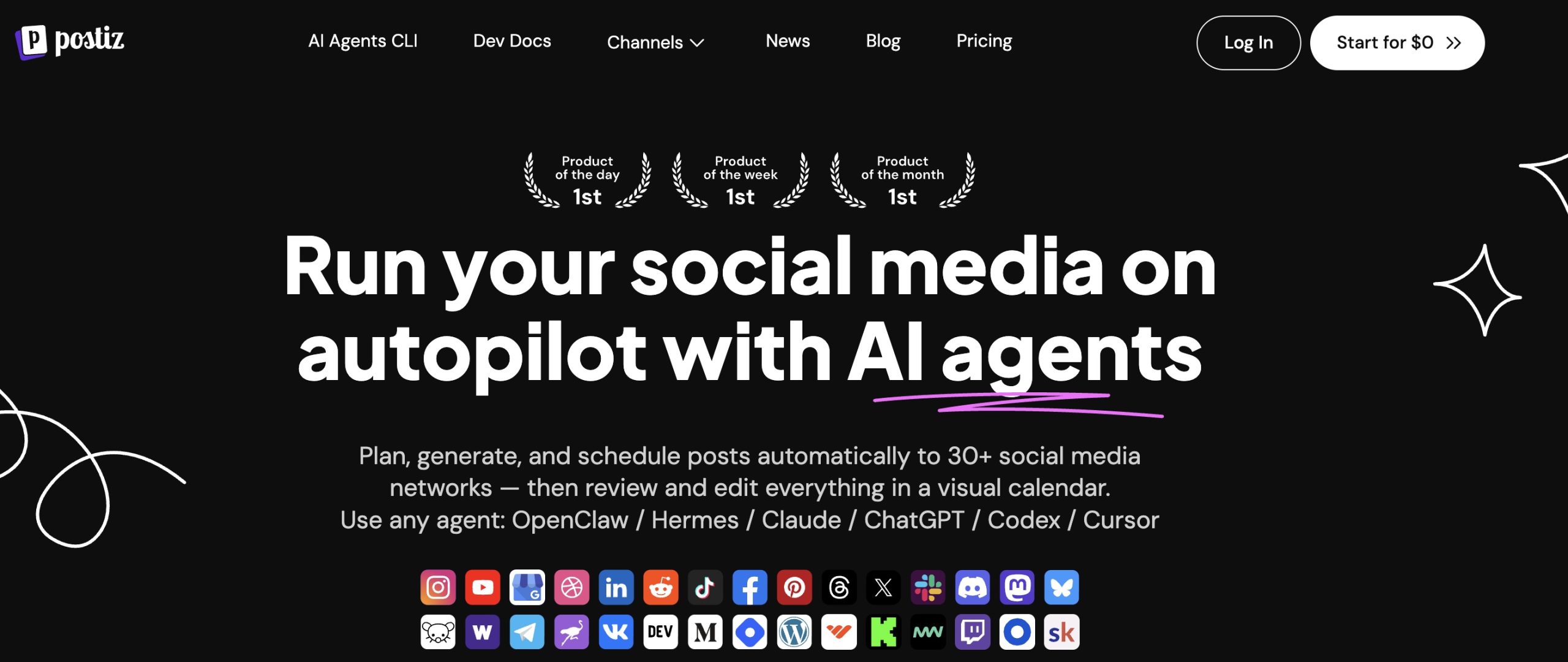
Postiz is a REST API and open-source SMM platform; the full codebase is at github.com/gitroomhq/postiz-app. Run it on your own infrastructure for zero software cost, or choose from four cloud tiers (Standard $29/mo through Ultimate $99/mo). The auditable, forkable source suits agencies with compliance requirements around the tools they deploy.
Postiz API capabilities
- REST API; open source
- 30+ platforms (highest count in this comparison)
- Self-hosted option: infrastructure costs only
Supported platforms: 30+ (Facebook, Instagram, LinkedIn, X, TikTok, YouTube, Pinterest, Threads, Reddit, and more)
Limitations: Approval workflows are basic: Postiz lacks the multi-level review system agencies typically need for structured client sign-off.
Pricing: Free (self-hosted); Standard $29/mo; Team $39/mo; Pro $49/mo; Ultimate $99/mo (cloud)
Pricing model: Self-hosted means infrastructure costs only; Postiz charges nothing for the software itself. Cloud tiers are priced by user count and workspace capacity. Ultimate ($99/mo) is the agency-appropriate cloud option for multi-user setups.
Postiz API takeaway
Postiz is the right pick for open-source-first teams and the go-to when platform breadth matters above everything else.
5. Zernio: best for paid and organic social in one workflow
Best for: agencies managing paid social campaigns alongside organic social who want a single API covering both; teams building AI-agent workflows who need a commercial MCP server
Zernio is a REST API covering 15 platforms including Meta Ads and Google Ads. It is the only option in this comparison that lets agencies manage paid and organic social in a single integration.
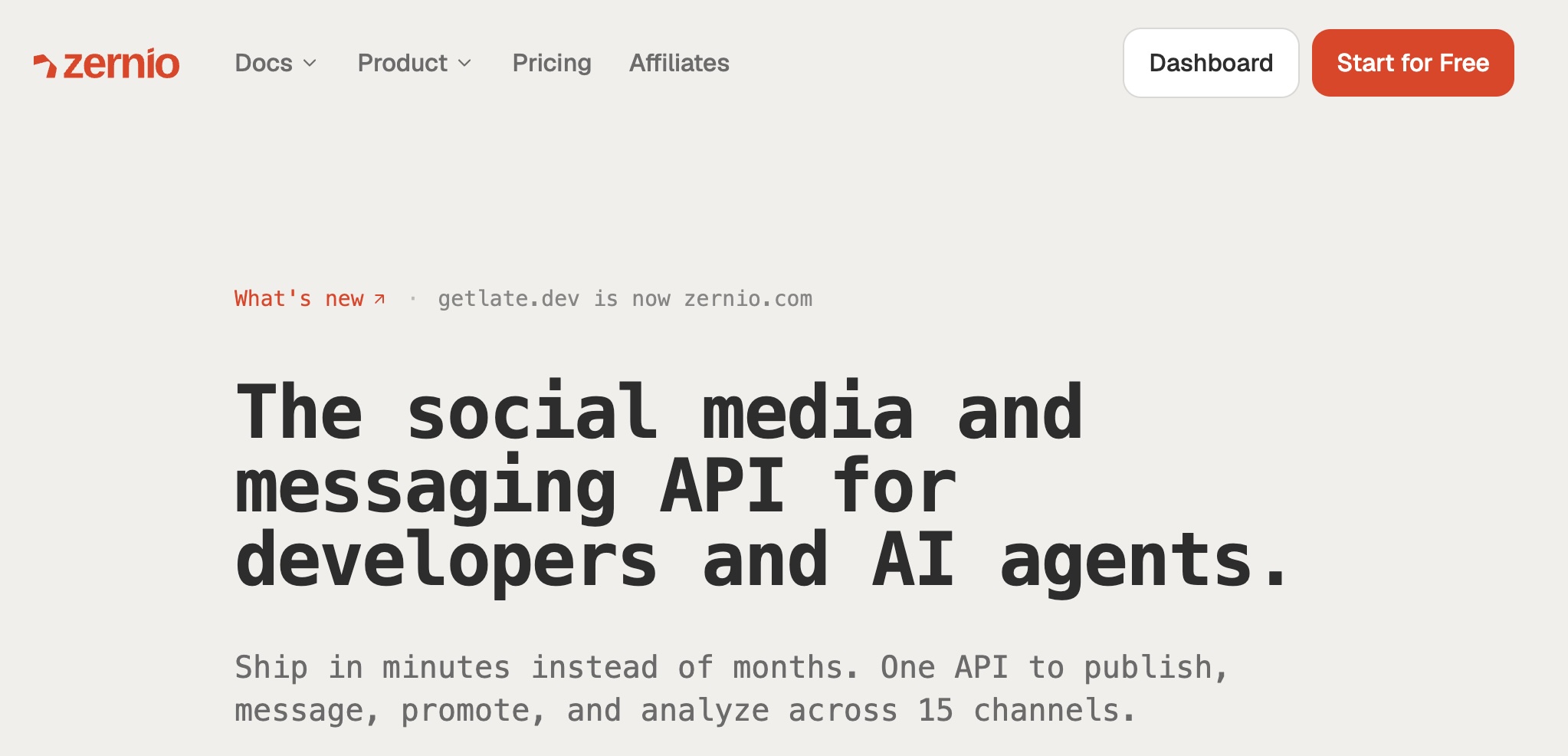
Most unified social media APIs stop at organic publishing. Zernio extends the endpoint to ad platforms, so agencies can manage Meta Ads and Google Ads campaigns alongside regular post scheduling through one integration.
Zernio also runs a commercial MCP server for teams building AI-agent workflows. Pricing follows a per-account model where the cost per account drops with volume: an agency managing 20 client accounts pays roughly $3 per account per month.
Zernio API capabilities
- REST API; 15 platforms including ad platforms
- Ad platform coverage: Meta Ads, Google Ads (unique in this comparison)
- Per-account pricing (cost per account drops with volume)
Limitations: Zernio doesn’t have approval workflows and multi-client workspace structure.
Supported platforms: 15 (Facebook, Instagram, LinkedIn, X, TikTok, YouTube, Pinterest, Google Business Profile, Threads, Meta Ads, Google Ads, and more)
Pricing: 2 accounts free; $6/account/mo (accounts 3–10); $3/account/mo (accounts 11–30); $1/account/mo (accounts 31–2,000)
Pricing model: Per-account pricing differs from flat subscriptions. The rate drops at 11+ accounts ($3/account/mo) and again at 31+ ($1/account/mo), so the cost per client falls as the account count rises. That makes it a genuine advantage for mid-size to large agencies over fixed-subscription competitors.
Zernio API takeaway
Zernio’s ad platform coverage is unique in this comparison. If your agency runs paid and organic social together, no other unified API on this list handles both.
6. Hootsuite: best for enterprise teams already on Hootsuite
Best for: Large enterprises and teams already running their social stack on Hootsuite who want to extend it programmatically. Not for agencies evaluating API options from scratch.
Hootsuite‘s API provides REST-based access to publishing, scheduling, and analytics across 20+ networks, bundled into higher-tier Hootsuite plans starting around $99/month, not sold as a standalone API product.
The API sits inside a well-documented platform with a large library of native integrations and third-party app connections. You get REST-based publishing, approval workflows, and analytics retrieval across the 20+ networks Hootsuite supports.
Hootsuite API capabilities
- REST API, bundled into higher-tier Hootsuite plans (not separately purchasable)
- 20+ platform coverage
- Large library of native integrations and third-party app connections; well-documented
Supported platforms: Facebook, Instagram, LinkedIn, X, TikTok, YouTube, Pinterest, Threads, Google Business Profile, and more (20+ total)
Limitations: API access gates on the plan tier, so you pay for the full Hootsuite platform whether or not your team uses the dashboard.
Pricing: Requires a paid Hootsuite plan ~$99/mo and above.
Pricing model: API access is bundled into Hootsuite’s subscription, not separately metered or purchasable. Teams not already on Hootsuite pay for the full platform to get the API. If the API layer is all you need, there are more cost-efficient options.
Hootsuite API takeaway
Hootsuite’s API makes sense if your team is already running its social stack on Hootsuite. It extends a platform you already pay for. For agencies evaluating from scratch, the ~$99/mo minimum and full-platform commitment make it harder to justify against more API-native options like Planable or Ayrshare.
7. PostEverywhere: best for AI-assisted posting on a budget
Best for: Smaller agencies or freelancers who want AI-assisted content generation and API-based posting in a single low-cost plan, without managing separate tools for writing and publishing.
PostEverywhere bundles AI writing credits into its posting plans, covering 7 social platforms with no separate AI tool cost and no MCP server.
PostEverywhere’s main appeal is cost integration: every plan tier includes AI writing credits, so you pay one subscription for both the posting infrastructure and the AI layer that generates copy. For smaller operations running high post volumes across a single team, that removes one budget line from the stack.
PostEverywhere API capabilities
- Posting-first platform with API access via REST endpoint
- 7 social platforms: Instagram, Threads, LinkedIn, TikTok, Facebook, X, and YouTube
- AI writing credits bundled into every plan (no separate AI tool cost)
Supported platforms: Instagram, Threads, LinkedIn, TikTok, Facebook, X, and YouTube
Limitations: t has no approval workflows and no multi-client workspace structure, so content goes out on API call without a review gate.
Pricing: $19/mo Starter; $39/mo Growth; $79/mo Pro
Pricing model: Flat monthly subscription with AI credits included at every tier. No per-post or per-client pricing. Agencies don’t pay separately for the AI layer.
PostEverywhere API takeaway
PostEverywhere’s bundled AI credits make it the most cost-integrated AI-assisted posting option at entry price. For agencies managing multiple clients with approval requirements, the platform is too limited. A practical fit for high-throughput, lower-oversight content operations.
How to evaluate a social media API for agency workflows
Four criteria determine whether an API fits an agency workflow.
According to TechRT, 82% of organizations adopted some form of API-first strategy in 2025. Your evaluation should run deeper than a feature checklist.
The social media API that fits your client work is the one that matches how your agency actually operates.
1. Platform coverage vs. your client roster
The longest platform list doesn’t win this evaluation. What matters is whether the API covers the platforms where your clients actually post. Most agency client rosters concentrate on 4 to 6 platforms. Ayrshare supports 13+ and Postiz supports 30+, but if your roster stays within a narrower core, those broader numbers add little practical value. Map your client roster against the API’s platform list before comparing anything else.
2. Approval workflows: does the API support them natively?
Content that auto-publishes on an API call is a liability: your stakeholder hasn’t signed off, the timing has shifted, or the copy changed after the last sync. A social media API with native approval routing keeps new content in draft until the right person approves it.
A unified API with native approval workflows like Planable has, keeps the layer vendor-maintained and covers all connected platforms in one integration. If you’re building your agency’s social media automation pipeline, approval architecture is the hardest layer to retrofit after launch.
3. Pricing at your actual post volume
Run this calculation before choosing: your client count, multiplied by average daily posts per client, multiplied by platforms per client. That product is your monthly post volume. Then compare against each API’s pricing model at that output.
Subscription pricing is predictable regardless of post count. Usage-based pricing can look cheap at low volume but gets expensive as your output grows. Per-workspace pricing, like Planable’s model, favors agencies with many client accounts and moderate per-brand post frequency.
4. MCP readiness for AI workflows
If your agency is experimenting with AI-assisted content, check whether the API exposes an MCP server. Of the seven tools in this comparison, four support MCP: Planable (mcp.planable.io, available on all plans including free), Buffer (open-source), Hootsuite (remote connectors: Perch, Nest, Lumen, and Parliament) and Zernio (commercial, mcp.zernio.com). The other three do not.
MCP readiness won’t matter to every agency today. But if your team works with Claude or ChatGPT for content drafting, an MCP-enabled platform removes the need for a custom integration layer.
What to watch for in API pricing models
Social media API pricing follows three models and the right choice depends on post volume and the number of client accounts.
Subscription pricing gives you a predictable monthly cost that doesn’t move with post volume. Planable charges per workspace, so cost tracks directly with your client count: 15 clients means 15 workspaces. Buffer’s plan tier tracks with API key count rather than post volume. For consistent, high-volume output, subscription is usually the more predictable model.
Per-post pricing ties cost directly to what you publish. Per-post models work for low-volume or variable workloads, but agencies with steady output often pay more than they would on a subscription plan.
Per-account pricing is Zernio’s model. At 31 or more accounts, the rate drops to $1 per account per month, which favors agencies managing many client profiles with moderate posting frequency per account.
Watch out for these additional cost factors:
- Per-workspace vs. per-user pricing: these compound differently as your team and client roster grow. Per-workspace costs grow with clients; per-user costs grow with headcount.
- API rate limit overage policies: understand what happens when you hit platform-imposed limits and whether the vendor handles throttling or passes it to you.
The MCP question: do agencies need an AI-ready social media API?
MCP (Model Context Protocol) is an open standard that lets AI assistants connect to external tools and data sources. Instead of building a custom API integration for your AI agent, your agent uses MCP to communicate with your social media management tool directly.
In practice, the workflow looks like this: your team uses Claude to draft a month of social content. Those drafts go directly into a client’s Planable workspace via Planable’s MCP, where the human team reviews and approves each post before anything publishes. AI writes the drafts; people make the publishing decisions. That workflow doesn’t require a developer to set up.
Agencies that should prioritize MCP now:
- Teams actively building AI-assisted content pipelines
- Those experimenting with Claude or ChatGPT for social content creation
- Advisors helping clients adopt AI-assisted workflows
If that’s not your agency yet, MCP readiness is still worth checking before you commit to a platform. Retrofitting an AI-human workflow around a tool without MCP support costs more than choosing MCP-ready infrastructure from the start.
Which social media API should you choose
The right social media API depends on what your agency needs to control: approval workflows, platform coverage, or developer flexibility.
For agencies that require stakeholder approval before publishing, Planable is the strongest fit in this comparison. Its API keeps posts in draft until they are approved, while its workspace-based structure maps naturally to agencies managing multiple client accounts.
For broader platform coverage or greater control over the deployment, Postiz and Ayrshare serve different needs. Postiz supports 30+ platforms and can be self-hosted for free, making it suitable for teams that want more control over their infrastructure and codebase. Ayrshare supports 13+ platforms and offers the strongest SDK coverage among the options compared here.
For agencies building AI-assisted content workflows, Planable also offers an MCP endpoint at mcp.planable.io, available on all plans.
In this comparison, Planable is the only option that can route AI-generated drafts through a human approval workflow before publication. That makes it particularly relevant when AI speeds up content creation but a stakeholder still needs to approve what goes live. Try it free!
FAQs
What is the best social media API for agencies?
Planable is the best social media management API for agencies that need approval workflows alongside API access. It’s the only tool in this comparison with an API that routes content into an approval queue and holds posts in draft until the right stakeholders sign off. For raw developer tooling without approval workflows, Ayrshare (broadest SDK coverage) and Buffer (GraphQL, free tier, open-source MCP) are strong alternatives depending on your stack.
What is a unified social media API?
A unified social media API is a single endpoint that lets you post, schedule, and pull analytics across multiple social platforms (Facebook, Instagram, LinkedIn, TikTok, and more) without building and maintaining a separate native integration for each one. Tools like Planable, Ayrshare, Buffer, and Postiz expose this unified API on top of their existing platform infrastructure. The vendor handles rate limit changes and authentication complexity when platforms update their APIs, so you don’t have to rebuild integrations from scratch.
Is there a free social media API?
Yes. Buffer offers a free tier covering 1 API key and 3 social channels. Postiz is free to self-host on your own infrastructure. Planable’s API is available from the Pro plan at $33/mo per workspace; a free workspace trial lets you test the platform before upgrading.
More agency related resources
Horea is a B2B SaaS Content Strategist and MarTech researcher who specializes in software reviews, tool comparisons, and social media management. His work is research-first and fluff-free. He tests the tools, does the digging, and writes the kind of content that helps marketers make confident decisions.