10 Types, Examples & Best Practices
A transactional email earns more per send than most marketing campaigns. Omnisend’s 2026 ecommerce marketing report data found that order confirmations average a 53.99% open rate and earn $1.60 per send, surpassed only by shipping confirmation (62.99% open rate and $2.86/send) and back-in-stock (58.03% and $8.46/send) emails. These numbers highlight why transactional emails should be the focus of both merchants and the people building the infrastructure behind them.
In this article, we explain what qualifies as transactional email and how it differs from marketing email. You’ll see 10 types, real examples, what to include, how to avoid spam filters, and which services can send them.
Build order, shipping, and review emails using your store data, without coding
Quick sign up | No credit card required
What is a transactional email?
A transactional email is an automated message triggered by one person’s action and sent to that person. Common examples include receipts, shipping notices, and password resets.
Unlike a scheduled send, email automation fires the moment the action happens. That distinction shapes the rules that follow.
Because the message responds to a specific action, it can reach someone who never opted into marketing. It also doesn’t need an unsubscribe link when its content stays transactional.
Transactional email vs. marketing email
The key differences between transactional and marketing emails lie in what triggers the message, who receives it, what it contains, and what inbox providers expect.
| Transactional email | Marketing email | |
|---|---|---|
| What starts it | One person’s action, such as a purchase or password request | A schedule or a segment you choose |
| Who receives it | That one person | A list, often thousands at once |
| Consent needed | No marketing opt-in required | Marketing opt-in required |
| Unsubscribe link | Not required | Required |
| How inbox providers judge it | Whether the content is specific to one person, not what you call it internally | Whether the same message went to a large list |
| Return (according to Omnisend’s 2026 ecommerce marketing report) | An order confirmation earns $1.60 per send | A scheduled campaign earns $0.18 per send |
| Focus areas | Clarity and speed | Persuasion |
Gmail and Yahoo look at whether the content is specific to one recipient and how widely it’s sent. An order update sent to one buyer is transactional. If you send the same message to a list, it becomes marketing, regardless of its internal label.
Adding a promotion to a receipt can also create problems. If the promotional content takes over, spam filters may treat the message as marketing. That can trigger unsubscribe requirements and hurt inbox placement.
Transactional email open rates and revenue
Transactional emails beat campaigns on engagement and revenue per send. Customers open them expecting useful information tied to an action they just took.
Order updates are opened more than anything else you send
Automated order updates, such as shipping confirmations, have a 62.99% open rate, based on our own benchmarks. Order confirmations follow at 53.99%, making both strong performers among post-purchase emails. Here’s how the two compare.
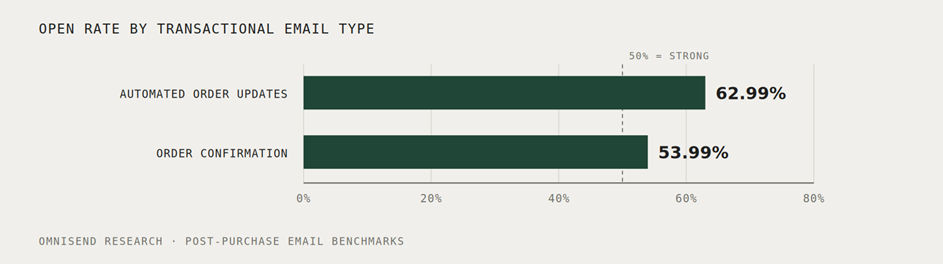
Both are above 50%, which is a solid open rate for this type of email. If yours is much lower, check delivery before changing the subject line. Customers expect these messages, so delivery problems may be keeping them out of the inbox.
A receipt earns more per send than a campaign
The revenue gap is just as striking. An order confirmation earns $1.60 per send, compared with $0.18 for a scheduled campaign.
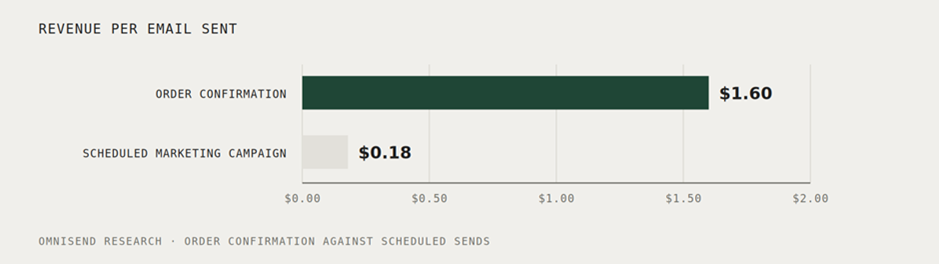
These figures are measured per send, not per campaign. That way, list size doesn’t affect the comparison.
Timing explains the gap. The receipt arrives while the customer’s purchase is still fresh, when they’re most likely to open and engage with it.
Transactional email types and examples
The following 10 common types of transactional emails range from payment through post-purchase follow-up. Each example shows what the email does and what you can copy for your own sends.
One system can handle several types of transactional emails. However, setup depends on where each event and its data live.
Ecommerce platforms can trigger order and shipping emails, while apps often trigger account and authentication messages. Review requests and other post-purchase emails may need an integration to pass the right data to your email service.
Payment confirmation: Klix proves the money arrived
Subject line: Your purchase has been paid
Klix keeps its payment receipt focused on confirming the payment.
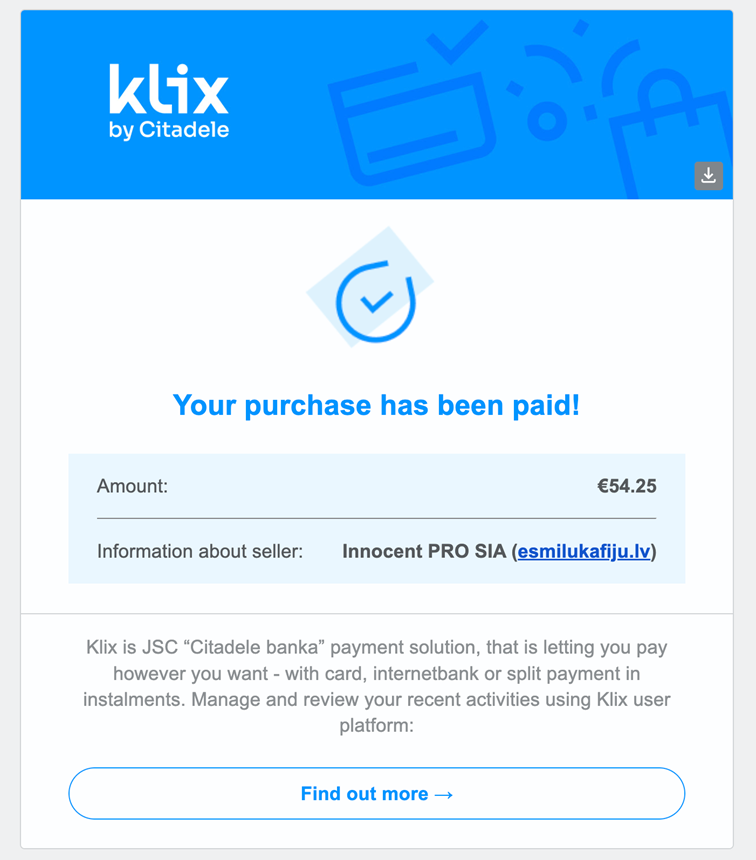
The email gives the customer the key details at a glance. You get a payment tick, the €54.25 amount, the seller name, and one link. It doesn’t add cross-sells or other distractions.
A payment confirmation answers a question the customer wants settled quickly. Sending it late can leave them wondering whether the payment went through, and result in a support ticket.
What to take from this example:
- State the amount and merchant name first, because those are the details the customer wants to confirm
- Include one link that sends customers to the transaction rather than back to your storefront
- Send the receipt within seconds, because a late confirmation can make a successful payment look uncertain
Shipping confirmation: Holo Taco hands over the tracking number
Subject line: Your Holo Taco order #HT1179771 is on the way!
Holo Taco puts the tracking button first, with the order details underneath.
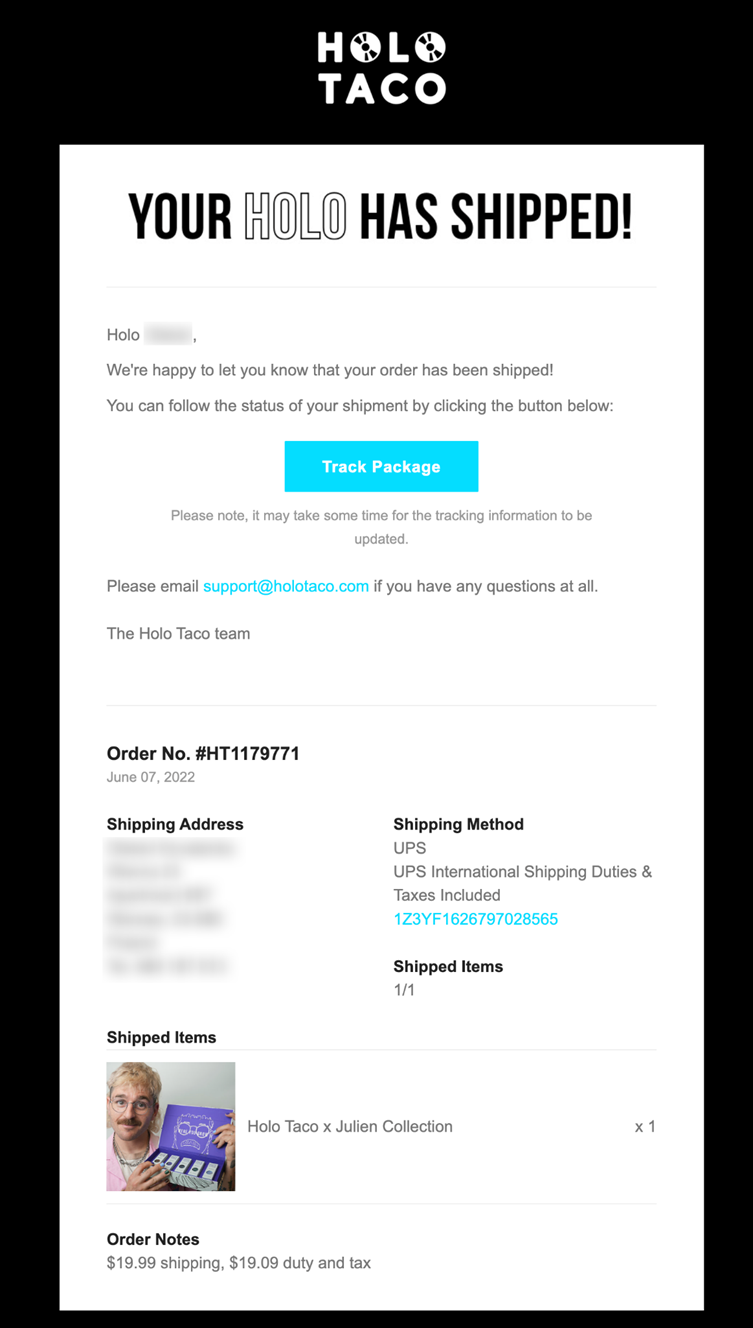
The headline names the event, while the button goes straight to tracking. The order record below covers the address, carrier, tracking number, items, and costs.
A plain-text note warns that tracking may take time to update. Customers know what to expect if the tracking page doesn’t show anything yet.
What to take from this example:
- Lead with the shipping event, then the tracking button and order details
- Include the itemized order, so customers can check what shipped against what they bought
- Reduce avoidable replies by cautioning shoppers that tracking data may lag before updating
Delivery confirmation: Holo Taco closes the loop and asks for something
Subject line: Your Holo Taco order #HT1179771 has been delivered
Holo Taco reuses its shipping template and changes the message for delivery.
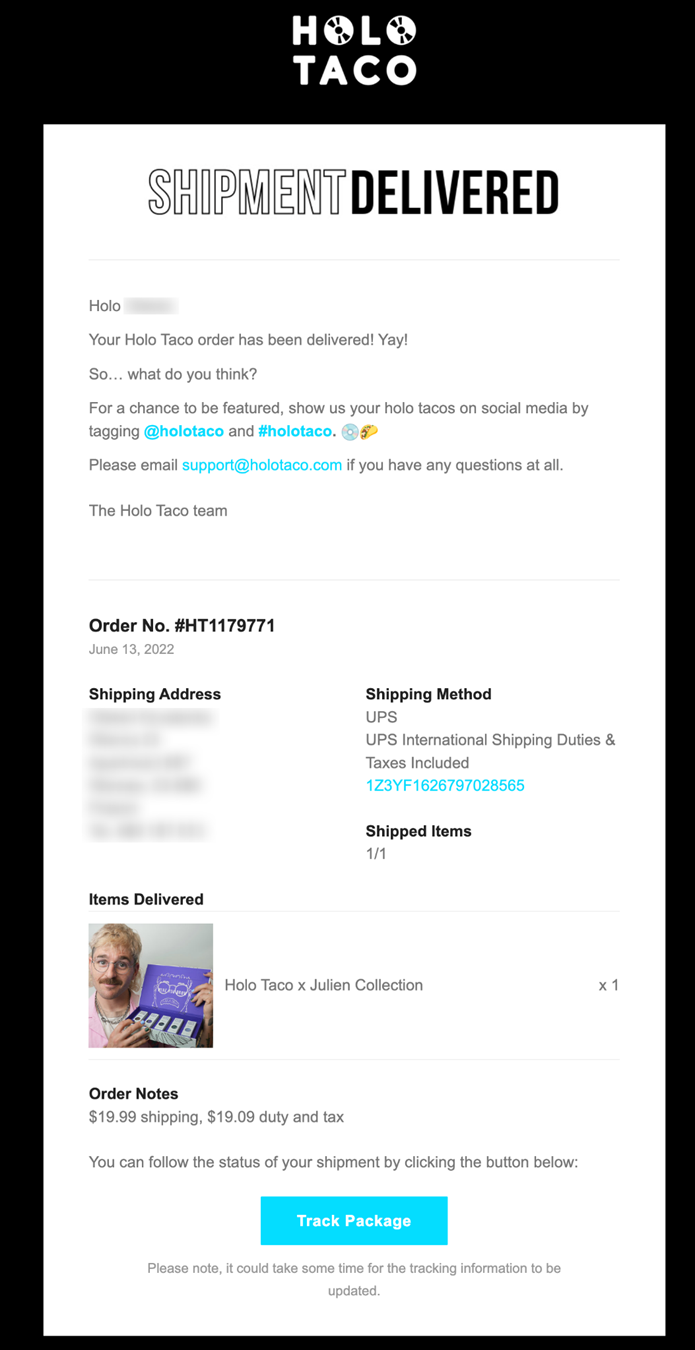
The delivery email keeps the shipping template and swaps the headline. Once the shipping email exists, the delivery version needs little extra design work.
Instead of pushing another purchase, it asks customers to share their order with a hashtag and tag. That fits the moment better, since the customer has just received the product.
What to take from this example:
- Reuse the shipping template and change the headline, because the data is already there
- Ask for a non-purchase action, since customers may not be ready to buy again
- Keep the tracking block, because a delivery notice sometimes arrives before the parcel does
Event confirmation: SEJ writes an email the reader will open twice
Subject line: You’re registered!
Search Engine Journal gives readers the details they’ll need after signing up.
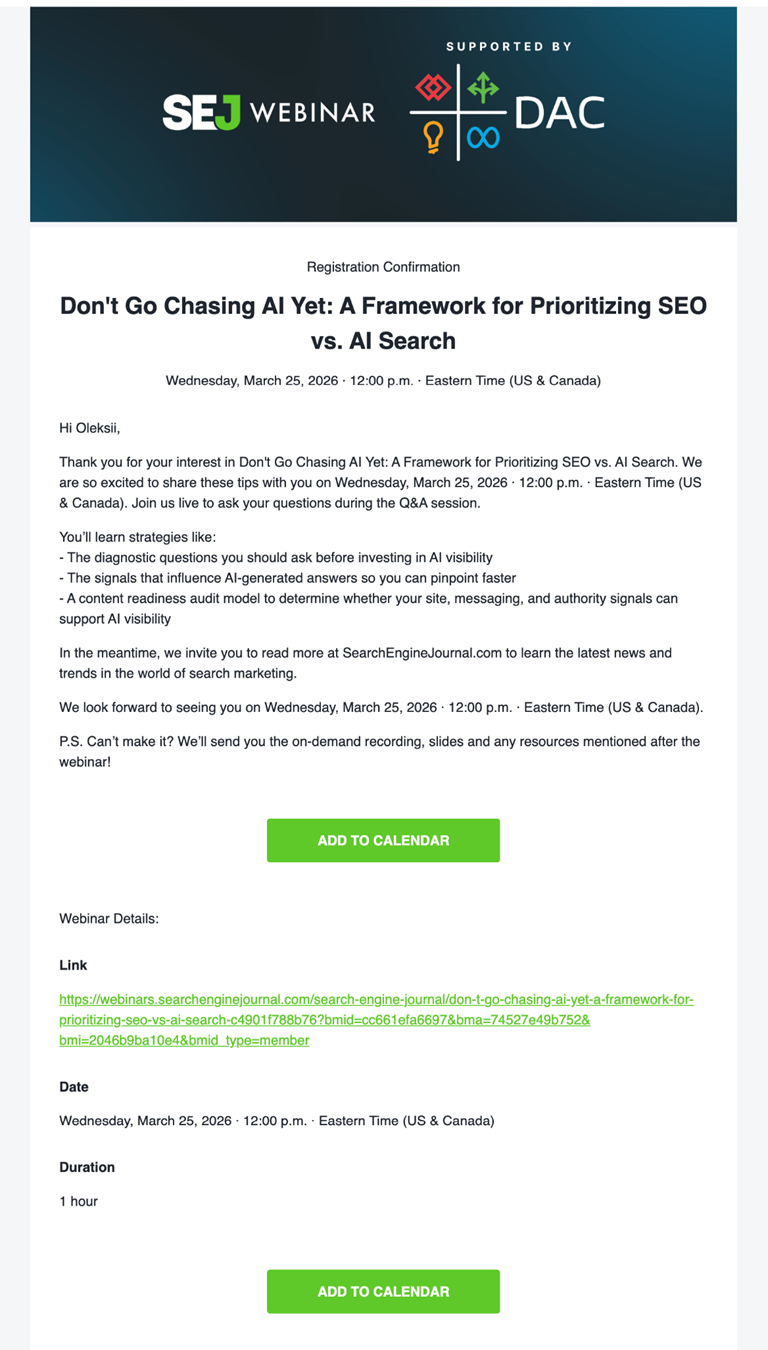
Most transactional emails get read once and forgotten. This one gets reopened on the day, so the join link, date, and duration all appear twice.
The email also includes two calendar buttons. That’s useful because it moves the event details into the customer’s own calendar, where they’ll look for them later.
What to take from this example:
- Repeat the key details instead of worrying about length, because customers may return to this email on the day
- Add a calendar button, since customers may need the event details outside their inbox
- Keep limited brand promotion, such as a sponsor logo or site link, without taking over the email
Review request: Holo Taco uses the one moment the product is fresh
Subject line: We’d love feedback on your recent Holo Taco purchase
Holo Taco skips the redirect and embeds the full review form.
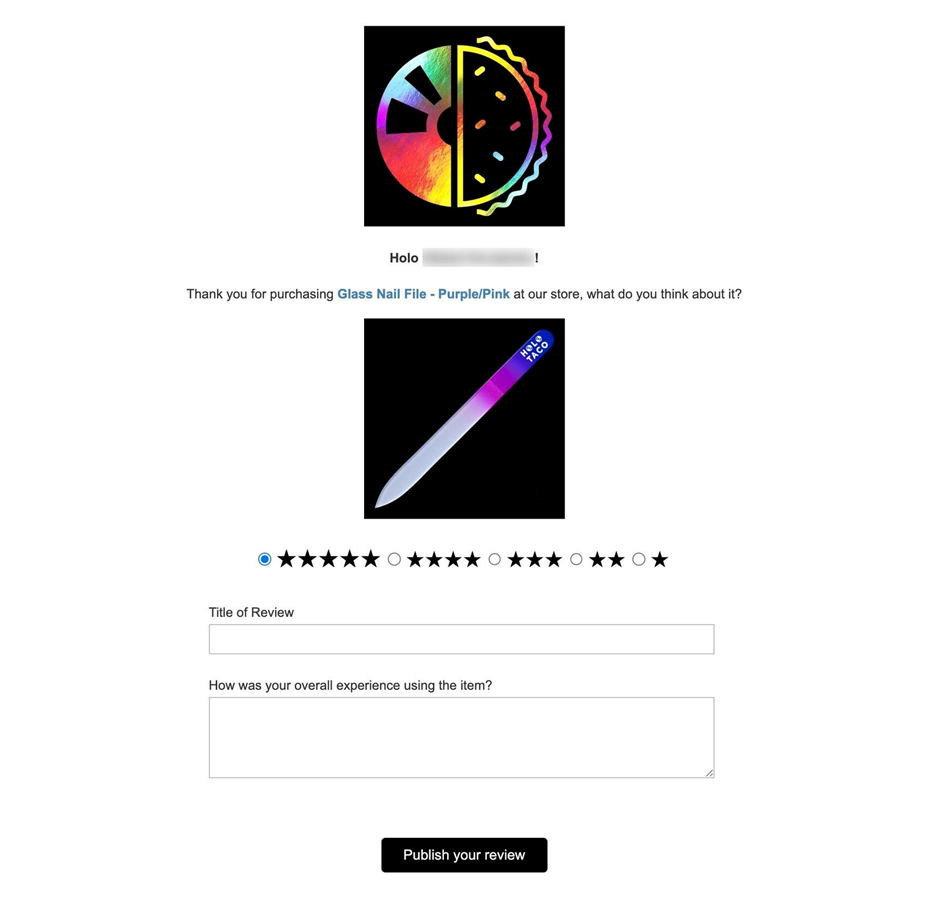
This product review email names the exact item and shows it visually. It invites a star rating and written review right in the message, making the first click the review itself. That’s a small change, but it removes an extra step from the process.
Good timing ensures this email arrives after customers have received and tried the product. Sending the review prompt after ensures that Holo Taco gets feedback that reflects real experience.
What to take from this example:
- Put rating and review controls inside the email to reduce drop‑off
- Name the specific product, because customers need to know what they’re reviewing
- Send the request at the point of highest relevance, when customers have received and used the product
Email verification: Omnisend proves the address is real
Subject line: Complete your registration
Our verification email has one job: confirm the email address belongs to the person signing up.
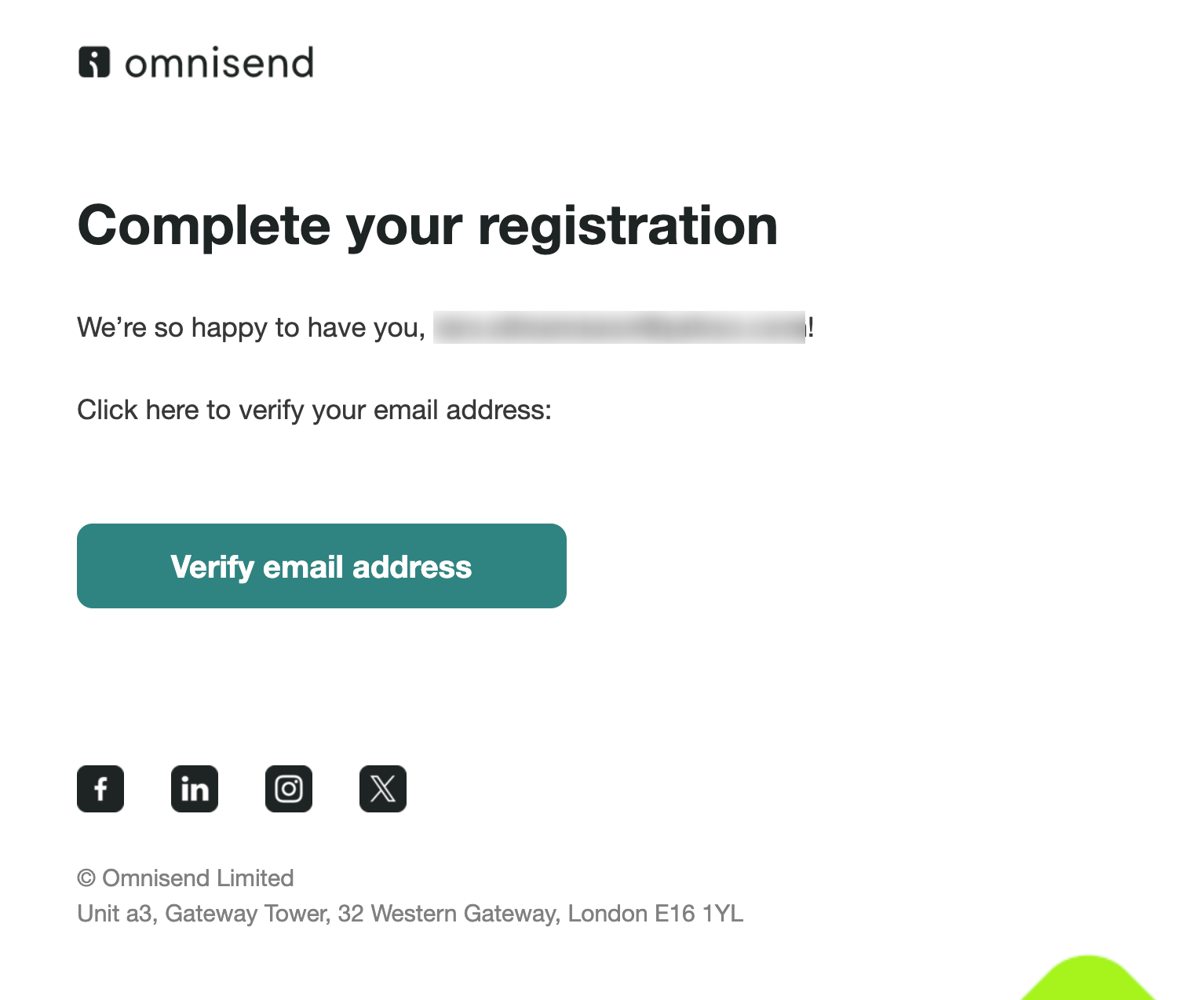
The email has a heading, the address being verified, one button with a unique token, and a footer. Nothing competes with the verification step.
Adding a promotion here serves no purpose. The customer is still finishing their account setup, and the link only works for that request. Delivering the email quickly lets them finish without delay.
What to take from this example:
- Send it quickly, as customers won’t wait long at a sign-up screen
- Keep the email focused and single‑purpose, with no promotions or distractions
- State how long the link is valid, where applicable, so customers know how long they have to use it
Account created: Ovoko explains what the account is for
Subject line: Welcome to RRR
Ovoko answers the question the reader has right after signing up.
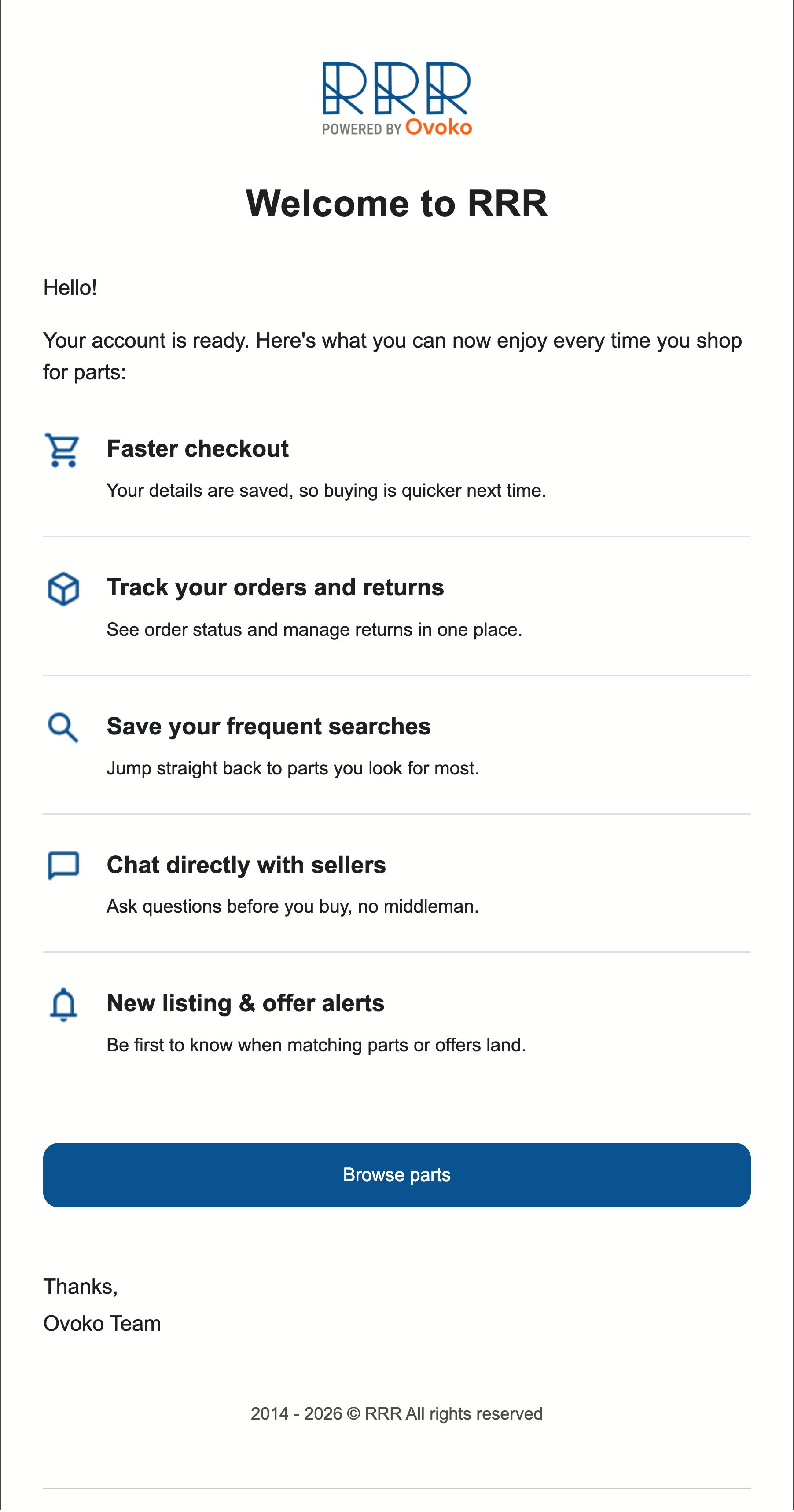
Five benefits explain what the new account makes possible. They cover faster checkout, order tracking, saved searches, direct seller contact, and listing alerts.
There’s no discount here, because unlike a marketing welcome, this email’s role is to highlight utility. Ovoko ran no marketing automation before Omnisend, and automations now generate 60% of its email revenue.
What to take from this example:
- Explain what the account makes possible rather than simply welcoming the customer to the brand
- Give each benefit one short line, so customers can scan the email quickly
- Keep it separate from the marketing welcome, which has a different job
Password reset: Amundsen sends the most time-sensitive email you have
Subject line: Reset your password
Amundsen cuts its password reset email down to one instruction and button.
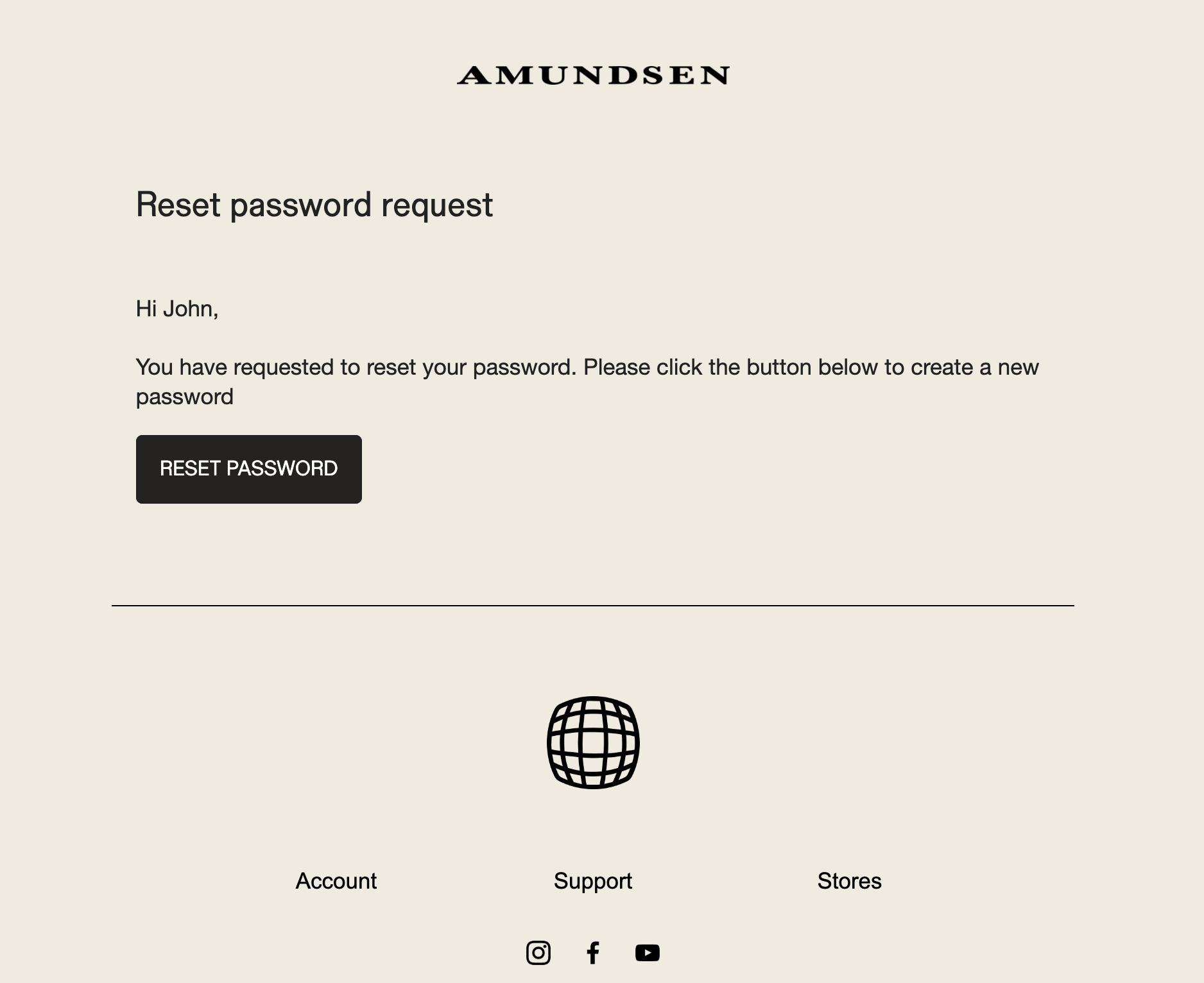
The email has a heading, one sentence, one button, and nothing else. The restraint is the feature. That restraint makes the next step clear when the customer needs access quickly.
Delivery speed matters most here. A reset email that arrives five minutes late can leave your customers frustrated. Amundsen pairs it with automations like order confirmation, which drives 17% of its Omnisend-attributed revenue annually.
What to take from this example:
- Cut everything except the instruction and the button, so the next step is clear
- Say how long the link is valid, so an expired link doesn’t seem broken
- Route it through your fastest sending path, since customers need it right away
Sign-in link: Peec AI replaces the password entirely
Subject line: Sign in to Peec.ai
Peec AI replaces the password with a plain-text sign-in link and a built-in fallback.
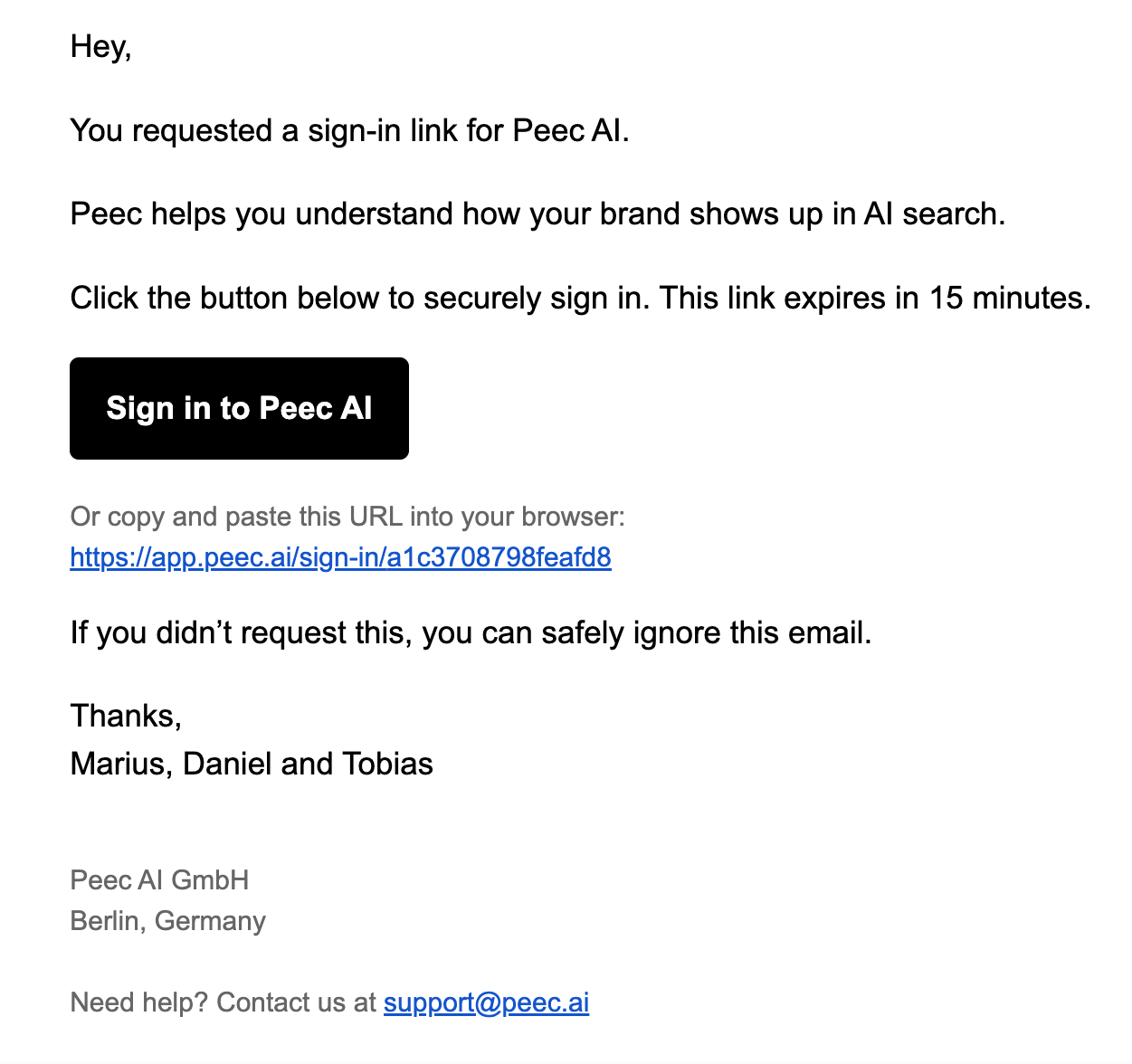
The sign-in link expires after 15 minutes, and the full URL appears below it if the button fails. A note also tells anyone who didn’t request the link to ignore the email.
There’s no marketing template here. Three named people sign off the message, which gives it the feel of a system message rather than a campaign.
What to take from this example:
- Show when the link expires, so customers know how long they have to use it
- Include the raw URL as a fallback in case an email client strips the button
- Add a simple security note telling people to ignore the email if they didn’t request it
Trial or subscription ending: AirOps works on a deadline the customer set
Subject line: Time’s up! Your AirOps Pro trial has ended
AirOps reports the status change first, then shows customers what they can do next.
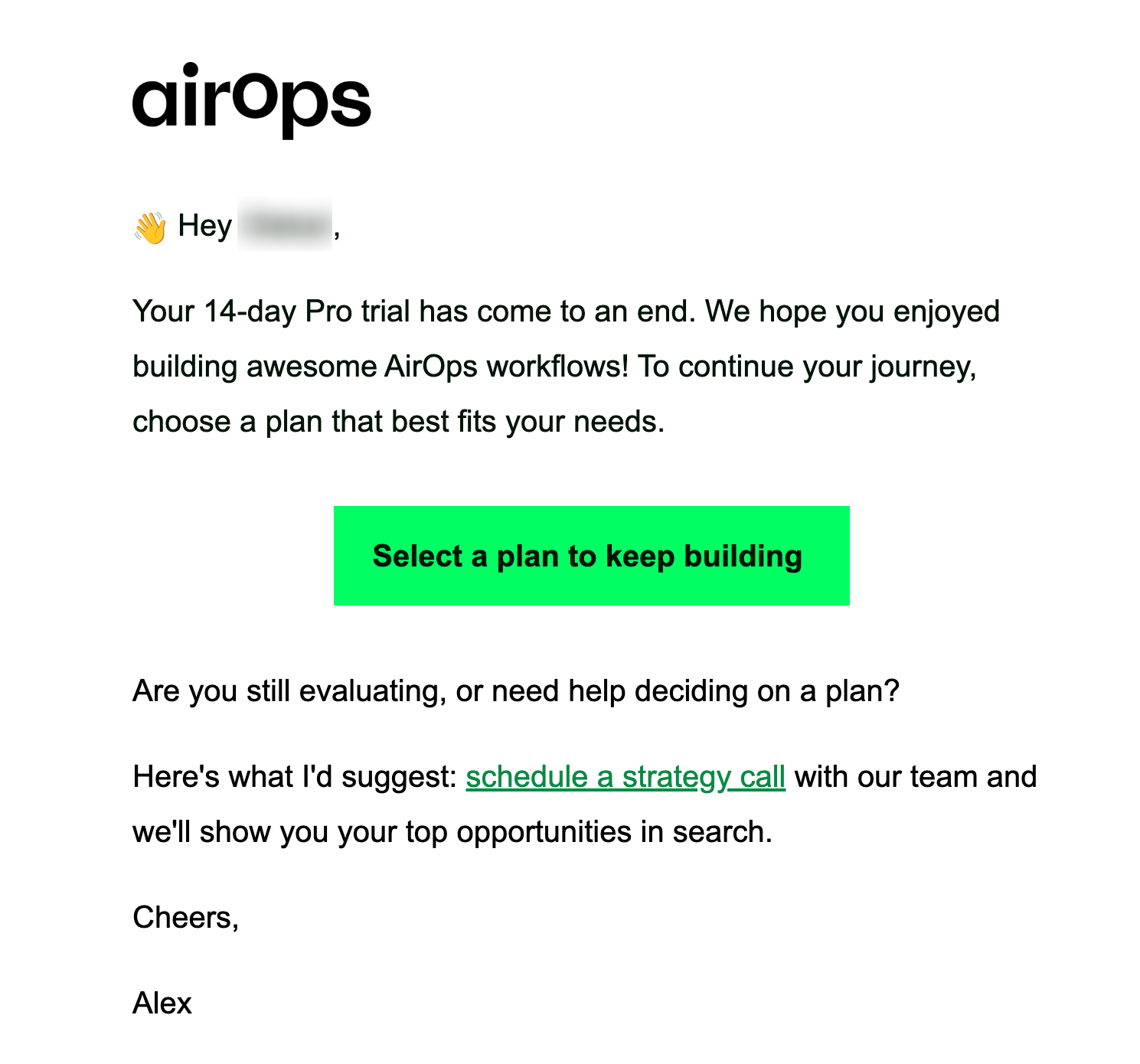
The email says what ended and shows the available plan options. Customers who aren’t ready to choose can also find another path forward.
A date triggers this email rather than a customer action, so it sits closer to the edge of transactional email. The sales content also means it needs more care than a simple account notice.
What to take from this example:
- Report the status change first, then explain the customer’s options
- Offer a second path for undecided people rather than pushing only one action
- Keep the sales pitch light, so the status notice doesn’t feel like a marketing email
Transactional email design and content
Good transactional email design starts with the message itself. Keep the transaction at the center, then use the remaining space for branding or a useful next step.
Around 80% of the message should cover the reason it was sent. The other 20% can support your brand or guide the customer to a useful next step.
Here’s the same split shown on a shipping confirmation.
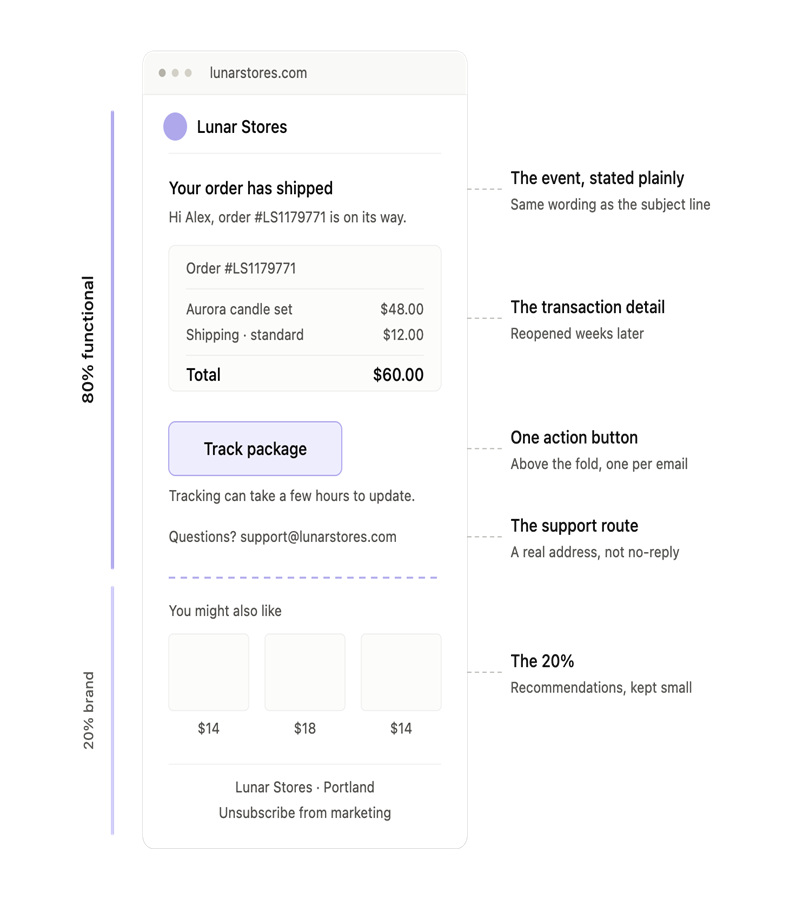
The transactional email design best practices below follow the message from top to bottom:
- Start with the event, stated plainly. “Your order has shipped” beats a clever headline, and the subject line should follow the same rule.
- Give the transaction details next, including the order number, itemized products, prices, addresses, and payment method. Our order confirmation automation setup guide lays out the full set.
- Add one action button above the fold. Examples include track package, view order, or reset password, but ensure you don’t add competing CTAs.
- Include a support route that works. A real address or link is more useful than a no-reply sender.
- Then spend the 20%. A dynamic recommendation block matched to the purchase, care guide, or referral line works effectively when kept small beneath transaction details.
Transactional email deliverability
A receipt in spam can quickly become a support ticket, so deliverability is part of the customer experience. Four things do most of the work.
- Authenticate the domain: Set up SPF, DKIM, and DMARC to show mailbox providers your emails come from you. Without authentication, your messages have less protection against spoofing and a poor sender reputation.
- Separate the streams: Send transactional emails from a different subdomain than your marketing campaigns. That helps contain the damage if a promotional send hurts your sender reputation.
- Prioritize speed: A password reset only helps while the customer is still trying to sign in. That means fast delivery is a question of usability…
- Keep promotions in proportion: A receipt that looks like an ad may be treated like one by mailbox providers. That makes content balance part of email deliverability, as well as email design.
Then track each automation on its own, instead of grouping everything together. Use the same email marketing metrics you’d use for campaigns, but pay close attention to delivery and engagement for each message type.
Transactional email services
Choosing a transactional email service depends on what you’re sending and how much control you need. Ecommerce stores often want built-in workflows while developers tend to prioritize an API, SMTP relay, and delivery speed.
Omnisend, for ecommerce stores that want these emails to look like the brand
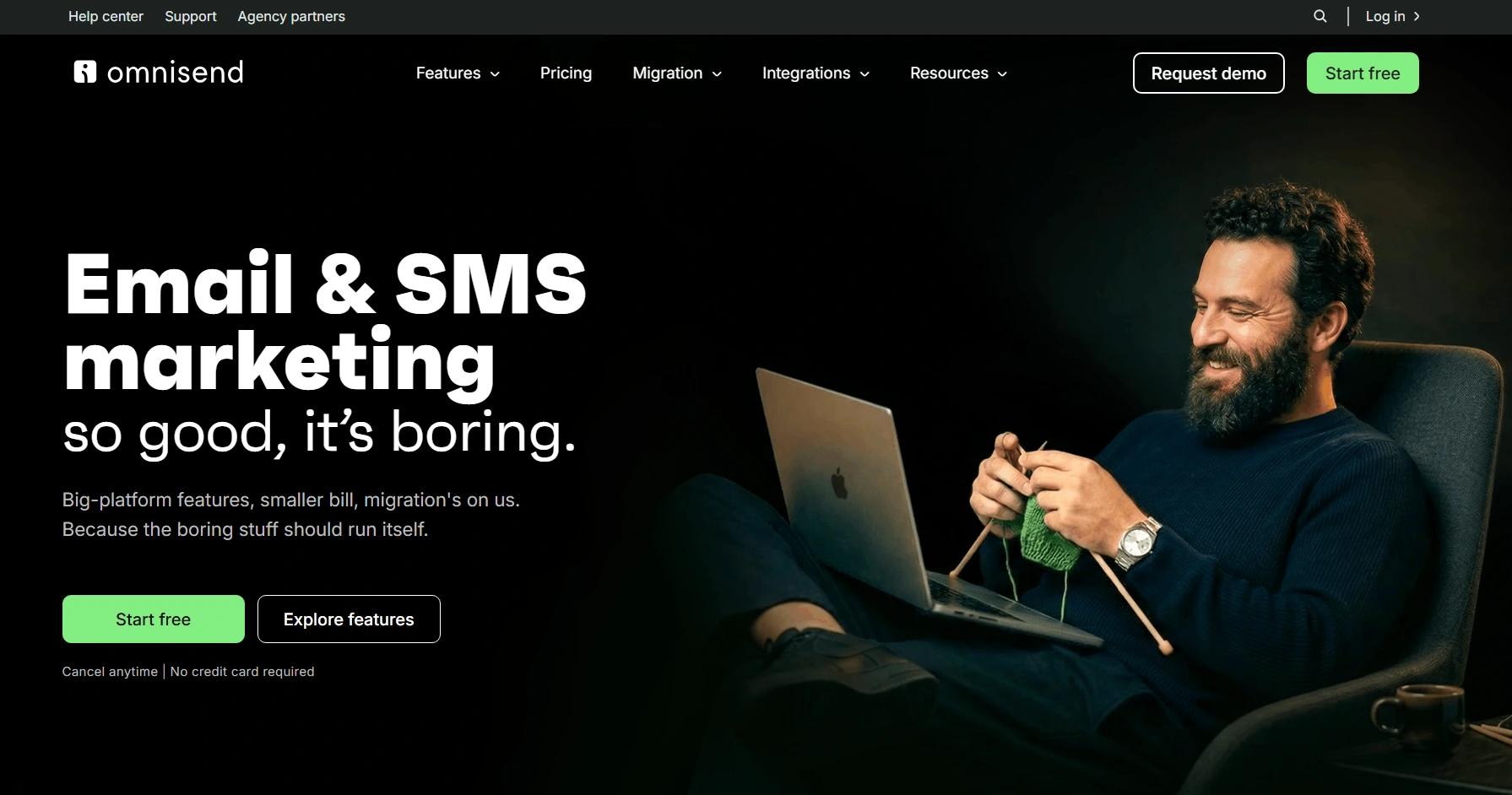
Omnisend’s prebuilt workflows cover the post-purchase sequence end-to-end. This includes order confirmation, shipping, cancellation, and follow-up.
Its drag-and-drop editor lets stores build emails without code, while product recommendations can pull from store data.
The free plan covers 250 contacts and 500 emails a month. Paid plans start at $16, with the Standard plan covering up to 500 contacts and 6,000 emails a month.
On G2, Cajetan C. writes: “What I like best about Omnisend is how it simplifies multichannel marketing in one place.”
Brevo, for one place to hold everything
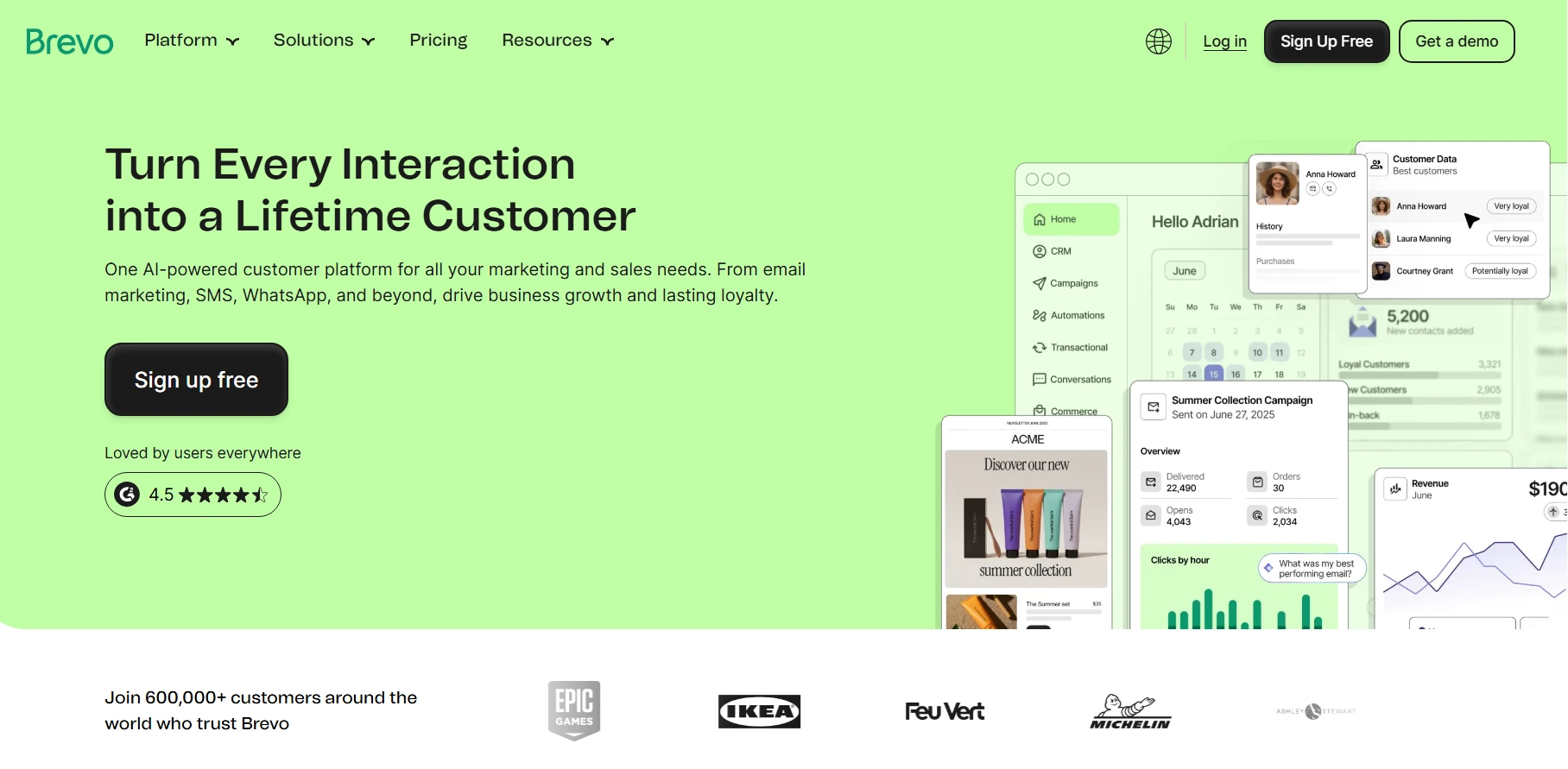
Brevo’s email API and SMTP relay handle transactional sends, while the wider platform covers campaigns, automation, and customer data. The free plan allows 300 emails a day, and paid plans start at $9 a month.
It can suit businesses that aren’t tied to ecommerce store data. Our Omnisend vs Brevo comparison looks at how the two differ in infrastructure and workflows.
On G2, Nina K. writes: “What I like most about Brevo is how well it combines powerful email marketing features with an intuitive, clean interface.”
Postmark, for speed above everything
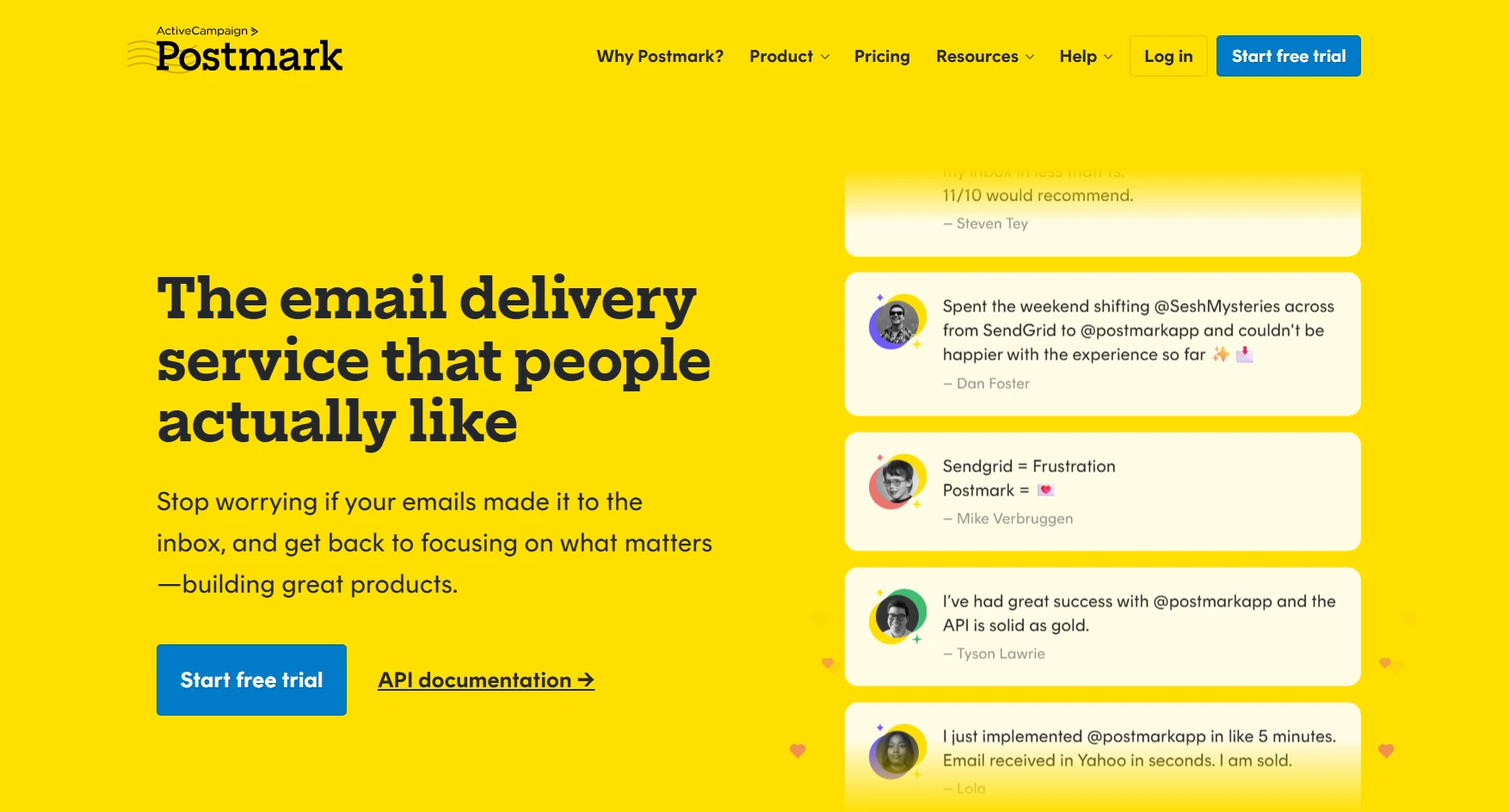
Postmark focuses on transactional email and separates transactional and broadcast mail through different message streams.
Its free Developer tier allows 100 emails a month for testing. Paid plans start from Basic at $15 a month, which includes 10,000 emails. Extra emails start at $1.80 per 1,000.
The trade-off is focus. Postmark provides the email infrastructure, not the ecommerce data, workflows, or broader marketing tools that other platforms do.
On Capterra, Vikas V. writes: “Superman-like delivery for transactional emails.”
Here’s a quick comparison of the best transactional email services:
| Service | Free plan limits | Starting price | Cost per 1,000 emails | Best use case |
|---|---|---|---|---|
| Postmark | 100 emails/month | $15/month | $1.50 ($15/10k emails) | Time-sensitive alerts |
| Amazon SES | $200 AWS credits (new accounts) | Pay-as-you-go | $0.10 | High-volume teams |
| Twilio SendGrid | 100 emails/day (60-day trial) | $19.95/month | $0.40 ($19.95/50k emails) | Large teams |
| Brevo | 300 emails/day | $9/month | $1.80 ($9/5k emails) | All-in-one for SMBs |
| Mailtrap | 4,000 emails/month | $15/month | $1.50 ($15/10k emails) | Sandbox testing and delivery |
| Omnisend | 250 contacts, 500 emails/month | $16/month | Contact-based (variable) | Ecommerce automation |
Summary
A transactional email delivers information customers expect, like order confirmations, shipping updates, or password resets. Because they’re timely and relevant, they often drive strong engagement and can support extra revenue.
Keep the transaction first, then add a helpful next step or light promotion without turning it into a campaign.
The 10 types here cover purchases, delivery, account access, and subscriptions. Clear events, useful details, one main action, and a reliable support route help each message land well.
Authentication, separate sending streams, and the right transactional email service handle the rest of the setup. The strongest infrastructure fits where your customer and order data already live.
Turn your store data into timely transactional emails with OmnisendGet started free today
Quick sign up | No credit card required
FAQs
What is a transactional email?
A transactional email is an automated response triggered by one person’s action and sent to that person. Common examples include receipts, shipping notices, and password resets.
What is the difference between a marketing and transactional email?
A transactional email is triggered by one person’s action and sent to them. A marketing email is sent to a list on a schedule or as part of a campaign.
What are transactional emails used for?
They deliver information a specific person needs after an action. Common uses include receipts, shipping updates, account access, and password resets.
Which transactional emails should an ecommerce store send?
At minimum, send order, shipping, and delivery confirmations. Depending on your store, you may also need verification, account, password reset, and review request emails.
Can I put a promotion inside a transactional email?
Yes, but keep the transaction as the main purpose and the promotion secondary. If promotional content becomes the main purpose, the email may be treated as marketing.
Do transactional emails need an unsubscribe link?
Not if the main purpose stays functional. Once promotional content dominates, the message is treated as marketing, and the requirement applies.
What are the best practices for designing transactional emails?
State the event plainly, show the key details, give the customer one clear next step, and provide a support route. Keep any promotional block small and below everything else.
Why are my transactional emails going to spam?
Check your authentication and sender reputation first. Make sure SPF, DKIM, and DMARC are set up correctly. Sending transactional mail from a separate subdomain can also help.
What is the best transactional email service for a Shopify store?
Omnisend suits stores that want branded workflows driven by store data, while Postmark focuses on transactional sending and delivery speed. Your needs dictate your choice.