12 social media analytics tools for client-ready reports in 2026
Does the complex interface of Meta Business Suite or LinkedIn Analytics make you sigh in frustration? With overwhelming data and performance glitches, native social media analytics tools can be a source of annoyance.
Luckily for agencies, business owners, and social media managers managing multiple social media accounts, third-party social media analytics come to the rescue with at-a-glance traffic analysis and content performance KPIs.
I’ve rounded up my top 12 tools for tracking engagement metrics, audience insights, sentiment analysis, and social listening:
What can a social media analytics tool do for you?
A social media analytics tool helps you track and analyze performance across social networks. It brings key metrics, audience insights, content performance, and reporting into one place.
Here’s what a social media analytics tool can help you do:
- Get actionable insights. Track audience demographics, content performance, engagement patterns, and active times to make better content and campaign decisions.
- Optimize your social media strategy. Identify which formats, topics, and campaigns perform best, then adjust your social media marketing strategy based on the results.
- Improve engagement. Some tools also track comments, messages, and other interactions, helping you understand how audiences respond to your content.
- Measure goals and KPIs. Monitor performance against specific objectives and create reports for clients, managers, or other stakeholders.
- Manage multiple accounts in one place. Compare results across platforms without switching between separate native analytics dashboards.
You can use native analytics tools, but they become harder to manage when you work across multiple platforms. Each network has its own interface, metrics, and reporting workflow. A dedicated tool centralizes that data and makes it easier to compare performance.
A dedicated analytics tool is most useful if you manage multiple accounts, brands, clients, or social networks. If you only need basic data for one or two accounts, native analytics may be enough.
Top social media analytics tools for an easy business dashboard
Choosing the right tool to track your social media performance is not easy. More often than not, it’s about trial and error. Most platforms, including various Facebook and Instagram analytics tools, offer a free trial period to get familiar with the functionality. I strongly recommend using this time wisely!
Now, here are the best social media analytics software for you to begin exploring:
1. Planable: best for intuitive & custom social media analytics
Planable Analytics is a social media analytics tool for monitoring performance, comparing results across channels, and creating customizable reports.
Because Analytics is built into Planable’s social media management platform, you can use post labels to group content by campaign or content type and compare how each performs. This makes it easier to turn performance data into actionable changes in your content strategy.
Planable also brings cross-channel analytics into one dashboard, so you can compare social media performance without switching between native analytics tools or consolidating results manually in spreadsheets.
It supports Facebook, Instagram, LinkedIn, TikTok, Google Business Profile, and YouTube. Reports can be customized by channel, reporting period, branding, and layout, then downloaded or shared with stakeholders through a public link.
Key features
- Cross-channel analytics. Monitor performance across Facebook, Instagram, LinkedIn, TikTok, Google Business Profile, and YouTube from one dashboard, including metrics such as followers, impressions, engagement, posts, and page visits.
- Post-level performance insights. Identify top-performing content and open individual posts to review more detailed metrics without switching between platform dashboards.
- Audience insights. Analyze follower characteristics such as geographic distribution, age, gender, job functions, and seniority levels where supported.
- Customizable social media reports. Build branded, drag-and-drop reports with selected channels, custom reporting periods, titles, colors, fonts, and layouts. Reports can be downloaded or shared through a public link without requiring clients to have a Planable account.
- Competitor benchmarking. Compare your page with up to five competitors across Instagram, Facebook, YouTube, TikTok, and LinkedIn using follower count, posting volume, and average engagement. Planable also shows period-over-period changes, competitor trends, and top-performing posts.
- AI search visibility tracking. View a monthly snapshot of how a brand appears in AI-generated answers across OpenAI, Perplexity, Google, and Gemini alongside social media analytics.
Pricing: Planable Analytics costs $14 per workspace per month and includes a 30-day free trial. It is available as an add-on to Planable’s paid plans, which start at $33 per workspace per month.
Drawback: Analytics is not included in Planable’s base subscription. It costs an additional $14 per workspace per month, while the social inbox costs another $9 per workspace per month. This can make Planable less cost-effective for users who only need analytics and do not need its broader collaboration, approval, and review features.
Takeaway: Planable is the right pick for agencies that need client-ready reporting and competitor benchmarking in the same place as the content calendar. Overkill for a freelancer who only needs to see last month’s reach.
2. Sprout Social: best for sentiment analysis
Sprout Social is a powerful all-in-one platform for marketing agencies managing multiple clients. It provides comprehensive social media analytics for multiple channels and lots of additional features like social media listening, or employee advocacy.
Its strong suit is sentiment analysis, which helps you monitor conversations about your brand to overview a general attitude toward your company and your products or services.
Sprout is an excellent example of a complex tool that is still user-friendly and more or less intuitive (yes, Meta Business Suite, I’m looking at you).
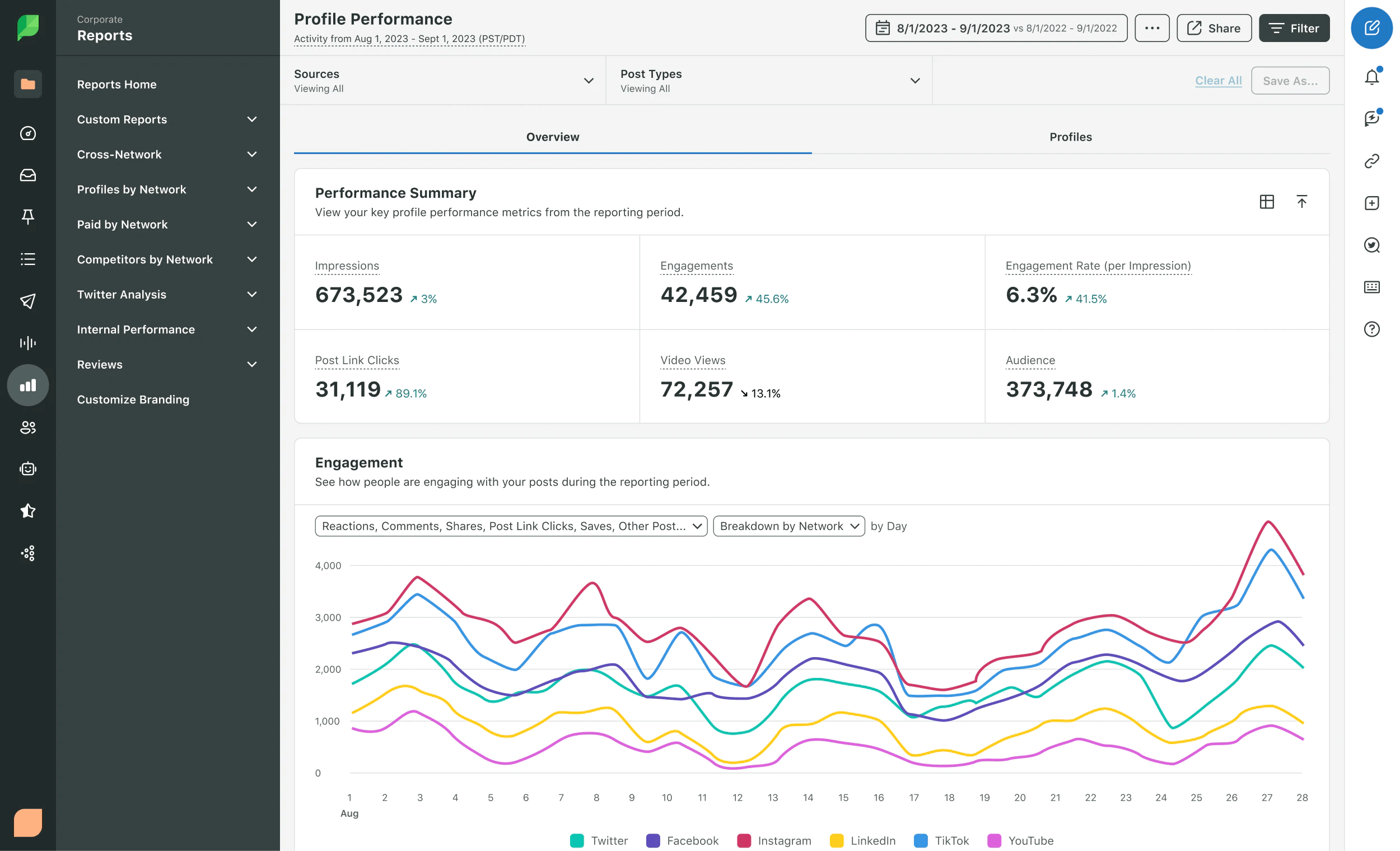
The software supports all major social platforms and offers tons of other solutions for social listening (like Reddit, Tripadvisor, etc.).
Pricing: Sprout Social is not for thin budgets: the cheapest Standard plan costs $249/month with five social media channels included.
Drawbacks: Sprout Social is expensive, and if you truly want to leverage the power of its analytics tools, you probably need at least the Professional plan (which costs $399/month).
If you’re searching for a more cost-effective option, take a look at these alternatives to Sprout Social that fit any budget.
3. Vista Social: best for AI-powered social media management & cross-platform analytics
Vista Social is an all-in-one social media management platform that combines content publishing, engagement, and analytics from a single dashboard. Its cross-platform analytics go beyond surface-level metrics, with AI analysis in reports that helps teams understand performance trends and get actionable recommendations.
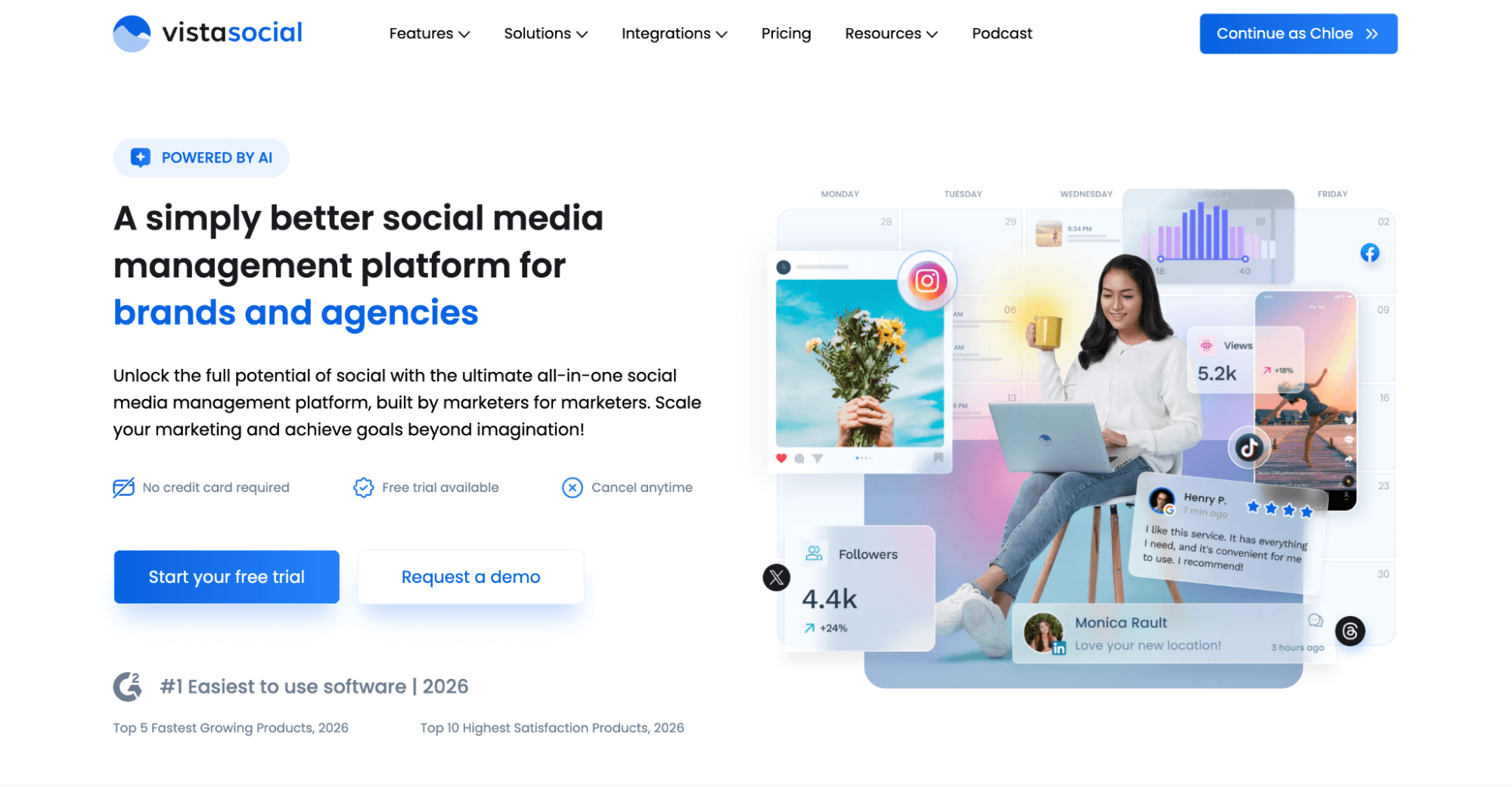
The unified social inbox consolidates all comments and DMs in one place, with AI-powered sentiment analysis to prioritize urgent messages and automated workflows that capture leads and route conversations without manual effort.
Pricing: Vista Social offers a 14-day free trial. Paid plans start at $64/month (billed annually).
Drawbacks: Social listening isn’t included in the core plans. It’s an add-on, and the same goes for employee advocacy. Pricing tiers are also better suited to teams and agencies than to solo users or small individual operations.
4. Hootsuite: best for social listening
Hootsuite is a pioneer social media management platform that includes scheduling and publishing features alongside social media monitoring. It supports Instagram, Facebook, X, LinkedIn, YouTube, TikTok, and Pinterest.
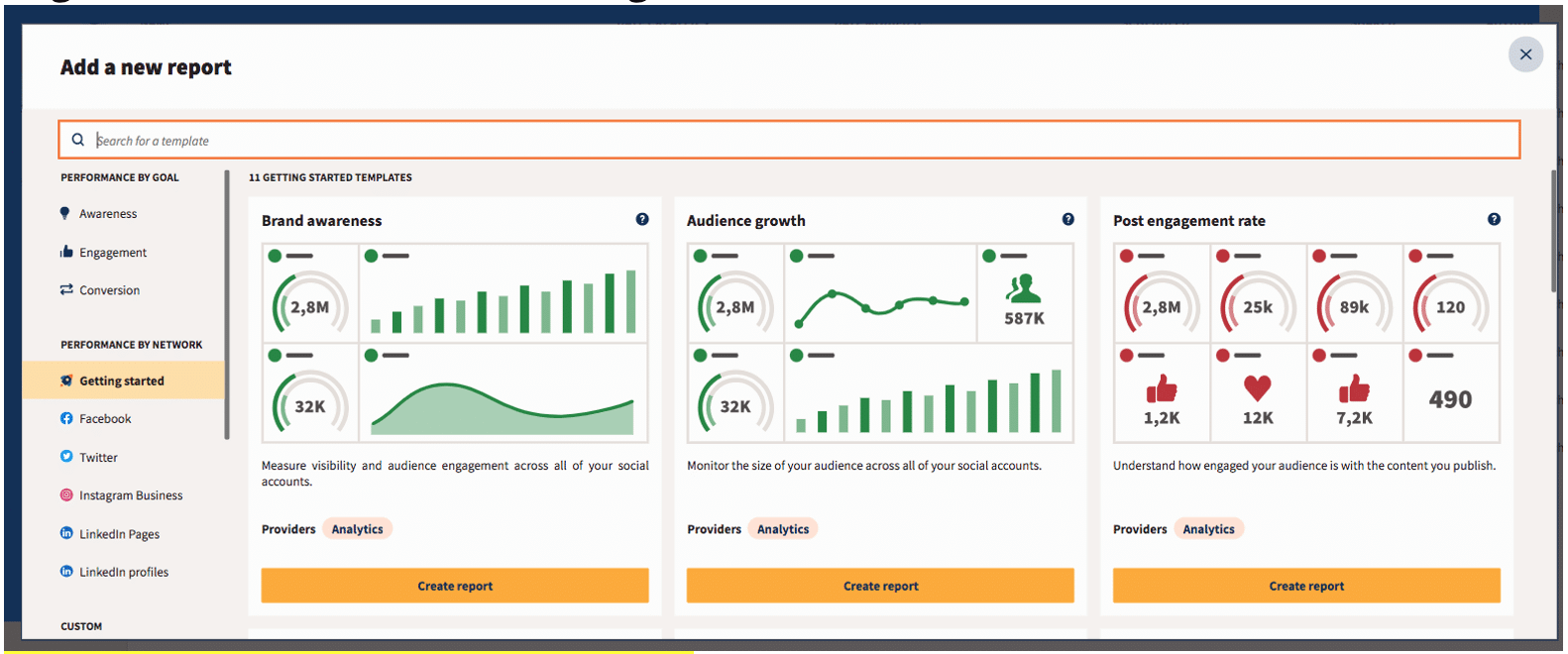
One of my favorite Hootsuite add-ups is its social listening feature, which teams can use to track conversations and get insights that can be leveraged in social media strategies.
With Hootsuite, tracking brand mentions across multiple social media profiles and quickly jumping into the conversation is pretty easy.
Pricing: Hootsuite has three paid plans: Professional for $199/month, Advanced for $399/month, and the custom Enterprise plan.
Drawbacks: First, the price — the cheapest pack is still pretty expensive ($199/month), and it requires a bank card right away. Second, the UX — which many complain is a bit outdated.
These drawbacks have opened the door for Hootsuite competitors like Planable, offering more flexible pricing and a modern user experience.
5. Statusbrew: best for label-based reporting
Statusbrew is a social media analytics tool built for busy marketers who want clear, cross-network reporting without spending hours exporting data into spreadsheets.
It pulls performance into one place, so you can track what’s working across platforms and share updates with teams or clients quickly.
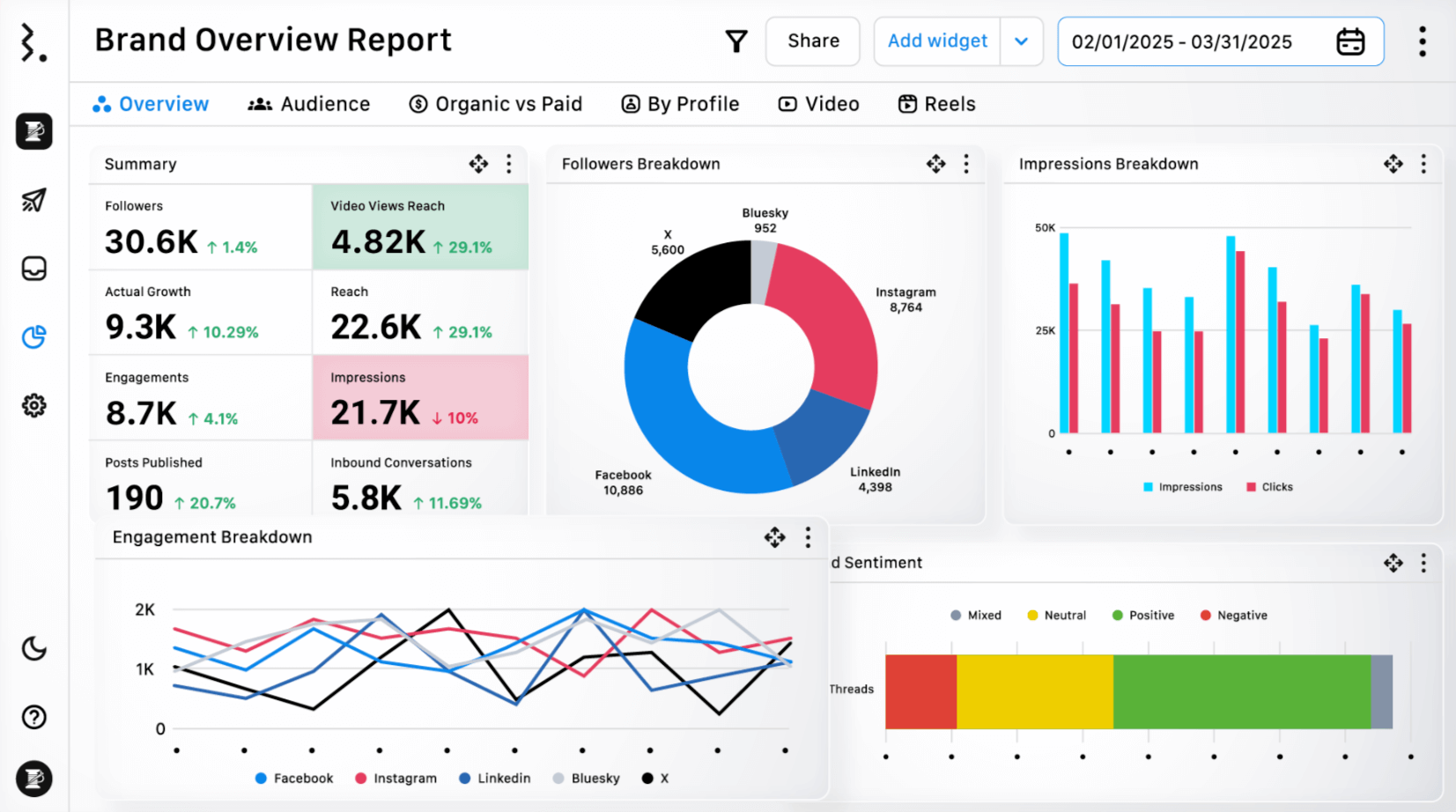
What makes Statusbrew stand out is its combination of deep reporting and practical organization. You can use labels to group posts by campaign, product line, region, or content theme, then generate reports that show performance by those labels over time.
On top of that, you get 250+ KPIs, ready-made 20+ report templates, custom dashboards, and scheduled exports useful when you’re reporting to different stakeholders on a weekly or monthly cadence.
Pricing: Statusbrew’s plans start at $69/month (billed annually), for one user and five social accounts.
Drawback: If you only need a lightweight dashboard for one channel, Statusbrew may feel more tool than you need as its value shows up when you’re managing multiple networks, multiple brands, or recurring reporting.
6. Buffer: best for very basic tracking
Buffer is a social media management tool that you can use to schedule and publish social media posts, as well as access analytics data. The platform doesn’t offer any flamboyant solutions, but that’s what I like it for.
Buffer analyzes your social accounts and content. Based on this data and enhanced by Buffer AI, the platform provides tips, such as the best time to publish, the recommended cadency of posting, or the best-performing type of content.
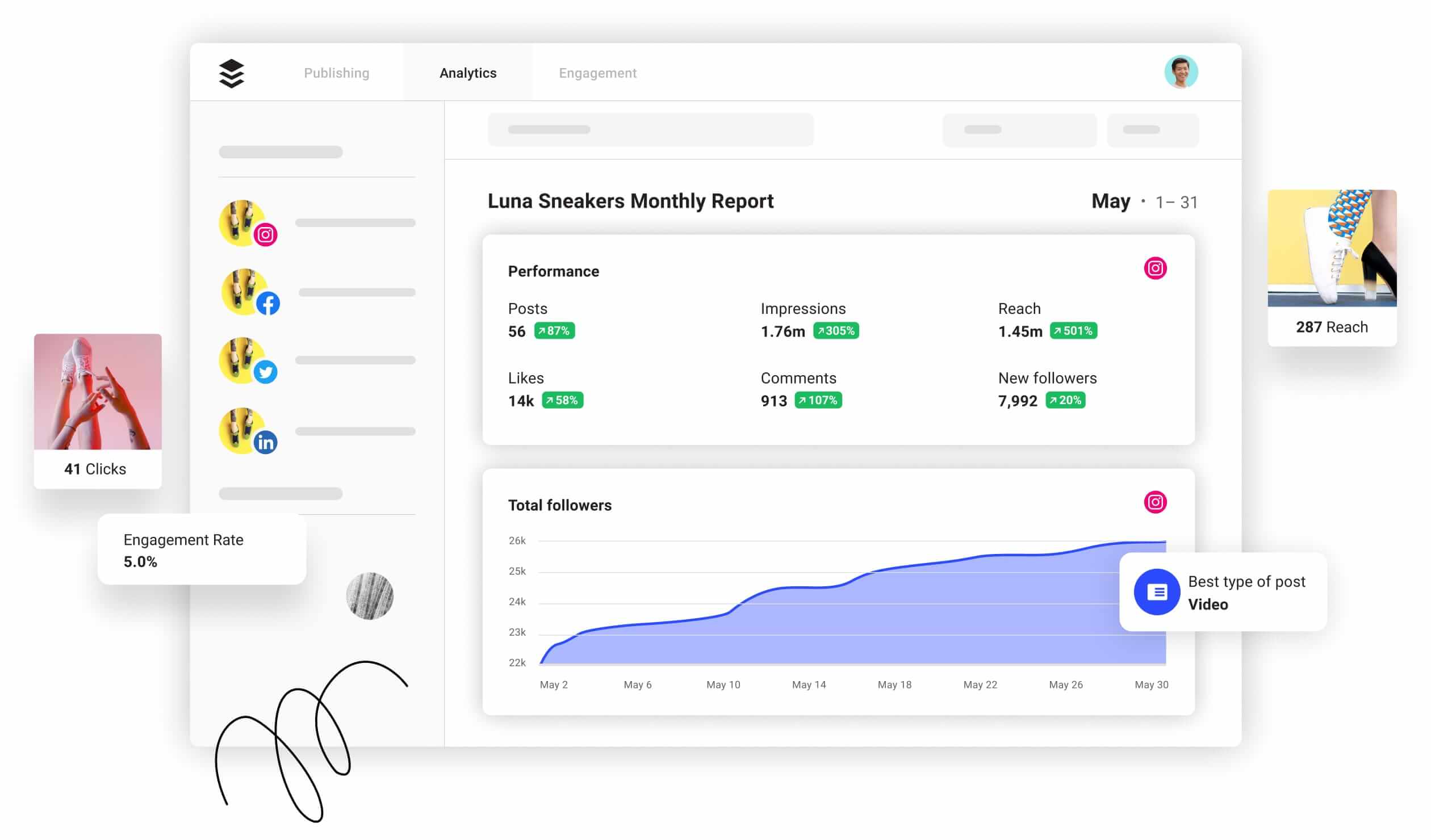
Buffer supports all major social media networks, including Pinterest, Mastodon, Shopify, and Google Business Profile.
Pricing: Buffer bills based on the number of channels and feature set. The platform has a free version that includes three channels and three paid plans. The cheapest plan costs $6/channel per month and offers extensive analytics.
Drawback: Its free version doesn’t include analytics tools. Also, based on my personal experience, tracking paid ads in Buffer is not that good.
7. Agency Analytics: best for Larger Marketing Campaigns
AgencyAnalytics is a comprehensive tool for marketing agencies tracking both organic and paid social media efforts for their clients. With more than 80 marketing integrations, agencies simplify social media data retrieval from platforms like TikTok, Instagram, LinkedIn, Snapchat, and Facebook, gaining a holistic view of campaign performance across channels.
The Social Media Reporting Tool effortlessly collects all of the key metrics clients value, and it’s easy for agencies to get clients up and running with bulk uploads. The Social Media Report Template generates detailed, client-ready reports to demonstrate campaign performance.
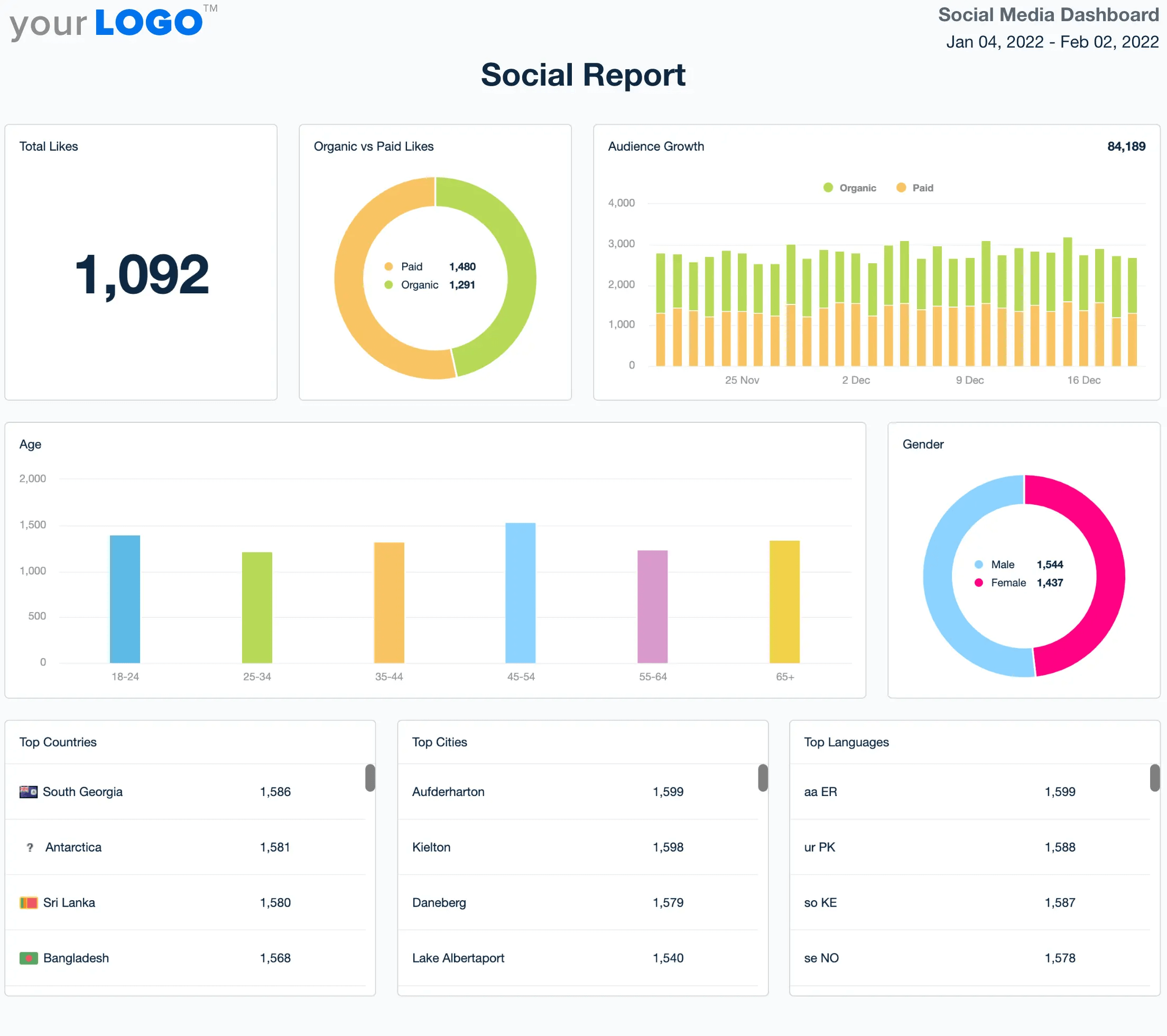
AgencyAnalytics’ Smart Reports and Smart Dashboards empower marketers to automatically generate reports in under 11 seconds, streamlining the client reporting process and saving your agency valuable time.
Pricing: AgencyAnalytics offers flexible pricing for scaling marketing agencies with a 14-day free trial to test out the platform. The Freelancer Plan starts at $79 USD/month, the Agency Plan starts at $179/month, and custom pricing is available for the Premier Plan.
Drawback: Although AgencyAnalytics has many helpful features for marketing agencies, it may seem daunting for newcomers. It’s important to assess your agency’s needs, as certain functionalities, such as white-labeling and cross-campaign reporting, are restricted to more expensive plans.
8. SocialBee: best for data-backed decision making
SocialBee is a comprehensive social media analytics platform designed for small businesses that need clarity and control over their performance.
It helps you identify the best times to post by analyzing past content and audience behavior, so you can publish when your followers are most active and engaged. You’ll also gain insights into your top-performing posts, formats, and categories, as well as uncover content pillars that may be negatively impacting your strategy.
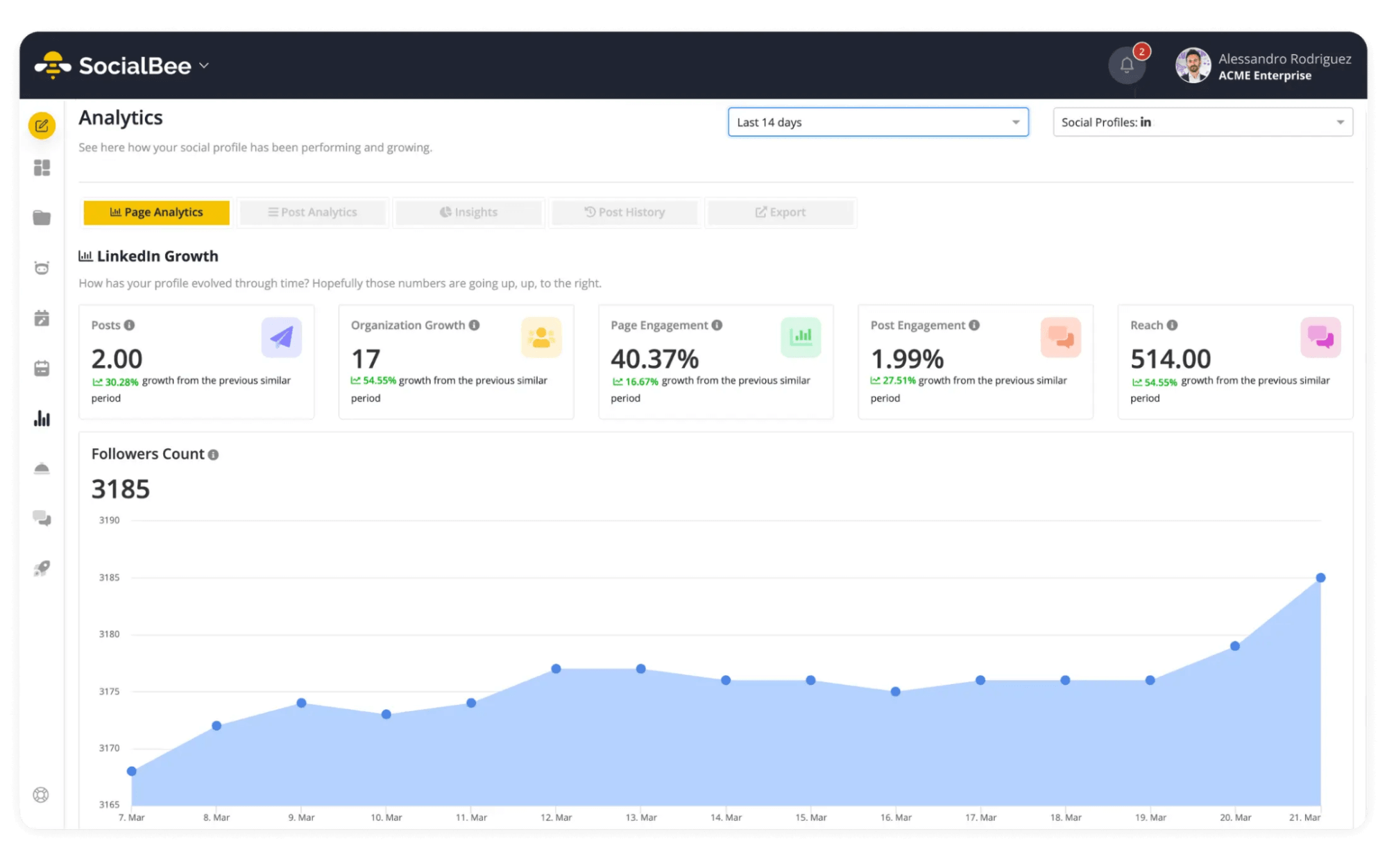
SocialBee consolidates all your key performance indicators – including reach, engagement, follower growth, video views, and website clicks – into a single, user-friendly dashboard.
Features like PDF report generation, built-in collaboration tools, content creation, and scheduling, give you everything you need to streamline your workflow and make informed decisions faster.
Pricing: SocialBee doesn’t offer a free plan, but it does include a 14-day free trial, giving you full access to its features before committing.
Drawback: While many analytics tools can be overwhelming or overly technical, SocialBee focuses on delivering actionable insights in a clear, intuitive way, so you can spend less time digging through data and more time optimizing your strategy.
9. HubSpot: best for web & social media traffic bundle
HubSpot provides a whole set of marketing products, including social media marketing tools. Its social analytics tool is a part of Marketing Hub.
Even though I’d call HubSpot more web traffic-oriented, you can still leverage it for social channels, especially if you aim to increase web traffic through social media.
The tool is pretty basic in tracking metrics — impressions, reach, follower count, nothing too fancy. However, two things make HubSpot special: the web sessions from your social posts and seamless integration with HubSpot’s CRM.
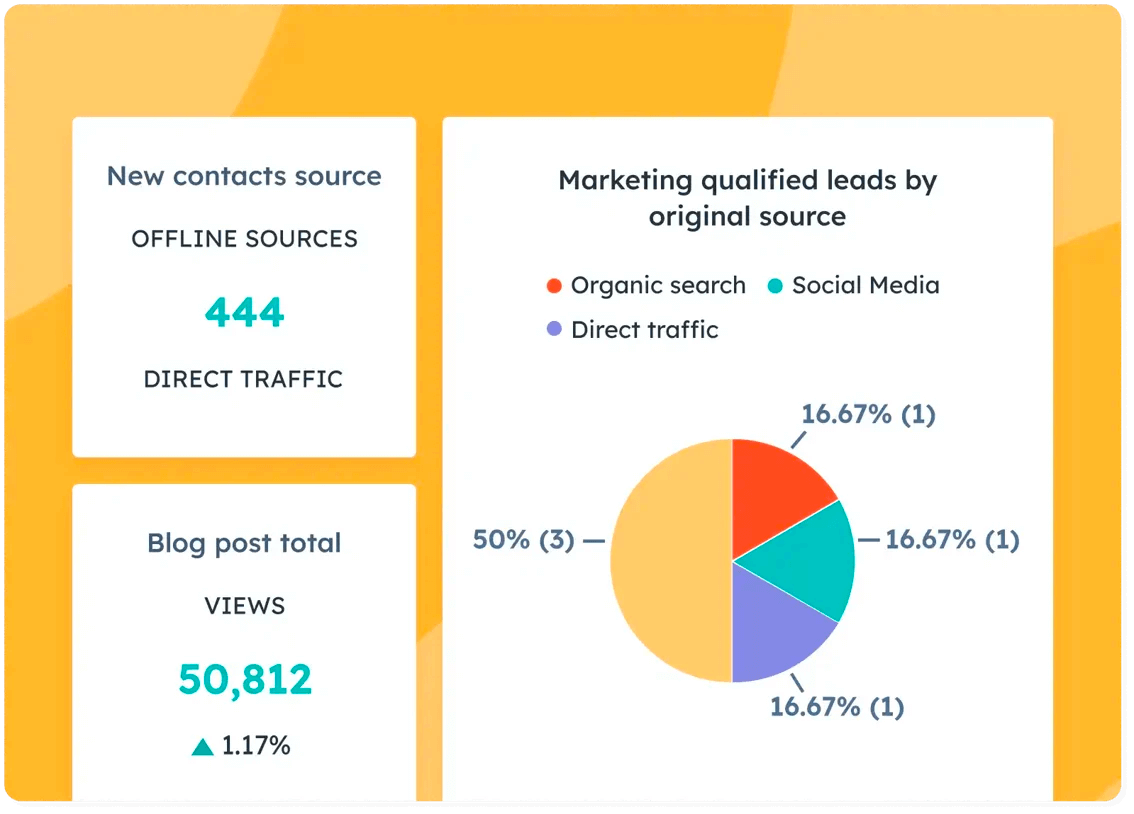
HubSpot supports Facebook, X, Instagram, LinkedIn, and YouTube (although the latter is only included in the Enterprise plan).
Pricing: HubSpot’s Marketing Hub has two packages: Professional for $880/month and Enterprise for $3300/month.
Drawback: It doesn’t include data from boosted posts or social ads. The reports only consist of organic social data. It also doesn’t provide historical data from before you integrate HubSpot.
10. Google Analytics: best for overviewing the entire customer journey
Google Analytics is the ultimate frenemy of any marketer. Although it’s not tailored for social media, it’s still a helpful tool that helps you understand where your social channels stand in the grand scheme of all things relating to the customer journey.
The most common use for Google Analytics as a social media tool is monitoring social media ads, especially if your final conversion happens outside the socials, on the website (a sale, a registration, or a subscription).
With GA, you can track the traffic source, tying social media efforts to actual ROI-generating results.
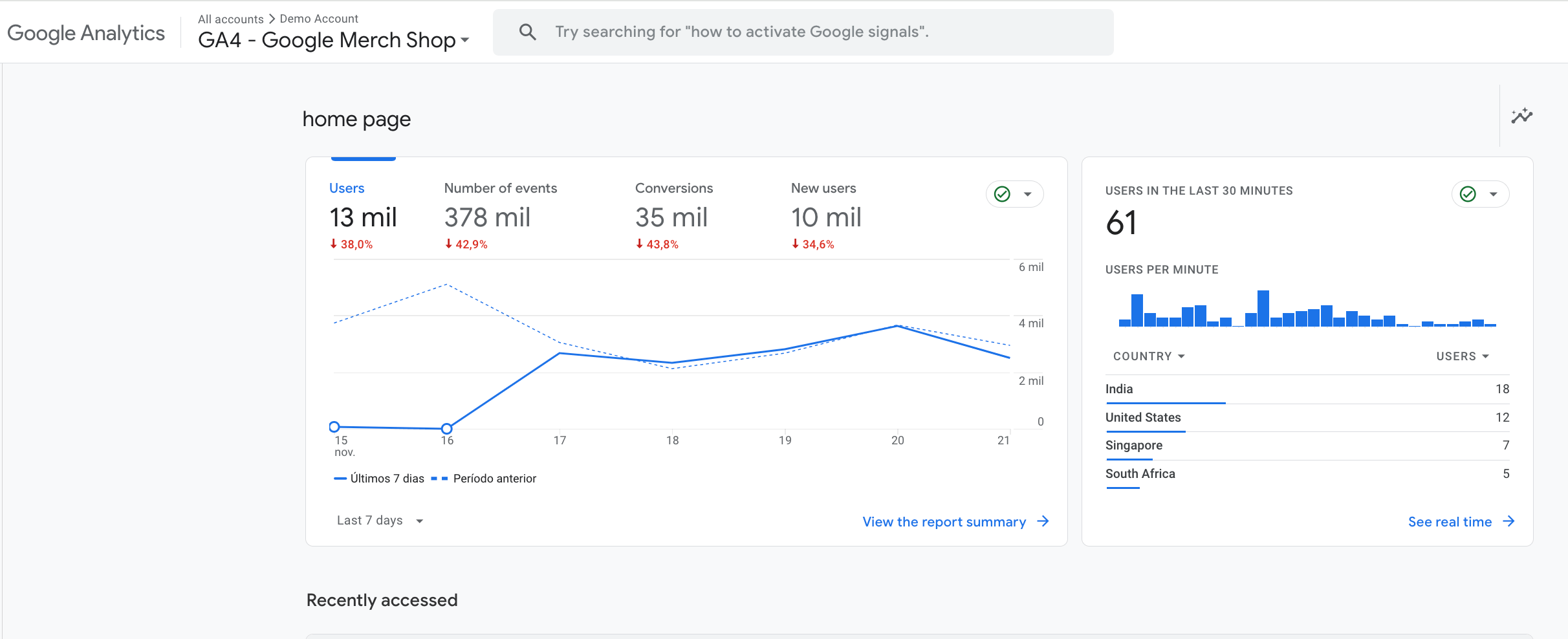
Pricing: Google Analytics is free (it only takes marketers’ tears as payment).
Drawback: It doesn’t track your social media performance per se. It concentrates on the connection point between socials and the web, so you won’t be able to monitor your monthly Facebook page impressions or access Google Business Profile analytics tools through it. For those specific metrics, you’ll need dedicated platform solutions.
11. Keyhole: best for influencer campaigns
Keyhole is a social media management platform with both scheduling and analytics features (however, the latter prevails). The platform allows you to track your performance, compare it to competitors, analyze campaigns across multiple social accounts, and conduct market research on keywords.
Its star feature is influencer marketing. With Keyhole, you can generate reports on your influencer marketing campaigns, discover and compare influencers by topic and region, and stay on top of social media trends.
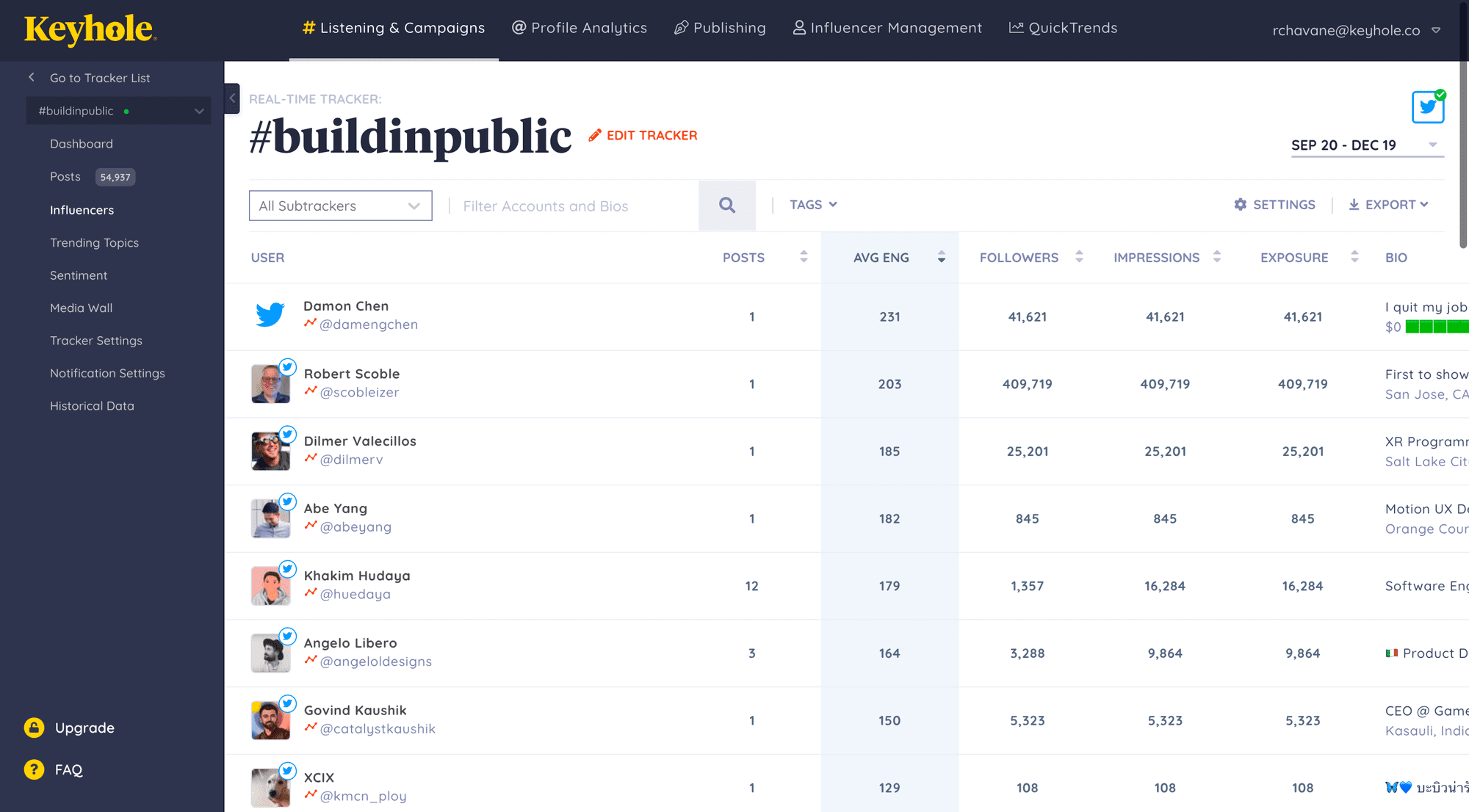
Keyhole supports Facebook, Instagram, X, LinkedIn, TikTok, YouTube, and media, which allows you to tap into mentions across news websites.
Pricing: The Keyhole social media analytics tool has five paid plans, the cheapest costing $79/month. However, it only includes Facebook, Instagram, and X. To add TikTok, YouTube, and LinkedIn to the bundle, you’ll have to upgrade to $249/month.
Drawback: Speaking of disadvantages, Keyhole only supports scheduling content for X, Facebook, LinkedIn, and Instagram, so you can track your TikTok performance but not manage the content.
12. Rival IQ: best for competitive benchmarking across a large competitor set
Rival IQ, as the name suggests, concentrates on competitor analysis. Besides this, the platform provides in-depth social media analytics (including popular topics and hashtag performance), comprehensive audits to get an overview of your social channels, and social listening.
A nice perk of Rival IQ is that you can run a free head-to-head comparison with your main competitor on Instagram, TikTok, X, or Facebook to try the platform out.
Rival IQ can detect likely boosted posts and offers to set content alerts to monitor your competitors’ game.
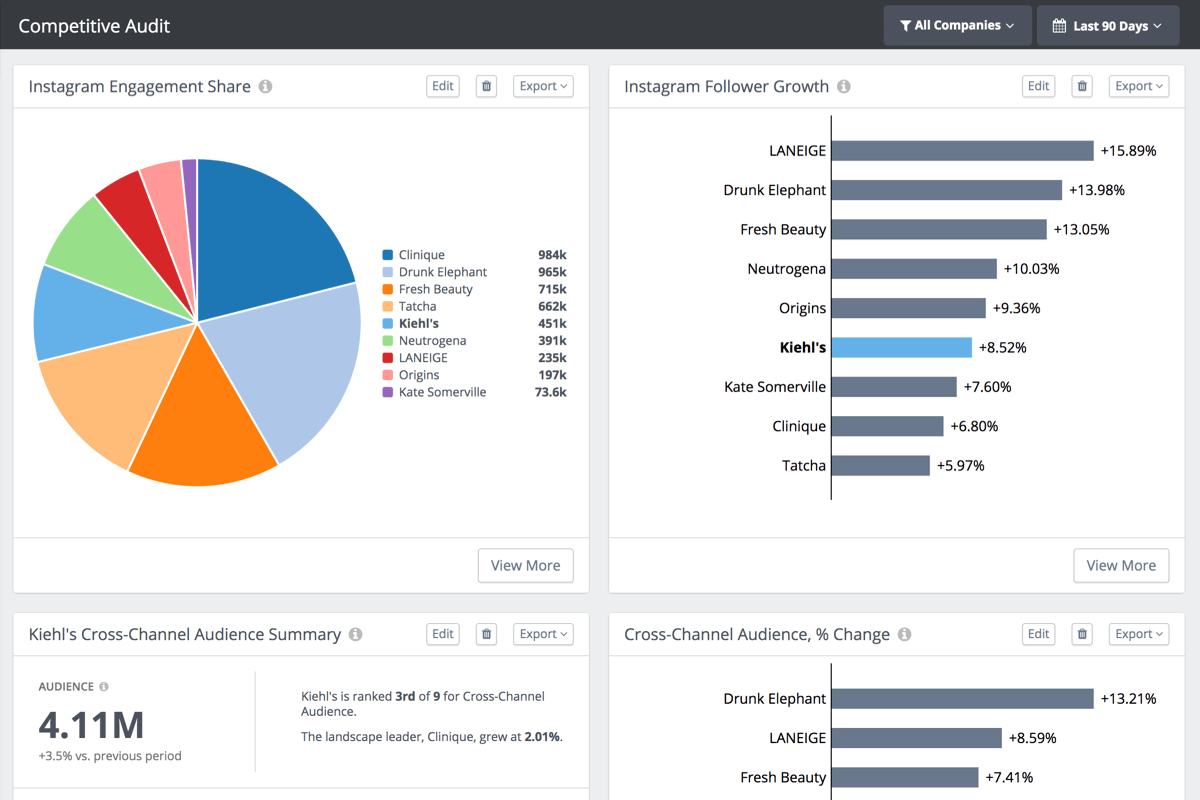
Rival IQ supports Facebook, Instagram, LinkedIn, X, YouTube, and TikTok.
Pricing: Rival IQ has three paid plans. The cheapest one, Drive, costs $239/month and offers enough features for a smaller team: 10 tracked companies, six months of historical data, benchmarking, and social media analysis. However, according to the platform, the most popular plan is Engage, with 20 tracked companies and Facebook Ads tracking. Engage costs $349/month.
Drawback: On the disadvantage side, Rival IQ is not a scheduling tool — it’s strictly analytics. But if you already have software for scheduling, publishing, and collaborating on content (like Planable, for instance), you can opt for a powerful analytics-only platform like Rival IQ.
FAQs
What is the best way to track social media analytics?
Track all social networks over the same date range and use the same five to seven metrics every month. This makes trends easier to compare over time. A cross-channel analytics tool like Planable can also reduce the need to reconcile data manually across different native dashboards.
Which social media analytics tools include competitor analysis?
Planable, Keyhole, and Rival IQ include competitor analysis.
Planable compares your page with up to five competitors across Instagram, Facebook, YouTube, TikTok, and LinkedIn. Keyhole combines competitor analysis with influencer reporting, while Rival IQ focuses more heavily on competitive benchmarking.
Which social media metrics should you track?
The most useful metrics are reach, impressions, engagement rate, follower growth, click-through rate, and brand mentions.
For client reports, focus on five or six metrics that help explain performance and guide decisions, rather than including every metric available.
Which social networks do social media analytics tools support?
Coverage varies by tool and by feature. Planable Analytics supports Facebook, Instagram, LinkedIn, TikTok, Google Business Profile, and YouTube. Other tools may support different networks for publishing, reporting, or competitor analysis, so check feature-level coverage before choosing one.
How do you build a monthly social media report for a client?
Use a fixed date range, report the same metrics each month, and lead with the main recommendation. A useful monthly report usually includes reach and engagement versus the previous period, top-performing posts, follower growth, a competitor comparison, and one recommendation for the next month.
Conclusion
Tracking social media analytics is crucial for any marketer. To build a sound marketing strategy, you need to easily review the impact of your current tactics. Social media analytics tools make data accessible, easy to interpret, and easy to showcase to stakeholders.
So go ahead: use those free trial periods, find your perfect analytics tool, and rock your marketing strategy like never before! Planable is a great option that covers all your content flow, from creation to approvals, scheduling, and insights.
Content marketer with a background in journalism; digital nomad, and tech geek. In love with blogs, storytelling, strategies, and old-school Instagram. If it can be written, I probably wrote it.