9 Best CRMs for Google Workspace 2026 (Tested & Reviewed)
Google Workspace often becomes a small business CRM by accident. Leads sit in Gmail, customer data is kept in Sheets, meetings are in Calendar. It kind of works as a CRM, but not really. You end up with a lot of manual work and lost data.
That’s because Workspace is the go-to software suite for businesses, but it doesn’t have a native CRM. We hear it all the time.
Luckily, there’s a solution. CRM platforms with Google Workspace integrated. Where you can use Gmail, Sheets, Calendar, and Meet. And sync it with a CRM with pipelines, deals, automation, and analytics.
What is Google Workspace?
Google Workspace is Google’s business productivity suite. It includes familiar apps like Gmail, Calendar, Meet, Drive, Docs, Sheets, Slides, Forms, and Chat. Teams use it to communicate, store files, collaborate on documents, manage schedules, and keep everyday work moving.
All Google Workspace apps work together. You can create a proposal in Docs, share it through Drive, discuss it in Chat, schedule a meeting in Calendar, and join the call in Meet without leaving the Google ecosystem.
It’s popular with small businesses, startups, and growing teams because it’s customizable and easy to adopt. You can create a professional email address, share files, and collaborate. As teams grow, they can add users, manage permissions, and keep their work organized.
If you’re new to Google Workspace, this is a good time to get set up. Use the coupon codes below to lower your costs before choosing the CRM that fits your team.
Get 20% discount on the Google Workspace Standard plan.
Get 20% discount on Google Workspace Plus plan.
Check out our guide about Google Workspace pricing to find out which plan is right for you.
9 Best CRM for Google Workspace Overview
Plenty of businesses use Google Workspace apps to manage customer relationships. But it’s not a sales CRM. Growing businesses quickly find that their sales processes outgrow Workspace. But they don’t want to let go of the benefits of Workspace, either.
CRM integrations for Workspace join everything together. The best Google CRMs help teams cut the busy work.
| Platform | Best for | Free plan/trial | Starting monthly price* |
| Pipedrive | Sales Pipelines in Google Workspace | Yes, 14 days | $14 |
| Brevo | Multichannel Customer Communication | Yes | $8.08 |
| EngageBay | Affordable All-In-One Google CRM | Yes | $11.04 |
| ActiveCampaign | Automating the Full Customer Journey | Yes, 14 days | $15 |
| Streak | Gmail CRM Add-on | Yes | $49 |
| Copper | Simple CRM for Google Workspace | Yes, 14 days | $9 |
| Freshsales | Multichannel Sales CRM | Yes | $9 |
| Zoho CRM | Customizable Google CRM | Yes | $14 |
| NetHunt | Sales Automation inside Gmail | Yes, 14 days | $30 |
*Prices shown are monthly, billed annually, where available.
How we selected the best CRM platforms for Google Workspace
Nothing beats the hands-on experience of actually testing the software to select the right tools. I have been reviewing CRM software for over 4 years. Here’s what I focused on for CRMs that work with Google Workspace.
- Google Workspace integration: CRM platforms connect to Google Workspace in lots of different ways. Some connect with whole Workspace accounts. Some plug into individual Google Workspace applications. There are Chrome extensions and API integrations. Native connections and those that use third-party apps like Zapier. How CRMs connect to Google has a big influence on how they perform as a Google CRM.
- Ease of getting started: Closely related to integration is how easy it is to get started using a CRM with Workspace. Some very powerful CRMs need developers to make them work with Workspace. That’s not what the average Google user needs. So we prioritized platforms that let you connect easily and get started quickly.
- Sales automation: This is one of the biggest reasons most companies want to connect a CRM with Google Workspace. It cuts down on repetitive work like logging emails, updating deal stages, writing follow-ups, and sending nurture messages. We looked at how strong each platform’s sales automation tools are, and how easy they are to set up and use.
- Customer support: Adopting a CRM is a big step for small teams. It might be the first time they’ve ever used such software. They might have no experience with pipelines or sales automation. Plus, you’ve got to get those connections right, however easy they claim to be. We considered the level of support available.
- Pricing: We focused on platforms with affordable pricing. Including those with free plans to get started with. And clear upgrade paths that make sense to teams looking to grow.
How to Choose the Right CRM for Google Workspace
The right Google Workspace CRM isn’t the one with the coolest features or the lowest price. It’s the one that fits how your business works. And helps you improve your sales process. Here’s how to choose the right CRM for Google Workspace.
- Start with how you currently use Google Workspace. Do you already use Workspace to manage customer relationships? If you’re looking to add some structure to emails, you don’t need a very advanced CRM. If you’re managing sales processes on spreadsheets, it’s time to upgrade to pipelines. If you’re juggling repetitive tasks in Workspace, you need automation. Think about the different functions you use Workspace for. A sales CRM might be enough. But if you also use it for marketing and customer service, look at all-in-one CRMs.
- Gmail Plugin, Sales CRM, or CRM Platform? A lot of Google CRMs run in Gmail by default. That makes sense if email is your main channel. It’s very handy to have CRM tools in your familiar inbox. But you might be ready to move on to a dedicated CRM. One that feeds your email data, shared calendars, and customer spreadsheets into your new platform. If your team already works with multiple platforms, choose a CRM that syncs with Gmail, Calendar, Sheets, and any other tools you use.
- Identify where CRM tools can make the biggest difference. CRMs are great for simplifying processes. Including automating lots of time-consuming tasks. Think carefully about where you’re currently getting bogged down most. Is it having to write and send emails manually? Is it logging email or meeting outcomes? Updating lead and deal records? Managing tasks across a team? Choose a platform based on how well it can solve your biggest pain points.
- Consider how a CRM will fit in a year or two. A startup choosing a first CRM might only need a very simple platform. But will that still be the case in a year or two? It makes sense to choose platforms that can grow with you. Consider platform flexibility. Customizable pipelines and contact records mean there’s room to adapt over time. Check limits on contact numbers, deals and other CRM records. And, just as importantly, what it costs to increase these limits.
- Budget for value, not just low cost. Cost is a crucial factor in choosing any business software. Especially for a small business operating on a tight budget. But you shouldn’t automatically default to the cheapest platform. A lot of Google CRMs offer very low starting prices, and even free tiers. But they often miss out on high-impact tools like sales automation on these tiers. To get a good ROI from any software, you need tools that will move your business forward.
9 Best CRM Platforms for Google Workspace
Pipedrive – Best for Managing Sales Pipelines in Google Workspace
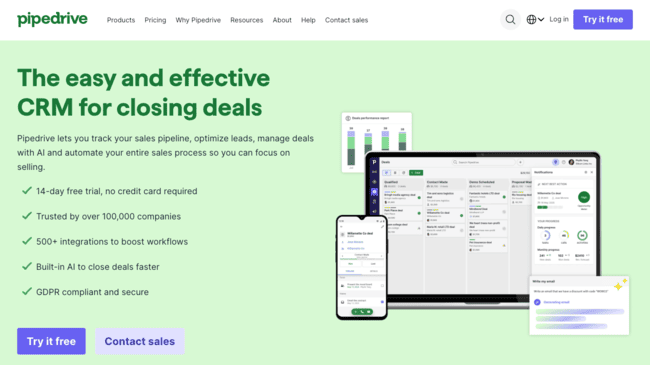
Pipedrive is a user-friendly sales CRM. It doesn’t just make it easy to build visual pipelines. But also simplifies how you track deals and activities. It’s ideal for smaller teams of sales reps that prioritize clarity and convenience. But it still packs a punch with advanced features like sales automation. Lead management and tracking. And AI-powered sales analytics.
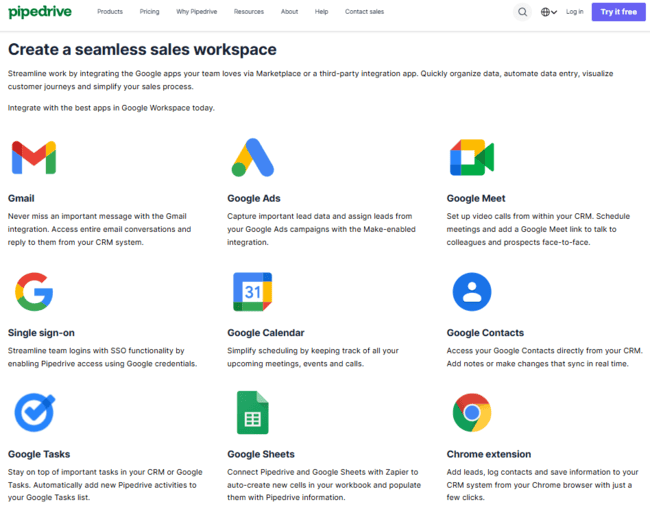
Pipedrive works with Google Workspace via 5 native integrations and 15+ third-party plug-ins.
Core features that make Pipedrive a great CRM for Google Workspace:
- Native Gmail integration adds a Pipedrive taskbar to your Gmail window.
- Two-way sync for Google Calendar and Google Sheets.
- Google Meet integration for managing, scheduling, and launching video calls from within Pipedrive.
- Google Drive integration via Zapier for attaching and sharing files in deals.
- Google Looker Studio integration for marketing dashboards and campaign reporting.
Pipedrive’s biggest strength as a Google CRM is how it brings customer data together. Information from emails, meetings, and activities doesn’t just sit in your Google apps. It updates contact records and deals. This can include attaching whole email threads and Google Docs to deals. Pipedrive’s automation tools let you use any of this information to trigger next steps. For example, changing deal status after you schedule a meeting. Then creating a follow-up task post-meeting. Or using meeting notes to change deal status again. You can find out more about similar sales CRMs in our guide with the best Pipedrive alternatives.
Pipedrive’s Workplace integrations give you flexibility as to how and where you work. With the Gmail plug-in, you can view and edit pipelines from your inbox. Plus access all relevant information on a deal before answering an email. Or scheduling a follow-up task or meeting. Equally, you can update a shared calendar or organize meetings from within Pipedrive.
On higher plans, Pipedrive includes real-time email tracking. So your contact data updates from every open, click, unsubscribe or spam complaint. This feeds into lead scoring and prospecting tools. Pipedrive’s Pulse AI predicts deal outcomes. And provides next-best action recommendations. You can also use Pulse to summarise and compose emails in Gmail.
Pipedrive Pros
- User-friendly visual sales pipelines with powerful automation.
- Two-way synchronization with Google Workspace apps.
- Lets you manage pipelines from within Gmail.
- Email tracking and AI analytics
Pipedrive Cons
- Finding all available Workspace integrations could be easier. The Gmail plug-in is available on Google Workspace Marketplace. But not through Pipedrive Marketplace.
Pipedrive’s plans start at $14 per user per month. There’s a 14-day free trial to test the platform.
Try Pipedrive for free here
Brevo – Best for Multichannel Customer Communications
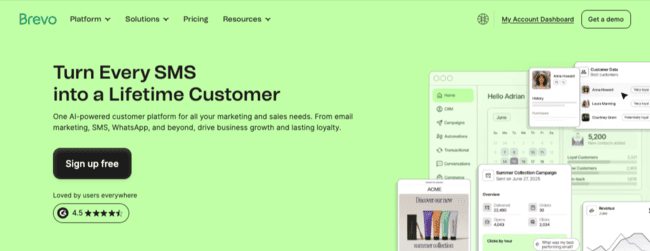
Brevo is a marketing and sales platform for SMBs. It’s best known for email marketing and marketing automation. But it also offers a sales CRM, transactional messaging, and loyalty tools. Its biggest strengths are its user-friendly interface and affordable pricing. Including an excellent free plan.
Brevo has 4 native integrations with Google Workspace and 5 Zapier or Make connections.
Core features that make Brevo a great CRM for Google Workspace:
- Native Gmail and Google Contacts integrations with two-way data sync.
- Zapier integrations for Google Meet, Sheets, Calendar & Forms
- Pipeline and sales automation via Gmail.
- Campaign management and reporting with Google Analytics and Google Ads.
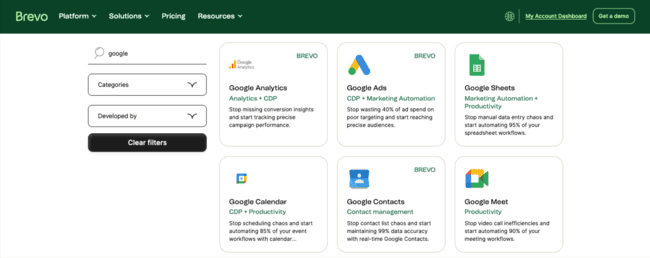
Brevo makes a great first step into CRM for Google Workspace users. Many start-ups launch with Workspace because it’s such good value. You get dozens of communication, collaboration and productivity tools. For one very affordable price. Brevo is equally attractive price-wise. You can even get started using it for free. But it takes familiar tools like Gmail and contact spreadsheets. And adds structure to how they work together.
For example, Brevo turns Gmail into a targeted sales outreach tool. Brevo can track customer interactions to drive automation and targeting. An open or a click can trigger sending the next email in a sequence. Or move a deal to the next stage and create a follow-up task. Brevo also uses tracking data to tag contacts and leads. This then informs segmentation and prioritization.
Another strength of Brevo’s is how many communications channels it supports. Perhaps you want to move beyond email. Brevo has SMS, WhatsApp, live chat, and phone. This makes it easier to track conversations without switching between apps.
Brevo Pros
- Generous free plan with sales CRM and email tools included.
- Multi-channel platform with email, SMS, chat, and meetings.
- Cost-effective for upgrading Gmail and Sheets with CRM tools.
- User-friendly automation for sales and marketing.
Brevo Cons
- Limited sales automation on lower tiers
- CRM features are basic compared to dedicated sales platforms
Brevo’s free CRM plan has 1 user, 1 sales pipeline with 50 active deals, and 9,000 emails a month. Paid plans for its marketing platform start at $8.08 per user, per month, paid yearly. The sales platform pricing starts at $27.92 per month per user.
Get started with Brevo for free or read our full review
EngageBay – Best Affordable All-In-One Google CRM
EngageBay is an all-in-one CRM that unifies sales, marketing, and support. It’s known for being affordable and simple to use. This includes a great free plan for getting started.
EngageBay has native integrations with Gmail, Google Meet, Google Contacts, Google Calendar, and Google Tasks. And you can connect other Google Workspace tools with Zapier and Make.
Core features making EngageBay a great CRM for Google Workspace:
- Google Calendar and Meet integrations for scheduling and managing meetings.
- Google Contacts sync for two-way client data updates.
- Google Tasks plug-in for coordinated task management.
- Zapier and Make integrations to build workflows with Gmail, Google Drive, and Sheets.
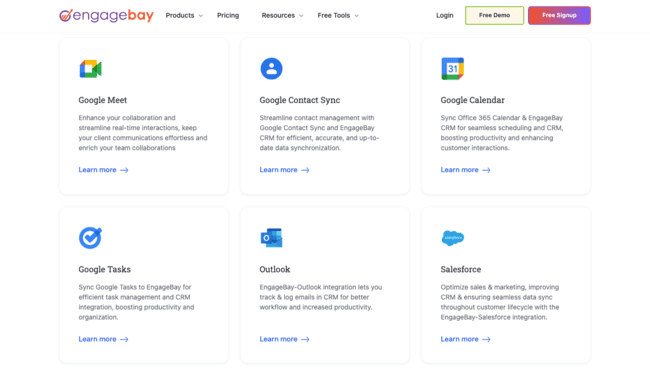
With EngageBay, you get a lot of control over how you set up your Google CRM. Its native connections might not include Sheets. But you can create tasks and schedule meetings using Workspace tools.
Zapier and Make tie different apps together in automated workflows. You can set specific if/then rules for triggers and actions. For example, you create or update a deal in Engagebay. You can use this to automatically trigger an email to all team members. Or add a tag to a contact when you receive a new email from them in Gmail.
EngageBay Pros
- User-friendly sales, marketing and service tools.
- 5 native Google Workspace integrations.
- Generous free plan for 15 users.
- Affordable pricing as your team grows.
EngageBay Cons
- Using Zapier and Make to connect Workspace increase costs.
EngageBay’s free plan includes email, pipelines, contact management, and service tools. Plus you can have 15 users on the same free account. So it’s ideal for small teams. Paid plans start at $11.04 per user per month if you pay two years.
Sign up to EngageBay for free or read our full review
ActiveCampaign – Best for Automating the Full Customer Journey
ActiveCampaign is one of the best marketing automation services. It helps businesses automate pretty much any customer-facing workflow. But it manages to make it easy and intuitive. That’s thanks to an excellent user-friendly visual workflow builder. And 1000+ pre-made and fully customizable workflow templates.
ActiveCampaign has 12 direct integrations for Google Workspace apps. Plus more connections via Zapier.
Core features that make ActiveCampaign a great CRM for Google Workspace:
- Direct contact syncing via native Google Contacts and Sheets integrations.
- Gmail automation templates via Zapier.
- Zapier integrations for Google Calendar, Drive and Forms.
- Google Ads plug-in for personalized nurture and follow-up campaigns.
- Google Analytics integration provides advanced web tracking.
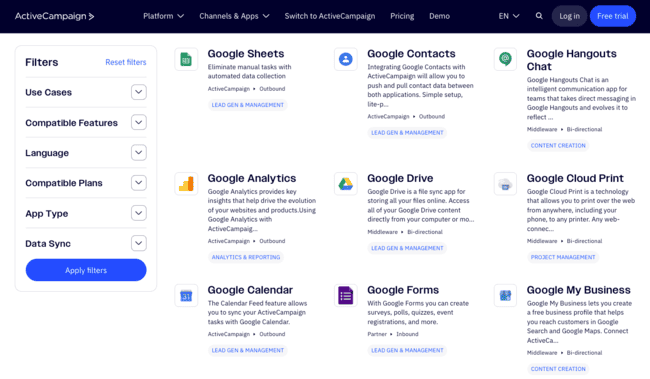
ActiveCampaign is best known for marketing automation. But you can use it to automate the whole customer journey. It’s excellent for linking sales and marketing processes together. And it works as a CRM. For B2C, many of its templates are conversion-focused sales funnels. It also connects with all popular ecommerce platforms. So you can use customer behavioral data to trigger workflows. And target communications.
For B2B businesses, CRM add-ons provide visual pipelines and deals management. One-to-one automated sales emails and AI-powered sales intelligence like win probability.
ActiveCampaign links Workspace processes into CRM flows. This starts with simple contact syncing via Google Contacts and Sheets. At its most advanced, it uses Google data to trigger and branch workflows. When someone opens an email, clicks a link, or replies in Gmail, you can automatically tag or update contact data. Move them to a new segment. Enter them into a new workflow. Move a deal or create a task. And you can add web tracking via Google Analytics.
ActiveCampaign Pros
- Powerful but user-friendly automations with 1000+ customizable templates.
- Helps manage the whole customer journey.
- Behavior tracking supports advanced automation.
- AI analytics and intelligence.
ActiveCampaign Cons
- Sales CRM features are paid-for add-ons.
ActiveCampaign’s plans start at $15/month per user. The sales CRM add-on is $39/month. But it’s only available from the Plus plan upwards, starting at $49/month. There’s a 14-day free trial.
Try ActiveCampaign for free or read our full review
Streak – Best Gmail CRM Add-on
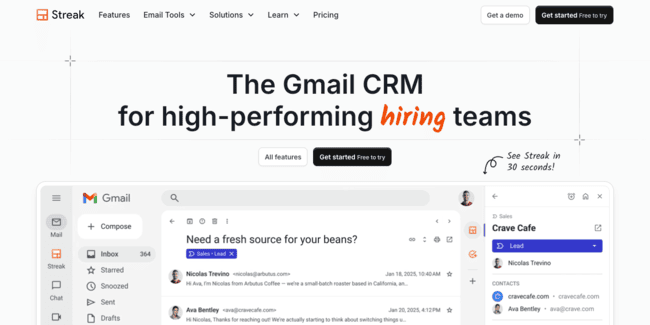
Streak is a specialist Gmail CRM. It works entirely within your Gmail account. And turns your inbox into a lightweight CRM built around email tracking.
Key features
- Fully embedded CRM tools including pipelines, deals and contact management.
- Automation tools for follow-up emails, task assignment, meeting scheduling, and data updates.
- Generative AI for pipelines, emails, deal proposals and summaries.
- Shared inbox and deals views for team collaboration. Plus Slack integration.
- Contact data enrichment from LinkedIn and other social platforms.
Streak’s biggest strength as a Google CRM is its zero-friction. All Streak’s tools are right there in your Gmail window. No more switching tabs as you work. Tools include simple pipelines that list all deals by stage. And convenient sidebars that give easy access to details for every deal and contact.
Streak mainly sticks to the simpler side of CRM. But it has some advanced tools designed to make users’ lives easier. You can use AI to create pipelines, emails and deal proposals. Its data management features are very good, too. It tracks and logs all email interactions in Gmail. And uses this data to identify potential leads, automate responses in simple sequences, and create follow-ups and tasks.
Streak Pros
- Native Gmail experience with no need to switch between software.
- User-friendly data tracking, AI and automation tools.
- Adaptable for sales, service and marketing teams.
Streak Cons
- It’s pricey compared to many rivals with similar feature sets.
Streak pricing starts at $49 per month if you pay for a year. There’s a free plan that only includes email tracking, mail merge, and snippets tools. No CRM features. But you can test out the full CRM on a 14-day free trial.
Copper – Best Simple CRM for Google Workspace
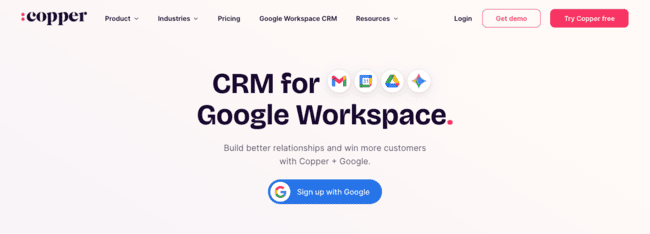
Copper is a genuine Google Workspace CRM. You connect it with all Workspace apps with one integration. Compared to many Google CRMs, this makes the integration deeper and simpler.
Key features
- Visual pipelines with Google tools fully integrated.
- Automatic syncing of Gmail conversations with contacts and deals.
- Automated workflows using Google tools.
- Google Drive integration for attaching files to deals and contacts.
- Expanded email tools including templates, personalization and automations.
Whatever Google app you’re using, Copper’s CRM tools sit naturally in the interface. Its biggest strength is how it syncs data across Workspace apps. And channels it into effective CRM workflows. You no longer have to manually read an email reply in Gmail. Schedule Calendar events. Update a contact record in Sheets. Attach Google Docs to a deal. And tell the rest of your team about it in Google Chat. Copper can do it all automatically. With easy-to-use shared pipelines visible in Workspace apps to manage it all.
Copper is a good fit for CRM beginners. You get to stick with the familiar Google environment. But get solid CRM tools with minimum fuss.
It’s also affordable. And grows in a logical way through its plans. On its cheapest tier, you get a shared activity feed, task management, and lead capture forms. On the next tier up, pipelines, contact enrichment and basic task automation. Then higher up, more advanced workflow automation and bulk email sending.
Copper Pros
- Single window CRM for managing contacts, deals, and workflows inside Google Workspace.
- Activity logging from emails and meetings reduces manual data entry.
- Balances simplicity with structured pipeline management.
- Affordable and easily scalable for small sales teams.
Copper Cons
- Lacks the advanced features of more specialized sales CRM platforms. Especially for sales automation and analytics.
Copper’s paid plans start at $9 per user, per month with a cap of 1,000 contacts. There is a 14-day free trial.
Freshsales – Multi-Channel Sales CRM for Google Workspace
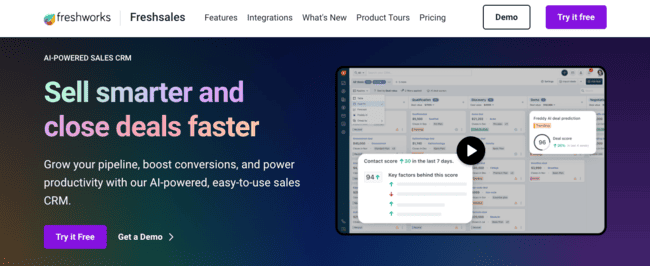
Freshsales is one of the cheapest sales CRMs. But still provides many reliable, user-friendly tools. It’s part of Freshworks, a CRM platform with customer service and marketing tools.
The Freshworks Marketplace lists 25+ integrations for Google Workspace. These are a mix of free native plug-ins built by Freshworks. And paid-for third-party integrations. Only a few of these are suitable for Freshsales. But there are Freshsales-built Gmail integrations available in the Google Workspace Marketplace.
Key features
- Freshsales add-on for Gmail provides full contact sync. And access to pipeline and deal data from your inbox.
- Google Calendar integration for scheduling meetings and tracking team activities.
- Phone, live chat, and messaging integration with Google Contacts.
- Email engagement tracking with real-time alerts and lead scoring.
- 25+ Google Workspace integrations for Freshworks. Including Google Chat for live chat support.
Freshsales does everything you’d expect from a sales CRM. It organizes pipelines into visual kanban boards. Users get shared access to deal information, updates, and tasks. With the Gmail plug-in, you can make your emails sync with these pipelines. You can track responses to emails. And use this for simple but effective automations. You can automate outreach messages the moment a lead enters a pipeline. Then update deal status, notes, and follow-ups based on whether they open the email or click a link. In Freshsales Suite, you can connect email campaign responses to pipelines. And funnel in engaged leads only.
As a Google CRM, Freshsales stands out for adding other channels to email. Especially phone and live chat. Here’s where Freshworks’ focus on service and support becomes an asset. It offers low-cost cloud phone in 90 countries. A full live chat widget building platform. Plus integration with Google Chat. And in Freshsales Suite, you get SMS marketing, WhatsApp and social media messaging thrown in, too. So you can make calls and send SMS messages to your Google contacts. And whatever channel you use, all CRM database records sync in real time.
Freshsales Pros
- Integrates email, phone and live chat.
- Low cost for small teams and startups, including a free plan.
- User-friendly event-based automations.
- Strong service CRM features in the Freshworks platform.
Freshsales Cons
- It would be easier if the Gmail plug-ins were available on the Freshworks Marketplace.
Freshsales’s free plan gives access to core CRM features for 3 users. Paid plans start at $9 per user, per month.
Zoho CRM – Best Customizable Google CRM
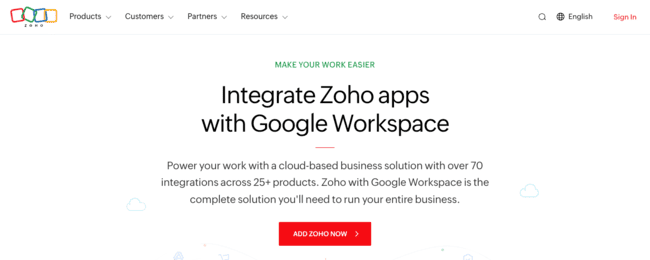
Zoho is an all-in-one business software platform. The Zoho CRM is one of 50+ products. Zoho has 2,000+ integrations, including 180+ for Google apps. Just under half of these work with Zoho CRM.
Core features
- 90+ Google integrations for Zoho CRM.
- Fully customizable visual pipelines with advanced deal stages and field control.
- Advanced sales automation with full integration of Google tools.
- Extensive AI tools for email generation, analytics, recommendations, and automations.
- Part of the Zoho platform with 50+ business software products.
If you want flexibility in a Google CRM, Zoho is hard to beat. You can choose from a full Zoho CRM integration with Google Workspace. A Chrome extension that adds a Zoho CRM toolbar to Gmail. Or dozens of plug-ins for individual Google apps. Some of these are more niche than many rivals offer. For example, connections to Google Maps for contact address look-up and auto-complete. And Google Sites for lead capture forms. Then there are all the other connections if you use CRM as part of the Zoho platform. Like CRM Plus, which adds features for marketing and support to sales. Or Zoho One, its complete ‘business operating system’.
Zoho suits Workspace users who want a more powerful business platform. But Zoho CRM stands up as an excellent sales CRM in its own right. For its price point, it has some of the best sales automation and analytics tools. All driven by its Zia AI. Zia can do everything from managing CPQ and product recommendations. To analyzing email conversations to assess lead sentiment and intent. And using this data to make next-step recommendations.
Zoho CRM Pros
- Zoho’s 50+ products support flexible growth.
- Advanced sales automation and analytics driven by AI.
- High level of customization for pipelines, fields, and workflows.
- Free plan includes basic automation tools and 3 users.
Zoho CRM Cons
- Zoho is such a big platform that it comes with an inevitable learning curve. Setup and customization take time to get right.
Zoho CRM offers a free plan for 3 users. It lets you build a single sales pipeline with 500 records and includes basic automation. Paid plans start at $14 per user, per month.
NetHunt – Best For Sales Automation inside Gmail
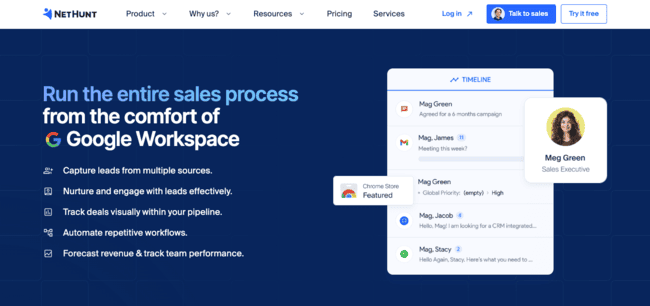
NetHunt is a sales CRM closely integrated with Google Workspace. It connects via browser extensions for Chrome and Safari. And adds impressive sales-focused tools to your inbox.
Key features
- Sales CRM inside the Gmail interface with pipelines, deals and lead management.
- No-code automation tools for sales and email marketing.
- Inbox and calendar sync for team task management.
- Multichannel communications covering SMS, chat and social media.
A lot of very powerful sales CRMs connect to Google services. But NetHunt is unique for how it works directly in Gmail. You go from inbox to a fully fledged sales CRM in just a few clicks. It’s easier to set up and configure than connecting individual apps.
NetHunt’s biggest strength is its automation features. You can automate most processes around lead and deal management. Starting with email campaigns and one-to-one outreach emails. Then tracking responses to sort the best leads. And automatically filtering prospects into pipelines. Creating deals and automating follow-up tasks, updates, and deal progress. A visual builder makes it easy to customize workflows. And you can set conditions for branched flows.
As a Gmail CRM, NetHunt is ideal if your primary mode of communication is email. But it lets you add other channels, too. It connects with WhatsApp, Telegram, Instagram, Facebook Messenger, and Viber. So you can mix email with live and social messaging. And source potential leads from social media. You can also add phone via VoIP integrations. This lets you make calls from within your Gmail inbox.
NetHunt Pros
- Easy setup for a complete sales CRM inside Gmail.
- Flexible, user-friendly sales automation tools.
- Supports email campaigns and sales outreach.
- Integrates phone, live chat, and social messaging with email.
NetHunt Cons
- Sales automation is NetHunt’s best feature. But it’s not available until more expensive higher tiers.
NetHunt’s paid plans start at $30 per user per month. This includes basic sales CRM features like pipelines, lead and deal management. Sales automation isn’t available until the Business tier, starting at $60 per user per month. There’s a 14-day free trial with full access to features.
Check out our review of the best CRMs with email marketing for similar platforms with sales and marketing automation.
Which is the Best CRM for Google Workspace?
The best Google CRM is different for every business. Let’s close with a brief summary of my top picks:
For beginner-friendly Google CRM: Brevo and EngageBay have excellent free plans that include Workspace integrations. Brevo and EngageBay remain more affordable and user-friendly as you grow. Both provide a simple, low-cost way to move beyond spreadsheets and manual tracking. And cover all areas of customer relationship management.
For advanced sales automation: ActiveCampaign is an automation specialist. And it’s an excellent choice for connecting marketing and sales.
For fully functioning sales CRM: Pipedrive and NetHunt add pipelines and sales automation to your Gmail inbox. NetHunt, Freshsales, and Brevo let you connect multiple sales comms channels to Gmail.
For CRM inside your Gmail inbox. Streak, Copper, and NetHunt are Gmail-native CRMs. Streak builds CRM processes around email. NetHunt adds more advanced sales-focused tools. Copper also works via tight integration with Gmail. But it also integrates with other Workspace apps.
If you’re new to Google Workspace, you can get 20% off Standard and Plus plans.
Best CRM for Google Workspace FAQ
Does Google have a free CRM?
Google integrates with lots of third-party CRM systems. Some of these have free plans. The best free CRMs with Google integrations are Brevo, EngageBay, Streak, Freshsales, and Zoho CRM.
How to use Google Workspace as a CRM?
Which CRM software is known for its strong integration with Gmail and Google Workspace?