9 best SocialPilot alternatives in 2026 (tested & ranked)
SocialPilot works fine until your operation grows past one approver. The moment you add a second client, a brand-compliance check, or a legal reviewer, the cracks show up: single-tier approvals, no post-specific commenting, a 2018-era UI, and a pricing model that scales by social account instead of seat or workspace.
This guide compares nine SocialPilot alternatives against the four criteria that actually decide a switch: approval depth, pricing model, client-facing polish, and how cleanly the platform scales from three accounts to thirty. Each entry calls out where the tool wins, where it falls short, and who should pick it, so you can match a shortlist to your team without burning a 14-day trial detour.
If you’re an agency lead, an ops director writing the renewal memo, or a brand owner consolidating tools across a multi-location footprint, this guide is built for you.
Pricing: Free tier (50 posts), Basic $33/mo per workspace, Pro $49/mo per workspace, Enterprise custom
Planable is a social media management tool built around the work that breaks SocialPilot at scale: collaboration and sign-off. Teams and clients draft, review, comment, and approve posts in one shared workspace, so content moves from concept to publish without bouncing between Slack, email, and a scheduler.
Where SocialPilot treats approval as a single yes/no gate, Planable supports four distinct modes (none, optional, required, and multi-level) configurable per workspace.
An agency managing a regulated client (healthcare, finance, beverage) can enforce a three-stage flow: account manager drafts, brand or legal reviews, client signs off. Nothing publishes until every stage clears. For a 12-brand agency, that’s the difference between a production-ready system and a platform that leaks posts at 4 p.m. on Friday.
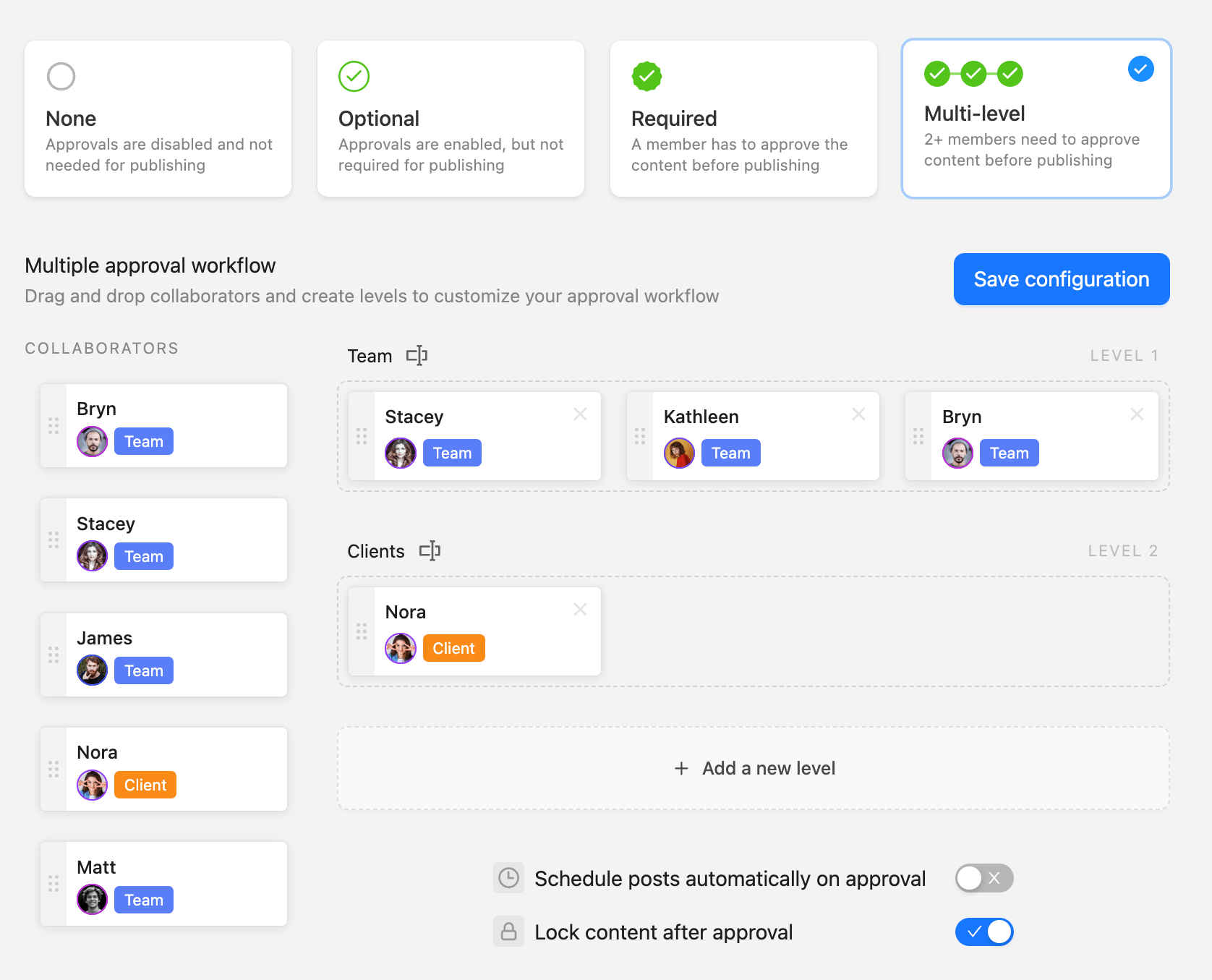
Approval workflow setup in Planable with multi-level approvals, collaborators, and team roles configuration
The second wedge is visibility. Planable renders pixel-accurate previews of each post on every connected channel, so clients sign off on what they’ll actually see.
Comments attach to specific posts, internal team notes stay separate from client-facing feedback, and full version history lets you roll back changes without losing context. For ops leaders, that kills the round-trip between the platform and the client’s inbox that eats hours every week.
Planable key features:
- Four-tier approval system (none, optional, required, multi-level) configurable per workspace
- Pixel-accurate post previews for every connected channel before sign-off
- Private internal comments separated from client-facing feedback, with full version history
- Unlimited workspaces on paid plans — agencies scale by client count, not seat count
- Universal content support beyond social: email campaigns, blogs, and creative briefs in the same calendar
- Social inbox for replying to comments and DMs across channels with status filters and AI replies
- Custom analytics dashboards and client-ready, exportable reports tailored per brand
- Media library with folders, tags, and search for asset reuse across campaigns
- Native integrations with Canva, Zapier, and Slack
Pros and cons of Planable
- Most intuitive UI on the market
- No integrations with CMS platforms for website publishing
- Eliminates external feedback loops
- Most intuitive UI on the market
- Eliminates external feedback loops
- Flawless visual previews
- No integrations with CMS platforms for website publishing
Planable note: The pricing model is the most underrated reason agencies switch. Planable charges per workspace, not per seat, so when you add your fifth account manager to oversee a new client pod, you don’t get hit with a $17-per-user line item like you would on SocialPilot.
SocialPilot vs Planable takeaway: Planable is the best alternative to SocialPilot when team collaboration and approval is your priority. It is ideal for creative agencies and internal marketing departments that require client sign-off or internal hierarchical approvals before content goes live.
2. Hootsuite: enterprise analytics & the widest integration footprint
Best for: Enterprise teams unifying paid, organic, and web data
Pricing: Professional $99/mo, Team $249/mo, Enterprise custom
G2 rating: 4.3/5
Hootsuite earned its place by breadth. Its Advanced Analytics module stacks paid, organic, and web traffic side by side in a single dashboard, useful when a CMO wants one report tying ad spend to organic lift to site conversions.
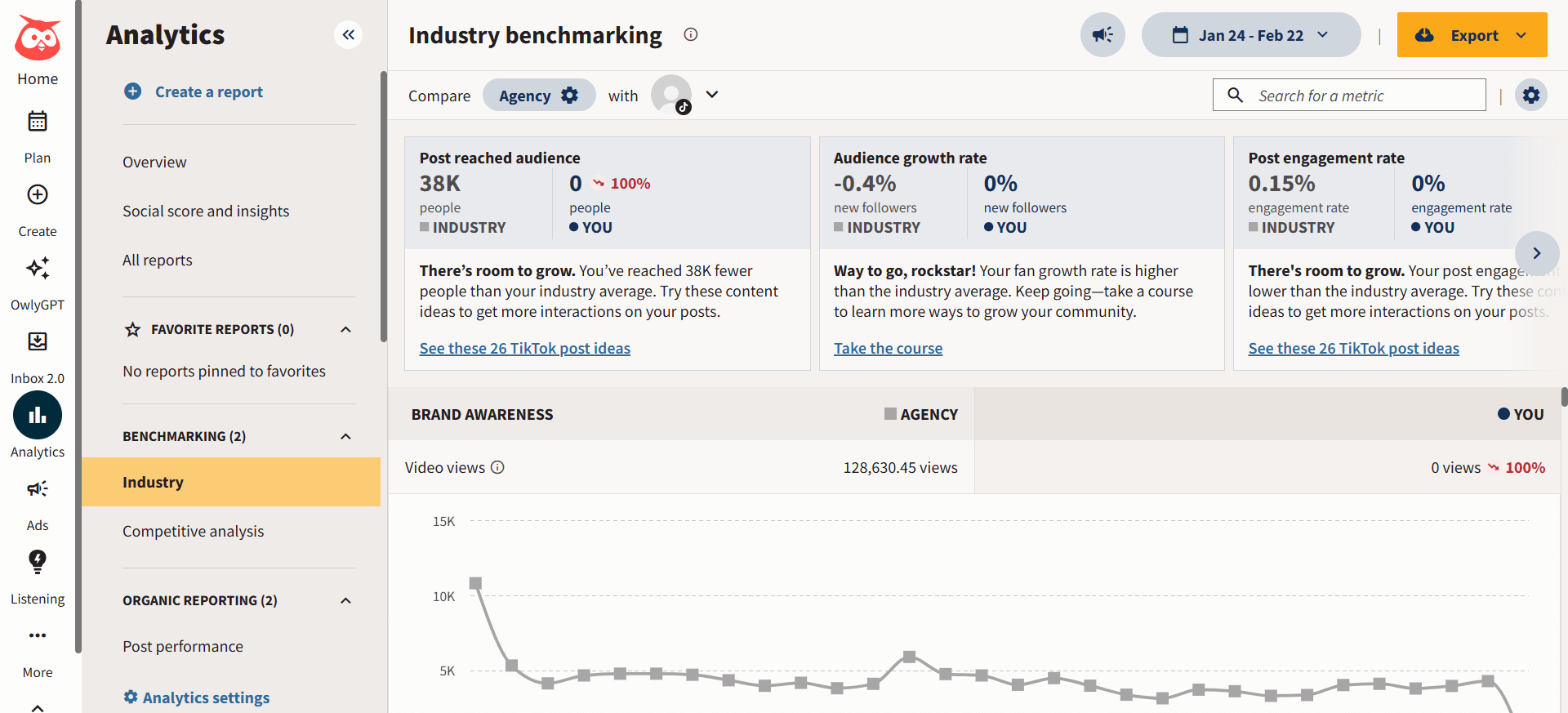
Hootsuite industry benchmarking dashboard
For enterprise ops teams already running Salesforce, HubSpot, Marketo, or Adobe Creative Cloud, Hootsuite’s App Directory plugs into all of them, which no purpose-built scheduler can match.
The catch for agencies and ops teams watching spend: at $99 for one user, Hootsuite is roughly three times Planable Basic for comparable headcount, and approvals feel bolted on rather than native.
Ops leaders running multi-stakeholder sign-offs consistently report the review UX feels dated, and moving a post through two approval tiers takes more clicks than it should.
Hootsuite key features:
- Advanced Analytics with paid + organic + web metrics in one view
- App Directory integrating Canva, Salesforce, HubSpot, Marketo, and ~150 others
- AI caption generator, content ideation, and hashtag curation
- Team-based permissions and content approval queues
- Social listening (add-on)
Pros and cons of Hootsuite
- Industry veteran with support for almost every platform
- Expensive for many; especially for small businesses and agencies that run on tight budgets
- Scalable for very large organizations
- The interface can feel cluttered and dated
- Industry veteran with support for almost every platform
- Scalable for very large organizations
- Expensive for many; especially for small businesses and agencies that run on tight budgets
- The interface can feel cluttered and dated
SocialPilot vs Hootsuite takeaway: Hootsuite wins on analytics depth and integration breadth. SocialPilot wins on price. If your blocker is reporting, Hootsuite closes that gap.
3. Sprout Social: listening and CRM-integrated ops at enterprise scale
Best for: Enterprise brands running listening-heavy workflows
Pricing: Standard $199/mo (up to 5 profiles), Professional $299/mo (unlimited profiles), Advanced $399/mo
G2 rating: 4.4/5
Sprout Social is the heavyweight when listening is non-negotiable. Its Listening module tracks brand sentiment, competitor share-of-voice, and emerging topic clusters at a depth SocialPilot can’t touch, and its bidirectional Salesforce and HubSpot integrations close the loop between social engagement and sales pipeline.
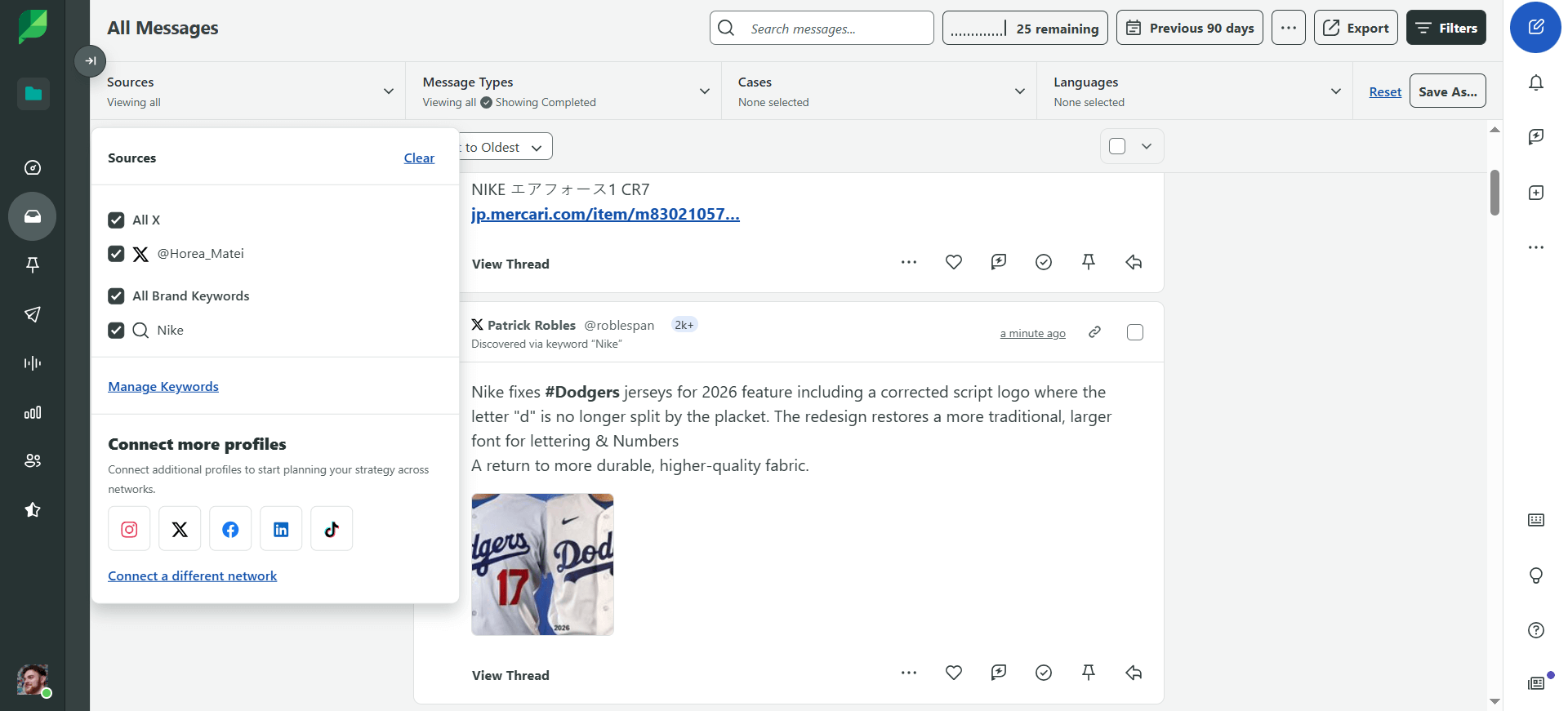
Sprout Social listening inbox
For a VP of brand defending social’s contribution to revenue in a board deck, the pipeline data that Sprout provides is the report you actually need.
Cost is the trade-off. Profile-based tiers mean a six-person agency managing 25 client profiles quickly moves onto the Professional plan at $299/month, and adding Listening pushes the total above $600/month per account.
For ops directors running an ROI lens, Sprout’s pricing forces a clear question: are your switch drivers listening and CRM tie-in, or are they collaboration and approval depth? If it’s the second, cheaper purpose-built tools exist.
Sprout Social key features:
- Social listening with sentiment analysis and share-of-voice tracking
- Smart Inbox consolidating messages across channels with filters and routing
- Bidirectional Salesforce, HubSpot, and Tableau integrations
- Presentation-ready analytics reports with custom branding
- Employee Advocacy module for distributed posting at scale
Pros and cons of Sprout Social
- Deep bidirectional CRM integrations (Salesforce, HubSpot)
- Significantly more expensive than SocialPilot
- Powerful sentiment analysis
- Some users find the learning curve steep for smaller teams
- Deep bidirectional CRM integrations (Salesforce, HubSpot)
- Powerful sentiment analysis
- Significantly more expensive than SocialPilot
- Some users find the learning curve steep for smaller teams
SocialPilot vs Sprout Social takeaway: Sprout is the upgrade when you need listening and CRM-grade data, with budget to match. It’s not the upgrade when collaboration or client approvals are the real pain.
4. Agorapulse: a unified inbox for community-heavy teams
Best for: Community managers handling high DM volume
Pricing: Standard $79/user/mo, Professional $119/user/mo, Advanced $149/user/mo, Custom pricing
G2 rating: 4.5/5
Agorapulse earns its spot for inbound. Its Inbox Assistant auto-categorizes DMs, comments, and @mentions across every connected channel, so community managers aren’t triaging hundreds of messages by hand.
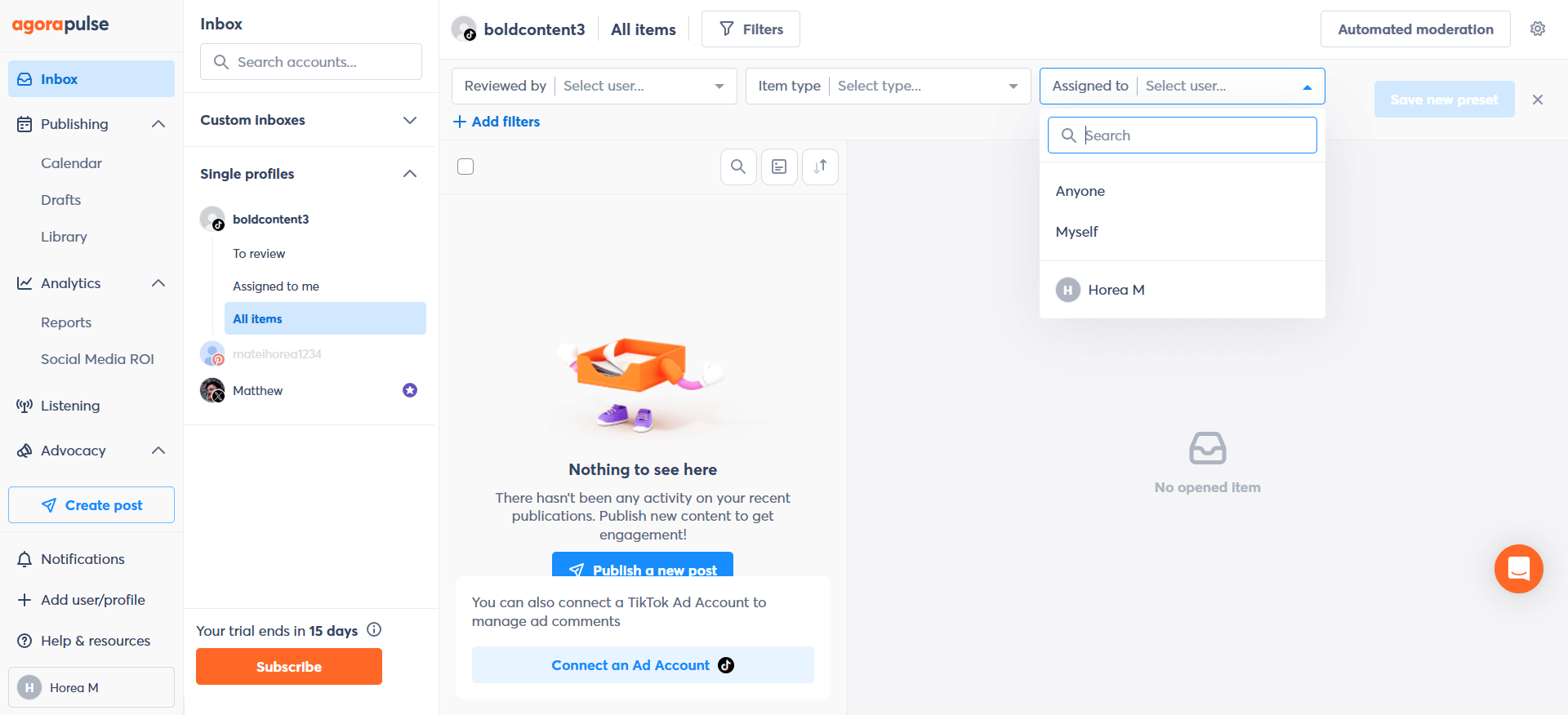
Agorapulse inbox with assigned-to filter dropdown open
The Social ROI tool tags incoming conversations and links them to revenue events or UTM-tracked destinations, giving ops teams a direct way to show social’s pipeline contribution without custom Google Analytics work.
Where it falls short for agencies: per-user pricing punishes team growth, and collaboration features (multi-step approvals, client review access) sit behind higher tiers. A five-person agency on Standard pays $395/month in seats alone, and still won’t have client-facing approval flows.
Agorapulse’s visual planning is also weaker; the grid view isn’t as polished as Planable’s or Later’s calendar, which matters for DTC campaigns where feed aesthetics drive performance.
Agorapulse key features:
- Inbox Assistant with automated message categorization and routing
- Social ROI reports linking engagement to revenue events
- Saved Replies library for frequent customer questions
- Fan ranking to identify top advocates and repeat engagers
- Listening (paid add-on) for keyword and competitor tracking
Pros and cons of Agorapulse
- Powerful inbox features for community managers
- The collaboration tools are not available in the Free and Standard plans.
- Useful “Save Replies” feature for common questions.
- The visual planning interface is less intuitive
- Powerful inbox features for community managers
- Useful “Save Replies” feature for common questions.
- The collaboration tools are not available in the Free and Standard plans.
- The visual planning interface is less intuitive
SocialPilot vs Agorapulse takeaway: Pick Agorapulse if DM volume is the real pain and ROI reporting is non-negotiable. Skip it if you need client-facing approvals without paying for the top tier.
5. Sendible: white-label client portals for agencies charging premium retainers
Best for: Agencies that want a fully branded client experience
Pricing: Creator $29/mo, Traction $89/mo, Scale $199/mo, Advanced $299/mo, Enterprise $750/mo
G2 rating: 4.5/5
Sendible‘s wedge is white-label. Unlike SocialPilot’s limited branding options, Sendible lets agencies replace the login screen, the email notifications, and the automated reports with their own identity.
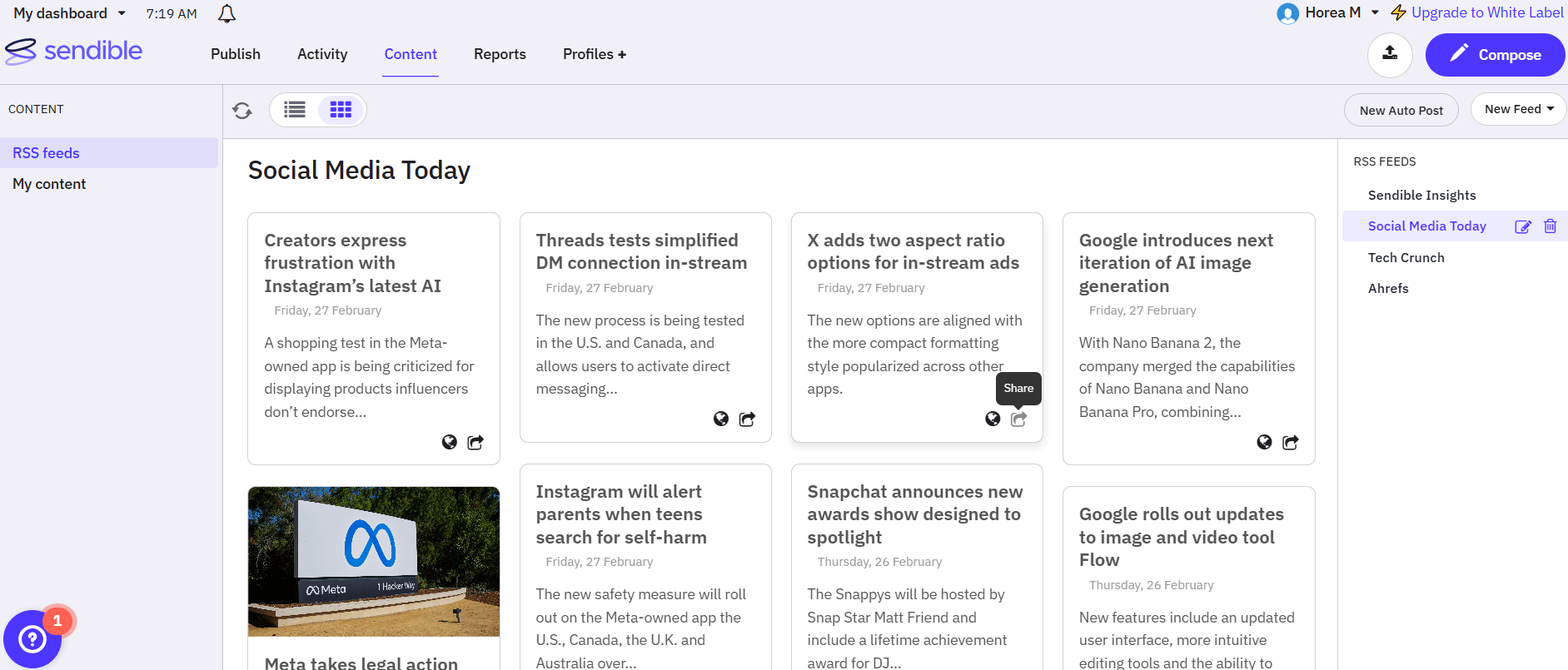
Sendible RSS feed view
For account managers pitching premium retainers, that materially changes how billable the platform looks, and it’s often the single feature that justifies the price.
The bulk importer handles up to 350 posts per CSV with image URLs included, making it useful for ops teams running multi-location rollouts (think a 50-franchise brand refresh).
The weaknesses: the UI feels a generation behind the newer tools on this list, and reviewers consistently flag the mobile app as buggy. If your team lives on desktop and your clients want agency-branded reports, Sendible is a strong fit.
Sendible key features:
- White-label login pages, email notifications, and automated PDF reports
- Bulk CSV importer (up to 350 posts) with image URL support
- Service-level grouping to organize 100+ client profiles
- Content discovery via RSS, Google Alerts, and a dashboard holiday calendar
- Approval routing with single-tier sign-off
Pros and cons of Sendible
- Fully brandable client portals
- The interface can feel a bit dated
- Efficient account grouping
- Mobile app experience is occasionally buggy
- Fully brandable client portals
- Efficient account grouping
- The interface can feel a bit dated
- Mobile app experience is occasionally buggy
SocialPilot vs Sendible takeaway: Sendible wins for agencies where client-facing branding is part of the pitch. SocialPilot wins on price for smaller teams without the white-label requirement.
6. Buffer: clean, per-channel scheduling for sub-five-person teams
Best for: Solo operators and small in-house teams
Pricing: Free tier, Essentials $5/channel/mo, Team $10/channel/mo
G2 rating: 4.3/5
Buffer is the minimalist counter to SocialPilot’s density. Scheduling, simple analytics, a tidy Start Page link-in-bio and nothing more.
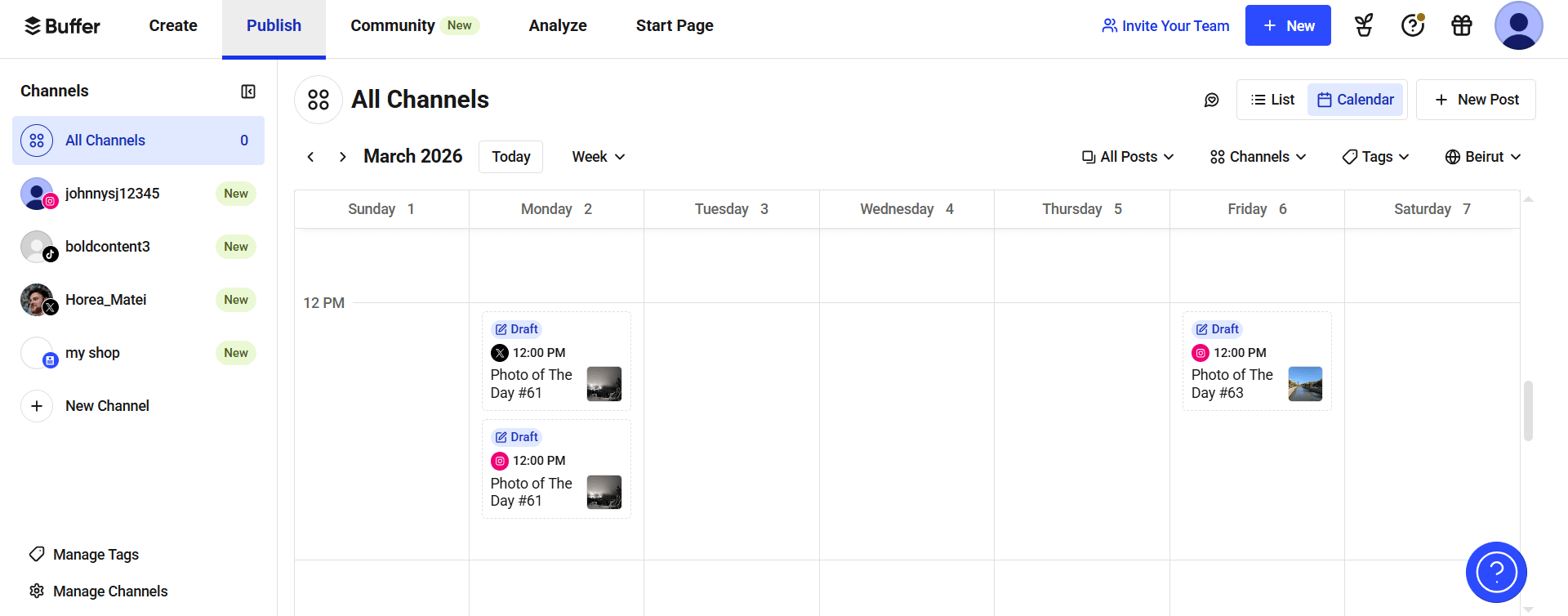
Buffer content calendar
For a founder-led brand or a three-person in-house team, the pricing model is genuinely hard to beat: $5 per channel per month means five channels cost $25, often less than SocialPilot’s starter for similar functionality.
Where it breaks for agencies and ops teams: content approval workflows don’t exist on Essentials. You need Team at $10 per channel per month before you get them, and even then approval logic is one tier deep. Stacking the full suite (Publish + Analyze + Engage) climbs quickly toward Hootsuite-tier pricing without the enterprise analytics.
Buffer key features:
- Per-channel pricing model with no seat caps on paid tiers
- Start Page (link-in-bio) with custom branding and analytics
- AI Assistant for caption drafting and content repurposing
- Separate Analyze and Engage modules sold as add-ons
- Clean, lightweight calendar and queue scheduling
Pros and cons of Buffer
- Exceptionally easy to use
- No content approval workflows on the lower tiers
- Excellent “Start Page” feature for link-in-bio
- Getting a full suite (Publish + Analyze + Engage) gets pricey
- Exceptionally easy to use
- Excellent “Start Page” feature for link-in-bio
- No content approval workflows on the lower tiers
- Getting a full suite (Publish + Analyze + Engage) gets pricey
SocialPilot vs Buffer takeaway: Buffer is the cleaner pick for solo operators and small teams. Agencies managing client approvals will hit Buffer’s ceiling within weeks.
7. Loomly: post-idea generation for small marketing teams
Best for: Small teams fighting content block
Pricing: Starter $49/mo (3 users, unlimited calendars), Beyond $349/mo (unlimited users, unlimited calendars), Enterprise (custom pricing)
G2 rating: 4.6/5
Loomly solves a narrow but real problem: what to post next. Its Post Ideas feed pulls from Twitter trends, RSS, international holidays, and social-media-holiday calendars, dropping ready-to-use prompts straight into the content calendar. For a three-to-five-person team without a dedicated content strategist, that cuts the blank-page problem to minutes per week.
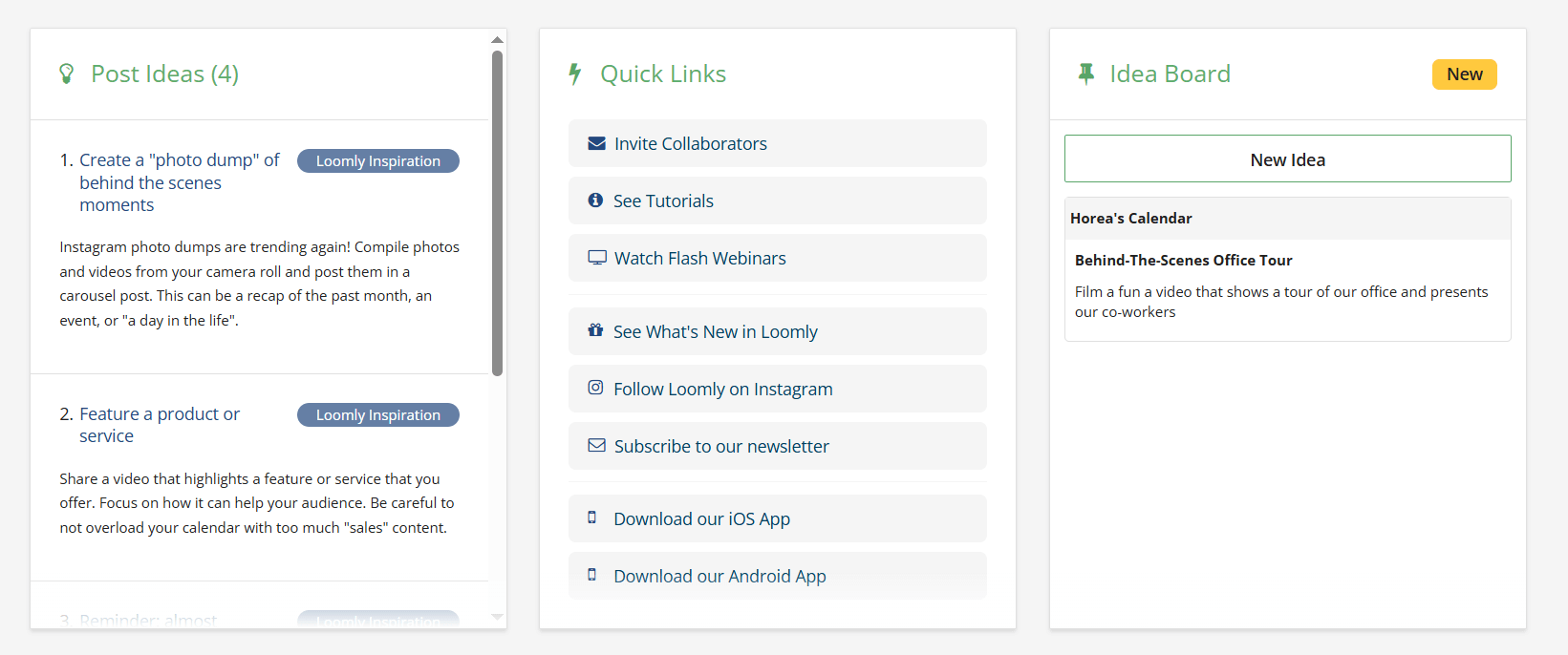
Loomly content ideas dashboard
Loomly doesn’t support briefs, blog content, or email campaigns inside the same workspace (where Planable handles all three). Good small-team tool; runs out of runway once you scale past ten users or need centralized content operations.
Loomly key features:
- Post Ideas feed pulling from trends, RSS, and holiday calendars
- Simplified ads manager for Facebook and LinkedIn campaigns inside the calendar
- Custom success metrics configurable per brand or client
- Centralized content library for reusable assets
- Single-tier approval workflow
Pros and cons of Loomly
- Automated post ideas and hashtag suggestions
- It doesn’t support other content formats (blogs, emails, and briefs)
- It lacks social listening and advanced collaboration tools
- Automated post ideas and hashtag suggestions
- Clean and modern UI
- It doesn’t support other content formats (blogs, emails, and briefs)
- It lacks social listening and advanced collaboration tools
SocialPilot vs Loomly takeaway: Loomly is the better pick when your bottleneck is ideation, not execution. For end-to-end content operations at scale, it doesn’t go the distance.
8. Later: visual planning for Instagram & TikTok-first brands
Best for: Visual-led brands and creator-focused agencies
Pricing: Starter $18.75/mo, Growth $37.50/mo, Scale $82.50/mo
G2 rating: 4.5/5
Later is the visual planner’s pick. Its drag-and-drop grid preview shows exactly how upcoming posts will sit together on an Instagram feed, making it essential for DTC, fashion, and lifestyle brands where aesthetic consistency drives conversion. Linkin.bio converts posts into shoppable landing pages, closing the loop from feed to cart without a third-party tool.
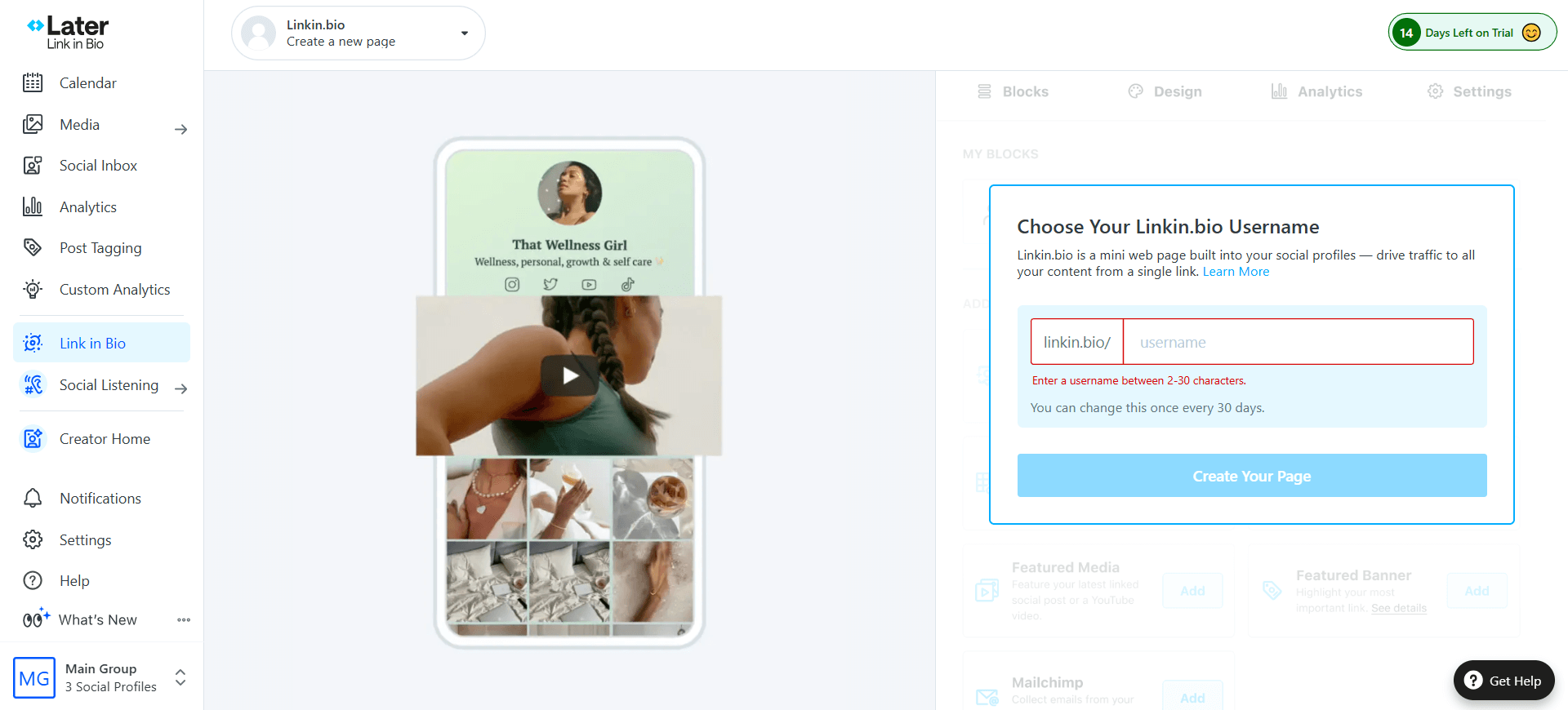
Later Link in Bio editor
For text-heavy channels (LinkedIn, X, Threads), Later feels stripped down. Post caps on lower tiers are strict (30 posts per profile per month on Starter) which makes it a poor fit for agencies managing high-volume brands. Multi-user approvals are thin compared to purpose-built collaboration tools, so if your client workflow involves two or more reviewers, you’ll feel the pinch within a week.
Later key features:
- Drag-and-drop Instagram and TikTok grid planner
- Linkin.bio shoppable landing pages with custom domains
- Visual best-time-to-post heatmap layered on the calendar
- Hashtag suggestions with historical performance data
- Creator marketplace for influencer collaborations
Pros and cons of Later
- Best-in-class visual grid planner
- Strict post limits on lower tiers
- Less effective for text-based platforms like LinkedIn
- Best-in-class visual grid planner
- Excellent for creators
- Strict post limits on lower tiers
- Less effective for text-based platforms like LinkedIn
SocialPilot vs Later takeaway: Later wins for Instagram and TikTok-led brands focused on conversion through visual-first planning. SocialPilot is a broader, cheaper fit for mixed-channel posting.
9. Social Champ: high-volume scheduling on a startup budget
Best for: Startups and lean teams publishing at volume
Pricing: Starter $4/mo/account, Growth $8/mo/account, Enterprise (custom)
G2 rating: 4.4/5
Social Champ packs features SocialPilot and some mid-tier tools charge a premium for (unlimited scheduling, AI captions, content recycling, bulk upload) into a $4/month/account starter. For a bootstrapped startup or a lean in-house team managing 10+ accounts, it’s the cheapest credible option on this list.
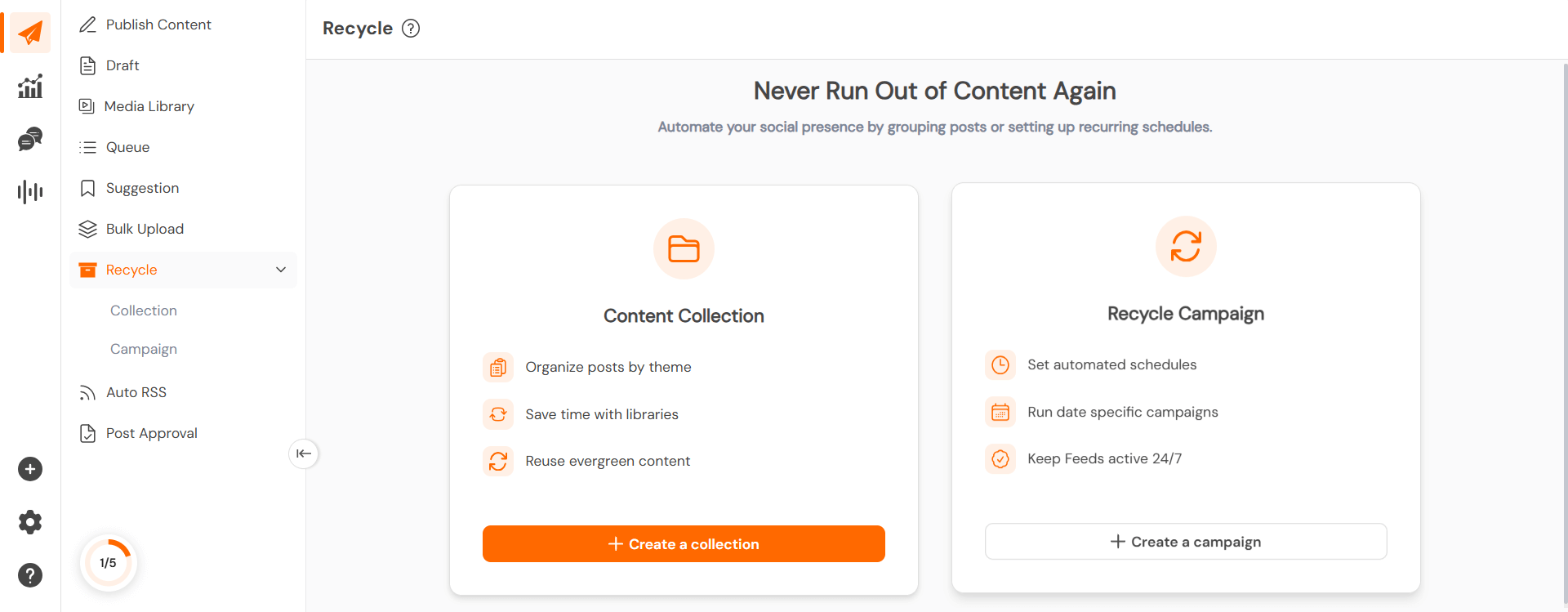
Social Champ content recycle feature
Analytics depth trails enterprise tools like Sprout; approval workflows are basic, fine for internal teams but not robust enough for client-facing agency work.
One real standout of Social Champ is the emerging-platform support for Bluesky, Threads, and Mastodon is broader than most competitors, which helps future-proof the stack if your audience is shifting off legacy channels.
Social Champ key features:
- Content recycling with custom repost schedules and time-of-day targeting
- Bulk CSV upload with Google Drive integration
- First-comment hashtag scheduling to keep captions clean
- Support for emerging platforms including Bluesky, Threads, and Mastodon
- AI-assisted caption generation and content suggestions
Pros and cons of Social Champ
- Analytics are not as deep as enterprise competitors like Sprout Social
- Supports a wide range of emerging platforms
- Affordable pricing
- Supports a wide range of emerging platforms
- Analytics are not as deep as enterprise competitors like Sprout Social
SocialPilot vs Social Champ takeaway: Social Champ wins on price for volume publishers on small teams. It’s not the pick when client approvals or deep analytics are part of the brief.
How to choose the right SocialPilot alternative for your team
Four questions decide the right social media management tool. Answer them honestly and the shortlist narrows fast.
1. What’s your approval depth?
If one person reviews and publishes, almost any tool on this list works. If two or more stakeholders sign off (brand, legal, client) you need multi-tier approvals. That shortlists to Planable (4 tiers), Sprout Social (basic multi-step), and Hootsuite (basic queues). Most others force you into workarounds or add-on tiers.
2. What’s your pricing-model sensitivity?
Per-seat tools (Sprout, Agorapulse) punish team growth. Per-channel tools (Buffer) punish channel expansion. Per-workspace tools (Planable) scale cleanly with client count. Run the math at your 12-month headcount target before committing. A tool that’s 20% cheaper today can be 2x more expensive at scale.
3. Do clients log into the platform?
If yes, client-facing polish matters. Planable offers native client collaboration without exposing internal workspaces. Sendible goes further with white-label branding. Tools built for in-house use (Buffer, Social Champ) feel rough when clients are the end user.
4. What’s your integration stack?
Salesforce + HubSpot + Adobe + Canva? Hootsuite or Sprout. Zapier + email + creative briefs in the same workspace? Planable. Standalone with light integrations? Buffer, Later, or Loomly.
Quick decision checklist
- Do I need multi-stakeholder approvals before posts publish? → Planable
- Do I charge premium retainers and need white-label? → Sendible (or Planable for collaboration-first branding)
- Am I drowning in DMs across 10+ accounts? → Agorapulse
- Do I need unified paid + organic reporting? → Hootsuite or Sprout Social
- Is my team under 5 people with a tight budget? → Buffer or Social Champ
- Is my brand Instagram or TikTok-first? → Later
- Do I need listening and CRM-integrated pipeline data? → Sprout Social
- Do I want one calendar for social, blog, email, and briefs? → Planable
FAQ
Why should I look for a SocialPilot alternative?
Most teams switch because SocialPilot’s approval workflow lacks multi-stakeholder depth (no post-specific comments, no multi-tier sign-off), the interface feels dated compared to tools built in the last five years, and the feature set plateaus once you scale past basic scheduling. If you manage three or more clients or need client-facing collaboration, you’ll hit those limits within a month.
Which SocialPilot alternative is best for agencies managing many clients?
Planable is the strongest overall fit because it offers unlimited workspaces, four-tier approval workflows, and visual post previews clients can comment on directly. Sendible is the runner-up when white-label branding is your top priority.
Are there free alternatives to SocialPilot?
Yes. Planable, Buffer, Agorapulse, and Social Champ all offer free tiers. Planable’s free tier includes 50 posts and access to the core collaboration and approval features, which is enough to test whether the workflow fits your team before committing to a paid plan.
What’s the cheapest SocialPilot alternative for small teams?
Buffer’s Essentials at $5 per channel per month is the cheapest entry point, but it caps collaboration features on lower tiers. For teams needing approval workflows on a budget, Planable’s $33-per-month Basic plan includes unlimited posts and core approval features, which works out cheaper than Buffer Team once you connect four or more channels.
How does SocialPilot compare to Planable for approval workflows?
SocialPilot offers a single approval layer, a post is either approved or not. Planable supports four approval modes (none, optional, required, multi-level), including sequenced multi-level workflows where brand managers, legal, and clients sign off in order. For regulated industries or agencies with tiered client approval, that difference decides whether the platform scales or bottlenecks.
Wrap up: which SocialPilot alternative should you pick?
If SocialPilot’s pricing pulled you in but the collaboration layer is cracking under agency or multi-client load, Planable is the direct upgrade, comparable starting cost, vastly deeper approvals, and client visibility. Try it at no cost for the first 50 scheduled posts!
If DMs are your bottleneck, switch to Agorapulse. If reporting across paid and organic is the gap, Hootsuite or Sprout Social close it.