10 best social media automation tools for agencies in 2026
Social media automation tools promise hours back and mostly hand you a scheduling queue.
Agencies feel the gap around client five. The calendar is full, and someone is still chasing sign-off on a Monday morning while six client reports wait to be rebuilt by hand.
Automation that earns its subscription takes those decisions and runs them on a rule you set once.
This roundup compares the best social media management tools with automation features on exactly that: what each one handles without a person in the loop, and what it costs.
Social media automation tools are platforms that run repeatable social media work on rules instead of manual action. They publish on a schedule, route approvals, moderate comments, watch for brand mentions, and generate recurring client reports without someone triggering each step.
The category splits into five layers. Most tools are strong in one or two of them, which is why agencies end up paying for three or more subscriptions.
- Publishing. Queues, recurring posts, timetable slots, bulk uploads, best time to post, retries when a platform API fails.
- Workflow. Approval routing, auto scheduling on client sign off, content locking, role based permissions.
- Engagement. Comment moderation rules, spam hiding, keyword routing, inbox assignment, saved replies.
- Intelligence. Brand and topic listening, sentiment classification, competitor benchmarking.
- AI and integrations. Public API, MCP connectors for AI assistants, Zapier, webhooks.
That fifth layer is the one that changed. An agency that connects its own AI assistant to a publishing platform stops needing the vendor to ship every workflow it wants.
How do you tell automation from scheduling?
Ask what decision the tool makes for you. A scheduler executes a time you picked. An automation tool evaluates a condition and acts on it.
Three questions separate them:
- Does anything happen when a client approves, or does someone go back in and press schedule?
- Does a comment mentioning a competitor get hidden before a human reads it?
- Does Friday’s client report assemble and send itself?
If the answer is no on all three, you have a social media calendar with a nice interface.
Every entry below follows the same shape: who it fits, what it does, the automation features that stand out, platforms, pricing, pros and cons, when to choose or skip it, and a one line verdict.
Planable
Approval automation and the AI layer
Schedules on client approval; MCP tools plus Public API and Zapier
$33/month
Sprout Social
Enterprise reporting and sentiment
Scheduled cross network reports, sentiment classification
$79/seat/month
Hootsuite
Listening and governance at volume
Standing brand monitors, multi account publishing, paid campaign tracking
$99/user/month
Statusbrew
Rule based comment moderation
Hides spam, closes resolved threads, routes keywords to a team
$69/month
Metricool
Reporting on a small budget
Auto updating dashboards, templated PDF and PPT client decks
$20/month
Agorapulse
Social inbox triage
Sorts and assigns incoming comments and DMs, saved replies
$79/user/month
PostEverywhere
API and AI agent publishing
Full REST API and hosted MCP server on every plan
$9/month
SocialBee
Evergreen content recycling
Re posts category tagged content on a rotation
$29/month
Buffer
Queue based scheduling
Per channel queues and posting slots
$5/channel/month
Sendible
White label client reporting
Smart Queue recycling, scheduled branded reports
$35/month
Best for
Approval automation and the AI layer
Runs without you
Schedules on client approval; MCP tools plus Public API and Zapier
Best for
Enterprise reporting and sentiment
Runs without you
Scheduled cross network reports, sentiment classification
Starting price
$79/seat/month
Best for
Listening and governance at volume
Runs without you
Standing brand monitors, multi account publishing, paid campaign tracking
Starting price
$99/user/month
Best for
Rule based comment moderation
Runs without you
Hides spam, closes resolved threads, routes keywords to a team
Best for
Reporting on a small budget
Runs without you
Auto updating dashboards, templated PDF and PPT client decks
Best for
Social inbox triage
Runs without you
Sorts and assigns incoming comments and DMs, saved replies
Starting price
$79/user/month
Best for
API and AI agent publishing
Runs without you
Full REST API and hosted MCP server on every plan
Best for
Evergreen content recycling
Runs without you
Re posts category tagged content on a rotation
Best for
Queue based scheduling
Runs without you
Per channel queues and posting slots
Starting price
$5/channel/month
Best for
White label client reporting
Runs without you
Smart Queue recycling, scheduled branded reports
Best social media automation software for 2026
1. Planable: for approval automation & the AI automation layer
Best for: Agencies running five or more clients where the delay is client sign off, and teams that want social publishing wired into their own AI workflows.
Planable is a social media management tool that lets agencies plan, review, approve, and publish client content from one workspace per client.
Each client workspace carries its own channels, permissions, brand voice, and approval rules. Its automation runs deeper than the calendar, and the newest part of it is programmatic.
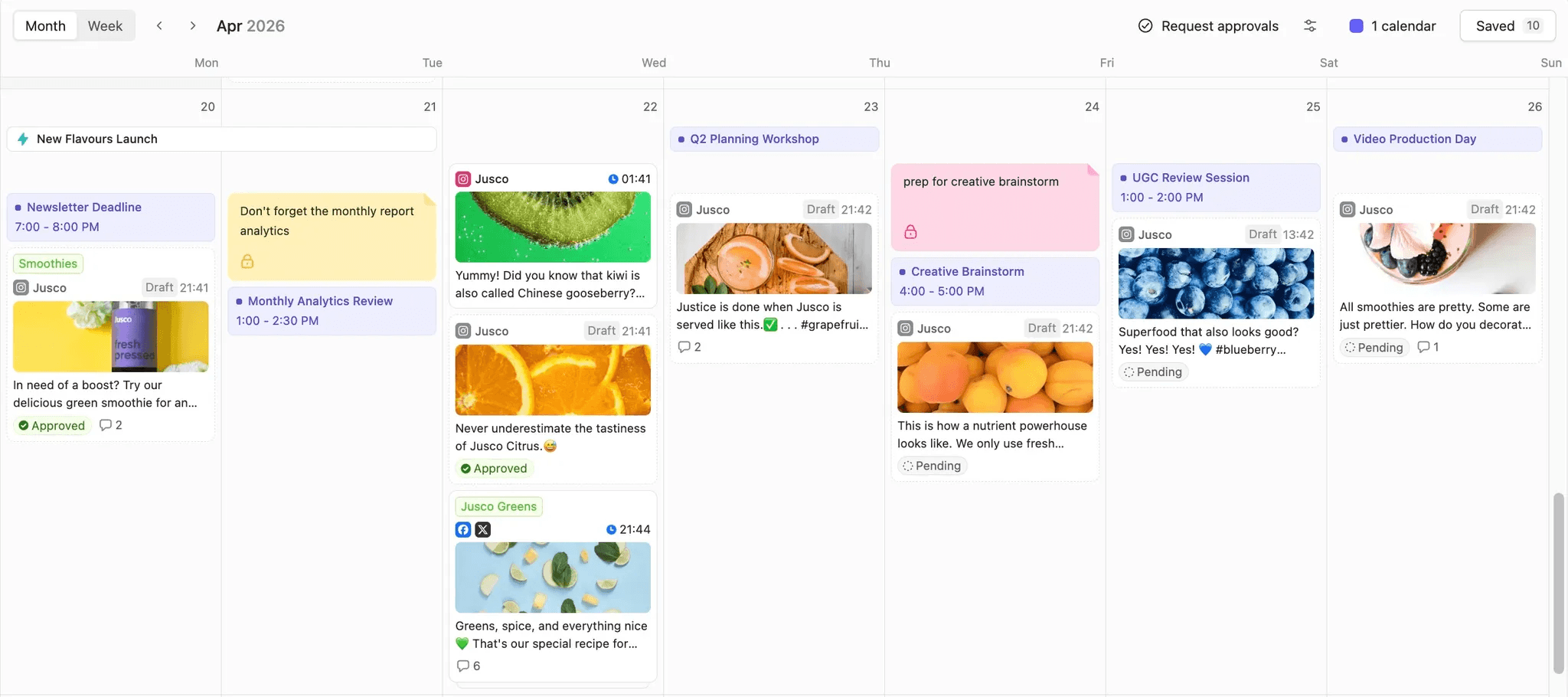
Planable content calendar showing scheduled posts awaiting review
Standout automation features
- Approvals. Four modes per workspace: none, optional, required on Pro, multi level on Enterprise. Schedule on approval publishes at your chosen slot the moment the last approver signs off. Lock after approval freezes content so nobody edits an approved post into something the client never saw. Multi level chains your team, then legal, then the client, in order.
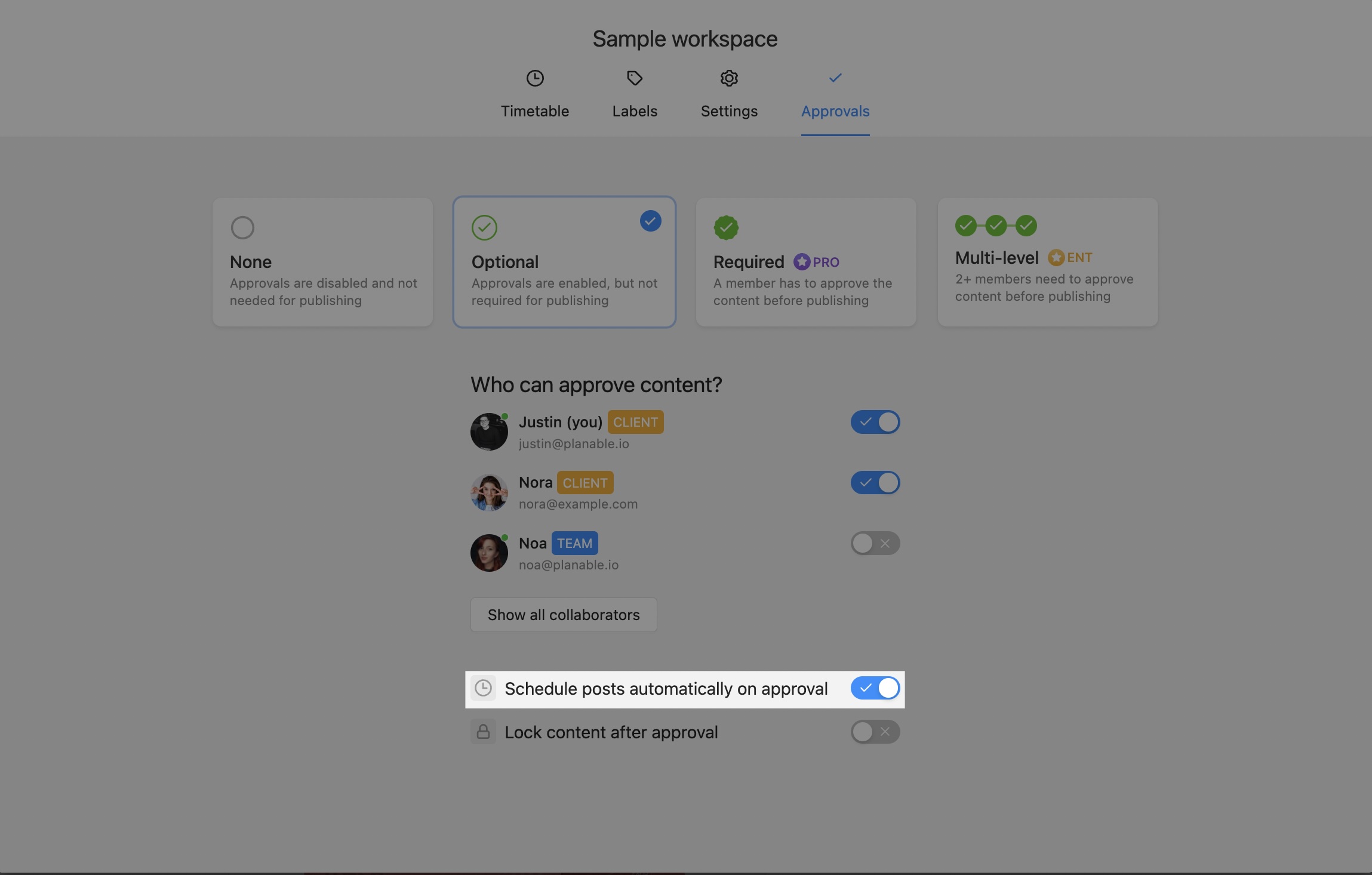
Planable can automatically schedule approved content, helping teams streamline their publishing workflow.
- AI and integrations. The MCP endpoint (mcp.planable.io) grew from 26 tools to 48 in its v2 release, covering drafting, editing, commenting, approving, analytics, campaigns, custom views, competitor analytics, and listening. A Public API sits at parity for your own code, and the Zapier integration handles workflows that fire from outside. Brand Context per workspace feeds the client’s tone into AI generation, including captions and ALT text.
- Publishing and calendar. Timetable slots hold recurring posting times per workspace, so the composer offers the next available slot rather than a blank time picker. Recurring posts repeat daily, weekly, or monthly for a set number of repeats. Best Time to Post draws slots from engagement data and ships on every plan.
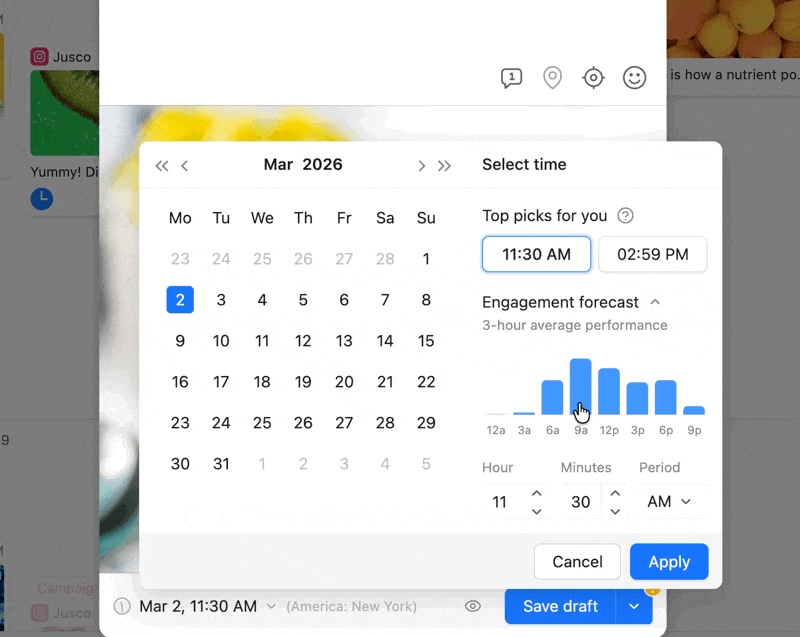
Planable’s scheduling calendar suggests optimal posting times based on expected audience engagement.
- Listening and competitive intelligence. Social Listening watches public mentions across eight sources including the web, with AI sentiment on every mention and CSV export. Competitor Analytics tracks up to five competitors per page across five networks (Instagram, Facebook, TikTok, LinkedIn, Youtube).
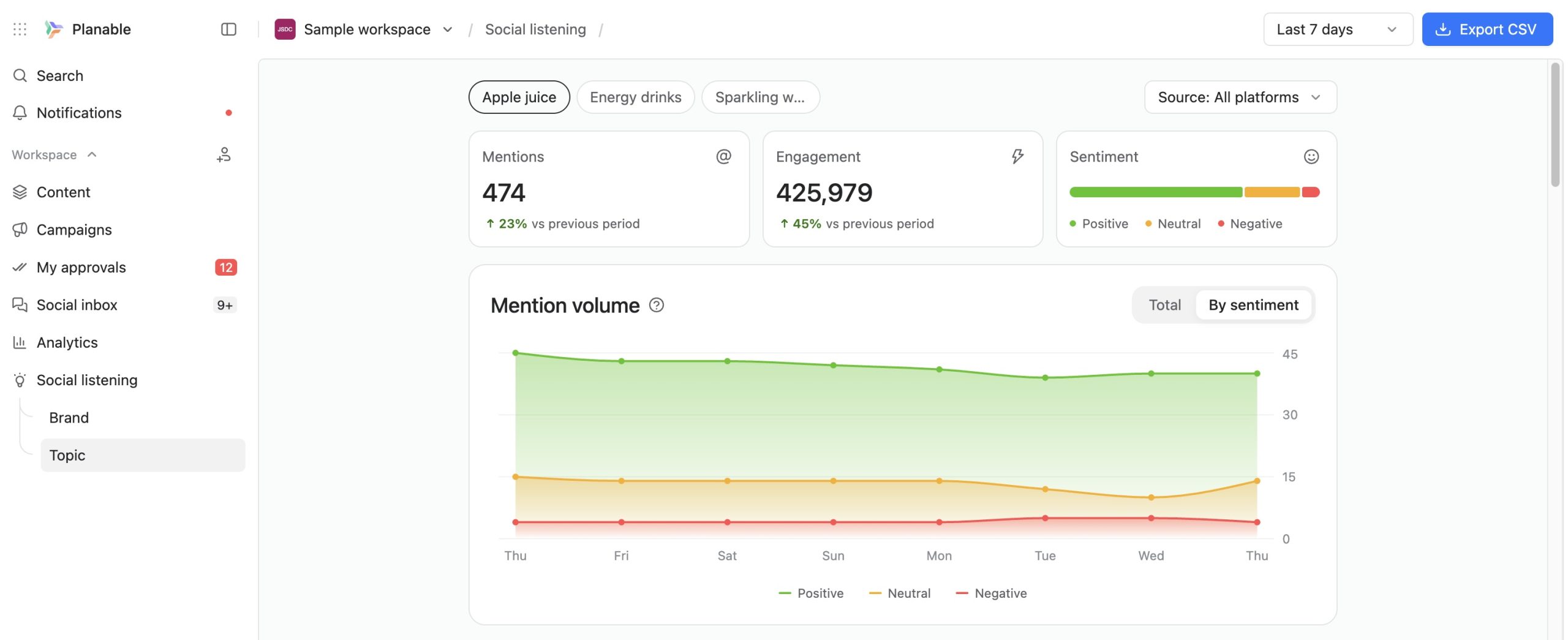
Planable’s social listening report tracks mentions, engagement, sentiment, and conversation trends over time.
- Collaboration. Internal comments stay invisible to clients. Approvers sign off by email invite without creating an account. Universal Content extends the same approval flow to newsletters, blog drafts, briefs, and press releases. Custom Views save a filtered calendar as a shareable URL.
Supported platforms: Facebook, Instagram, LinkedIn (company pages and personal profiles), X, TikTok, YouTube, Pinterest, Threads, Google Business Profile.
Pricing: Free trial covers 50 posts with no time limit. Basic $39/workspace/month ($33 annual), Pro $59/workspace/month ($49 annual), Enterprise. Add ons: Social Inbox $9/workspace/month, Analytics $14/workspace/month.
Planable pros & cons
- Per workspace pricing, so team size does not move the bill
- Multi level approval requires Enterprise
- Deepest approval automation in this list, including schedule on approval
- Less suited to solo creators who only need simple scheduling
- 48 MCP tools plus Public API on standard plans, not gated to enterprise
- Clients approve by email invite, without a paid seat or an account
- Per workspace pricing, so team size does not move the bill
- Deepest approval automation in this list, including schedule on approval
- 48 MCP tools plus Public API on standard plans, not gated to enterprise
- Clients approve by email invite, without a paid seat or an account
- Multi level approval requires Enterprise
- Less suited to solo creators who only need simple scheduling
Choose it when your approval cycle is the bottleneck, your client count grows faster than your headcount, or you want to build your own workflows on top of a publishing platform.
Skip it when your current content workflow is simple and you don’t have many accounts to manage.
Takeaway: Planable is the strongest pick for approval automation, and the only tool here that puts a full programmatic layer on a standard plan.
Get your 50 posts for free!
2. Sprout Social: for enterprise reporting & sentiment analysis
Best for: Agencies serving enterprise clients whose CMO asks quarterly questions about sentiment and paid versus organic attribution.
Sprout Social is a social media management platform aimed at large teams that need defensible numbers. Its automation lives in the analysis layer rather than the calendar.
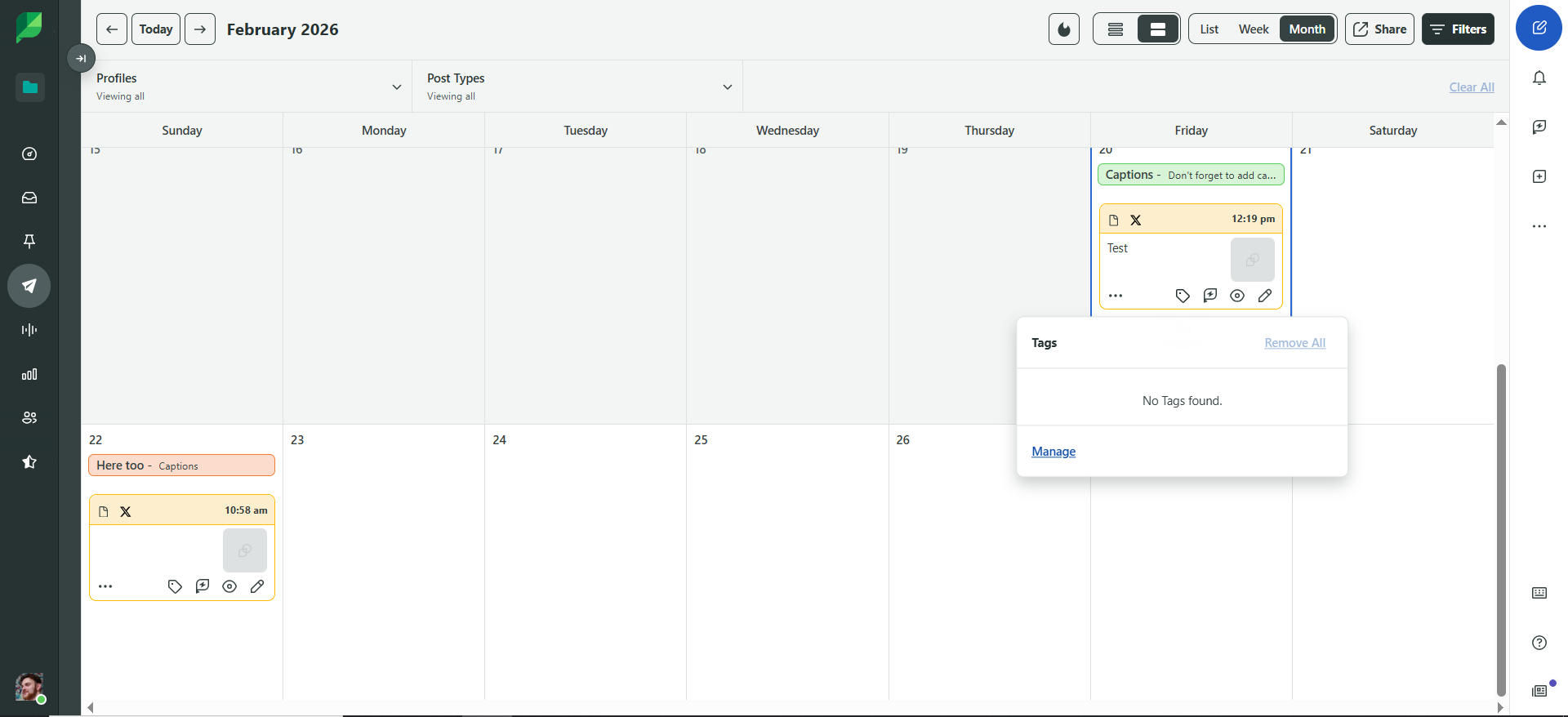
Organize scheduled social posts with Sprout Social’s content calendar.
Standout automation features
- Scheduled cross network reporting. Recurring reports assemble and land in inboxes without anyone exporting a CSV.
- Continuous sentiment classification. Mentions are scored as they arrive, so the trend is available rather than reconstructed.
- AI recommendations. Posting and content suggestions drawn from the account’s own history rather than generic best practice.
Supported platforms: Facebook, Instagram, LinkedIn, X, TikTok, YouTube, Pinterest, Threads, plus review sites and messaging channels on higher tiers.
Pricing: Essentials $79/seat/month, Standard $199/seat/month, Professional $299/seat/month, Advanced $399/seat/month, Enterprise custom. 30 day free trial.
Sprout Social pros & cons
- Deepest reporting and sentiment data in the category
- Seat pricing punishes agencies: six people means six seats
- Paid and organic attribution in one view
- Feature depth runs past what a mid size agency will use
- Enterprise grade governance and audit trails
- API access sits on the upper tiers
- Deepest reporting and sentiment data in the category
- Paid and organic attribution in one view
- Enterprise grade governance and audit trails
- Seat pricing punishes agencies: six people means six seats
- Feature depth runs past what a mid size agency will use
- API access sits on the upper tiers
Choose it when your clients are enterprise brands, your reporting has to survive procurement scrutiny, and your account team is small and stable.
Skip it when you are adding account managers, because every new person adds $79 to $399 a month.
Takeaway: The reporting instrument of the category, priced for teams that stay the same size.
3. Hootsuite: for social listening & governance at volume
Best for: Larger agencies that need one governed view across dozens of client accounts, with listening in the same place.
Hootsuite is one of the oldest platforms in the category, and breadth is the argument for it. Publishing, listening, and paid campaign tracking share one dashboard across a lot of accounts.
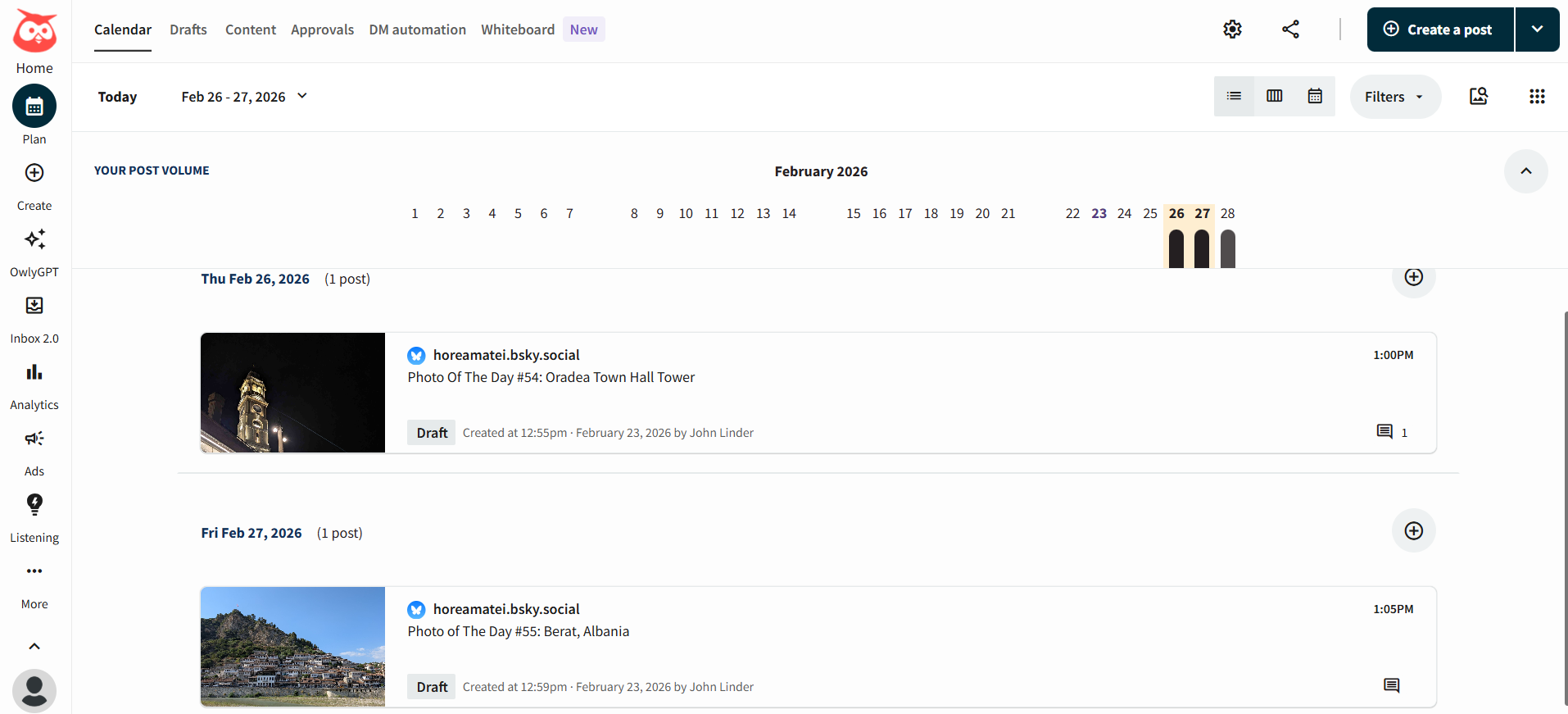
Hootsuite list view
Standout automation features
- Standing listening streams. Continuous monitors for brand mentions and competitor activity, configured once per client.
- Multi account publishing. One calendar covering every connected account across every client, with permissions layered on top.
- Paid campaign tracking. Facebook, Instagram, LinkedIn, and X campaigns tracked beside organic in the same dashboard.
Supported platforms: Facebook, Instagram, LinkedIn, X, TikTok, YouTube, Pinterest, Threads.
Pricing: Standard $99/user/month (10 accounts), Professional $199/user/month, Advanced $399/user/month, Enterprise custom. All billed annually. Free trial available.
Hootsuite pros & cons
- Broadest listening coverage at this price point
- Collaboration is thin, so client feedback stays in email
- Governance and permissions hold up across many accounts
- Configuring streams across dozens of accounts takes real setup time
- Organic and paid tracking in one dashboard
- Per user pricing, billed annually, with no monthly option on lower tiers
- Broadest listening coverage at this price point
- Governance and permissions hold up across many accounts
- Organic and paid tracking in one dashboard
- Collaboration is thin, so client feedback stays in email
- Configuring streams across dozens of accounts takes real setup time
- Per user pricing, billed annually, with no monthly option on lower tiers
Choose it when monitoring volume is the priority and you need one permissioned view across many client accounts.
Skip it when the problem you are solving is client review, because approvals will still happen outside the tool.
Takeaway: Broad and well governed, and the weakest of the big platforms on client collaboration.
4. Statusbrew: for rule based moderation & conversation labeling
Best for: Agencies whose largest manual cost is comment moderation across several client brands.
Statusbrew is the clearest rule engine on this list. Pre built templates and a visual builder let you define a condition and an action, then let it run without supervision.
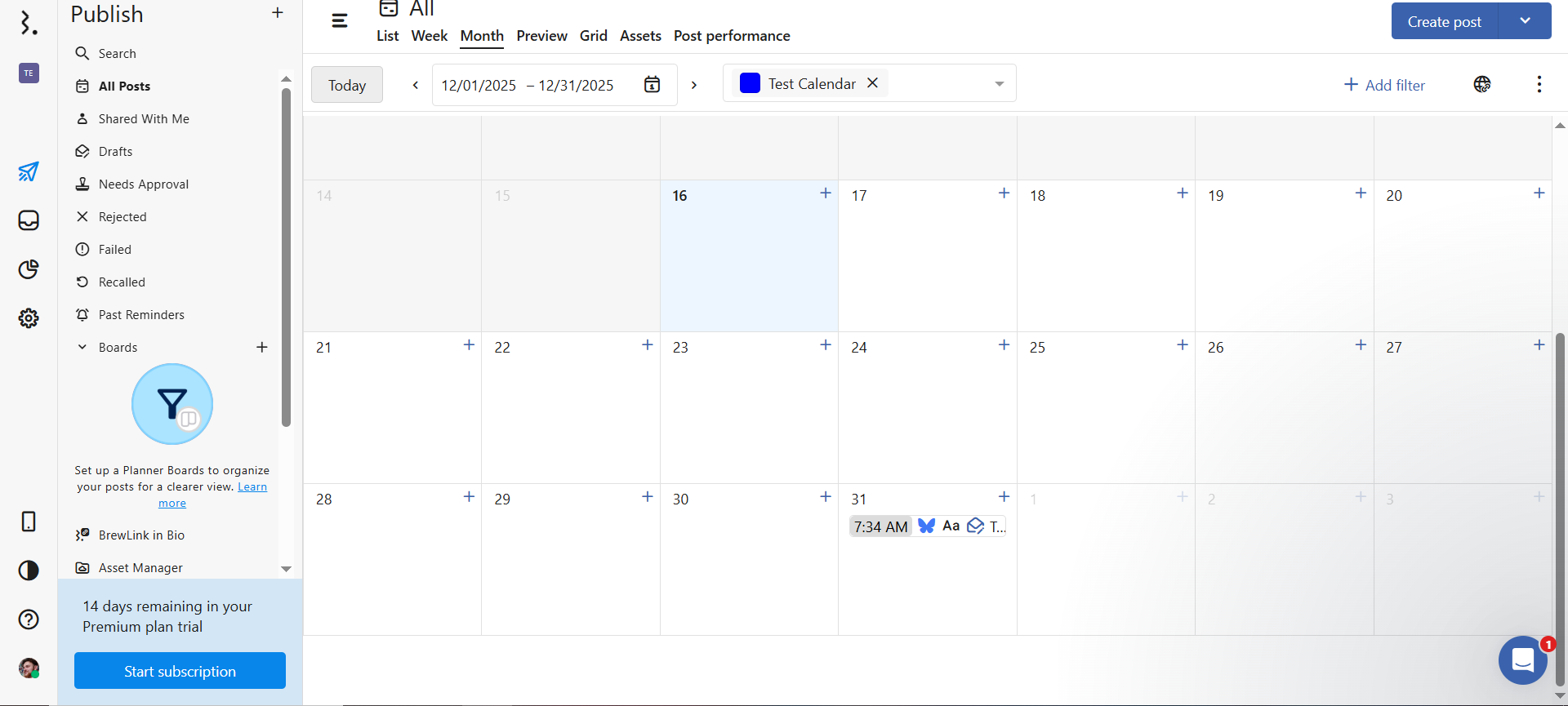
Plan and view scheduled social posts in Statusbrew’s calendar.
Standout automation features
- Comment moderation rules. Hide any comment containing a competitor’s name, close threads a teammate marked resolved, route messages mentioning “refund” to the account manager, ping the client’s Slack when a post goes live.
- Bulk publishing. Platform specific posts scheduled by CSV, label, or category.
- Self updating client reports. Built from widgets, then refreshed and sent on a schedule.
Supported platforms: Facebook, Instagram, LinkedIn, X, TikTok, YouTube, Google Business Profile, Pinterest.
Pricing: Lite $69/month (1 user, 5 profiles), Standard $129/month (3 users, 10 profiles), Premium $229/month (6 users, 15 profiles), Enterprise custom, billed annually. A $49/client/month option exists for growing agencies. 14 day free trial.
Statusbrew pros & cons
- Genuine rule engine rather than a scheduler with filters
- Facebook groups are not supported for publishing
- Flat plan pricing, users included rather than per seat
- Fixed user and profile counts, so growth past six people jumps a tier
- Slack and Teams notifications built into the rules
- No influencer marketing features
- Genuine rule engine rather than a scheduler with filters
- Flat plan pricing, users included rather than per seat
- Slack and Teams notifications built into the rules
- Facebook groups are not supported for publishing
- Fixed user and profile counts, so growth past six people jumps a tier
- No influencer marketing features
Choose it when a client’s posts draw hundreds of comments a day and moderation currently occupies a person.
Skip it when your volume is low enough that a human can clear the inbox in twenty minutes.
Takeaway: The best value here for engagement automation, and the tool most likely to replace a moderation shift with a rule.
5. Metricool: for scheduled client reporting on a small budget
Best for: Cost conscious agencies whose clients want a solid monthly report and little else.
Metricool is the value pick of the category, and the reporting to price ratio is the reason. For $16/month covering up to 10 brands you get client ready decks on customizable templates, plus a Looker Studio connector and competitor tracking.
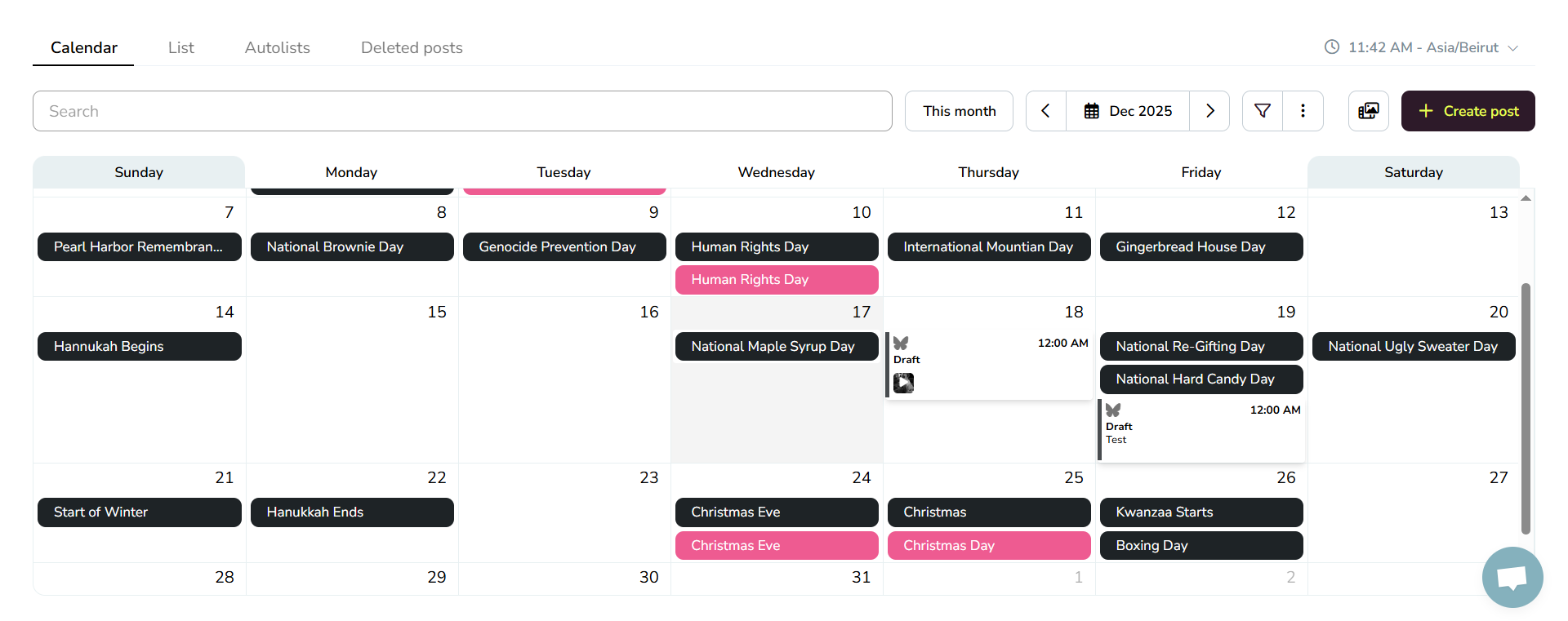
Metricool main content calendar
Standout automation features
- Templated recurring reports. PDF and PPT client decks built from a template, so the monthly deck stops being a manual build.
- Auto updating dashboards. Campaign dashboards and Looker Studio feeds refresh on their own.
- Competitor tracking at volume. Up to 100 competitor profiles on paid plans, well past what most tools allow.
Supported platforms: Facebook, Instagram, LinkedIn, X, TikTok, YouTube, Pinterest, Threads, Bluesky, Google Business Profile, Twitch.
Pricing: Free plan (1 brand, 20 posts/month). Starter $16/month (10 brands). Advanced $43/month (50 brands, team and client management, post approval, Looker Studio, API). Custom tier adds white label.
Metricool pros & cons
- Reporting depth at roughly a tenth of enterprise pricing
- Collaboration is basic; it is not a review environment
- Brand based pricing, so 10 clients cost $16 a month
- Approvals and client management only appear on Advanced
- API included from the Advanced tier
- Engagement automation is minimal
- Reporting depth at roughly a tenth of enterprise pricing
- Brand based pricing, so 10 clients cost $16 a month
- API included from the Advanced tier
- Collaboration is basic; it is not a review environment
- Approvals and client management only appear on Advanced
- Engagement automation is minimal
Choose it when reporting is the layer draining your week and your approval process already works.
Skip it when clients need to review and comment on content inside the tool.
Takeaway: Unmatched reporting value, provided you handle approvals somewhere else.
6. Agorapulse: best for social inbox triage & saved replies
Best for: Agencies with response time written into the client contract.
Agorapulse earns its place on inbox depth. Comments, DMs, and mentions across connected accounts land in one queue, and the Inbox Assistant sorts them before a human opens the tab.
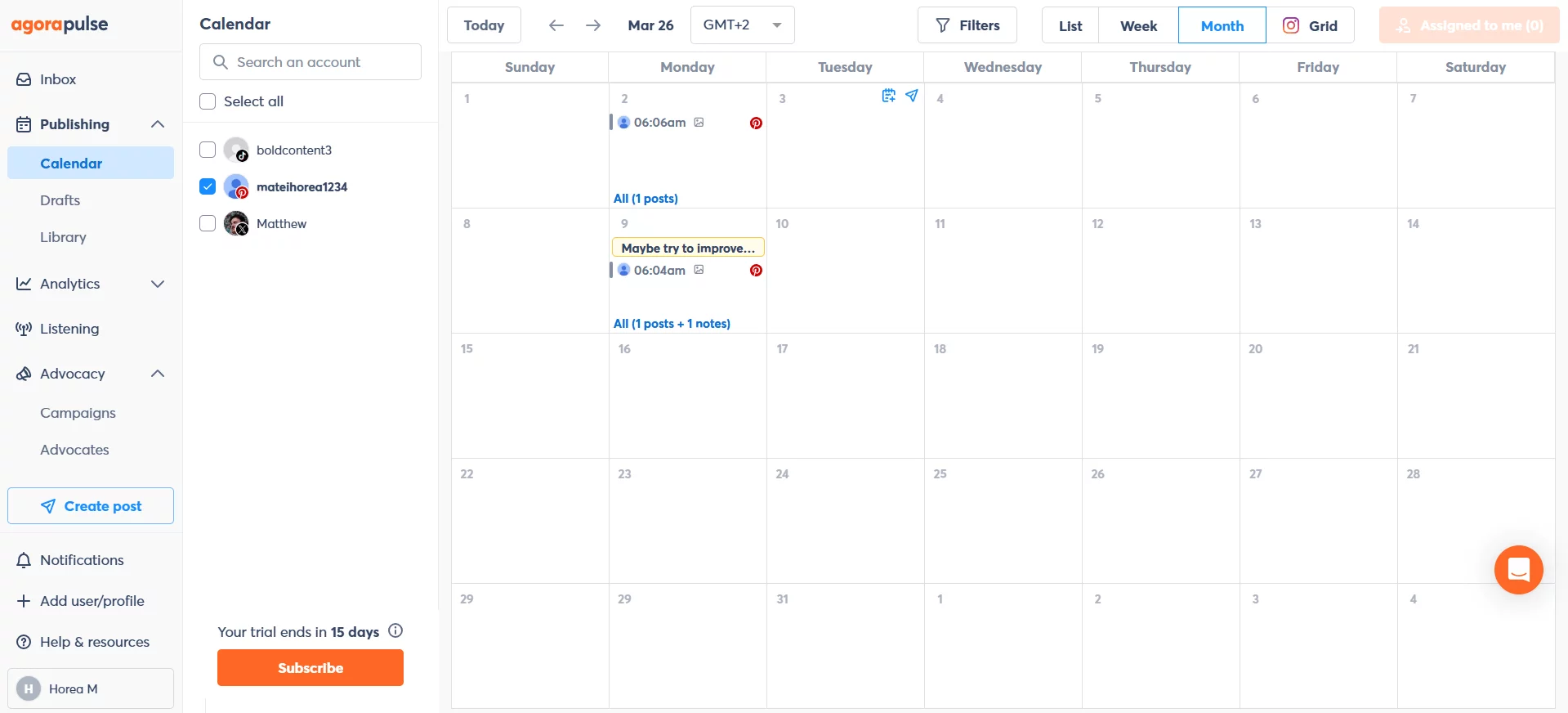
Agorapulse social media calendar dashboard
Standout automation features
- Inbox triage rules. Incoming items organized, labeled, and assigned automatically before anyone reads them.
- Saved replies. Approved answers to recurring questions, applied in one click.
- Scheduled reporting. Recurring performance reports alongside publishing across the major networks.
Supported platforms: Facebook, Instagram, LinkedIn, X, TikTok, YouTube, Threads, Pinterest, Bluesky, Google Business Profile.
Pricing: Standard from $79/user/month, then Professional, Advanced, and Custom tiers. Extra profiles cost $15 each. Add ons cover advanced listening and competitive benchmarking. 30 day free trial, no card required.
Agorapulse pros & cons
- Strongest inbox triage in this list
- Per user pricing plus $15 per extra profile compounds fast
- Generous 30 day trial with no card
- Listening and benchmarking are paid add ons
- Assignment rules suit shared coverage across a team
- Approval workflows are shallow for agency review
- Strongest inbox triage in this list
- Generous 30 day trial with no card
- Assignment rules suit shared coverage across a team
- Per user pricing plus $15 per extra profile compounds fast
- Listening and benchmarking are paid add ons
- Approval workflows are shallow for agency review
Choose it when engagement response time is the contracted deliverable and several people share inbox coverage.
Skip it when you run many client accounts on a mid size team, because the per profile charges stack.
Takeaway: Buy it for the inbox, and model the profile charges before you commit.
7. PostEverywhere: best for API & AI agent publishing
Best for: Small agencies and technical teams building custom publishing workflows or AI agent pipelines.
PostEverywhere is the most 2026 shaped tool here. It publishes to 11 platforms and ships the full REST API plus a hosted MCP server on every plan, including the $9 tier.
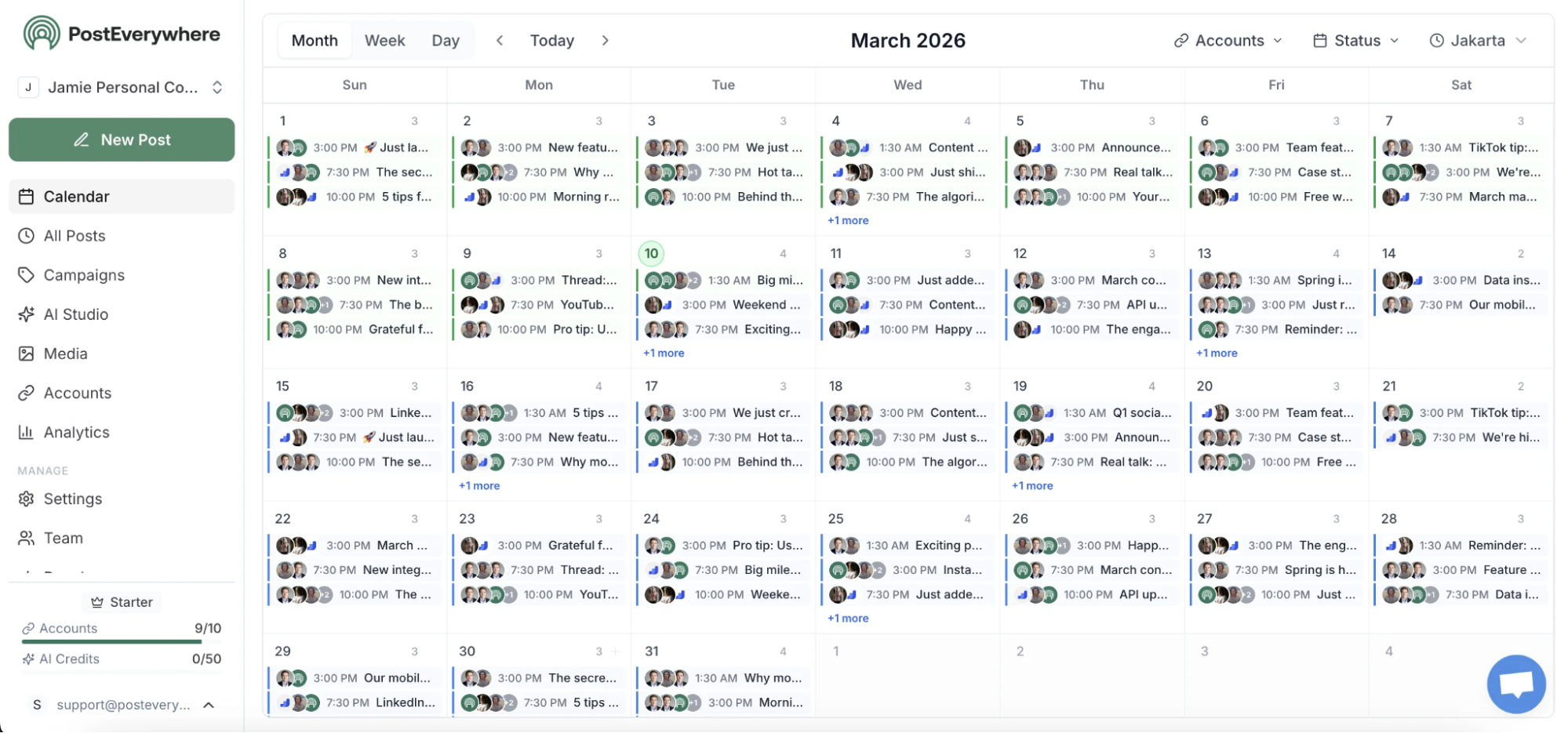
PostEverywhere multi-platform composer scheduling one post across 8 networks
Standout automation features
- API and MCP on every plan. Programmatic publishing from an internal tool or an AI agent, without an enterprise upgrade.
- AI generation in the composer. Captions per platform plus image and video creation, without a third party tool.
- Smart scheduling. Automatic retries and rate limit handling, with campaign tags for cross platform tracking.
Supported platforms: Instagram, Facebook, X, LinkedIn, TikTok, YouTube, Threads, Pinterest, Bluesky, Discord, Telegram.
Pricing: Lite $9/month (2 accounts), Starter $19/month (5), Growth $29/month (10), Scale $39/month (20). Unlimited posts on all plans. 7 day free trial.
PostEverywhere pros & cons
- Programmatic access at the entry price, rare in this category
- Approval workflows are shallow, so client review happens elsewhere
- Discord and Telegram publishing, uncommon elsewhere
- No blog or CMS publishing
- Unlimited posts on every tier
- Account limits are tight at the lower tiers
- Programmatic access at the entry price, rare in this category
- Discord and Telegram publishing, uncommon elsewhere
- Unlimited posts on every tier
- Approval workflows are shallow, so client review happens elsewhere
- No blog or CMS publishing
- Account limits are tight at the lower tiers
Choose it when you have engineering capacity and want a cheap, programmable publishing endpoint.
Skip it when clients need to review and approve content inside the platform.
Takeaway: A publishing API with a UI attached, priced for teams that would rather build than wait.
8. SocialBee: best for evergreen recycling & content categories
Best for: Agencies running clients with stable messaging and a deep library of evergreen assets.
SocialBee is the strongest option here for content that should run more than once. Posts get tagged into categories, and each category gets its own rotating schedule.
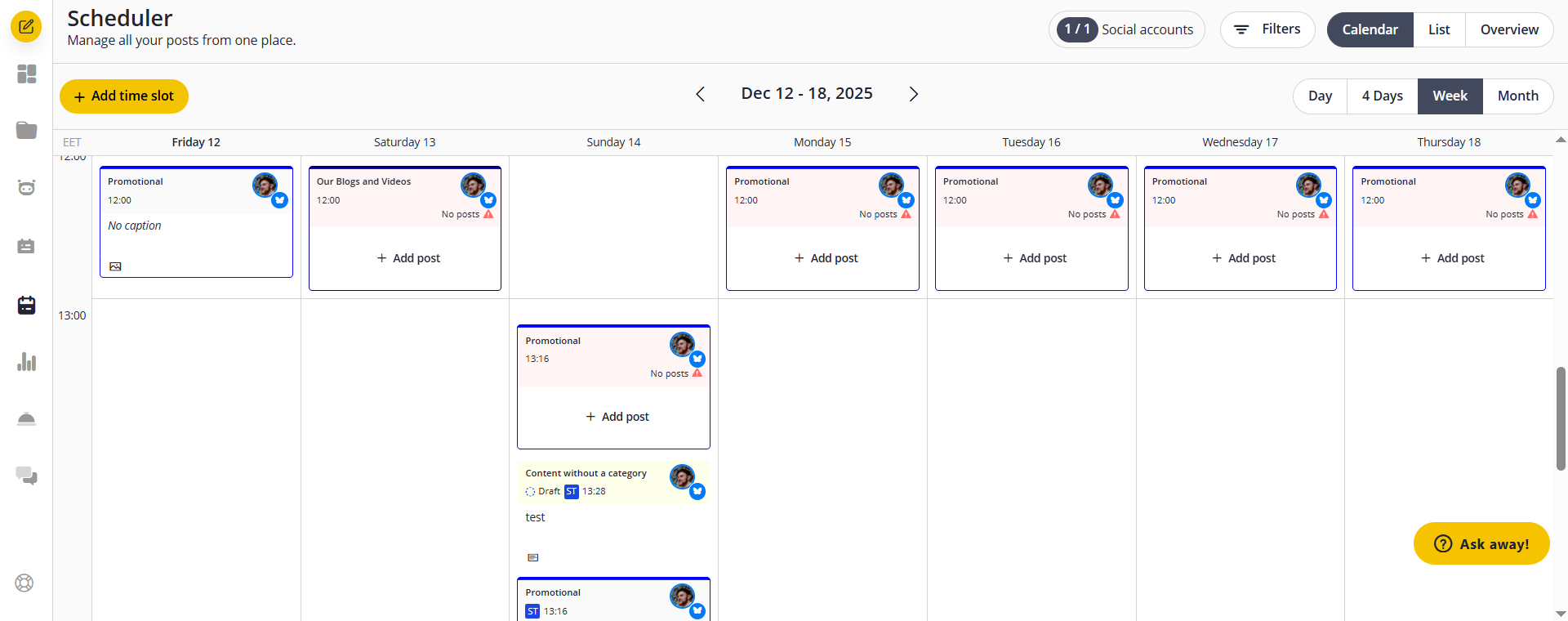
Plan and schedule social posts in SocialBee’s calendar.
Standout automation features
- Category based recycling. Evergreen posts re share on a rotation you define per category.
- Self refilling queues. Content publishes from a category pool rather than a fixed one time schedule, so channels stay active without weekly production.
- AI caption variations. Alternate versions generated from the built in assistant.
Supported platforms: Facebook, Instagram, LinkedIn, X, TikTok, YouTube, Pinterest, Threads, Bluesky, Google Business Profile.
Pricing: Bootstrap $29/month (5 profiles, 1 user), Accelerate $49/month (10 profiles), Pro $99/month (25 profiles, 3 users), rising to Pro150 at $449/month (150 profiles, 5 users). 14 day free trial.
SocialBee pros and cons
- Best recycling mechanics in the category
- Recycling embarrasses news driven clients
- Predictable profile based tiers up to 150 profiles
- Approval features are lighter than agency first tools
- Cheapest entry point of the agency oriented tools
- Reporting is basic next to Metricool or Sprout
- Best recycling mechanics in the category
- Predictable profile based tiers up to 150 profiles
- Cheapest entry point of the agency oriented tools
- Recycling embarrasses news driven clients
- Approval features are lighter than agency first tools
- Reporting is basic next to Metricool or Sprout
Choose it when a client has consistent messaging, an evergreen library, and a thin production budget.
Skip it when the client’s content is tied to news, launches, or anything with a shelf life.
Takeaway: Keeps quiet accounts alive on rotation, as long as the content genuinely ages well.
9. Buffer: best for queue based scheduling on a small footprint
Best for: Solo operators and small teams running a handful of channels on a tight budget.
Buffer fills a queue and empties it on schedule, cleanly. Per channel posting slots, a tidy content calendar, and analytics with an Answers tab that flags active times and best performing formats.
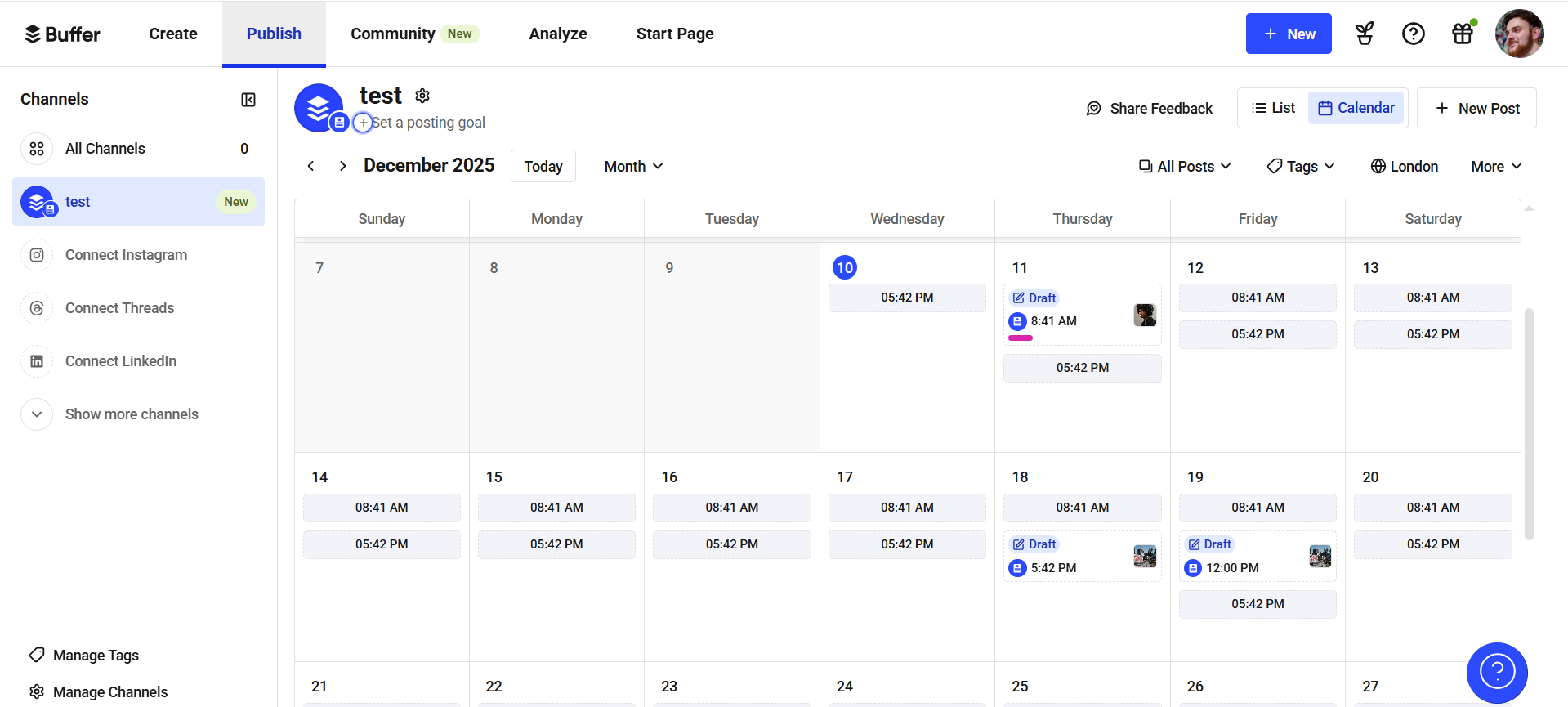
Plan and schedule social posts with Buffer’s content calendar.
Standout automation features
- Per channel queues. Slots set once, then posts publish into them in order.
- Answers recommendations. Per account guidance on active times and best performing content type.
- Cross channel publishing. One composer across a wide platform list including Shopify and Mastodon.
Supported platforms: Facebook, Instagram, X, LinkedIn, YouTube, TikTok, Pinterest, Threads, Bluesky, Mastodon, Google Business Profile, Shopify.
Pricing: Free plan for 3 channels. Essentials $5/channel/month billed yearly ($6 month to month). Team $10/channel/month billed yearly.
Buffer pros & cons
- Genuinely free tier for 3 channels
- Per channel pricing punishes agencies: 40 client channels means 40 charges
- Cheapest way to run a small channel set
- Analytics do not separate paid from organic
- Client approval has no real workflow behind it
- Genuinely free tier for 3 channels
- Cheapest way to run a small channel set
- Very little to learn
- Per channel pricing punishes agencies: 40 client channels means 40 charges
- Analytics do not separate paid from organic
- Client approval has no real workflow behind it
Choose it when you run a small number of channels and nobody outside your team needs to approve anything.
Skip it when you manage client accounts, because the per channel bill and the missing approval layer both work against you.
Takeaway: Excellent at the basics, and the automation stops at the queue.
10. Sendible: for white label reporting & client dashboards
Best for: Agencies that sell white labeled reporting as part of the retainer.
Sendible is organized around the agency client relationship, and its two useful automations both point that way.
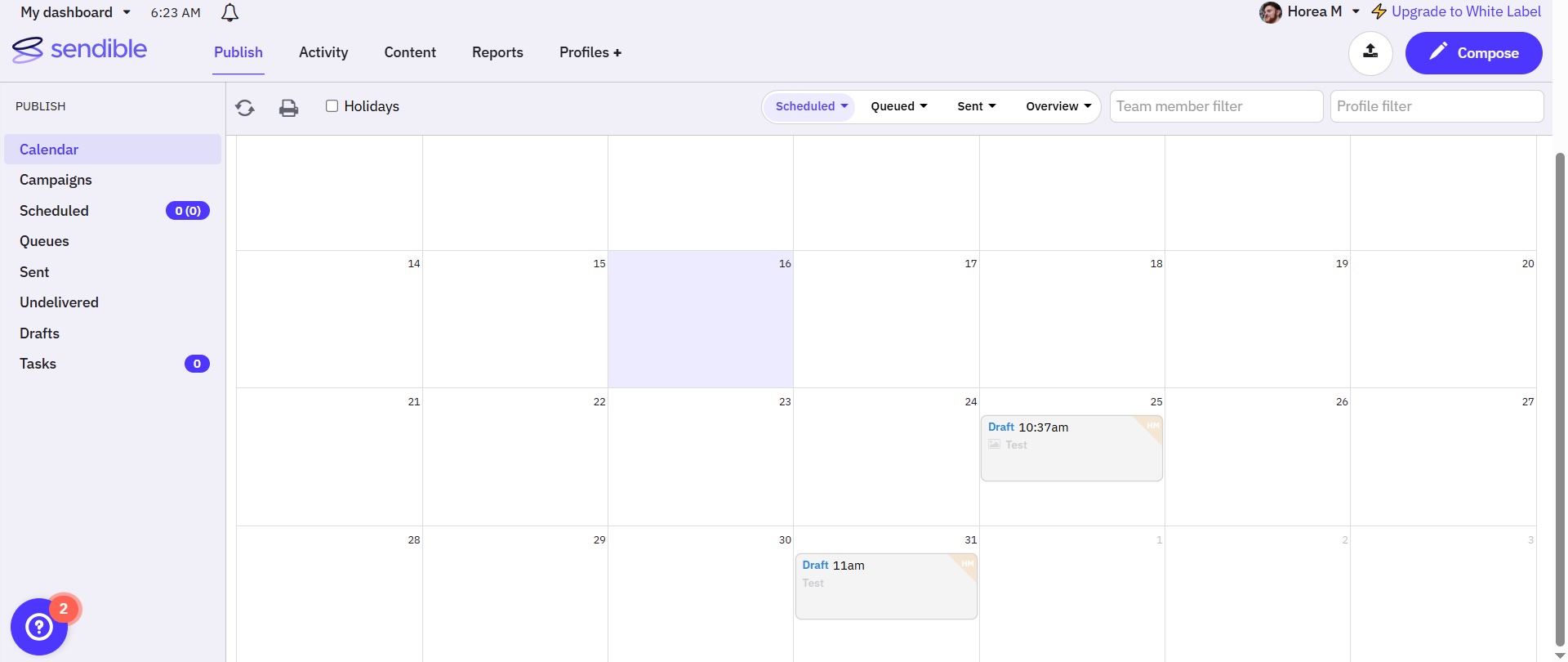
Sendible content calendar with two scheduled drafts
Standout automation features
- Scheduled white label reports. Branded client reports generated and delivered on a set cadence, carrying the client’s branding.
- Smart Queue. Evergreen content recycled on a rotation so the calendar stays full between campaigns.
- Client Connect dashboards. Each client gets a login for feedback and sign off, which beats sharing credentials.
Supported platforms: Facebook, Instagram, LinkedIn, X, TikTok, YouTube, Google Business Profile, Threads, plus WordPress and other blogging platforms.
Pricing: Core $35/month (1 user, 6 profiles), Plus $99/month (3 users, 18 profiles), Premium $199/month (7 users, 42 profiles, white label), Elite $299/month (15 users, 90 profiles), Enterprise $750/month. 14 day free trial.
Sendible pros & cons
- Unlimited users on plans, no per seat charge
- White label reporting starts at Premium ($199/month)
- Blog publishing alongside social, uncommon here
- Pinterest publishing is unsupported
- Dedicated workspace and dashboard per client
- Recycling and reporting are the only deep automations
- Unlimited users on plans, no per seat charge
- Blog publishing alongside social, uncommon here
- Dedicated workspace and dashboard per client
- White label reporting starts at Premium ($199/month)
- Pinterest publishing is unsupported
- Recycling and reporting are the only deep automations
Choose it when branded client reporting is part of what you sell and you want each client in a separate workspace.
Skip it when you need the white label feature but cannot justify the jump to the $199 tier.
Takeaway: Built around the client relationship, with its headline feature two tiers up from the entry price.
Which automation layer does each tool actually cover?
Use this to spot where a shortlist leaves a gap. A tick means the layer is a real strength, not merely present.
Planable
✅
✅
Add on
✅
✅
Sprout Social
Advanced tier
✅
Add on
✅
ChatGPT only
Hootsuite
Advanced tier
✅
✅
✅
✅
Statusbrew
Premium tier
✅
Premium tier
Standard tier
Enterprise
Metricool
Advanced tier
✅
❌
✅
All plans
Agorapulse
Professional tier
✅
Add on
✅
✅
PostEverywhere
❌
❌
❌
❌
✅
SocialBee
Accelerate tier
✅
❌
Pro tier
❌
Buffer
Team plan
✅
❌
Essentials tier
✅
Sendible
Traction tier
✅
❌
✅
❌
Approvals
Professional tier
Approvals
Accelerate tier
Reporting
Essentials tier
How to choose a social media automation tool for your agency
Five questions decide whether a tool pays for itself or becomes another line on the card.
1. Which manual step is costing you the most hours?
Name the bottleneck before comparing features. Most agencies have one of three: approval cycles, comment volume, or monthly reporting. Each points at a different tool above. Buying a listening platform when your problem is client sign off gets you an expensive calendar.
2. How does the pricing model behave as you grow?
This is the number most agencies get wrong at signup. Three models dominate and they diverge sharply.
Per workspace
Planable ($33 to $49/ws/mo)
You add stakeholders per client, not headcount
Per seat
Sprout ($79 to $399/seat/mo), Hootsuite ($99+/user/mo), Agorapulse ($79+/user/mo)
Your team is small and stable
Per channel
Buffer ($5 to $10/channel/mo)
You run few channels per client
Examples
Planable ($33 to $49/ws/mo)
Best when
You add stakeholders per client, not headcount
Examples
Sprout ($79 to $399/seat/mo), Hootsuite ($99+/user/mo), Agorapulse ($79+/user/mo)
Best when
Your team is small and stable
Examples
Buffer ($5 to $10/channel/mo)
Best when
You run few channels per client
Model the bill at the client count you expect in 12 months. A per seat tool at $158/month for two people costs $632/month for eight.
3. Can the client work inside the tool?
Hours disappear translating between a client’s email and a platform the client cannot see. Check three things: whether clients get access without a paid seat, whether they can approve without creating an account, and whether your internal comments stay hidden from them. A no on any of those keeps the approval loop in email.
4. Does the automation cover the messy middle?
Publishing is table stakes. The harder questions: what happens when an approver goes on holiday, whether a report can go out without a rebuild, whether a comment naming a competitor gets hidden before anyone sees it. Those are the decisions that pile onto one person as client count grows.
5. Is there an API or MCP layer?
If your agency is building anything of its own, check whether programmatic access is included or gated behind an enterprise tier.
Planable ships multiple MCP tools plus a Public API on standard plans. PostEverywhere includes its API and MCP server on every plan. Metricool puts its API on Advanced. Most of the rest reserve it for the top tier, which is worth knowing before you design a workflow around it.
What social media automation can’t do
Four limits worth naming, because most roundups skip them.
- Rules don’t improve content. Faster approval moves a weak post through the pipeline faster.
- Recycled content ages. Evergreen rotation suits stable messaging. Pointed at anything time sensitive, it will surface a post referencing last quarter’s campaign.
- Moderation rules misfire. Keyword rules hide legitimate complaints alongside spam. Audit what your rules caught, monthly.
- Platform APIs set the ceiling. No tool posts to LinkedIn groups, adds stickers to an Instagram Story through an API, or publishes to a Facebook personal profile, which Meta closed to third party apps. Those are platform restrictions rather than product gaps, so treat any vendor claiming otherwise with suspicion.
FAQs
What is social media automation?
Social media automation is the practice of running repeatable social media tasks on rules rather than manual action. It covers scheduled publishing, approval routing, comment moderation, evergreen recycling, brand listening, and recurring reporting.
What is the best social media automation tool for an agency?
It depends on which layer is costing you hours:
- Client approval cycles, or wiring social into your own AI workflows: Planable
- Enterprise reporting and sentiment: Sprout Social
- High comment volume: Statusbrew or Agorapulse
- White labeled client reports: Sendible
- Tight budget: Metricool
Can AI assistants like ChatGPT or Claude run my social media publishing?
Yes, through an MCP connector. Planable’s MCP endpoint exposes 48 tools covering drafting, editing, commenting, approving, analytics, campaigns, and listening. ChatGPT users get it through Planable’s published app; Claude requires a manual custom connector. AI created posts always start as drafts, and the assistant inherits the permissions of the person running it.
Does social media automation hurt engagement?
No. Platforms do not penalize third party posting through official APIs. Engagement suffers when automation replaces presence, through auto DMs to new followers, generic auto replies, or recycled content that ignores the week’s news. Keep the publishing on rules and the conversation human.
Is there a free social media automation tool?
Yes, with caps. Metricool’s free plan covers one brand and 20 posts a month, Buffer’s covers three channels, and Planable’s free trial gives you 50 posts with no time limit plus access to nearly every feature.
Free tiers hold up for a single brand and break at the second client, usually on channel caps or missing approval workflows.
What’s better, Planable or Hootsuite, for automation?
They cover different layers. Hootsuite is stronger on listening breadth and paid campaign tracking across many accounts. Planable is stronger on approval automation and on the programmatic layer, shipping MCP tools and a Public API on standard plans where Hootsuite gates equivalent access to enterprise.
Pricing splits them too: Planable charges per workspace, Hootsuite per user. Agencies whose delay is client sign off tend to land on Planable; agencies whose priority is monitoring volume tend to land on Hootsuite.
Start with the layer that’s costing you most
The social media automation tools above cluster by layer rather than by quality. Most agencies do not need the broadest platform; they need the one that covers the layer draining their week, at a price that survives the next five clients.
If that layer is client sign off, the fix is a rule that publishes on approval so nobody chases anyone on a Monday. If it is the growing pile of work no vendor has shipped a rule for yet, the answer is a platform with a real API and MCP layer, because that is the only kind you can extend yourself.
Pick the layer that hurts, then trial two tools against it. Model the bill at next year’s client count before you sign anything annual.
Horea is a B2B SaaS Content Strategist and MarTech researcher who specializes in software reviews, tool comparisons, and social media management. His work is research-first and fluff-free. He tests the tools, does the digging, and writes the kind of content that helps marketers make confident decisions.