Planable vs Buffer vs Hootsuite MCP: full comparison
Your AI agent ran overnight and drafted posts for ten clients. Someone on the team asks: “But will those still go through approval before they go live?” That question, not “can we connect AI?“, is the one that actually matters when you’re evaluating MCP integrations for a social media management tool.
Planable, Buffer, and Hootsuite all have live external MCP servers now. But each one takes a different position on what happens to AI-generated content before it reaches an audience. Each tool’s MCP covers different ground: connection scope, setup complexity, and what happens to your approval process when an AI creates a post.
TL;DR:
- Planable’s works on all plans, and every post an AI creates lands as a draft inside your approval chain. The AI can’t skip that step.
- Buffer’s server covers 11 channels; you connect via HTTP with an API key.
- Hootsuite ships three separate servers: Perch for publishing, Nest for inbox management, and Lumen for social listening.
- Claude and ChatGPT connect to all three with no technical setup required.
What is MCP in social media tools?
Model Context Protocol (MCP) is a standardized protocol that lets external AI agents (like Claude or ChatGPT) call your social media management tool’s functions directly, without a human opening the dashboard.
Before MCP, connecting an AI agent to a scheduling tool meant custom code for every integration. MCP replaces that with a shared protocol: one connection standard, any compatible AI client, real actions on live account data.
Anthropic introduced MCP, and adoption has moved fast. The SDK (Software Development Kits) passed 97 million monthly downloads with more than 10,000 active servers, based on their internal data. For social media ops, that means an AI agent can draft posts, pull workspace content, and trigger actions inside your social media workflow, without anyone switching tabs.
One distinction worth keeping clear: Planable AI is a writing assistant you click inside the Planable dashboard. MCP is different. It’s a protocol that lets an AI agent running outside your social media tool (in Claude, ChatGPT, wherever) call that tool’s functions directly. Feature vs. protocol. Both are real; they’re just different layers of the stack.
Planable vs Buffer vs Hootsuite MCP at a glance
All three tools now offer MCP connections, but they are not designed around the same publishing-control model. The biggest difference is not whether an AI agent can create social content. It is what happens after the content is created. The per-tool sections below go deeper on each.
MCP server
Live
Live
Live (3 servers: Perch, Nest, Lumen)
Setup for Claude/ChatGPT
Connect Planable through an MCP-compatible AI client and authorize your account
Add Buffer’s MCP server URL and authenticate with an API key
Connect the relevant Hootsuite MCP product connector
Supported AI clients
MCP-compatible AI clients such as Claude, ChatGPT, Gemini, and others
MCP-compatible clients that support HTTP MCP with authorization headers
Claude, ChatGPT (Gemini/Copilot need IT admin)
Main MCP scope
Workspace access, draft creation, content updates, approvals, comments, media, and analytics where available
Channel data, post creation, scheduling, queue management, ideas, and post deletion
Perch for planning/publishing, Nest for inbox/customer care, and Lumen for listening/insights
AI can publish directly?
No. AI-created posts are created as drafts and continue through Planable’s normal publishing and approval process
Depends on the connected Buffer credentials and workspace permissions
Hootsuite supports AI-assisted content creation and scheduling, but teams should verify approval enforcement in their own workflow
Approval workflow integration
Structurally tied to Planable’s draft and approval workflow
Permission- and credential-dependent
Workflow- and organization-dependent
Available on all plans?
Yes
Yes
Yes
Best fit
Agencies and teams that need AI-created posts to stay inside an approval chain
Solo creators or teams comfortable governing AI access through API keys and roles
Existing Hootsuite teams that want AI access across publishing, inbox, and listening workflows
Hootsuite
Live (3 servers: Perch, Nest, Lumen)
Planable
Connect Planable through an MCP-compatible AI client and authorize your account
Buffer
Add Buffer’s MCP server URL and authenticate with an API key
Hootsuite
Connect the relevant Hootsuite MCP product connector
Planable
MCP-compatible AI clients such as Claude, ChatGPT, Gemini, and others
Buffer
MCP-compatible clients that support HTTP MCP with authorization headers
Hootsuite
Claude, ChatGPT (Gemini/Copilot need IT admin)
Planable
Workspace access, draft creation, content updates, approvals, comments, media, and analytics where available
Buffer
Channel data, post creation, scheduling, queue management, ideas, and post deletion
Hootsuite
Perch for planning/publishing, Nest for inbox/customer care, and Lumen for listening/insights
Planable
No. AI-created posts are created as drafts and continue through Planable’s normal publishing and approval process
Buffer
Depends on the connected Buffer credentials and workspace permissions
Hootsuite
Hootsuite supports AI-assisted content creation and scheduling, but teams should verify approval enforcement in their own workflow
Planable
Structurally tied to Planable’s draft and approval workflow
Buffer
Permission- and credential-dependent
Hootsuite
Workflow- and organization-dependent
Planable
Agencies and teams that need AI-created posts to stay inside an approval chain
Buffer
Solo creators or teams comfortable governing AI access through API keys and roles
Hootsuite
Existing Hootsuite teams that want AI access across publishing, inbox, and listening workflows
The practical takeaway:
- Planable is the strongest fit when the approval step itself is the main requirement.
- Buffer is more flexible but depends heavily on API-key and role governance.
- Hootsuite is broader, especially for enterprise social operations, but teams should test exactly how approval works in their own setup before allowing AI-assisted publishing.
How I compared these MCP integrations
I’ve evaluated Planable, Buffer, and Hootsuite on four criteria that matter for agencies and social media teams using AI agents:
- Connection setup: whether a marketer can connect the MCP server directly in an AI client, or whether setup requires technical configuration.
- Publishing control: whether an AI-created post can go live directly, or whether it must enter a draft/review step first.
- Approval workflow fit: whether approval is enforced structurally, controlled by user roles, or handled through team process.
- Scope of actions: what the MCP connection lets an AI agent do, such as drafting posts, scheduling content, reviewing analytics, or managing inbox messages.
This comparison is based on current public product documentation from Planable, Buffer, and Hootsuite. Because MCP features are changing quickly, teams should verify setup requirements and permissions in their own workspace before connecting an AI agent to live social accounts.
What can you do with Planable MCP?
Planable’s MCP server available at gives AI agents read and write access to your workspaces, creating drafts, surfacing approval queues, and pulling analytics, all without anyone opening the app.
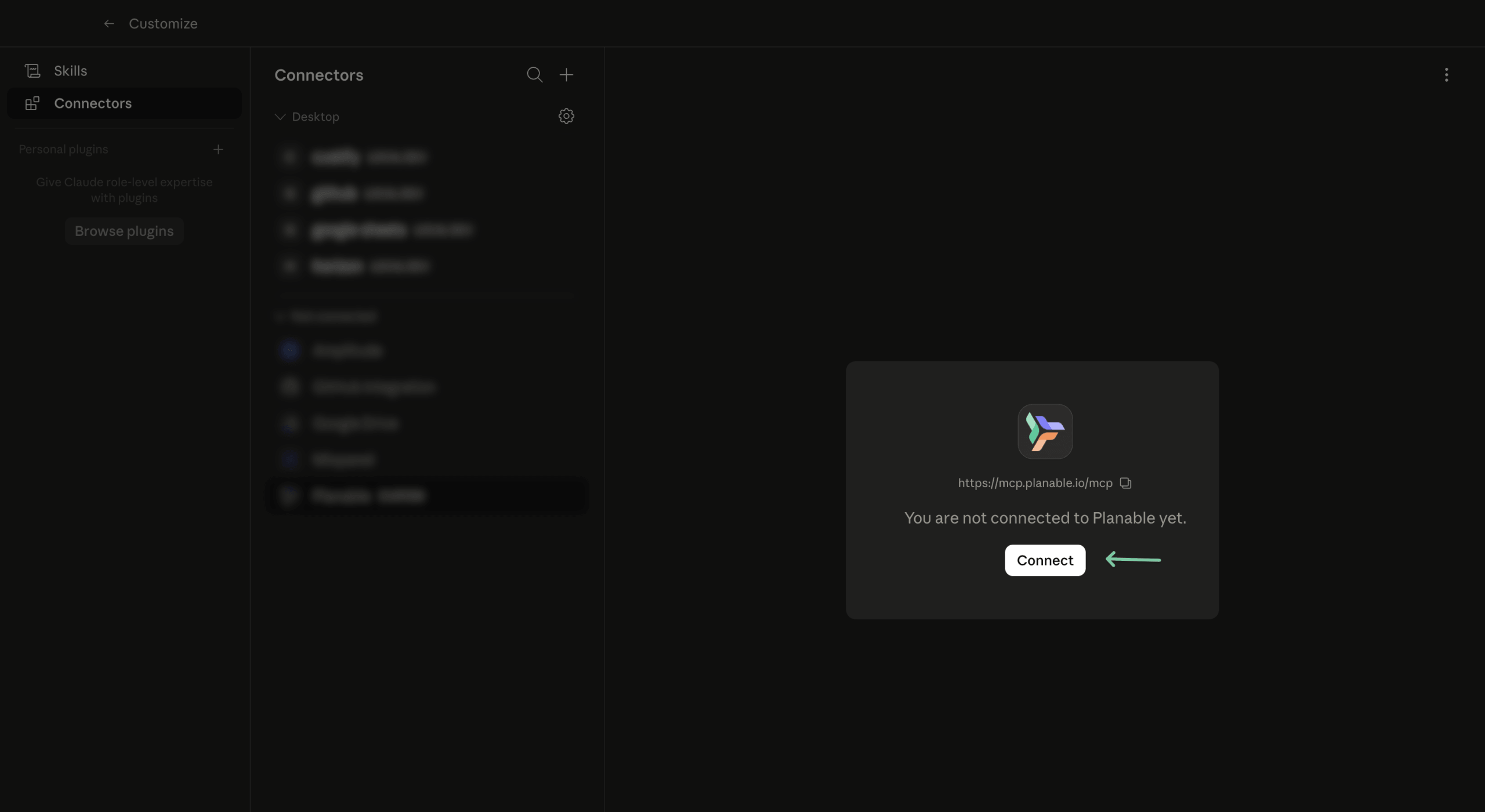
Planable MCP interface showing the Connect button for linking to Claude Desktop
What Planable MCP can do
Connecting your AI tool to Planable gives it access to the full workspace. Here’s what it can do:
- Browse account structure: list companies, workspaces, pages, members, and labels
- Read and review content: fetch posts by status, approval state, or date range; read comments on any post
- Create and edit content: draft posts, create synced group posts across pages, update existing drafts, upload media
- Handle approvals: approve or reject posts, leave review comments (wherever the connected account has the right permissions)
- Manage the media library: access and organize uploaded assets
- Pull analytics: available with the Analytics add-on; the AI can retrieve performance data directly
Each team member connects with their own Planable account, so the AI inherits that person’s permissions, nothing more.
How to connect Planable to your AI client
Setup takes one step for most AI clients:
Step 1. Open your AI client’s settings and find the connectors or MCP section.
Step 2. Search “Planable” directly in the Apps/connectors section
Step 3. Log in with your Planable account to authorize the connection. Authorization stays valid for 180 days; connections that go idle for 8 hours refresh automatically.
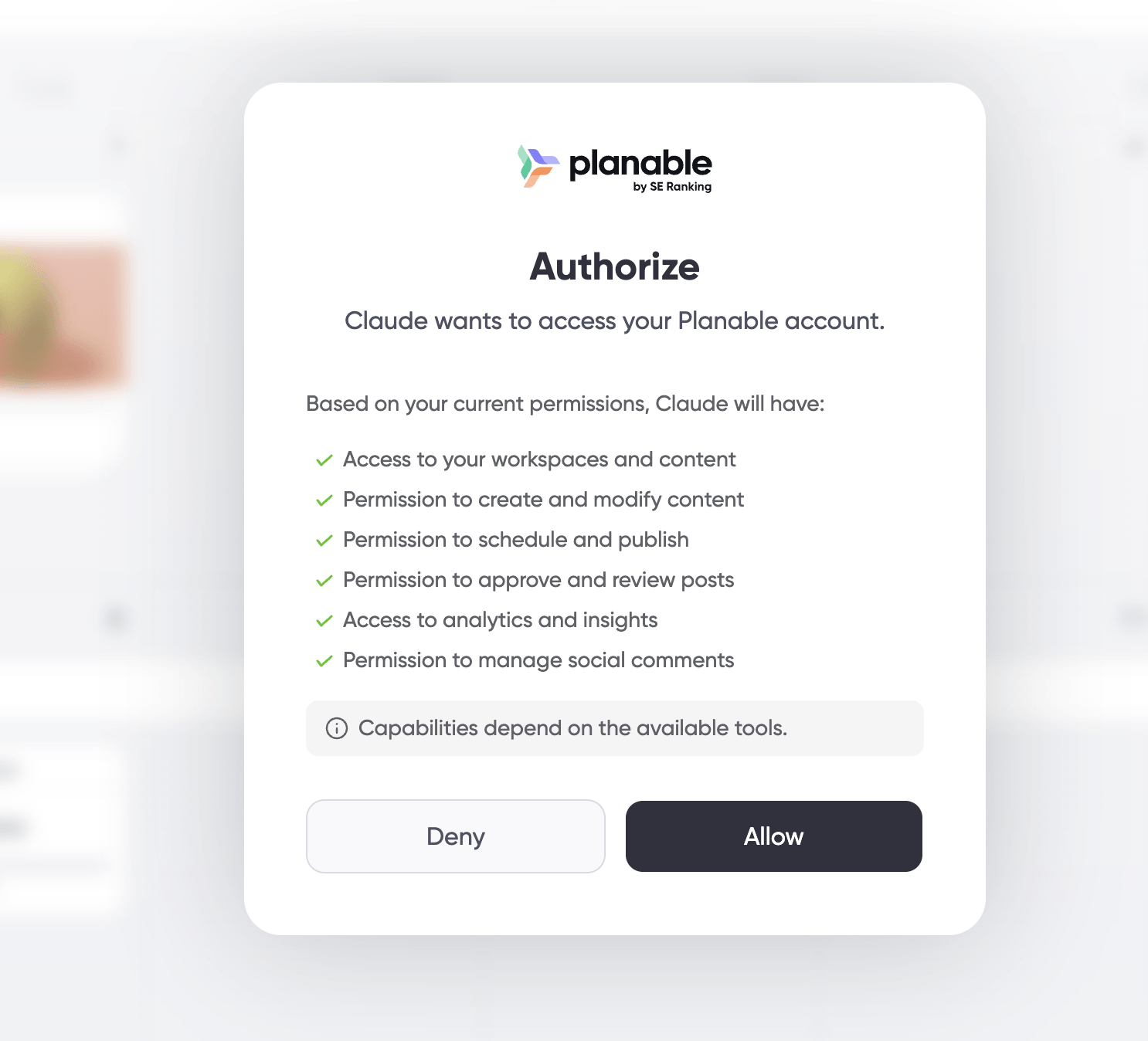
Planable authorization pop-up to connect Claude with Planable MCP
For the full walkthrough, see the setup guide.
How approval workflows work with AI-created posts in Planable
Planable’s MCP is designed so AI-created content enters the same workspace workflow as human-created content. When an AI agent creates a post through Planable MCP, the post is created as a draft. Publishing and approvals still happen inside Planable through the team’s existing process.
That distinction matters for agencies and client-facing teams. The AI agent can help draft, organize, edit, and prepare content, but it does not replace the approval workflow. If your workspace requires approval before publishing, AI-created posts still have to pass through that approval process.
Depending on how the workspace is configured, that process may include:
- No approval workflow, where the team has intentionally chosen not to require review.
- Optional approval, where reviewers can approve posts but approval is not mandatory.
- Required approval, where at least one approval is needed before publishing.
- Multi-level approval, where posts move through multiple review stages before they can go live.
Planable’s customizable approval workflows make it the safest option in this comparison for teams asking, “Can AI-generated content bypass client or internal review?”.
For posts created through the Planable MCP connector, the default answer is no. AI-generated content enters Planable as a draft and remains subject to the workspace’s existing review and approval process before it can be scheduled or published.
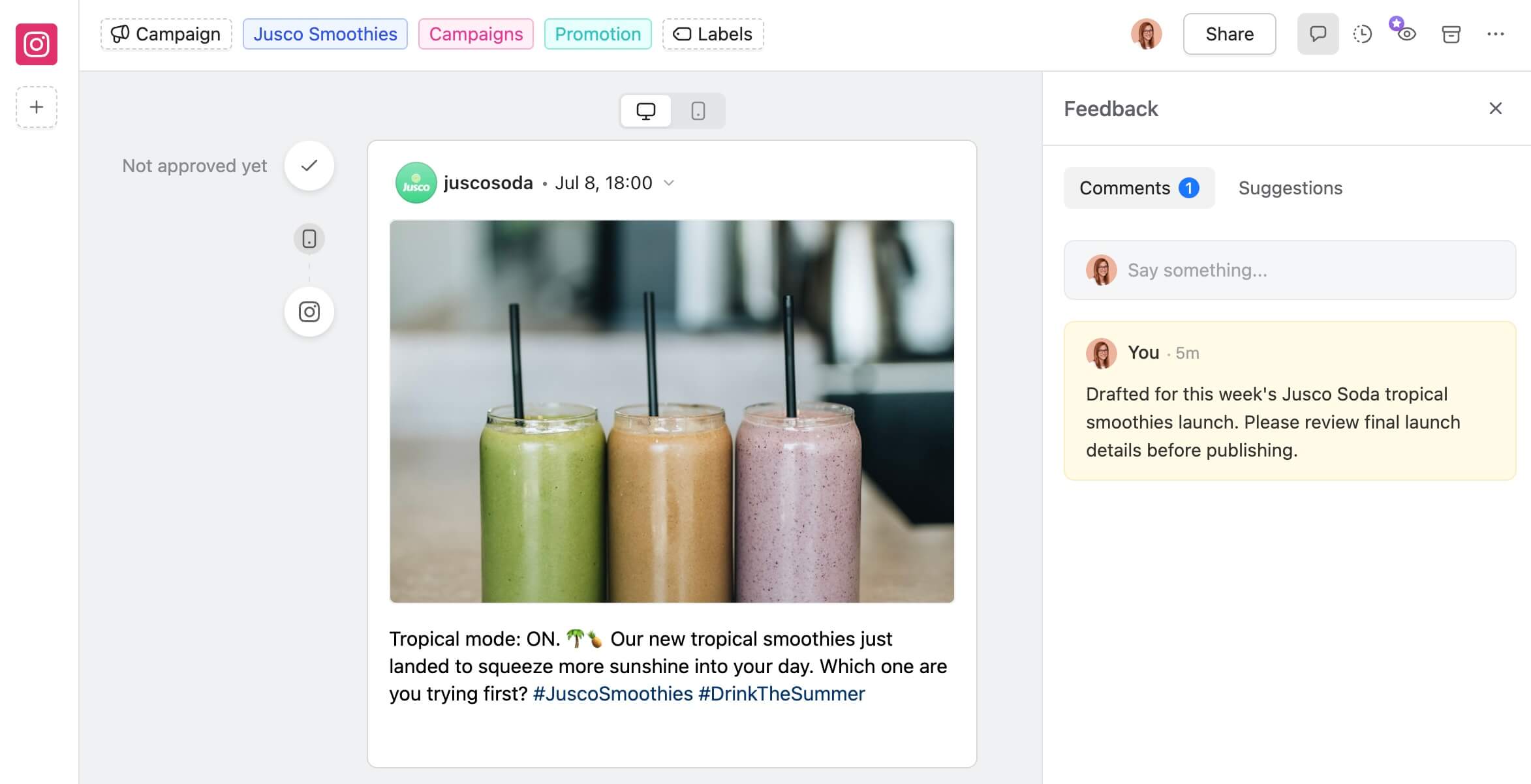
Planable Instagram draft with a ChatGPT review comment
By comparison, Buffer’s MCP behavior depends on the permissions of the connected account. If the API key used to connect an AI agent belongs to a user with full posting permissions, the AI can publish without a human review step. That’s how Buffer’s permission model works, so the approval safety net is only as reliable as your role and API-key governance.
Planable’s MCP is available on all paid plans. No enterprise gate, no add-on required for core approvals. Analytics requires the Analytics add-on.
Once you are ready to test it in your own workflow, you can start with 50 free posts in Planable. No credit card required.
What can you do with Buffer MCP?
Buffer’s MCP server at mcp.buffer.com/mcp lets AI agents create, schedule, fetch, and delete posts across 11 social channels. It works with Claude, ChatGPT, Cursor, Raycast, and Perplexity. Setup requires an API authorization key.
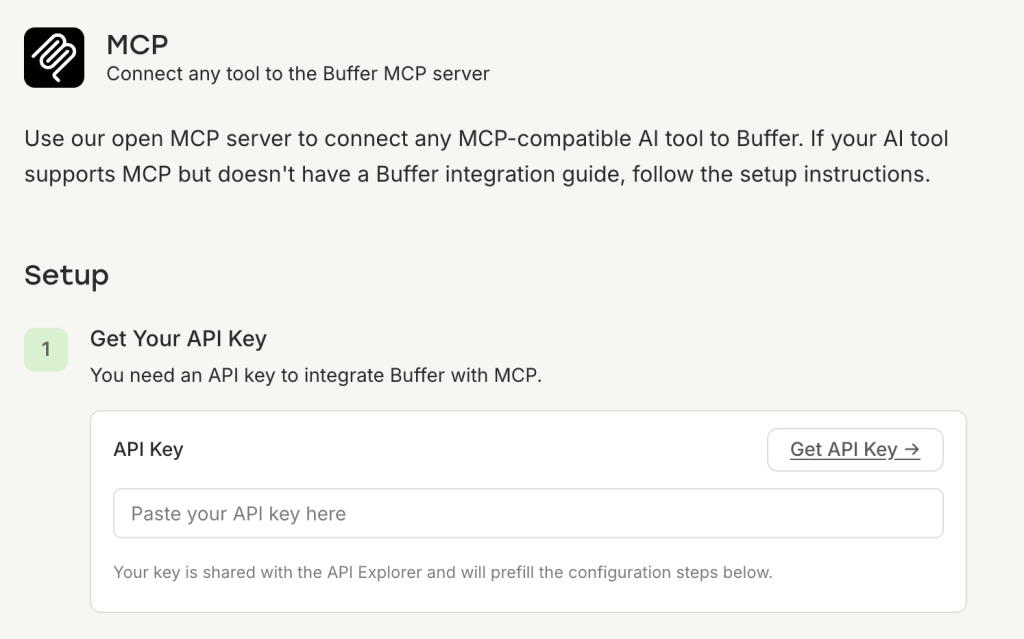
What Buffer’s MCP can do
Once connected, an AI agent can:
- Create and schedule posts in Buffer queues
- Fetch existing posts from your queue
- Delete posts from your queue
- Create ideas in Buffer’s ideas feature
- Retrieve account and channel data
Buffer’s MCP covers LinkedIn, X, Instagram, Threads, Facebook, TikTok, Pinterest, YouTube, Bluesky, Mastodon, and Google Business Profile.
Buffer MCP setup and approval considerations
Buffer’s MCP server gives AI agents access to Buffer through an HTTP MCP connection. To connect it, you add Buffer’s MCP server URL in an MCP-compatible client and authenticate with a Buffer API key in the authorization header.
That setup is straightforward for users who are comfortable handling API keys, but it is not the same as a one-click app-store style connector. The exact difficulty depends on the AI client your team uses. Some clients make remote MCP setup simple; others require manual configuration.
The main operational issue is not setup difficulty. It is credential governance.
An AI agent connected to Buffer acts through the Buffer credentials used to authorize it. That means the AI’s effective permissions depend on the account, role, and API key behind the connection. Before using Buffer MCP on live social channels, teams should decide:
- Who is allowed to create or manage API keys?
- Which Buffer account should be used for AI-agent access?
- Can that account publish directly, or should it be restricted?
- Should AI-created content land in drafts or queues for human review?
- How often should API keys be rotated or revoked?
Buffer can be a good fit for solo creators, small teams, and technical teams that are comfortable managing access through roles and API keys. For agencies with strict client approval requirements, the important test is whether the credentials connected to the AI agent can publish without review. If they can, the approval safety net depends on your internal governance rather than on the MCP connection itself.
For a broader comparison of Buffer and other social media management tools, check Buffer alternatives.
What can you do with Hootsuite MCP?
Hootsuite ships three MCP servers: Perch for content creation and publishing, Nest for social inbox and customer care, and Lumen for social listening and insights.
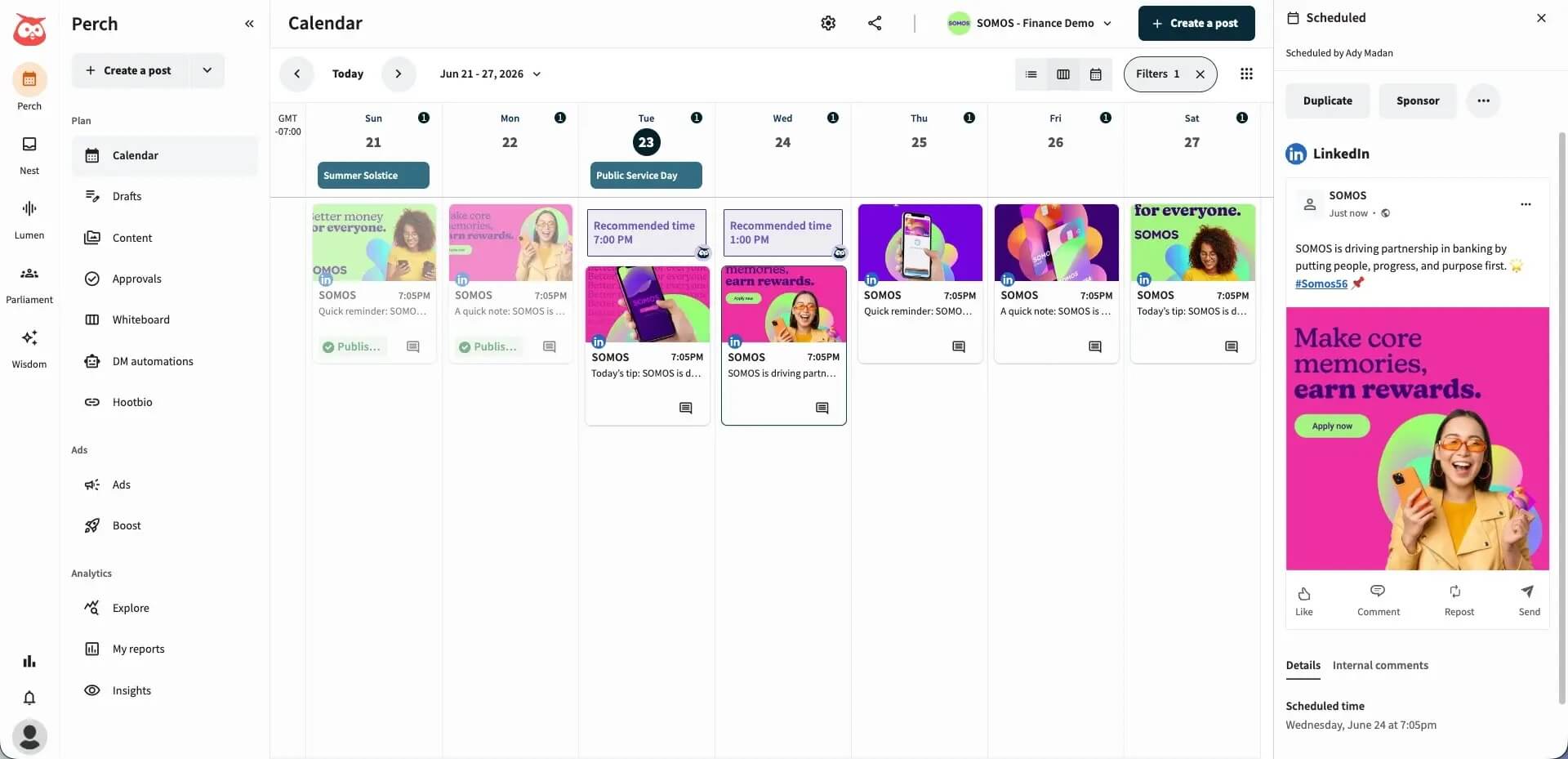
What each Hootsuite MCP server covers
- Perch is Hootsuite’s content creation, planning, and publishing product. Its MCP server at lets an AI agent draft posts, schedule them at the best time, pull from the content library, and review past performance, all through conversation rather than the Hootsuite UI.
- Nest is Hootsuite’s social inbox and customer care product. Connect it at and an AI agent can triage incoming messages, assign conversations to team members, reply using saved responses, and mark issues as resolved. It’s the MCP server for teams that want AI to handle the first pass of inbox triage.
- Lumen is Hootsuite’s social listening and insights product, powered by Talkwalker. Its MCP server at covers mention tracking, sentiment analysis, influencer identification, and competitive intelligence. If you’re using an AI agent to summarize what’s being said about your brand or a client’s brand, this is the server you’d connect.
Hootsuite MCP and approval considerations
Hootsuite’s MCP approach is broader than Planable’s or Buffer’s because it spans multiple parts of the social media workflow. Hootsuite offers MCP connectors for:
- Perch, for content planning, publishing, and performance workflows.
- Nest, for social customer care and inbox management.
- Lumen, for social listening and insights.
That makes Hootsuite especially relevant for teams that want AI assistance beyond post creation. An AI agent can help with publishing workflows, inbox triage, customer-care tasks, social listening, and performance analysis, depending on which Hootsuite products are included in the workspace.
For approval-sensitive teams, the key question is how your Hootsuite workspace handles AI-assisted publishing in practice. Hootsuite’s product direction supports human-in-the-loop social workflows, but approval behavior should be tested in your own environment before giving an AI agent access to live publishing actions.
A practical test is simple: connect the relevant Hootsuite MCP connector in a controlled workspace, ask the AI agent to draft and schedule a post, and confirm whether the post requires human approval before it can go live. Do this with the exact user role and workspace permissions your team plans to use in production.
Hootsuite is the best fit here for existing Hootsuite customers that want MCP across a wider social operating system: publishing, inbox, care, listening, and insights. If your highest-priority requirement is hard prevention of AI-created posts bypassing approval, test that workflow carefully before rolling it out.
For a broader look at how Hootsuite compares against other options, see Hootsuite alternatives.
Can an AI agent automatically post to social media using MCP?
Yes, but the answer depends on the tool and the credentials connected to the AI agent.
- In Planable, AI-created posts are created as drafts and continue through Planable’s normal approval and publishing workflow. That makes Planable the clearest option when your team needs AI-generated content to stay inside a review process.
- In Buffer, the AI agent acts through the connected Buffer credentials. If those credentials have publishing access, the agent may be able to create or schedule content accordingly. If the connected account is restricted, the AI’s actions should be restricted too. Teams should treat the API key like publishing access.
- In Hootsuite, MCP can support content creation, scheduling, inbox, and listening workflows across Hootsuite products. Approval behavior depends on the workspace, product, and permissions involved, so teams should test the exact workflow before using MCP on production accounts.
The safest rule for any MCP-enabled social workflow is this: connect the AI agent to a low-risk workspace first, create a test post, and confirm exactly where that post lands before connecting live client or brand accounts.Which tool fits your situation?
- Solo freelancer or small team with no client approval requirements: Buffer is a reasonable choice. The MCP server is live, covers 11 channels, and setup is HTTP-based. Add the server URL and an API key. When you’re the only person publishing, there’s no approval workflow risk regardless of how role settings are configured.
- Agency managing multiple clients with approval workflows: Planable fits this situation. AI-created posts always enter your approval chain as drafts. that’s built into the architecture, not a setting you configure or a policy you rely on. MCP is available on all plans, setup is a single server URL, and the structural guarantee holds regardless of which AI client your team connects. For teams where social media tools for agencies need to enforce client sign-off, that distinction matters.
- Existing Hootsuite user who wants to add MCP: All three servers (Perch, Nest, and Lumen) are live today. Claude and ChatGPT connect with no technical setup. The question worth answering for your team: does AI-generated content need to be architecturally blocked from publishing without human review, or is organizational process sufficient? Both are valid answers, just make sure the decision is intentional.
Wrap up Planable vs Buffer vs Hootsuite MCPs
All three tools now ship live MCP servers. The question that actually matters is what happens the moment an AI agent creates a post.
In Planable, it becomes a draft, always. The approval chain runs whether the post came from a human or an AI. That’s architecture, not a setting.
In Hootsuite, human review is built into the design philosophy but not technically enforced at the code level.
In Buffer, the outcome depends entirely on which account’s credentials your AI agent is using.
MCP adoption is moving fast. For social media tools for agencies managing client work, the right time to decide where the approval line sits is before the first AI-drafted post reaches a client’s feed, not after.
Want to see how it works? Try Planable for free and connect your AI agent in minutes.
FAQs
Does Planable have an MCP?
Yes. Planable’s MCP server is included with all paid Planable plans, no extra fee and no enterprise gate. Analytics functionality requires the Analytics add-on on the relevant workspace. A free trial gives you 50 posts to test it out. It is compatible with Claude, ChatGPT, Gemini, or other MCP-compatible AI tool.
Does Buffer support MCP server?
Yes. Buffer has an official MCP server compatible with Claude, ChatGPT, Cursor, Raycast, and Perplexity across 11 social channels. It’s available on all Buffer plans, including the free plan.
Does Hootsuite include an MCP?
Yes. Hootsuite ships three MCP servers: Perch (content creation, scheduling, and analytics), Nest (social inbox and customer care), and Lumen (social listening and insights). Claude and ChatGPT connect with no technical setup. Gemini and Microsoft Copilot require IT administrator access.
Is MCP the same as an AI integration?
No. An AI integration is a feature built into a tool’s dashboard, like an AI writing assistant you click inside the app. MCP (Model Context Protocol) is a protocol that lets external AI agents like Claude or ChatGPT call your tool’s functions directly from outside. MCP gives the AI control; a built-in integration gives you a feature.
How much does Planable cost compared to Buffer and Hootsuite?
Planable starts at $33/workspace/month (Basic plan). Buffer starts at $5/channel/month (Essentials). Hootsuite starts at $99/user/month (Standard). MCP is available on all plans for Planable and Buffer. Hootsuite’s MCP is available on plans that include the relevant product (Perch, Nest, or Lumen).
Horea is a software reviewer and tester, content writer, and tech geek. He loves to fiddle with MarTech solutions to find what each software is best for and help you decide which one might be your best fit. His content is allergic to fluff and eats research for breakfast. If you’re on the fence about whether you should commit to a particular platform, Horea probably already wrote about it.