Pinterest SEO in 2026: The Complete Guide to Getting Found in Pinterest Search
Your best Pins are barely getting seen — impressions flat, saves a trickle. Usually that’s a keyword problem, not a design problem. Keywords are how Pinterest indexes your Pins to the searches where they belong; get them wrong and your Pins don’t get discovered in the first place, which caps everything downstream — impressions, saves, and clicks alike.
If you’ve read a Pinterest SEO guide before, you already know the standard advice: put keywords in your titles, your descriptions, your boards. That advice is fine. It’s also not why some blogs get compounding Pinterest traffic and others don’t.
Here’s the thing most guides won’t tell you, because most guides can’t: Pinterest SEO is a data-source problem before it’s a tactics problem. Everyone teaches keyword placement. Almost no one asks the question that decides whether the placement works — where did your keywords come from in the first place?
If the answer is “I guessed,” “I asked ChatGPT,” or “I typed things into the Pinterest search bar and looked at the suggestions,” you’re working from a partial picture. This guide covers all three layers of Pinterest SEO: the tactics everyone teaches, the data layer most guides skip, and the judgment layer that turns both into traffic.
“Treat Pinterest like a search engine, because that’s what it is. People aren’t there to see what their friends had for lunch — they’re searching for what to make, buy, and try next. Your Pin’s only job is to be the answer.”
— Danny Maloney, Tailwind CEO
Why Pinterest SEO Is Worth Your Time (The Honest Case)
Pinterest is a search engine that looks like a social network. People go there to look for things — and mostly not for brands. Two numbers make the case:
- Pinterest reached 631 million monthly active users in Q1 2026, its tenth consecutive quarter of double-digit user growth (Pinterest Q1 2026 results).
- 96% of top Pinterest searches are unbranded (Pinterest Business, accessed May 2026). Nobody’s searching for your brand name — which means everybody can be found for what they make.
For a content site, that second number is the whole opportunity. On Google you’re competing with two decades of entrenched domains. On Pinterest, the search results are still largely won by whoever answers the search best — and Pinterest has said that roughly two-thirds of engagement happens on search and related-Pin surfaces (Pinterest earnings calls, Q4 2024–Q1 2026). Getting found in search isn’t a Pinterest growth tactic. It’s most of the game.
One more, from Tailwind’s own research: in a study of 1.2M+ Pins, ~90% of viral Pins had a Pin title, and ~80% carried a target keyword in that title (Tailwind 2025 Benchmark Study). Keywords in titles aren’t a nice-to-have. They’re close to a precondition for outlier reach.
So yes — the tactics matter. But the tactics are the easy part.
How Pinterest Search Actually Works (And Why It Changes Your Keyword Strategy)
Pinterest organizes search around its interest graph — a semantic model of what people are interested in and how those interests relate. When you research keywords on Pinterest, you’re not querying a log of every phrase anyone ever typed; you’re querying the graph’s organized view of demand, built around what we’ll call graphed terms.
This one fact explains most of the confusion in Pinterest keyword research:
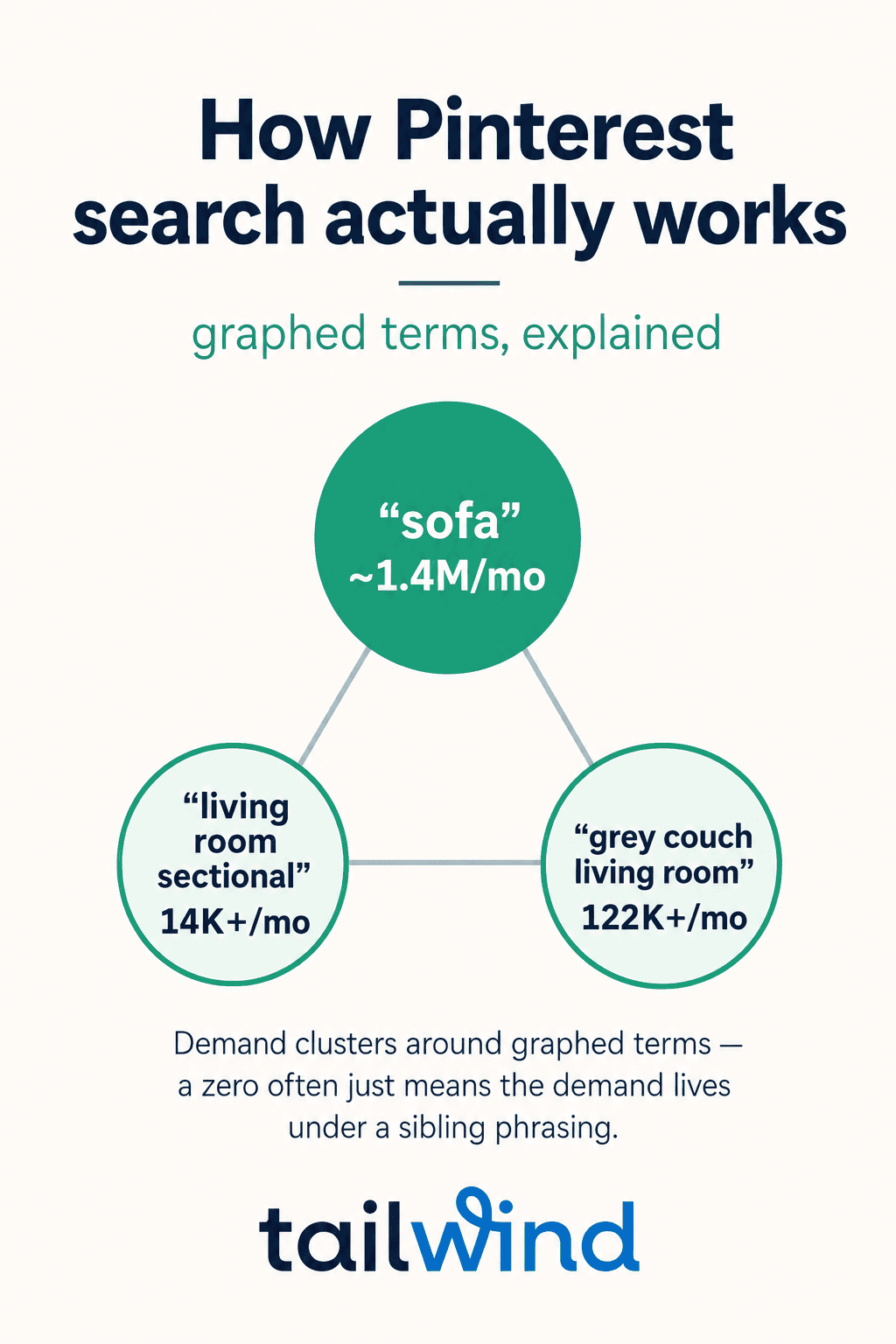
- Demand clusters around specific phrasings. The graph knows “living room sectional.” It may not treat your invented phrasing — “couches living room” — as a distinct graphed term, even though the underlying interest is real. The demand didn’t vanish; it lives under sibling phrasings.
- A zero doesn’t mean no one cares. It usually means this exact phrasing isn’t a graphed term — and your job is to find the phrasing where the demand actually lives.
- The graph is Pinterest-specific. How people search Pinterest is not how they search Google. Pinterest searching is visual, aspirational, and planning-oriented — which produces demand patterns that Google data, and tools built on Google data, simply don’t see.
That last point is where most Pinterest SEO quietly goes wrong. So let’s make it concrete.
The Data-Source Problem: A Real Example
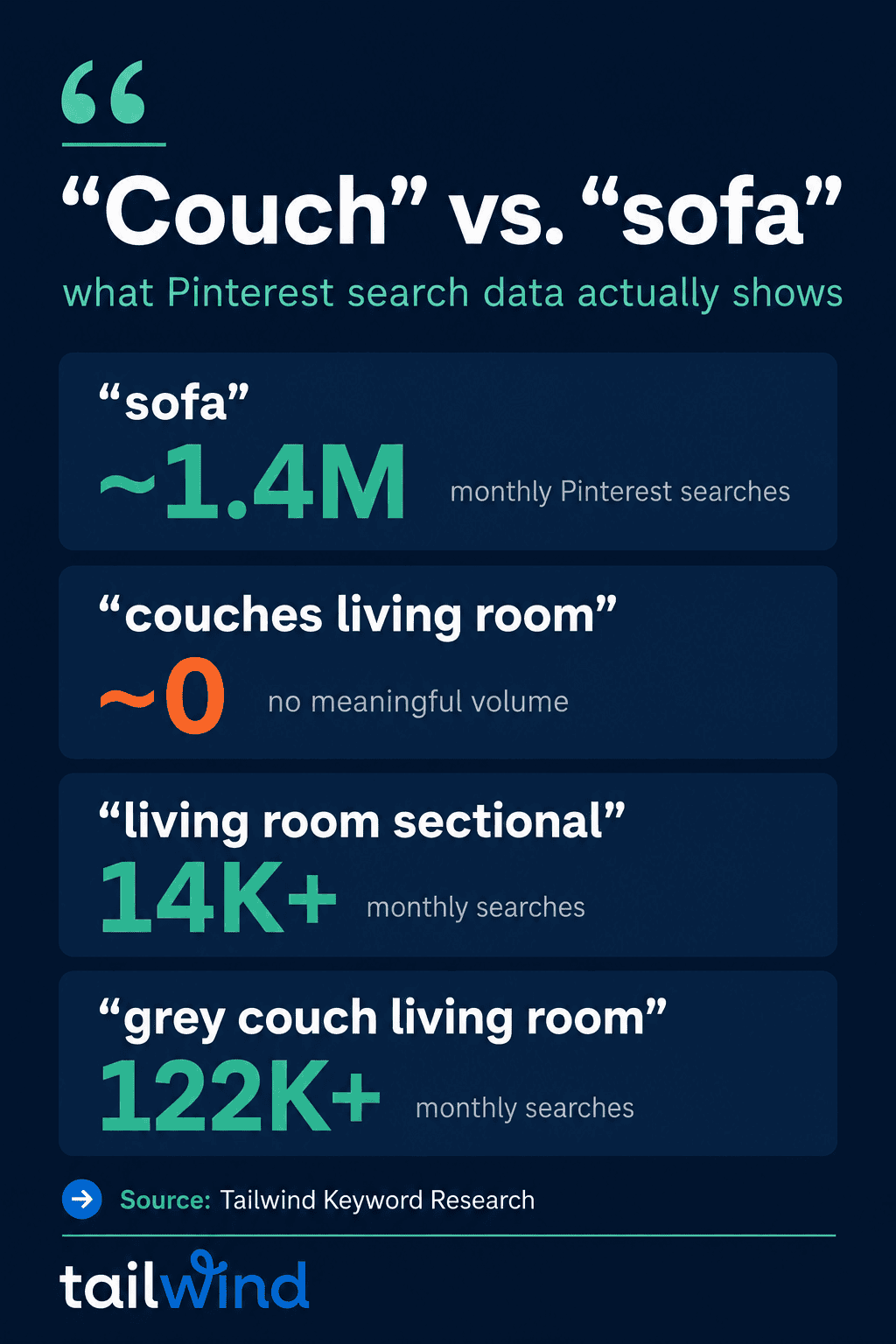
Say you sell or write about furniture, and you want Pinterest traffic for couch content. You’d probably target “couch” — it’s the natural American word for the thing. Here’s what real Pinterest search data shows (Tailwind Keyword Research, July 2026 — volumes move; check current numbers in the tool):
| The keyword you’d guess | What Pinterest’s data actually shows |
|---|---|
| “couch” | The synonymous “sofa” carries ~1.4M monthly Pinterest searches — the volume lives under the word you didn’t pick |
| “couches living room” | No meaningful search volume — this phrasing isn’t where the demand lives |
| “living room sectional” | 14K+ monthly searches — a sibling phrasing with real volume |
| “grey couch living room” | 122K+ monthly searches — a more specific phrasing, ~9× bigger than the sectional term |
Read that table again, because it’s the whole argument of this guide in four rows. A publisher guessing keywords — or asking a generic AI tool, which pattern-matches from open-web text and has no access to Pinterest’s actual search data — would likely target “couch” and “couches living room.” One of those underperforms the synonym they didn’t pick; the other targets a phrasing with no meaningful volume, while a 122K-search sibling sits unclaimed next door.
And here’s the part that should bother you if you’ve taken a Pinterest course: most of these high-volume, granular terms don’t appear in Pinterest’s suggested search refinements — the little chips and autocomplete suggestions in the Pinterest UI. The most commonly taught free method (“type your topic in the search bar and mine the suggestions”) structurally misses the biggest opportunities. It’s not that the method is lazy. It’s that the interface only surfaces a slice of the graph.
Which keyword is right — “sofa,” “living room sectional,” or “grey couch living room” — depends on your content and what you’re promoting. That’s the judgment layer, and no tool does it for you. But you can’t exercise judgment on data you can’t see.
The Three Layers of Pinterest SEO
| Layer | What it is | Who teaches it |
|---|---|---|
| Tactics | Where keywords go: titles, descriptions, boards, alt text | Every guide — this is commodity knowledge |
| Data | Whether your target keywords reflect Pinterest’s actual graphed demand | Almost nobody — most guides don’t have access to it |
| Judgment | Which graphed term fits your content, intent, and niche | You — with real data underneath |
Most “complete guides” to Pinterest SEO are layer-one guides. They’re not wrong; they’re incomplete in the layer that decides outcomes.
Generic Keyword Research vs. Pinterest-Graphed Keyword Research
Call data that comes from Pinterest’s actual interest graph Pinterest-graphed data — as opposed to data inferred from Google, pattern-matched by a generic AI, or mined from the search bar. Here’s what the difference means in practice:
| Generic keyword research (guessing, ChatGPT, Google-based tools, autocomplete-mining) | Pinterest-graphed keyword research | |
|---|---|---|
| Data source | Open-web text, Google volumes, or whatever the Pinterest UI happens to suggest | Pinterest’s interest graph, via sanctioned partner data access |
| Volume accuracy | Plausible-sounding estimates — often for the wrong synonym entirely (“couch” vs. “sofa”) | Actual Pinterest search volumes, per graphed term |
| Shopping-intent detection | None — no way to know whether a search surfaces products or ideas | Shopping vs. informational intent, per keyword |
| Trending detection | Backward-looking at best | Current trending status from Pinterest’s data |
| Latency to platform changes | Tools built on inference or UI-mining drift when Pinterest evolves, with no way to know they’ve drifted | Partner data access updates with the platform |
Where does Pinterest-graphed data come from? Tailwind’s Keyword Research is built on official partner data access — Tailwind is Pinterest’s longest-standing official developer partner (Tailwind’s claim; the partnership itself is verifiable in Pinterest’s business partners directory). If you want to see what your niche’s demand actually looks like, try Keyword Research free and search your ten most important topics — the divergence from your guesses is usually visible in the first five minutes.
The Tactics Layer: Where Keywords Actually Go
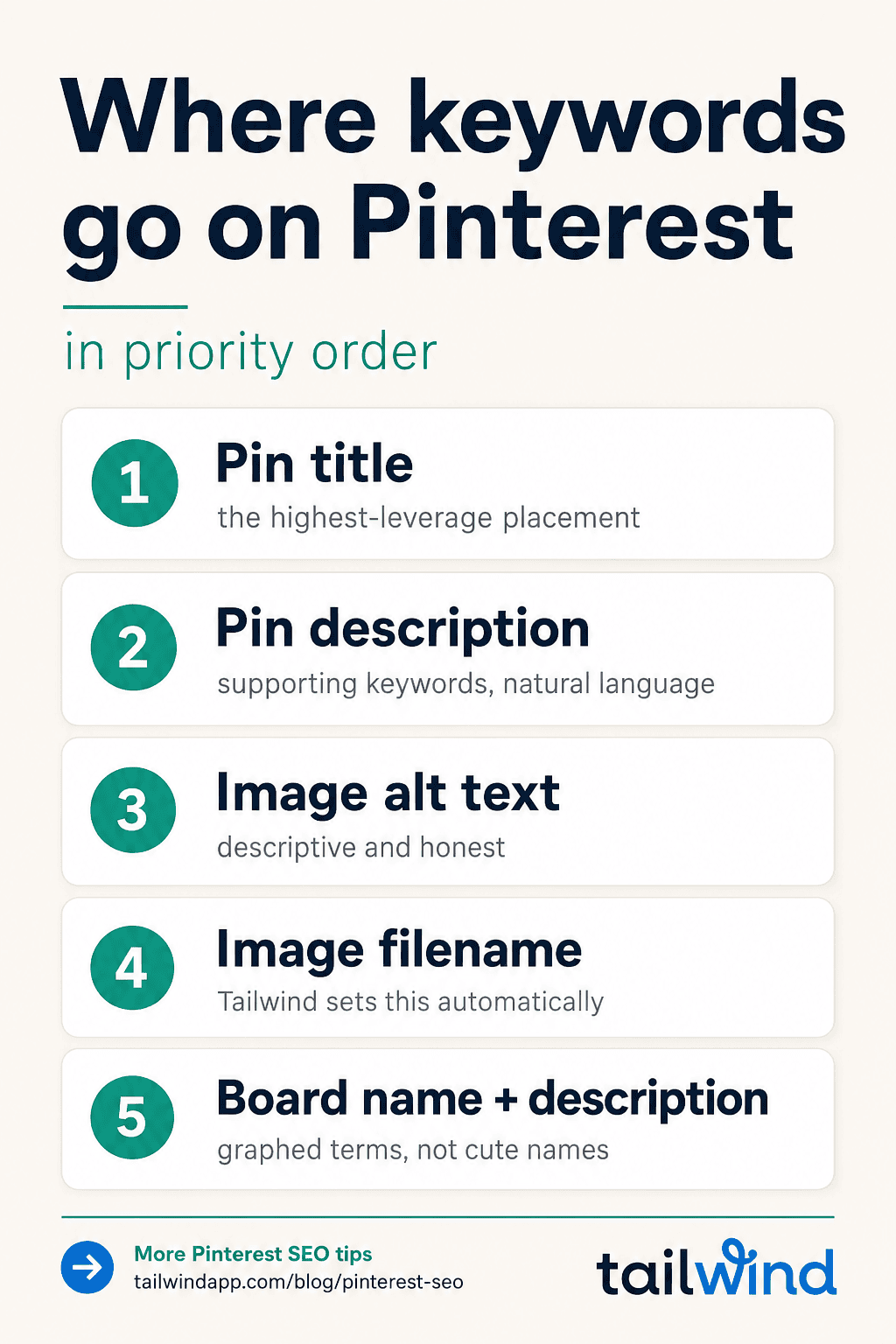
Now the part every guide covers — done with real data underneath. Priority order matters; work from the top down.
- Pin title. The highest-leverage placement. Remember the benchmark: ~90% of viral Pins had a title, ~80% had a target keyword in it. One primary keyword per Pin title, phrased the way Pinterest users phrase it (that’s what the graphed term tells you).
- Pin description. Supporting keywords and natural-language context. Pinterest reads this for relevance — keyword-rich descriptions still matter, and there’s a craft to writing descriptions that earn the click.
- Image alt text. Descriptive, keyword-aware, honest about what the image shows.
- Image filename. Yes, Pinterest reads this too — name your image files with your target keyword instead of
IMG_4821.jpg. If you publish through Tailwind, this one’s handled: Tailwind automatically sets keyworded filenames with your target keywords on Pins it publishes. - Board name and description. Boards are how Pinterest understands what your account is about. Use graphed terms, not cute names — “Grey Living Room Ideas” beats “Cozy Corner Vibes” — and don’t leave the board description empty; it reinforces the topic with related graphed terms for free. (If you’re staring at a blank board list, our board name ideas and board organization guide are the fast path. Even faster: Tailwind can build a new board around a saved keyword you want to target in just a few clicks — a workflow that deserves its own post, coming soon.)
Two supporting tactics that compound the above: keep your profile itself keyword-clean, and design Pins at the right image size so the algorithm doesn’t discount them before relevance is even assessed. And because Pinterest rewards recency of creative, plan for Fresh Pins — new images pointing at your existing content — rather than re-pinning the same image forever. (What “viral” actually looks like on Pinterest is mostly fresh creative on proven keywords.)
The Judgment Layer: A Working Pinterest SEO Workflow
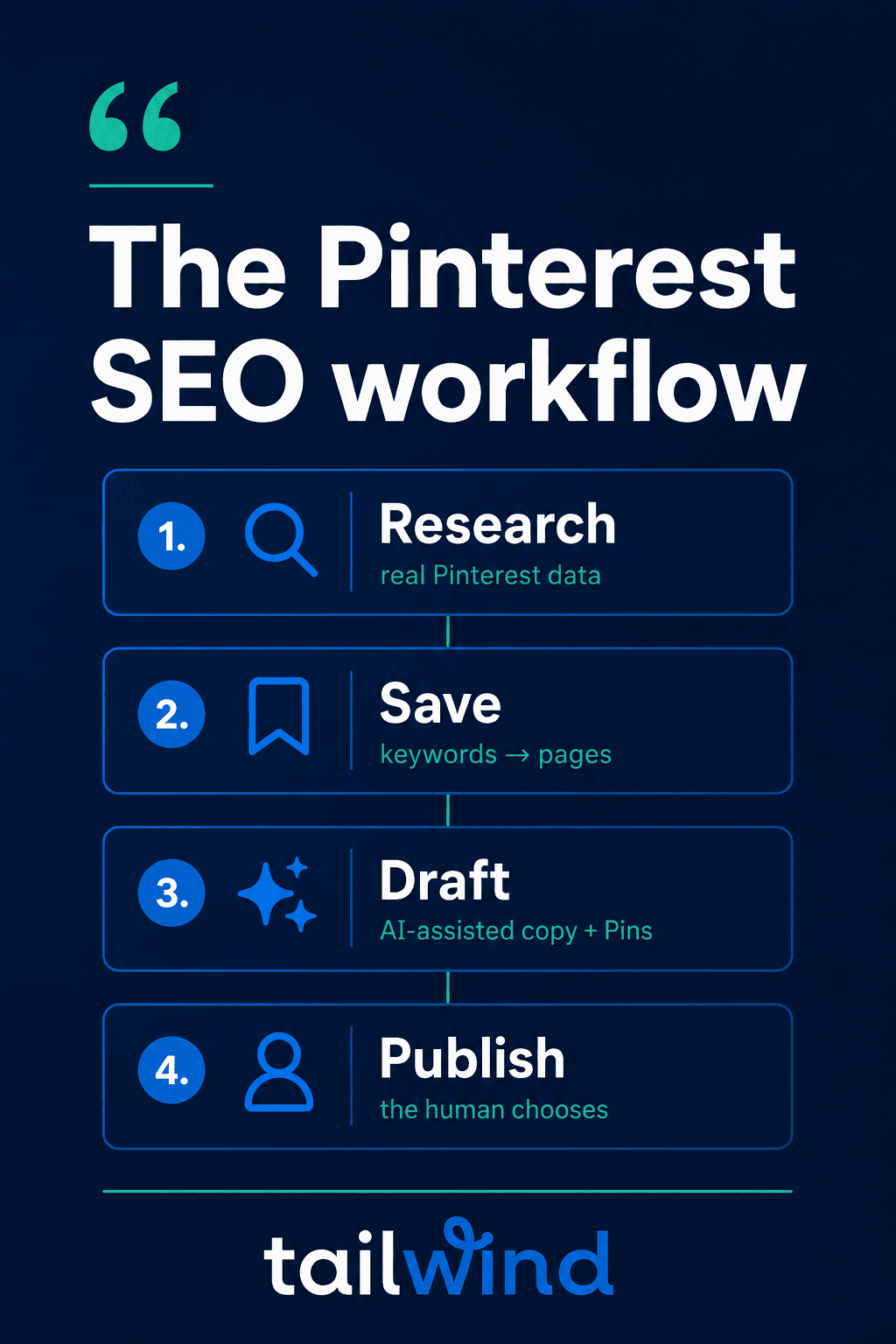
Here’s how the three layers combine into a repeatable weekly workflow — this is AI-assisted Pinterest marketing as we practice it: AI accelerates the work; the data and the decisions stay real.
Step 1 — Research from real data. Search your topics in Keyword Research. Look at volumes, trending status, and — this filter changes decisions more than any other — shopping vs. informational intent. High shopping intent means Pinterest surfaces product listings for that search: point product pages at it. Informational intent means searchers want ideas and how-tos: point blog posts at it. Same topic, different destination.
Step 2 — Save keywords and attach them to pages. In Tailwind, saved keywords link to the specific pages you want to rank. This sounds like bookkeeping; it’s actually the discipline that makes everything downstream faster — every Pin you create for that page starts from the keyword you already chose deliberately.
Step 3 — Let AI draft; you decide. This is where AI genuinely earns its keep — and where being honest about it matters. ChatGPT can draft a fine Pin description. What it can’t do is know which keyword has real Pinterest demand, and it leaves you copy-pasting between tools for every variant. Inside Tailwind, Ghostwriter drafts Pin titles, descriptions, and alt text from your saved keywords — multiple versions for different keywords or audiences in one pass — and the copy lands directly on draft Pins in your Pin Scheduler, ready to review, edit, and publish. SmartPin does the same for the images themselves, drafting fresh Pin designs for the pages you choose, built to stay far truer to your own photography than generic AI image tools.
Step 4 — You choose every Pin that publishes. Not a courtesy — the actual rule. Pinterest’s developer terms require a human to choose each Pin that gets published. AI can generate; it cannot autonomously publish without your selection. Any tool or DIY automation that skips the human choice is on the wrong side of Pinterest’s terms. In practice this is the quality gate anyway: you’re the editor, AI is the intern with infinite stamina.
That’s the throughline worth keeping: AI is a tool inside a Pinterest-results workflow, not a replacement for one. AI-assisted, still authentic.
What This Looks Like When It Works
Jen Vazquez, a wedding photographer turned Pinterest marketing service provider, rebuilt her Pinterest workflow around keyword-driven, scheduled pinning with Tailwind. Her reported results over three months (May 2024): outbound clicks up 1,384%, impressions up 696%, engaged audience up 733% — while cutting Pinterest management from 5 hours to 1 hour per client per week. One customer’s numbers, not a promise. But notice what changed: not more effort — better-targeted effort, on keywords with real demand.
Pinterest SEO FAQs
Is Pinterest SEO the same as Google SEO?
No. The principles rhyme (relevance, keywords, freshness), but Pinterest search runs on Pinterest’s interest graph — a semantic model of interests — and Pinterest search behavior is visual and planning-oriented. The search mix is different too: 96% of top Pinterest searches are unbranded, while a much larger share of Google searches are branded on average — on Pinterest, people search for things, not brands, which is exactly what makes it winnable for small sites. Keywords that perform on Google can be structured differently or carry different volume on Pinterest (see the couch/sofa example above). Optimize for each with its own data.
Do hashtags help Pinterest SEO?
They’re neutral. Pinterest reads hashtags as the keywords inside them — so #greylivingroom counts as “grey living room,” nothing more. Hashtags aren’t better than simply writing those keywords into your title and description, but they don’t hurt either. If you use them, treat them as keyword placements, not a separate strategy.
How long does Pinterest SEO take to work?
Longer than paid, shorter than starting a blog from zero. Pins compound: a well-keyworded Pin can drive traffic for months or years. Expect early signal (impressions on target keywords) within weeks and meaningful traffic movement over one to two quarters of consistent, keyword-driven pinning.
Can I use ChatGPT for Pinterest keyword research?
No — ChatGPT is not a good tool for Pinterest keyword research, because it has no access to real Pinterest search data. It will guess confidently, based on how often words appear in its training data, but the answers will nearly always be incorrect or incomplete — the couch example above shows how far confident guesses sit from graphed reality. It fails especially hard on newer trends, since LLM training data is often at least a couple of years old on current models. Where ChatGPT is fine: brainstorming content angles and drafting copy. For deciding what to target, use real Pinterest data.
What’s a “Fresh Pin” and why does it matter for SEO?
A Fresh Pin is a new image (not a re-pin) pointing at a URL — even one you’ve pinned before. Pinterest’s distribution favors fresh creative, so shipping new Pin designs against your proven keywords is how a ranking piece keeps earning. Tools like SmartPin exist specifically to keep Fresh Pins flowing for pages you choose without a weekly design grind.
See what the data actually shows for your niche → start with Tailwind’s Keyword Research (free trial). Search five topics you think you know, and check them against the graph.